

Modrinth · Fabric, NeoForge, Quilt · Client mod
VeinMiner Hotkey
VeinMiner Hotkey is a client-side mod. Install it on your computer; the server does not need it.
Veinminer Addon - Use a hotkey to veinmine with a dynamic crosshair & block highlighting
- Downloads
- 78.1M
- Author
- Miraculixx
- Loader
- Fabric, NeoForge, Quilt
- Minecraft
- 1.20.5 – 26.3
- Updated
- –
Screenshots
What VeinMiner Hotkey looks like
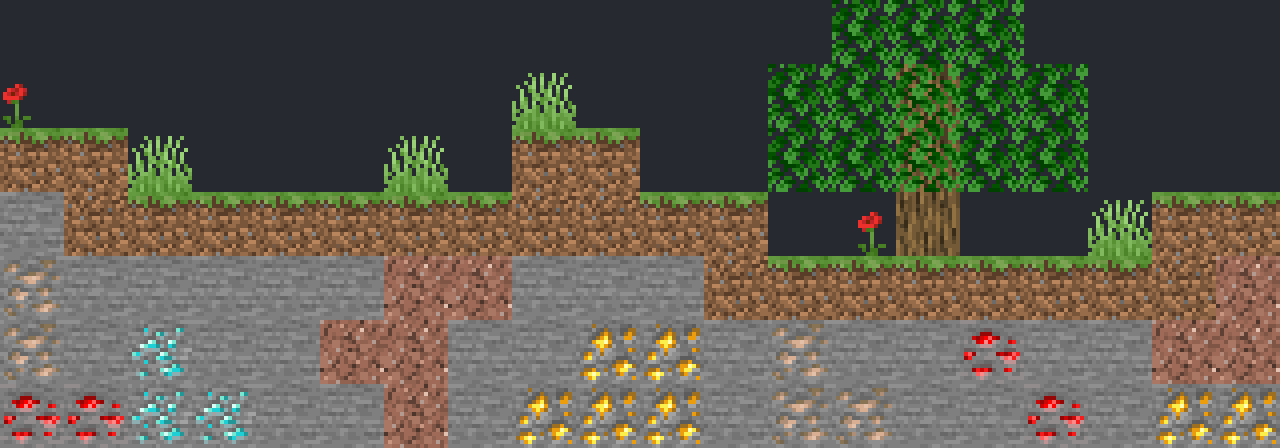


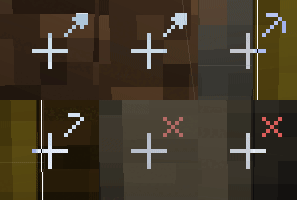
Images: VeinMiner Hotkey on Modrinth, published by the project team.
Setup
Install VeinMiner Hotkey on your client
Client-side mods only run on your computer. More server RAM does not change their performance.
- 01
Install the loader locally
Install Fabric or NeoForge or Quilt for your Minecraft version in your launcher.
- 02
Download the file
Download the VeinMiner Hotkey file for your loader and your exact Minecraft version, for example 26.3.
- 03
Add it to the mods folder
Put the .jar file in your local .minecraft/mods folder and remove older duplicates.
- 04
Launch
Launch Minecraft with the loader profile. Nothing needs to change on the server.
- On the server
- Not needed
- On the client
- Required
- Loader
- Fabric, NeoForge, Quilt
- Minecraft
- 26.3, 26.2, 26.1.2 +16 more
- License
- GNU Lesser General Public License v3.0 only
Releases
Published releases
Pick the file that matches your server’s loader and Minecraft version. The server and players need the same release.
VeinMiner Hotkey · Modrinth- Veinminer Hotkey NeoForge - 2.14.0November 14, 2026Minecraft 1.21.1 · NeoForge
- Veinminer Hotkey Fabric - 2.14.0November 14, 2026Minecraft 1.21.1 · Fabric, Quilt
- Veinminer Hotkey NeoForge - 2.14.0November 14, 2026Minecraft 1.21.11 · NeoForge
- Veinminer Hotkey Fabric - 2.14.0November 14, 2026Minecraft 1.21.11 · Fabric, Quilt
- Veinminer Hotkey NeoForge - 2.14.0November 14, 2026Minecraft 26.3 · NeoForge
Original description by the project author


⛏️ Veinminer Hotkey
Addon for the popular Veinminer mod/plugin that adds a custom hotkey, veinmine preview & pattern control. As long as this addon is installed, veinmining is only possible with the hotkey pressed (still respecting block rules and settings).
Hold Hotkey: Y or Z (can be changed in client controls, default is depending on your key layout)
Toggle Hotkey: unbound (bind in client controls)
⚠ Important
Veinminer needs to be installed on the server too for this addon to work! If playing in single-player, install it on your client too.
Works together with the enchantment addon if installed.

⚙ Settings
Pattern selection can be changed by holding the hotkey and scrolling up/down.
Additionally holding shift allows changing the mining depth/width.
Pattern Config Hotkey: O (configure, add, remove patterns to your liking. Accessible via mod menu as well)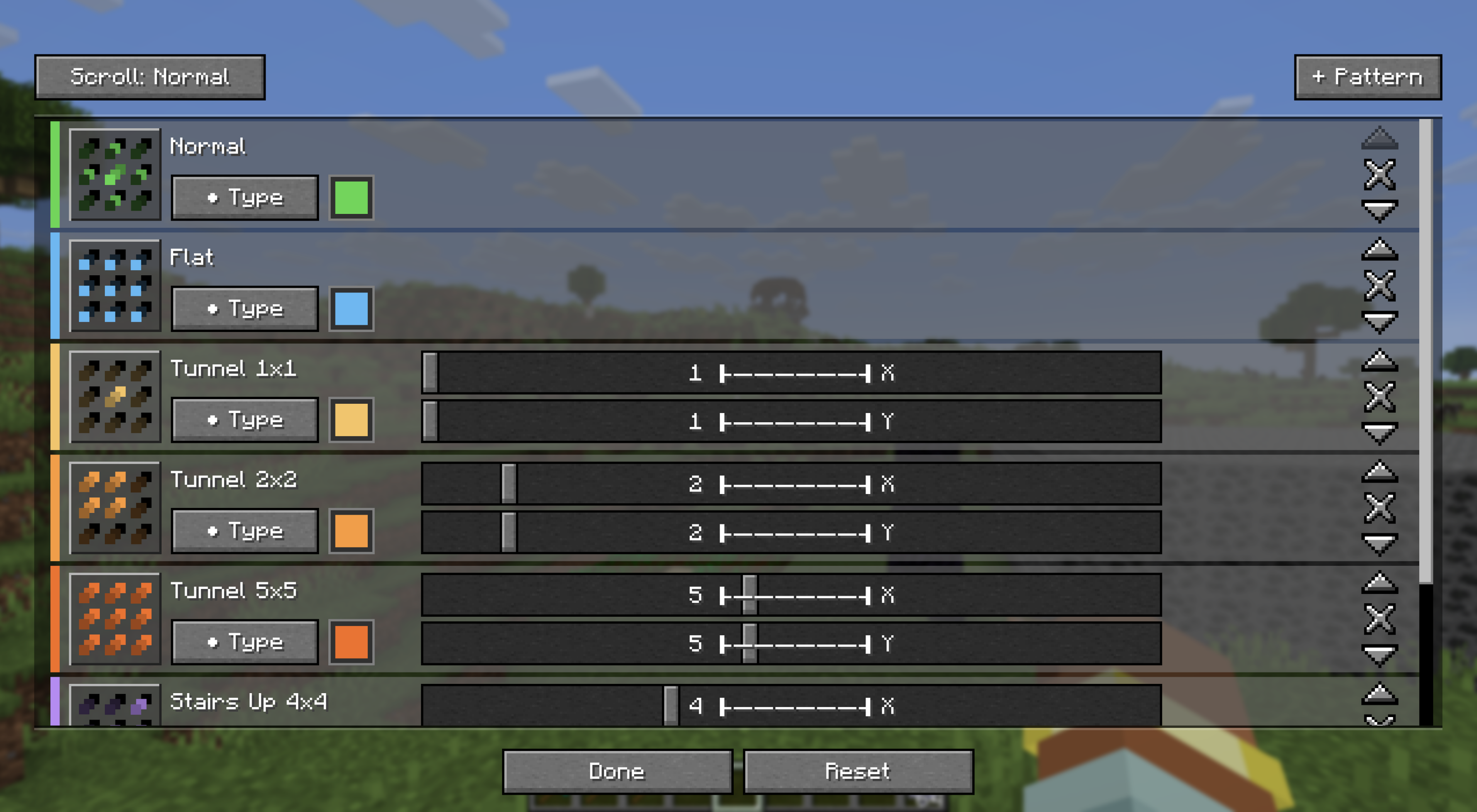
The server can configure client behavior with the following options. The client mod will automatically disable itself if the server does not have Veinminer installed.
Command: /veinminer settings client ...
| Setting | Description | Default |
|---|---|---|
allow |
If the use of the client mod is allowed | true |
translucentBlockHighlight |
If block highlighting should be visible through blocks | true |
allowAllBlocks |
If hotkey user can veinmine every block (respecting other settings) | false |
Platform Notice: No reuploads or forks are allowed on Modrinth & CurseForge
Does VeinMiner Hotkey need to be installed on the Minecraft server?
No. Modrinth marks VeinMiner Hotkey as unsupported on the server side. Install it only in your local mods folder. Your server can stay unchanged unless the project page lists an additional dependency.
Which version and loader does VeinMiner Hotkey require?
Use a file for Fabric, NeoForge, Quilt and your exact Minecraft version. Supported versions include 26.3, 26.2, 26.1.2. Files for different loaders are not interchangeable.
VeinMiner Hotkey is not working – what should I check?
First check the Minecraft version, loader version and required dependencies. Because the mod is client-side, more server RAM will not fix it.
Similar mods
Popular mods in the same category
 Server-ready

VeinMiner
by Miraculixx
Mine the whole vein on mining a single ore/block. Make the tedious mining experience to something satisfying and fun! FTB Ultimine alternative
 Server-ready

Curios API
by TheIllusiveC4
A flexible and expandable accessory/equipment API for users and developers.
 Server-ready

[TaCZ] Timeless and Classics Zero
by craneblock6666
The most Immersive and Customizable modern FPS experience in Minecraft - A complete Remaster of the TaC gun mod by the original team.
 Server-ready
Nature's Compass
by Chaosyr
Allows you to locate biomes anywhere in the world.
Looking for mods for your own server?
The catalog lists mods that run on Minecraft servers.