
Modrinth · Fabric, NeoForge
Adventurer's BackPack on your Minecraft server
Adventurer's BackPack runs on Minecraft servers with Fabric or NeoForge. Order your server, set the loader in the panel and install the mod with one click in the mod browser.
Adventurer’s Backpack adds magical, upgradeable backpacks for survival. Carry more, protect key items, place your pack in the world, and customize it for mining, building, and exploration without making survival feel like creative mode.
- Downloads
- 13.1K
- Author
- GameMech007
- Loader
- Fabric, NeoForge
- Minecraft
- 1.20.1 – 26.2
- Updated
- –
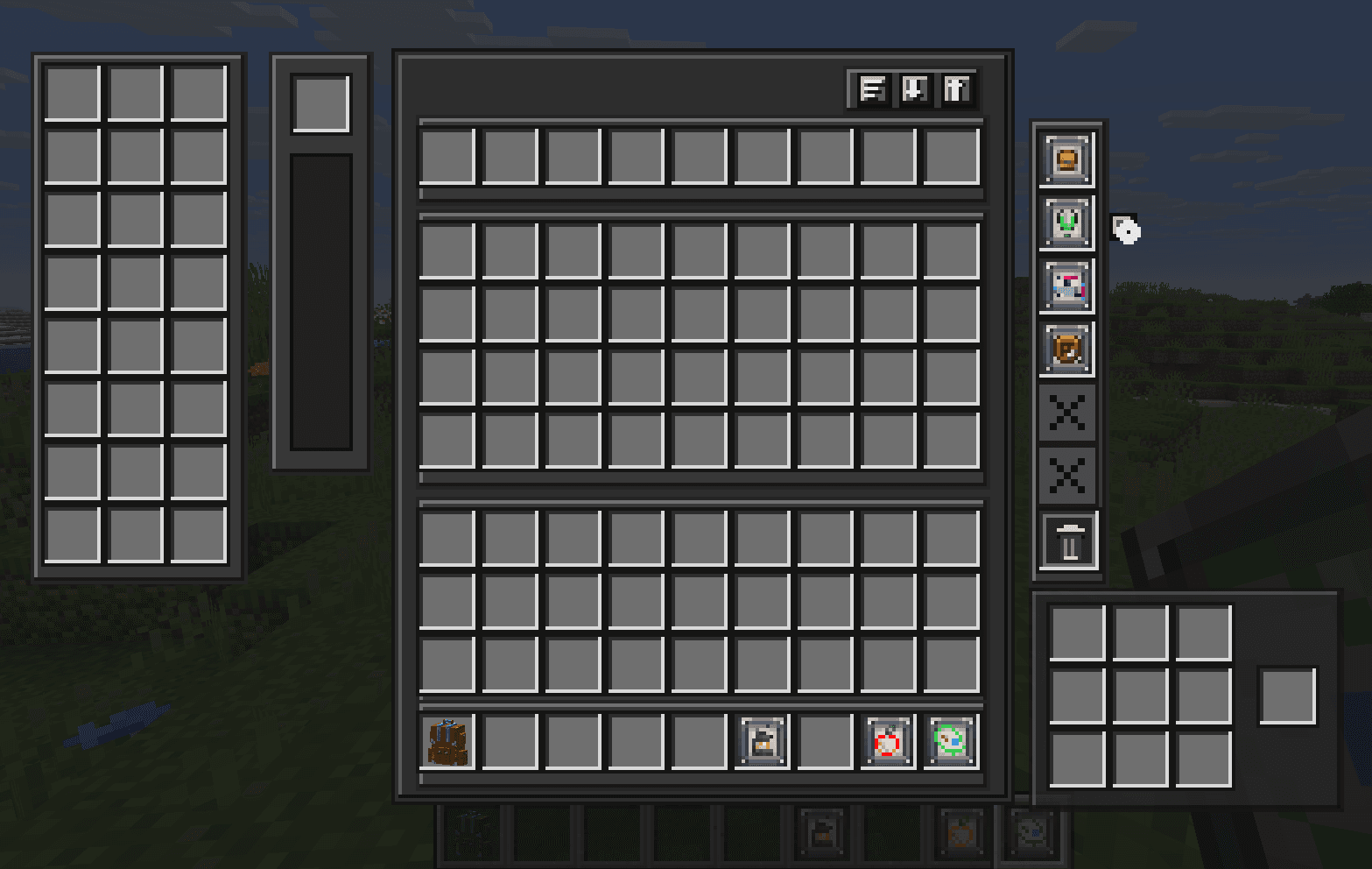
Screenshots
What Adventurer's BackPack looks like


Images: Adventurer's BackPack on Modrinth, published by the project team.
Setup
Install Adventurer's BackPack on your server
The server and players need the same loader and Minecraft version. Back up the world before adding or updating mods.
- 01
Configure
4 GB of RAM is preselected. You choose the term and add-ons and pay by credit card or PayPal.
- 02
Set the loader
In the panel, set the server software to Fabric or NeoForge and choose the matching Minecraft version, for example 26.2.
- 03
Install the mod
Search the mod browser for “Adventurer's BackPack” and install the release for your loader. Alternatively, upload the .jar to the mods folder via SFTP. Required dependencies are listed on the project page.
- 04
Connect
Every player installs the same Adventurer's BackPack release locally and connects using the server address from the panel.
- On the server
- Required
- On the client
- Required
- Loader
- Fabric, NeoForge
- Minecraft
- 26.2, 26.1.2, 26.1.1 +3 more
- License
- LicenseRef-All-Rights-Reserved
The panel
Install mods, find errors.
Real screenshots from the Mado panel. Both come with every Minecraft server.
Mod browser
Modrinth and CurseForge, right in the panel.
The browser filters by your Minecraft version. Install mods with one click, without uploading .jar files.

AI crash analysis
When a mod crashes, the analyzer reads the log.
Mods often fail on a wrong loader version, Java version or missing dependency. The analyzer names a likely cause and suggests a fix.

Releases
Published releases
Pick the file that matches your server’s loader and Minecraft version. The server and players need the same release.
Adventurer's BackPack · Modrinth- Adventurer's BackPack 1.0.4August 15, 2026Minecraft 26.2 · Fabric
- Adventurer's BackPack (26.2) 1.0.1 [NeoForge]June 23, 2026Minecraft 26.2 · NeoForge
- Adventurer's BackPack 1.0.0 [Neoforge]June 22, 2026Minecraft 26.1, 26.1.1, 26.1.2 · NeoForge
- Adventurer's BackPack 1.0.0 [Fabric]June 22, 2026Minecraft 26.1, 26.1.1, 26.1.2 · Fabric
- BackPack Pro 1.0.0May 1, 2026Minecraft 1.20.1 · Fabric
Original description by the project author

📺 Watch the Video for an In-Depth Tutorial
Adventurer’s Backpack
A backpack for players who leave home with a pickaxe, a stack of torches, and no promise they’ll make it back.
Adventurer’s Backpack adds magical backpacks built around exploration, survival, and smart inventory management. It gives you portable storage, useful upgrades, and a small amount of magical protection without turning death into a free undo button.
This is not just a chest you carry.
It is adventuring gear.





A Backpack with a Little Magic
Every backpack contains a few protected slots for the things you really do not want to lose: rare drops, emergency tools, valuable resources, maps, keys, or whatever matters most in your world.
The magic is powerful, but limited. The backpack can protect important items through death, but its durability weakens each time. Higher-tier backpacks are stronger and more reliable for dangerous journeys.
Choose carefully what deserves protection.
Made for Long Trips
Adventurer’s Backpack is designed for the moments when your inventory usually gives up before you do.
Deep mining run?
Nether expedition?
Large build project?
Looting ancient cities?
Moving between bases?
Bring a backpack, prepare your upgrades, and stay out longer without constantly returning to storage.
Backpack Tiers
Backpacks progress through practical Minecraft materials.

Iron Backpack
A sturdy first backpack for early exploration.
Diamond Backpack
More space, more protection, and more upgrade room for serious adventures.
Netherite Backpack
A late-game backpack built for dangerous places and long expeditions.
Each tier improves storage, protected capacity, upgrade potential, and magical durability.
Upgrades
Customize your backpack with upgrades that support different playstyles.
Upgrade Base

Most upgrades start with an Upgrade Base.
It works as the blank magical frame used to craft backpack upgrades such as Lantern Hook, Auto Pickup, Food Pouch, Restock, Fluid Storage, Extra Storage, Crafting, Recall Rune, Cartographer’s Case, and Nested Upgrade.
If you are wondering how to craft an upgrade, craft an Upgrade Base first, then combine it with the materials for the upgrade you want.
Lantern Hook
Carry light with you while exploring dark caves and ruins.
A simple upgrade for players who are tired of placing torches every few blocks.
Requires LambDynamicLights.
Auto Pickup
Collect nearby drops directly into your backpack.
Useful for mining, farming, mob drops, and gathering resources without filling your main inventory instantly.
Food Pouch
Keeps food ready when your hunger gets low.
Great for long trips, combat, and players who forget to eat until it is almost too late.
Fluid Storage
Carry useful fluids inside the backpack.
Store water or lava without stuffing your inventory full of buckets.
Restock
Keeps your hotbar supplied from backpack storage.
Perfect for builders placing hundreds of blocks, miners using stacks of torches, or players who always want backup tools and buckets ready.
Extra Storage
Adds more room for everything you collect along the way.
Simple, useful, and exactly what every adventurer eventually needs.
Crafting
Adds a portable crafting grid.
Make torches, planks, tools, blocks, and emergency supplies without running back to a crafting table.
Recall Rune
Bind a home point and two waypoint anchors, then recall back to them when your journey takes you too far from safety.
The Recall Rune is made for miners, explorers, and travelers who want a way back without making teleporting feel free or overpowered.
Shift-click a Recall Rune button to bind a location.
Click a bound location to begin recalling.
A useful upgrade for long mining trips, deep cave routes, remote build sites, and returning to important travel points without removing survival risk.
Cartographer’s Case
Keep track of where your journey is taking you.
The Cartographer’s Case can hold lodestone compasses and lets you choose which location your backpack should guide you toward. It is useful for marking bases, mines, villages, strongholds, portals, or any place worth finding again.
It also includes a Death Signal, helping you return to your last death location when things go wrong far from home.
Built for explorers who wander far, but still want a way to find their path back.
Nested Upgrade
Carry a few simple upgrades inside one upgrade slot.
The Nested Upgrade adds four internal slots for non-config upgrades, letting you fit more utility into your backpack without turning it into unlimited power.
It can hold upgrades like Lantern Hook, Fluid Storage, Extra Storage, and Crafting, but it cannot hold another Nested Upgrade.
A compact upgrade for adventurers who like their gear efficient, organized, and ready for long trips.
Place It Down
A backpack can also be placed in the world and used as a temporary storage block.
Set it beside a mine entrance, inside a build site, near a farm, or at a small camp while you work. Pick it back up when you are ready to move on.
Survival First
Adventurer’s Backpack is balanced around survival gameplay.
It helps you carry more, organize better, and protect a few important items, but it does not remove risk completely. Death still matters. Preparation still matters. What you choose to protect still matters.
That is the core idea of the mod:
more freedom, not free safety.
Good For
Mining expeditions
Cave exploration
Nether travel
Building projects
Resource gathering
Adventure maps
Survival worlds
Multiplayer servers
Vanilla-style modpacks
More to Come
Adventurer’s Backpack will continue to grow with new upgrades, balance improvements, and quality-of-life features.
Have an idea for an upgrade or a feature that would fit the mod? Share it in the comments. Good suggestions that match the survival-friendly style of the mod may be added in future updates.
Requirements
Required
Fabric API
LambDynamicLights
Used for the Lantern Hook upgrade.
Final Note
Adventurer’s Backpack is for players who like to prepare before a journey.
Pack your tools.
Protect your valuables.
Light the path ahead.
And keep going.
The mod is still growing, so balance and features may change between updates.
Thank You For Choosing Adventurer's BackPack!
Adventurer's BackPack server crashes on startup – what to do?
Common causes: the loader or Minecraft version does not match the mod file, a dependency is missing, or RAM is too low. Check the log (latest.log) for “OutOfMemoryError”, “Mixin” or missing mods. At Mado, the AI crash analysis reads the log and suggests a cause. You can change the loader and version in the panel.
Which loader does Adventurer's BackPack run on?
According to Modrinth, Adventurer's BackPack supports Fabric, NeoForge for Minecraft 26.2, 26.1.2, 26.1.1.
How much RAM does a server with Adventurer's BackPack need?
As guidance, 3–4 GB for a server with this mod. This is an estimate, not a measured minimum. More mods, many players and long view distances need more. The spark profiler shows whether a mod is costing tick time.
Similar mods
Popular mods in the same category
 Client only

Mouse Tweaks
by YaLTeR
Enhances inventory management by adding various functions to the mouse buttons.
 Server-ready

Clumps
by jaredlll08
Clumps XP orbs together to reduce lag
 Client only

Inventory Profiles Next
by blackd
Take control over your inventory. Sort. Move matching Items. Throw all. Locked slots. Gear sets! And much more.
 Server-ready

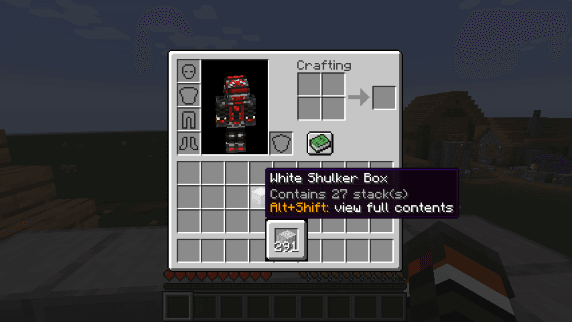
Shulker Box Tooltip
by MisterPeModder
View the contents of shulker boxes from your inventory
Ready for your server with Adventurer's BackPack?
4 GB of RAM from €8.00 per month. 35% off your first month with MADO35.