
AFK Fishing
Automatically reels in and recasts your fishing rod when a catch is detected, perfect for AFK fishing.
Screenshots
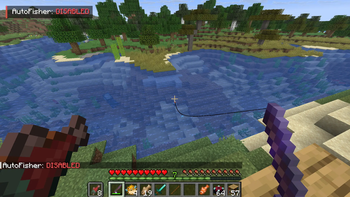
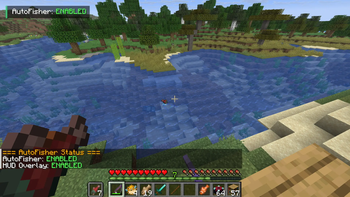
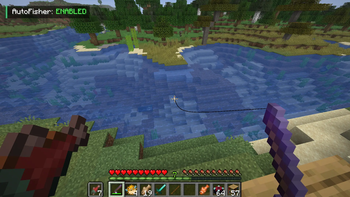
About this Mod
AFK Fishing
AFK Fishing is a lightweight, client-side Fabric mod that fully automates AFK fishing in Minecraft. Cast once and let the mod handle the rest — no interaction needed. Since it runs entirely on the client, it works seamlessly on multiplayer servers without any server-side installation.
Features
- Reliable Bite Detection — Uses game state variables (
DATA_BITING) instead of audio cues, ensuring instant and accurate detection every time — even with the game muted. - Automatic Recasting — Reels in and recasts automatically after each catch with a natural delay (15 ticks / ~750ms).
- Clean HUD Overlay — Displays a minimal status indicator showing whether AFK Fishing is
ENABLEDorDISABLED. Only visible while holding a fishing rod, so it never clutters your screen. - One-Key Toggle — Enable or disable the mod instantly with a fully customizable hotkey (default:
O). - Command Support — Full slash command and dot-command support for flexibility in any server environment.
How to Use
- Hold a Fishing Rod — the HUD indicator will appear near the top-left of your screen.
- Press
Oto toggle AFK Fishing on or off, or use/autofisher on·/autofisher offin chat. - Cast your rod once — the mod handles everything from there.
Commands
| Command | Description |
|---|---|
/autofisher on · .autofisher on |
Enables the auto-fisher |
/autofisher off · .autofisher off |
Disables the auto-fisher |
/autofisher status · .autofisher status |
Shows current status in chat |
/autofisher hud on/off · .autofisher hud on/off |
Toggles the HUD overlay |
Compatibility
| Platform | Fabric Loader |
| Side | Client-side only |
| Java | Java 21+ |
| Dependencies | Fabric API |
Client-side only — works on any server.
Available Versions
How to Install AFK Fishing on Your Client
Install the Mod Loader Locally
Install fabric for your local Minecraft version.
Download the Matching File
Choose the AFK Fishing file for fabric and Minecraft 26.3.
Install Mod
Place the .jar file in your local .minecraft/mods folder and restart Minecraft. No server-side installation is required.
Compatibility
Mod Loaders
Minecraft Versions
26.3, 26.2, 26.1.2 (+15 more)
Server-side
✗ UnsupportedRecommended RAM
4 GB(min. 3 GB)Frequently Asked Questions
Does AFK Fishing need to be installed on the Minecraft server?
No. Modrinth marks AFK Fishing as unsupported on the server side. Install it only in your local Minecraft mods folder. Your server can remain unchanged unless the mod page lists an additional dependency.
Which version and loader does AFK Fishing require?
Use a file for fabric, forge, neoforge and your exact Minecraft version. Supported versions include 26.3, 26.2, 26.1.2. Files for different loaders are not interchangeable.
AFK Fishing is not working – what should I check?
First check the Minecraft version, loader version and required dependencies. Put the .jar file in your local .minecraft/mods folder and remove older duplicates. Because this mod is client-side, adding server RAM will not fix it.
Similar Mods



Minecraft Server for Your Group
AFK Fishing stays on your client. Host a compatible world for your group.