
Modrinth · Fabric, NeoForge
Cobblemon: AllTheMons on your Minecraft server
Cobblemon: AllTheMons runs on Minecraft servers with Fabric or NeoForge. Order your server, set the loader in the panel and install the mod with one click in the mod browser.
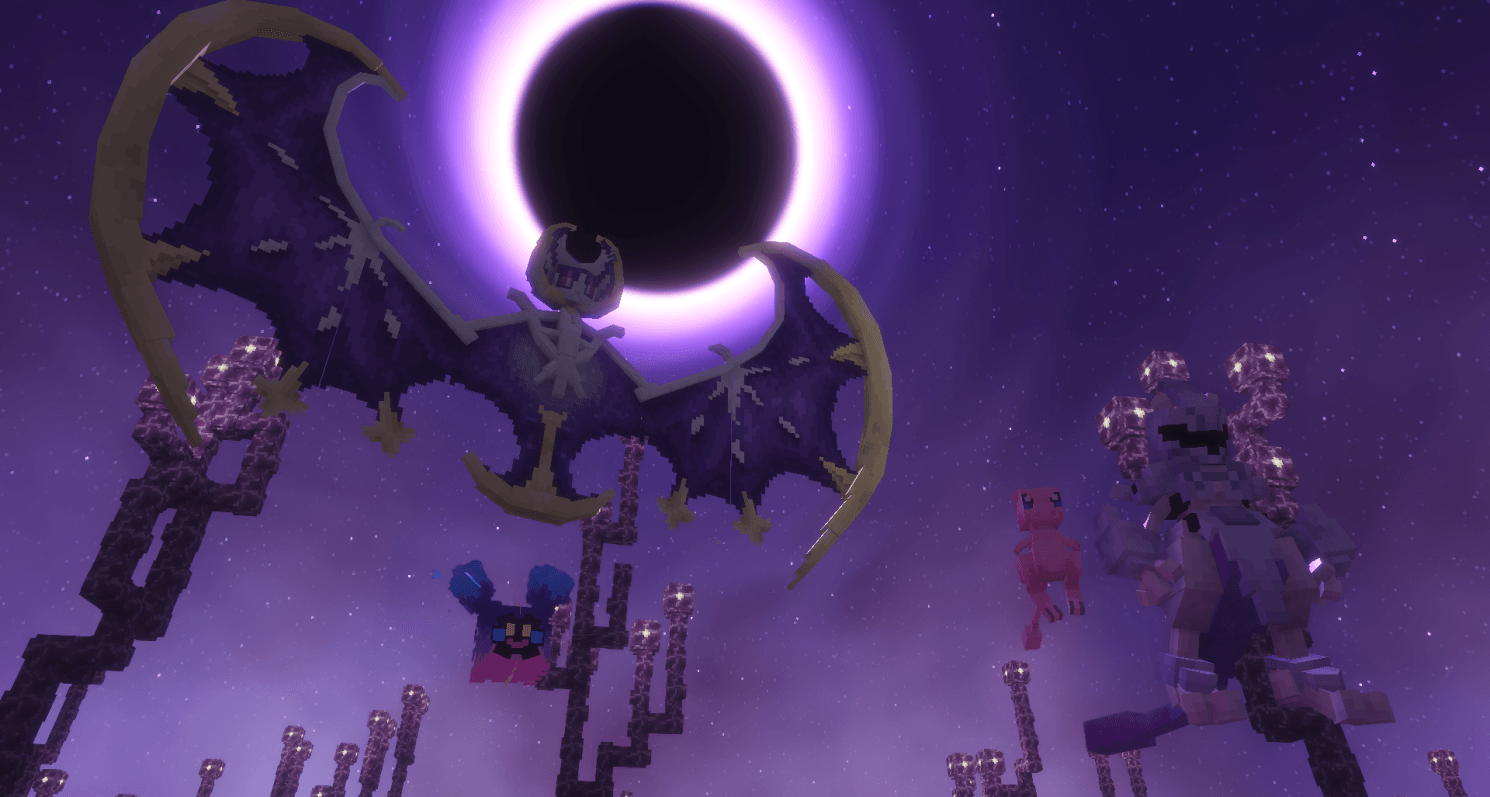
A combination of several datapacks, with permission from the creators. More info in the description.
- Downloads
- 1.2M
- Author
- Lvnatic
- Loader
- Fabric, NeoForge
- Minecraft
- 1.20.1 – 1.21.1
- Updated
- –


Setup
Install Cobblemon: AllTheMons on your server
The server and players need the same loader and Minecraft version. Back up the world before adding or updating mods.
- 01
Configure
4 GB of RAM is preselected. You choose the term and add-ons and pay by credit card or PayPal.
- 02
Set the loader
In the panel, set the server software to Fabric or NeoForge and choose the matching Minecraft version, for example 1.21.1.
- 03
Install the mod
Search the mod browser for “Cobblemon: AllTheMons” and install the release for your loader. Alternatively, upload the .jar to the mods folder via SFTP. Required dependencies are listed on the project page.
- 04
Connect
Cobblemon: AllTheMons is optional on the client. Players connect using the server address from the panel.
- On the server
- Required
- On the client
- Optional
- Loader
- Fabric, NeoForge
- Minecraft
- 1.21.1, 1.20.1
- License
- LicenseRef-AllTheMons-License-v3.3
The panel
Install mods, find errors.
Real screenshots from the Mado panel. Both come with every Minecraft server.
Mod browser
Modrinth and CurseForge, right in the panel.
The browser filters by your Minecraft version. Install mods with one click, without uploading .jar files.

AI crash analysis
When a mod crashes, the analyzer reads the log.
Mods often fail on a wrong loader version, Java version or missing dependency. The analyzer names a likely cause and suggests a fix.

Releases
Published releases
Pick the file that matches your server’s loader and Minecraft version. The server and players need the same release.
Cobblemon: AllTheMons · Modrinth- AllTheMons [R5.0]October 17, 2026Minecraft 1.21.1 · Fabric, NeoForge
- AllTheMons [R5.0]October 16, 2026Minecraft 1.21.1 · datapack, minecraft
- AllTheMons Release 3.0 (Cobblemon 1.7+)November 27, 2025Minecraft 1.21.1 · datapack, minecraft
- AllTheMons R2.2 (Cobblemon 1.6.1)April 12, 2025Minecraft 1.21.1 · datapack, minecraft
- AllTheMons R8.1 V127 (Cobblemon 1.5.2)December 6, 2024Minecraft 1.20.1 · datapack, minecraft
Original description by the project author







AllTheMons (not affiliated with the Curseforge Modpack) is a collaborative effort from many contributors to add as many Pokemon as possible to Cobblemon. All of the addons below have been modified to ensure that there's no overlap, which prevents game-breaking bugs/crashes you would experience without AllTheMons.
Addon & Mod suggestions:
The following addons & mods are personally approved and/or tested my me & my personal recommendations. They feature full compatibility with AllTheMons & might make your game a little bit cooler!
Click for Addon & Mod suggestions!
Ultra Space
Adds a Dimension where Ultra Beasts can be obtained. AllTheMons automatically disables random Ultra Beast spawns from this addon if installed
Better Caps
Tired of Pikachus flat brim? Better Caps turns his cap into an actual three-dimensional piece of art. Okay it's my own addon so #ad I guess? Wouldn't have made it if I didn't feel like someone might need it!
How to install:
This addon comes in both a Mod version (.jar) and a addon (.zip). If you prefer easy installation - install it as a mod - as any other mod. For the addon version, expand the section below:
Addon version install
Cobblemon addons (.zip) that add Pokémon are both data & resource packs in one file, so installing them automatically via the modrinth launcher won't work - You have to do it manually. Please follow the instructions below to make sure AllTheMons is properly installed and can function as intended!
Singleplayer:
Put the .zip in /saves/[WORLDNAME]/datapacks not /datapacks
Put the .zip in /resourcepacks
Enable in game ESC - Options - Resource Packs
Servers:
Put the .zip in /world/datapacks
Sometimes it's called myworld, or something similar, sometimes it has a name instead
If you're in doubt about the correct folder, consult your server providers guide on how to add datapacks
Every Player has to have the .zip installed as a Resource Pack
Best option if for them to have it installed and enabled in their clients
It's possible to add them to server resources, but note that there have been issues with this for some cobblemon addons, so try whatever method suits you better
What does AllTheMons include?:
Adds missing Pokémon to expand Cobblemon to 1021/1025 Pokémon!
Overrides many models from base Cobblemon to provide better ones
Adds tons of animations & quirks to existing Cobblemon models
All of them are obtainable in survival without compromises!
Fixed & added most Pokédex entries and descriptions
Riding support for a lot of the added Pokémon
Somewhat lore accurate spawn locations
Documentation, Help/Support, Compatibility & License:
General Documentation:
Click to unfold!
Most documentation such as
- obtainment methods & spawns for all Pokémon, their forms
- a list of every added and/or edited Pokémon
- a list of all incompatible addons/mods
as well as much more can be found on our own AllTheMons Discord Server! It also provides support to help you with installation, compatibility, troubleshooting, general questions about the addon & license. You're able to donate to or learn more about the included addons & our contributors as well as posting suggestions and report bugs for AllTheMons!
Where all included Pokémon spawn:
Click to unfold!
You have two options here, depending on what you prefer.
The Spawn spreadsheet:
If you prefer looking at lists you can find the Spawn Spreadsheet for this addon here
This is currently the preferred method as the spawn bot is not updated yet.
The AllTheMons Discord:
If you prefer having discord open and want to type commands rather than having another browser running you should follow this:
- Join the AllTheMons Discord
- Type
!spawnsin the bot-commands channel
From there our fully automated bot will tell you all about the spawns - including rarity, spawn conditions, requirements and biomes. It also includes all base Cobblemon spawns so you can find everything in one place.
NOTE: REMEMBER - AllTheMons will automatically disable random Ultra Beast spawns if Ultra Space or Ultra-Beasts are installed!
Permissions & License (usage on modpacks/public servers)
Click to unfold!
All Developers of these packs gave their full permission for their assets to be used, proof of these can be found within the addon file, in a folder titled "Proofs of Permission"
Due to this collaborative effort, AllTheMons has a strict license to make this even possible in the first place. Read it before starting a server or modpack containing the addon. You can find it here.
All the lovely Contributors and their addons:
AshiMons by ASHISK
Bonimons by Bonanca
CloudMons by Wi2tert
CobbleCats by Raspix
CobbleMotion by Lenka
DeCubes MoMons by DefaultCube
Eternal Floette by Valee_Valee
GenoMons by GenotypeXD
HiddenMons by LegenTM
Hydro's Reanimodel Pack by BlazeHydroxide
Kale's Collection by Kale
LackingMons by Beezy and IZetyXX
Liberty Garden by Lvnatic
MissingMons by RedRibbon
Monkeymons by Bonanca
MoreMons by YaBoiBruno
MundialMons by Alexiocraft
Nadymons3 by Nady3
OdysseyMons by BifeSalgado & Aki4hiro
Pigeon's PokePack by ElPigeon
Pokemans Pack by Tontra
Soul Megas by Sanji
Swirlix and Slurpuff for Cobblemon by ARaccoonNamedFish
Several Contributions by individuals like Darzoth, Surebett, Ya hrim & many others!
Cobblemon: AllTheMons server crashes on startup – what to do?
Common causes: the loader or Minecraft version does not match the mod file, a dependency is missing, or RAM is too low. Check the log (latest.log) for “OutOfMemoryError”, “Mixin” or missing mods. At Mado, the AI crash analysis reads the log and suggests a cause. You can change the loader and version in the panel.
Which loader does Cobblemon: AllTheMons run on?
According to Modrinth, Cobblemon: AllTheMons supports Fabric, NeoForge for Minecraft 1.21.1, 1.20.1.
How much RAM does a server with Cobblemon: AllTheMons need?
As guidance, 3–4 GB for a server with this mod. This is an estimate, not a measured minimum. More mods, many players and long view distances need more. The spark profiler shows whether a mod is costing tick time.
Similar mods
Popular mods in the same category
 Server-ready

Xaero's Minimap
by thexaero
Displays a map of the nearby world terrain, players, mobs, entities in the corner of your screen. Lets you create waypoints which help you find the locations you've marked.
 Server-ready

Xaero's World Map
by thexaero
Adds a full screen world map which shows you what you have explored in the world. Works great together with Xaero's Minimap.
 Client only

Not Enough Animations
by tr7zw
Bringing first-person animations to the third-person
 Client only

3D Skin Layers
by tr7zw
Render the player skin layer in 3d!
Ready for your server with Cobblemon: AllTheMons?
4 GB of RAM from €8.00 per month. 35% off your first month with MADO35.