
Modrinth · Forge, NeoForge
Artificer's Armory on your Minecraft server
Artificer's Armory runs on Minecraft servers with Forge or NeoForge. Order your server, set the loader in the panel and install the mod with one click in the mod browser.
A weapon expansion for mage and spellcaster playstyles.
- Downloads
- 4.8K
- Author
- tonyandthetrashelementals
- Loader
- Forge, NeoForge
- Minecraft
- 1.20.1 – 1.21.1
- Updated
- –
Screenshots
What Artificer's Armory looks like


Images: Artificer's Armory on Modrinth, published by the project team.
Setup
Install Artificer's Armory on your server
The server and players need the same loader and Minecraft version. Back up the world before adding or updating mods.
- 01
Configure
4 GB of RAM is preselected. You choose the term and add-ons and pay by credit card or PayPal.
- 02
Set the loader
In the panel, set the server software to Forge or NeoForge and choose the matching Minecraft version, for example 1.21.1.
- 03
Install the mod
Search the mod browser for “Artificer's Armory” and install the release for your loader. Alternatively, upload the .jar to the mods folder via SFTP. Required dependencies are listed on the project page.
- 04
Connect
Every player installs the same Artificer's Armory release locally and connects using the server address from the panel.
- On the server
- Required
- On the client
- Required
- Loader
- Forge, NeoForge
- Minecraft
- 1.21.1, 1.21, 1.20.1
- License
- MIT License
The panel
Install mods, find errors.
Real screenshots from the Mado panel. Both come with every Minecraft server.
Mod browser
Modrinth and CurseForge, right in the panel.
The browser filters by your Minecraft version. Install mods with one click, without uploading .jar files.

AI crash analysis
When a mod crashes, the analyzer reads the log.
Mods often fail on a wrong loader version, Java version or missing dependency. The analyzer names a likely cause and suggests a fix.

Releases
Published releases
Pick the file that matches your server’s loader and Minecraft version. The server and players need the same release.
Artificer's Armory · Modrinth- Artificer's Armory 1.0.5September 20, 2026Minecraft 1.21, 1.21.1 · NeoForge
- Artificer's Armory 1.0.5September 20, 2026Minecraft 1.20.1 · Forge, NeoForge
Original description by the project author
_Requires GeckoLib_
This mod introduces several new magical weapons and tools designed for mage or spellcaster playstyles while attempting to be somewhat vanilla friendly. This mod is also meant to be complimentary to the Iron's Spells and Better Combat mods, but can be used without them. Each weapon has its own unique playstyle and abilities, and is designed to be easy to pick up and understand, and rewarding to master, with a plethora of unique enchantments that affect how they function.
Weapons
See the wiki for more detailed information on weapons and their unique enchantments.
Broomstick
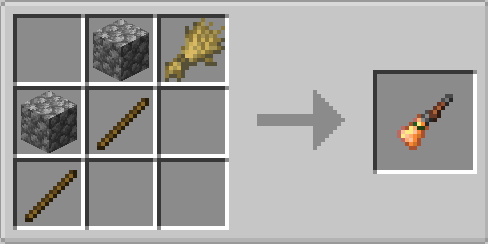
A bewitched broomstick that can be used to sweep away enemies with blasts of wind, or used mid-air to begin flying. Broomsticks can travel quickly and freely through the air, but they only have a limited amount of flight time before they will run out of magical energy, and start slowly drifting to the ground. By further enchanting the broomstick, you can increase its flight speed and use it to ram enemies, or you can improve the potency of your wind blasts.
Tuning Fork
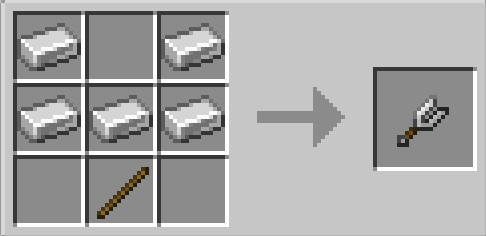
A resonating tuning fork that can be used as a melee or area of effect weapon that can create shockwaves of sound when it strikes foes. Its primary use, however, is to apply a temporary enchantment to your other gear called 'Resonance'. Resonant armors will have increased damage negation, resonant tools can break extra blocks, resonant weapons will cause delayed shockwaves when they strike foes, and resonant bows and crossbows can fire a second shot after a short delay. The tuning fork can be further enchanted to increase the frequency, power, or effectiveness of your shockwaves and the resonance enchantment.
Wrench
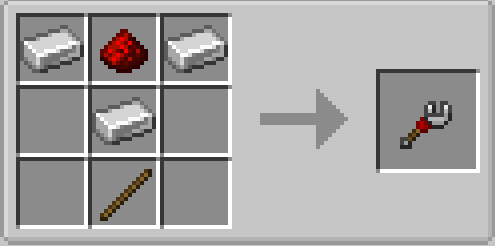
An artificer's wrench that can be used as a melee weapon, or to construct sentries that will autonomously attack nearby enemies. By default, you can construct two types of sentries, a basic sentry that will shoot arrows at nearby enemies, and a hover sentry that will fly over your shoulder and attack when you attack. By interacting with a sentry using a wrench, you can 'overclock' the sentry, causing it to attack faster, but also shortening its lifespan. By enchanting the wrench, you can construct additional sentry types like area-denial electro coils, ridable mobile gears, or long range laser arrays. The type of sentry you create using the wrench can be cycled by shift-using the item.
Permanent sentries can also be created by using the wrench on one of three blocks placed on top of an Iron Bars block. Use a dispenser to create a basic sentry, a lightning rod to create an electro coil, or a redstone block to create a redstone laser array.
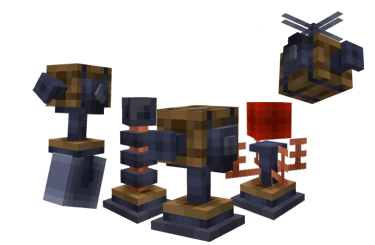
Sprig

The Sprig is a druidic staff used to fire a beam of concentrated nature magic. This weapon excels at area control and shaping the battlefield, as well as unlocking new movement options for its wielder. By firing normally, you can grow a line of bushes along the ground that will slow and damage enemies. By crouching while you fire, you will create a Sprout that can be climbed to reach new heights. This weapon is also a stout shilellagh, capable of delivering a hearty whack. Enchant it further to unlock the full potential of nature, create goodberries that can be eaten to restore health and hunger, create a small army of mandrakes, or recover your energy in the sunlight. The Sprig's full potential can be unlocked by firing its beam at natural blocks like flowers, leaves, or logs.
Oculus
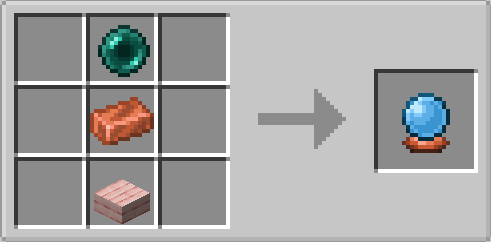
The Oculus is a ponderous orb used to create volleys of magical homing projectiles. By channeling the item, you can create up to three magical projectiles that will orbit you until you release the oculus, at which point they will become able to chase down and deal substantial damage to enemies. By further enchanting the oculus, you can cause it to create black holes, control the projectiles with your mind, or create defensive fields.
Firebrand

The Firebrand is a weaponized torch enchanted with a perpetual flame that can be used to cast fireballs or light up your surroundings. While held in either hand, it will shed light like a torch at your location, and can also be used to break certain blocks like cobwebs and ice very quickly. Melee attacks with this weapon will ignite enemies, but it shines the brightest as a ranged weapon capable of shooting fireballs. The firebrand can be further enchanted to become a flamethrower, a healing beacon, a charged blaster, or capable of burning even fireproof enemies.
Censer

A blessed flail with a censer as its head. A melee weapon which can also be used to disperse clouds of incense that will apply an effect to nearby entities. By default, this effect is 'Blessing,' a minor boost to several attributes. However, by using the censer with a potion in your offhand, you can change the stored effect the incense will apply. You can use a milk bucket to reset the effect to Blessing. Positive effects will only affect you and your allies, while negative effects will ignore you and your allies. The censer can be further enchanted to transmute positive effects into negative ones for your enemies (and vice versa for your allies), affect a wider area, or heal your allies with the incense while amaging your enemies.
Blight

A plague doctor's cane enchanted with a lingering hex that allows its wielder to exhale a cloud of noxious breath. A melee weapon that can be used for up to four seconds to blast a cone in front of you with a toxic cloud, dealing damage and inflicting the Plague effect, which debilitates and slowly damages enemies. By further enchanting the blight, you can cause the plague effect to create rats that seek out uninfected targets and spread the plague, cause riots among enemies with delirium, or cause chain reactions of black death when enemies die.
Spirit Candle

Crafted from bone ash and compacted grave wax, the spirit candle enables a necromancer to conjure undead servants from the ethereal plane, so long as they maintain their concentration by holding the candle in either hand. Your undead servants will proactively target your enemies, and try to spread out their aggression to take on crowds. By using the candle, you can continually channel it to empower your minions, slowly healing them and boosting their offensive abilities. If you want all your minions to focus on one target, you can crouch-use the item while looking at a target to mark it. The spirit candle can be further enchanted to provide a stronger buff to your minions, summon skeletal priests that bless them, or even sacrifice all your minions to avoid your own death.
Chime

A hand bell that can be rung to get the attention of a familiar spirit that takes the form of a golden allay. Your familiar is pretty handy, and has a variety of abilities it can use in and out of combat, such as protecting you from falling or fire, highlighting nearby monsters, or even alerting you to hidden loot. Your familiar will also pick up and carry items for you, which can be toggled to either deposit held items in nearby containers, or ignore them, by interacting with the familiar using a chime. You can dismiss your familiar by crouch-using the chime on them. Unlike the Spirit Candle, you do not need to keep the chime in your hand, but it can still be used to highlight an item for your familiar to retrieve or an enemy to target.
While your familiar is active, a small icon of the familiar's face and a heart will appear to the right of your hotbar. The heart will indicate the familiar's health, and the face will indicate when the familiar is ready to use one of its 'triggered' abilities, such as catching you from a fall or putting you out when you are on fire.
Your familiar can be further enhanced by the chime's unique enchantments, allowing it to specialize into a combat role from healer, bruiser, protector, or prankster.

By giving the Chime used to summon a familiar certain names in an anvil, you can cause the familiar to take on a special appearance...

Credits
- The Scarecrow costume for the Familiar references the Tameable Beasts mod by themodderg.
- The Mage costume for the familiar references the Companions! mod by xylonity.
- The 'Calling Card' and 'Amethyst Candy' textures are modified textures purchased from Glionox.
- The 'Mandrake Salad' and 'Mandrake Root' textures are modified textures purchased from PixelTier
Artificer's Armory server crashes on startup – what to do?
Common causes: the loader or Minecraft version does not match the mod file, a dependency is missing, or RAM is too low. Check the log (latest.log) for “OutOfMemoryError”, “Mixin” or missing mods. At Mado, the AI crash analysis reads the log and suggests a cause. You can change the loader and version in the panel.
Which loader does Artificer's Armory run on?
According to Modrinth, Artificer's Armory supports Forge, NeoForge for Minecraft 1.21.1, 1.21, 1.20.1.
How much RAM does a server with Artificer's Armory need?
As guidance, 3–4 GB for a server with this mod. This is an estimate, not a measured minimum. More mods, many players and long view distances need more. The spark profiler shows whether a mod is costing tick time.
Similar mods
Popular mods in the same category
 Server-ready

Xaero's Minimap
by thexaero
Displays a map of the nearby world terrain, players, mobs, entities in the corner of your screen. Lets you create waypoints which help you find the locations you've marked.
 Server-ready

Xaero's World Map
by thexaero
Adds a full screen world map which shows you what you have explored in the world. Works great together with Xaero's Minimap.
 Client only

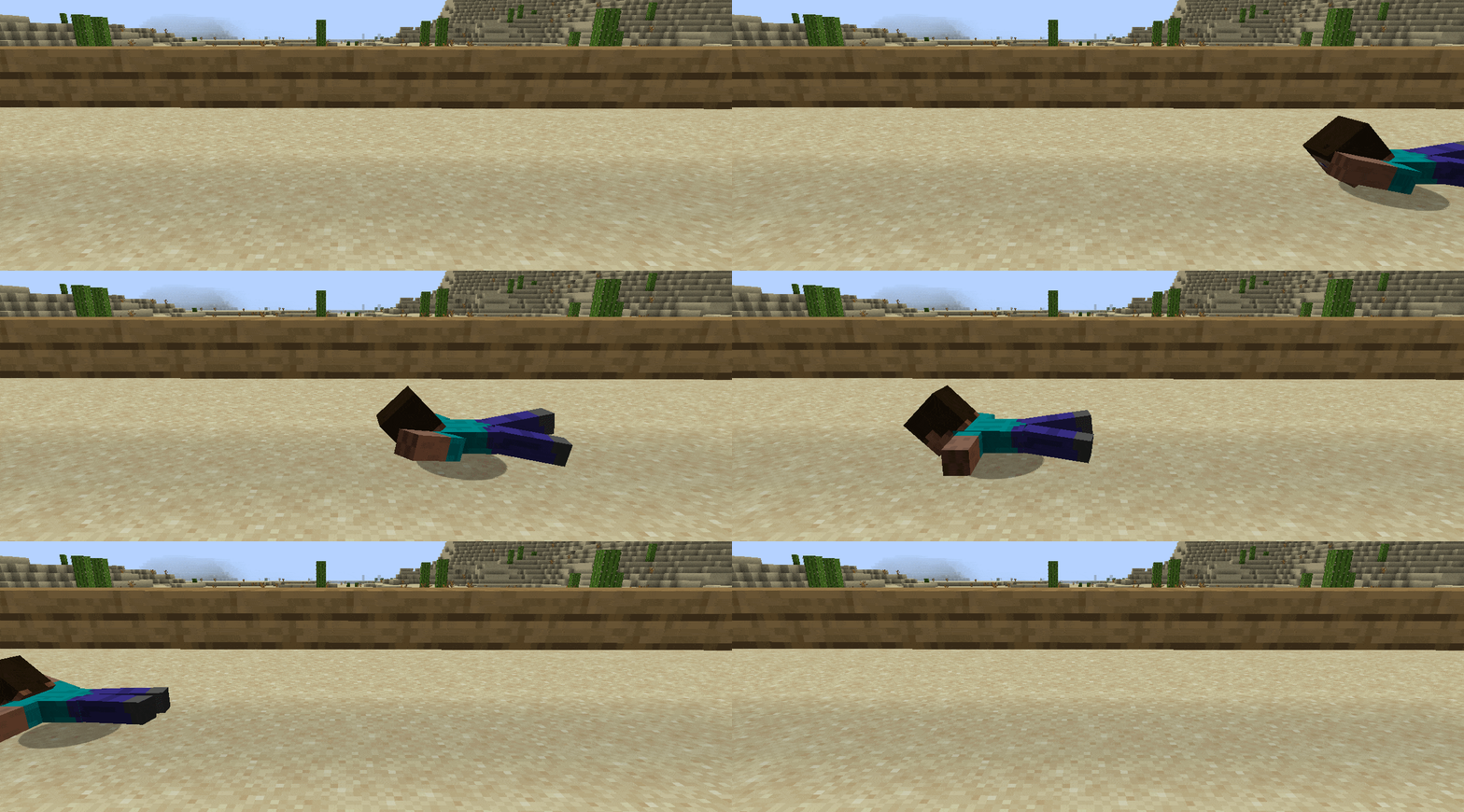
Not Enough Animations
by tr7zw
Bringing first-person animations to the third-person
 Client only

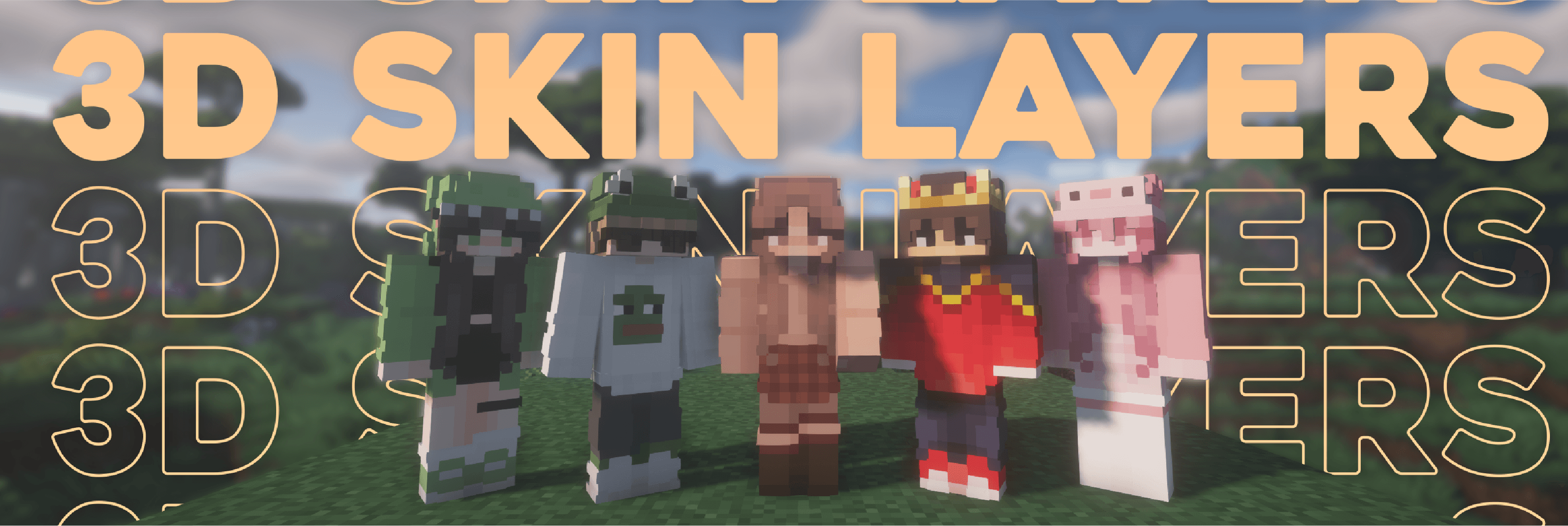
3D Skin Layers
by tr7zw
Render the player skin layer in 3d!
Ready for your server with Artificer's Armory?
4 GB of RAM from €8.00 per month. 35% off your first month with MADO35.