
AutoEater
AutoEater is a client-side Fabric mod that automatically eats food for you when your hunger bar falls below a threshold you set — no more dying to starvation while mining or building.
Screenshots
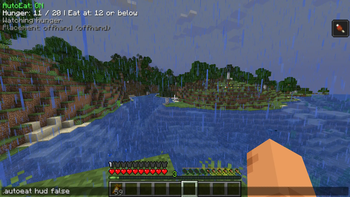
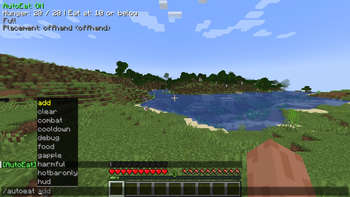
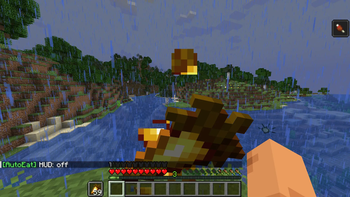
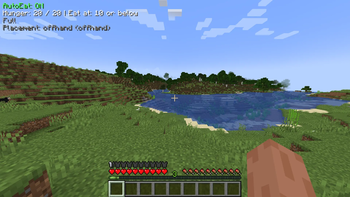
About this Mod
AutoEater is a client-side Fabric mod that automatically eats food for you when your hunger bar falls below a threshold you set — no more dying to starvation while mining or building.
Features
- Auto-eats when hunger drops below a configurable threshold
- Configurable hunger target (eat until this level is reached)
- Food priority modes: Best food first, Worst food first, or Custom priority list
- Food placement options: empty hotbar slot, replace held item, or offhand
- Saturation threshold trigger — eat before hunger even visually drops
- Emergency Golden Apple mode — auto-eats gapples below a set health level
- Combat safety mode — aborts eating when you take damage, with a 3-second pause
- Toggle hotbar-only mode (slots 1–9 or full inventory)
- Toggle harmful food (rotten flesh, spider eyes, poisonous potato, pufferfish)
- Optional HUD overlay
- All settings configurable via in-game commands or autoeat.json
Commands
All commands support tab auto-completion and work with .autoeat prefix on servers.
| Command | Description |
|---|---|
/autoeat |
Show current status and all settings |
/autoeat threshold <1-20> |
Hunger level that triggers eating |
/autoeat target <1-20> |
Hunger level to eat up to |
/autoeat saturation <float> |
Eat when saturation drops below this (0.0 to disable) |
/autoeat cooldown <ticks> |
Delay between eating items (20 ticks = 1 second) |
/autoeat maxeats <1-100> |
Max food items eaten per activation |
/autoeat food [best|worst|custom] |
Food selection priority |
/autoeat place [empty|held|offhand] |
Where to place food before eating |
/autoeat add <item_id> |
Add item to custom priority list |
/autoeat clear |
Clear custom priority list |
/autoeat gapple <float> |
Health threshold for emergency Golden Apple use |
/autoeat combat <true|false> |
Toggle combat safety mode |
/autoeat harmful <true|false> |
Allow/block harmful foods |
/autoeat hotbaronly <true|false> |
Restrict to hotbar only |
/autoeat hud [true|false] |
Toggle HUD overlay |
/autoeat debug <true|false> |
Enable console debug logging |
Requirements
- Minecraft 1.21+
- Fabric Loader ≥ 0.15.0
- Fabric API
- Java 21+
Client-side only — works on any server.
Available Versions
How to Install AutoEater on Your Client
Install the Mod Loader Locally
Install fabric for your local Minecraft version.
Download the Matching File
Choose the AutoEater file for fabric and Minecraft 26.2.
Install Mod
Place the .jar file in your local .minecraft/mods folder and restart Minecraft. No server-side installation is required.
Compatibility
Mod Loaders
Minecraft Versions
26.2, 26.1.2, 26.1.1 (+13 more)
Server-side
✗ UnsupportedRecommended RAM
4 GB(min. 3 GB)Frequently Asked Questions
Does AutoEater need to be installed on the Minecraft server?
No. Modrinth marks AutoEater as unsupported on the server side. Install it only in your local Minecraft mods folder. Your server can remain unchanged unless the mod page lists an additional dependency.
Which version and loader does AutoEater require?
Use a file for fabric and your exact Minecraft version. Supported versions include 26.2, 26.1.2, 26.1.1. Files for different loaders are not interchangeable.
AutoEater is not working – what should I check?
First check the Minecraft version, loader version and required dependencies. Put the .jar file in your local .minecraft/mods folder and remove older duplicates. Because this mod is client-side, adding server RAM will not fix it.
Similar Mods



Minecraft Server for Your Group
AutoEater stays on your client. Host a compatible world for your group.