
BastiGHG Timer Mod
🏃♂️ BastiGHG Timer — A lightweight client-side Minecraft timer mod for speedruns, challenges, and streams, with full customization and modern GUI.
Screenshots
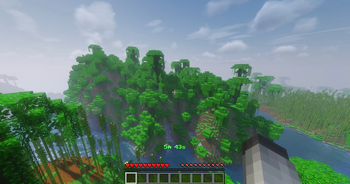
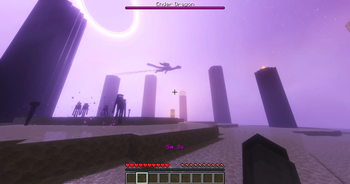
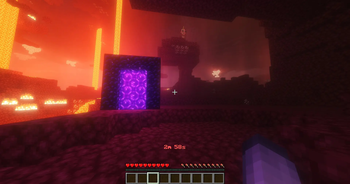
About this Mod
F7 TO OPEN GUI
🏃♂️ BastiGHG Timer – Minecraft Speedrun Timer
A client-side Fabric mod that brings BastiGHG’s speedrun timer plugin into Minecraft — perfect for speedruns, challenges, and content creation.
✨ Features
Full timer controls: start, pause, resume, stop, reset, clear, status
Countdown & Speed Challenge modes (with Speed II effect)
Displays in Actionbar, Chat, or Title with authentic time format
F7 hotkey: Open modern tab-based GUI (General, Display, Colors, Language)
Customization: Hex colors, live preview, persistent settings
Extra info: Y-level, biome, or combined view
Bilingual (English & German) + hover tooltips
Audio feedback: sounds & countdown warnings
Lightweight, optimized, and professional UI
_
📋 Requirements
Minecraft: 1.20.x – 1.21.5
Mod Loader: Fabric
Dependencies (Required): Fabric API
Optional:
ModMenu
– for mod list integration
Cloth Config
– for enhanced GUI
_
✅ Compatibility
Client-side only – works on all servers without installation
Fully compatible with vanilla servers
No server permissions required
Local config & data storage
_#
🎯 Perfect For
🏃 Speedruns – accurate, local timer
⚡ Challenges – countdowns, custom runs
🎮 Streamers/YouTubers – clean overlays
🏆 Competitions – fair play with local timing
📊 Tracking playtime & progress
📄 License
MIT License — free to use and modify
Available Versions
How to Install BastiGHG Timer Mod on Your Client
Install the Mod Loader Locally
Install fabric for your local Minecraft version.
Download the Matching File
Choose the BastiGHG Timer Mod file for fabric and Minecraft 1.21.8.
Install Mod
Place the .jar file in your local .minecraft/mods folder and restart Minecraft. No server-side installation is required.
Compatibility
Mod Loaders
Minecraft Versions
1.21.8, 1.21.7, 1.21.6 (+6 more)
Server-side
✗ UnsupportedRecommended RAM
4 GB(min. 3 GB)Frequently Asked Questions
Does BastiGHG Timer Mod need to be installed on the Minecraft server?
No. Modrinth marks BastiGHG Timer Mod as unsupported on the server side. Install it only in your local Minecraft mods folder. Your server can remain unchanged unless the mod page lists an additional dependency.
Which version and loader does BastiGHG Timer Mod require?
Use a file for fabric and your exact Minecraft version. Supported versions include 1.21.8, 1.21.7, 1.21.6. Files for different loaders are not interchangeable.
BastiGHG Timer Mod is not working – what should I check?
First check the Minecraft version, loader version and required dependencies. Put the .jar file in your local .minecraft/mods folder and remove older duplicates. Because this mod is client-side, adding server RAM will not fix it.
Similar Mods






Minecraft Server for Your Group
BastiGHG Timer Mod stays on your client. Host a compatible world for your group.