

Modrinth · Fabric, Forge, NeoForge, Quilt
Chunksmith on your Minecraft server
Chunksmith runs on Minecraft servers with Fabric or Forge or NeoForge or Quilt. Order your server, set the loader in the panel and install the mod with one click in the mod browser.
Pre-generates chunks fast, and safely: an adaptive throttle paces generation against server tick-health so it can run with players online. Builds Distant Horizons / voxy LOD data as it goes and serves it to clients. Fabric, Forge, NeoForge and Paper/Folia.
- Downloads
- 286.1K
- Author
- Kishku7
- Loader
- Fabric, Forge, NeoForge, Quilt
- Minecraft
- 1.20 – 26.3
- Updated
- –
Setup
Install Chunksmith on your server
The server and players need the same loader and Minecraft version. Back up the world before adding or updating mods.
- 01
Configure
6 GB of RAM is preselected. You choose the term and add-ons and pay by credit card or PayPal.
- 02
Set the loader
In the panel, set the server software to Fabric or Forge or NeoForge or Quilt and choose the matching Minecraft version, for example 26.4-snapshot-8.
- 03
Install the mod
Search the mod browser for “Chunksmith” and install the release for your loader. Alternatively, upload the .jar to the mods folder via SFTP. Required dependencies are listed on the project page.
- 04
Connect
Chunksmith is optional on the client. Players connect using the server address from the panel.
- On the server
- Required
- On the client
- Optional
- Loader
- Fabric, Forge, NeoForge, Quilt
- Minecraft
- 26.4-snapshot-8, 26.3-snapshot-7, 26.3-rc-1 +27 more
- License
- GNU General Public License v3.0 only
The panel
Install mods, find errors.
Real screenshots from the Mado panel. Both come with every Minecraft server.
Mod browser
Modrinth and CurseForge, right in the panel.
The browser filters by your Minecraft version. Install mods with one click, without uploading .jar files.

AI crash analysis
When a mod crashes, the analyzer reads the log.
Mods often fail on a wrong loader version, Java version or missing dependency. The analyzer names a likely cause and suggests a fix.

Releases
Published releases
Pick the file that matches your server’s loader and Minecraft version. The server and players need the same release.
Chunksmith · Modrinth- 4.9.0+26.x-pluginNovember 13, 2026Minecraft 26.1, 26.1.1, 26.1.2, 26.2, 26.3 · bukkit, paper, spigot
- 4.9.0+26.3November 13, 2026Minecraft 26.3 · Fabric
- 4.9.0+26.3-neoforgeNovember 13, 2026Minecraft 26.3 · NeoForge
- 4.9.0+26.2November 13, 2026Minecraft 26.2 · Fabric
- 4.9.0+26.2-neoforgeNovember 13, 2026Minecraft 26.2 · NeoForge
Original description by the project author
Chunksmith
Pre-generate your world -- and see it.
Chunksmith generates chunks ahead of time so players never wait on worldgen. What makes it different
is that the same pass also builds the distant-horizon data for Distant Horizons or voxy. One run,
two results: a world that loads instantly, and a world you can see to the edge of.
Originally derived from Chunky by pop4959; developed
independently since. Everything Chunky did, Chunksmith still does.
Full documentation is on the wiki -- every
setting, every command, and walkthroughs for pregenerating, trimming, and getting multiplayer LOD
working.
Report a bug or ask a question
What Chunksmith adds
It builds your LOD data while it pregenerates
No second pass. No re-reading region files. No separate LOD pregen afterwards. Install Distant
Horizons or voxy, run a pregen, and the distant terrain is simply there.
It turns itself on. If a renderer is installed, LOD generation is on. There is no config key to
hunt for.
Already pregenerated? Run the same pregen again. Chunksmith builds LODs from the chunks it
already has -- it does not regenerate them, and it skips everything already done. Pregenerate today,
install a renderer next month, lose nothing.
Multiplayer LOD, with no companion mod. Players joining your server download the pregenerated LOD
data and see the whole world at distance without ever having walked it. The same jar is both halves --
server and client. The Paper/Spigot plugin serves it too, so a modded client against a plugin server
works.
LOD without the disk (4.4.0). /cs horizon <radius> pregenerates normally inside the radius and,
past it, builds the LOD and throws the chunk away instead of saving it. A world that would have been
hundreds of gigabytes keeps only the area people actually play in, and the distant terrain still shows
-- in single-player and for every player who joins. Chunks a player goes near are always kept. Not
available with Moonrise; on Paper, the fully generated chunks are dropped but some partly generated
ones at the edges are still written.
It keeps generating while people are playing
Most pregenerators make you choose between speed and a playable server. Chunksmith measures what it
adds to tick time rather than steering on absolute tick time -- so a server already running hot for
its own reasons doesn't throttle Chunksmith to nothing for load it didn't cause.
Every online player shrinks the allowance further, so an empty server runs flat out and a busy one
actively gives ground. If the server still can't sustain it, the run pauses itself with a stated
reason and resumes when things recover. Your /cs pause always outranks it.
It is measurably faster
dispatchMaxConcurrent controls how many chunk requests stay in flight, and it scales to your CPU
instead of a fixed cap. On an 8-core dedicated server, raising it from the old fixed 50 to 200
measured +39% -- 31.6 to 43.9 chunks/sec. Settable live.
Other mods' structures actually get built
A pregenerator that drops each chunk the instant it's generated breaks every mod that reacts to "a
new chunk appeared" and then builds on a later tick -- the ground is already gone by the time it
looks. Measured with Millenaire on a 1.21.1 pregen: 309 placement attempts, 309 deferrals, zero
villages.
Chunksmith holds each chunk until all eight neighbours exist, then releases it. Nothing here is
mod-specific -- the rule is about chunks, so anything that builds on new land benefits.
It tells you when worldgen misbehaves
Overreach detection and structure-fault attribution, so a broken worldgen mod is something you can
identify rather than something you merely suffer.
Everything is live
Every setting is readable and settable live -- no restart, no editing files, no server downtime.
Server settings are /cs set; the ones that belong to your own client are /csclient set. That's a
rule the project holds itself to, with a test that fails if a setting is added without a command for
it.
Everything Chunky did
Flexible shapes (square, circle, diamond, triangle, star, and more), centred on coordinates, world
spawn, or the world border. Multi-world. Live progress, rate, ETA and an optional boss bar. Pause,
continue, cancel, and continue-on-restart. World trimming. A developer API for progress and
completion events.
Installing
Required on the server -- or in single-player, where your own game is the server. The client
install is optional.
You only need it on the client for multiplayer LOD: to see pregenerated distant terrain on a
server you haven't walked. Pre-generation alone needs nothing on the client.
Ships as a Fabric, Forge, and NeoForge mod and a Paper / Spigot plugin. (Folia is not
supported. From 4.0.0 the plugin will not load on Folia at all -- it no longer declaresfolia-supported, so Folia refuses it rather than running a platform nothing tests. An unverifiable
claim is worse than an absent one.)
Server and client must run the same major version. 4.0.0 changed the LOD wire protocol, and a
mixed 3.x/4.x pair turns LOD off in both directions: the client will not fetch and the server will
not serve. Everything else keeps working -- it is the distant terrain that stops arriving, and both
sides say so plainly rather than failing strangely.
Worth knowing before you update: a launcher will offer 4.0.0 to anyone on 3.x, so a client can be
updated into that mismatch without the server being touched. Move both together.
Put the renderer on the client, and only on the client. Distant Horizons and Voxy draw distant
terrain, and only a client draws anything -- the server just ships the data. A renderer installed on
a server is strongly discouraged and, from 3.18.1, the server tells you so in red at startup. It
competes for the same CPU Chunksmith is pre-generating on and duplicates the LOD your players are
already being sent; a server-side Distant Horizons also fills the console with[SharedApi] No DH level provided ... warnings. Nothing is gained. If LOD is misbehaving on your
server, this is the first thing to check.
Renderer support, per loader and Minecraft version, is on the
Supported renderers page --
including the voxy forks, and which mods Chunksmith refuses to load beside.
Quick start
/cs world <world>     # pick the world
/cs spawn             # centre on spawn
/cs radius 5000       # how far out
/cs start             # go
/cs progress to watch it, /cs pause and /cs continue as needed. The
wiki has the rest.
Source
CSv5_current -- the 5.x line,
where current development happens. The 4.x line is frozen onCSv4_archive, the 3.x line onCSv3_archive, and the 2.x line onCSv2_archive.
License
GPL-3.0-only. Original Chunky (c) pop4959. Chunksmith modifications (c) Kishku7.
Chunksmith server crashes on startup – what to do?
Common causes: the loader or Minecraft version does not match the mod file, a dependency is missing, or RAM is too low. Check the log (latest.log) for “OutOfMemoryError”, “Mixin” or missing mods. At Mado, the AI crash analysis reads the log and suggests a cause. You can change the loader and version in the panel.
Which loader does Chunksmith run on?
According to Modrinth, Chunksmith supports Fabric, Forge, NeoForge, Quilt for Minecraft 26.4-snapshot-8, 26.3-snapshot-7, 26.3-rc-1. Forge and Fabric files are not interchangeable: pick one loader for the server and clients.
How much RAM does a server with Chunksmith need?
As guidance, 4–6 GB for a server with this mod. This is an estimate, not a measured minimum. More mods, many players and long view distances need more. The spark profiler shows whether a mod is costing tick time.
Similar mods
Popular mods in the same category
 Server-ready

FerriteCore
by malte0811
Memory usage optimizations
 Client only

Mod Menu
by Prospector
Adds a mod menu to view the list of mods you have installed.
 Server-ready

YetAnotherConfigLib (YACL)
by isxander
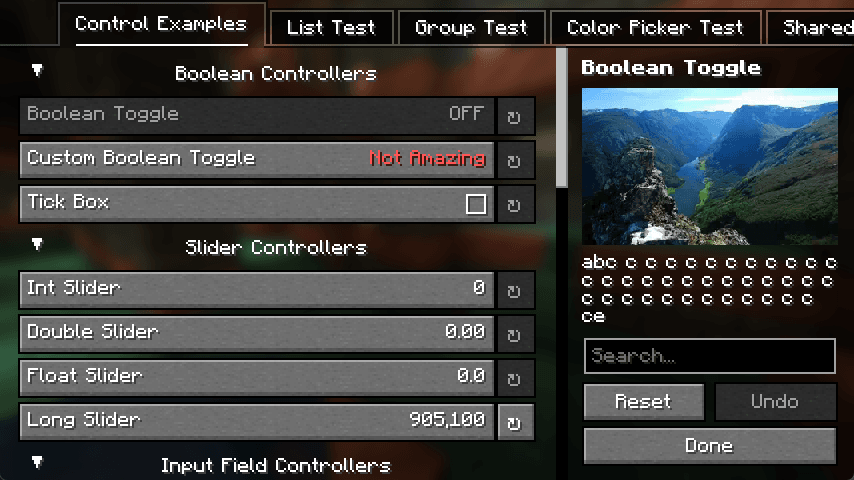
A builder-based configuration library for Minecraft!
 Server-ready

Xaero's Minimap
by thexaero
Displays a map of the nearby world terrain, players, mobs, entities in the corner of your screen. Lets you create waypoints which help you find the locations you've marked.
Ready for your server with Chunksmith?
6 GB of RAM from €12.00 per month. 35% off your first month with MADO35.