
Cinematic Zoom (Fabric)
Smooth, cinematic zoom for Minecraft with animated black bars, per-frame easing, and optional mouse wheel control. Built for Fabric 1.21.7-1.21.11.
About this Mod
CinematicZoom (Fabric 1.20.1-26.3)
Smooth, cinematic zoom for Minecraft with animated black bars, per-frame easing, and optional mouse wheel control. Built for Fabric 1.20.1-26.3.
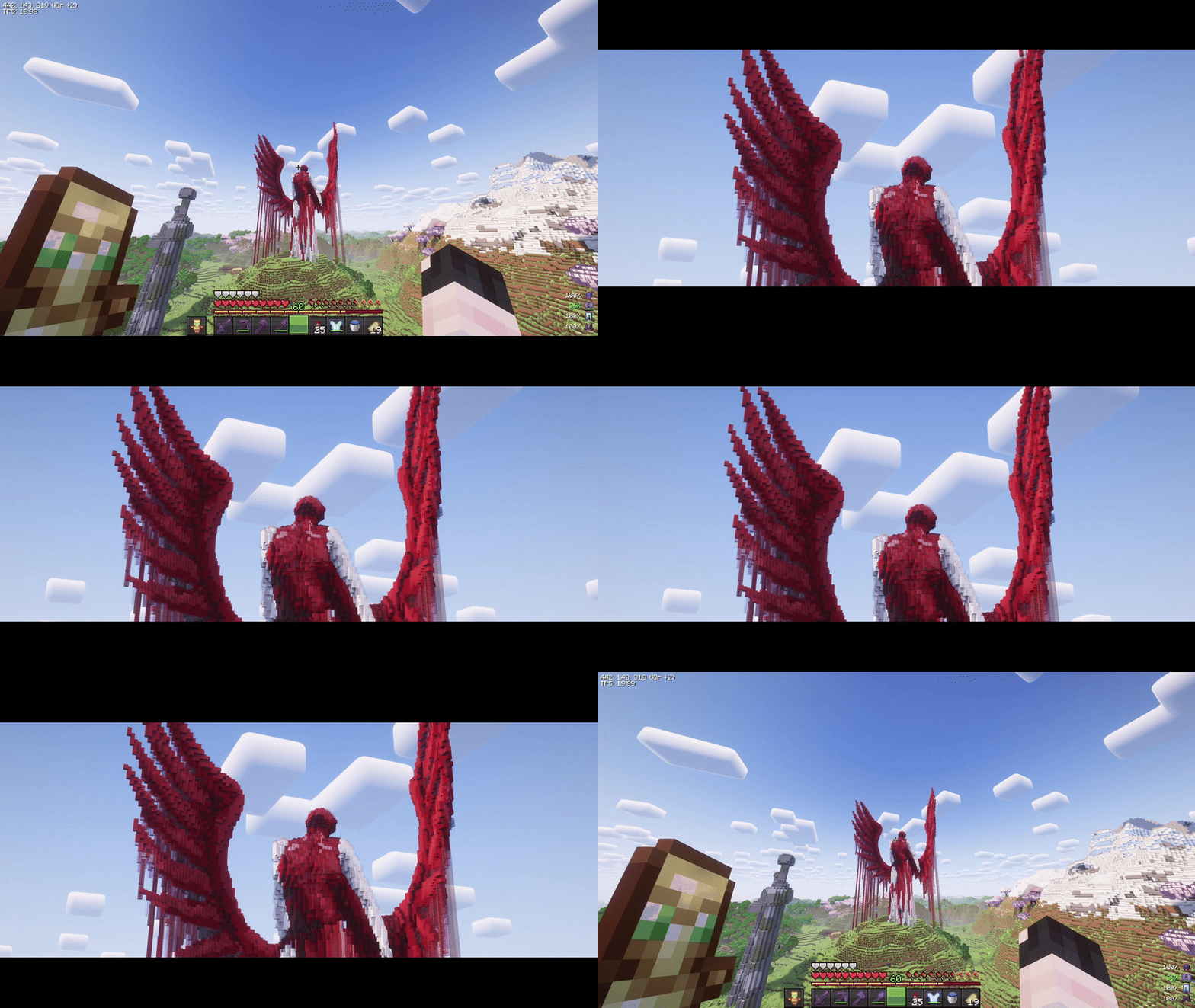
Features
- Hold-to-zoom (default key:
C, rebindable). - Per-frame smoothing (no “steppy” 20 TPS feel).
- Animated black bars (top & bottom, configurable height).
- Mouse wheel adjustment while zooming (optional).
- Hide HUD & crosshair while zooming (optional).
- Cinematic (smooth) camera toggle while zooming (optional).
- Multi-language: English & Russian.
Requirements
- (Optional) Mod Menu (for in-game settings entry)
- (Optional) Cloth Config (for a nice config screen)
Installation
- Install Fabric Loader & Fabric API for Minecraft 1.21.7-1.21.11.
- Put this mod’s JAR into your
mods/folder. - (Optional) Add Mod Menu and Cloth Config for an in-game settings UI.
Usage
- Hold the zoom key (default C) to zoom in.
- While holding zoom, scroll the mouse wheel to fine-tune zoom level (if enabled).
- Release the key to smoothly return to normal FOV and hide the bars.
Zoom, HUD hiding, and cinematic camera are automatically disabled in GUI screens.
Configuration
You can configure the mod in two ways:
In-game (recommended)
If Mod Menu + Cloth Config are installed:
- Open Mods → Cinematic Zoom → Configure.
Config file
Edit (or delete to regenerate defaults):
Credits & Attribution
Original author & idea credit: KubePixel
Their Forge mod for 1.20.1/1.21.1: Cinematic Zoom — https://www.curseforge.com/minecraft/mc-mods/cinematic-zoomFabric implementation (this mod): mix
This project is an independent Fabric implementation inspired by the original concept. Not affiliated with or endorsed by KubePixel.
Original concept and name credit to KubePixel. If you’re on Forge 1.20.1/1.21.1, check out their original mod here: https://www.curseforge.com/minecraft/mc-mods/cinematic-zoom.
Available Versions
How to Install Cinematic Zoom (Fabric) on Your Client
Install the Mod Loader Locally
Install fabric for your local Minecraft version.
Download the Matching File
Choose the Cinematic Zoom (Fabric) file for fabric and Minecraft 26.3.
Install Mod
Place the .jar file in your local .minecraft/mods folder and restart Minecraft. No server-side installation is required.
Compatibility
Mod Loaders
Minecraft Versions
26.3, 26.2, 26.1.2 (+14 more)
Server-side
✗ UnsupportedRecommended RAM
4 GB(min. 3 GB)Frequently Asked Questions
Does Cinematic Zoom (Fabric) need to be installed on the Minecraft server?
No. Modrinth marks Cinematic Zoom (Fabric) as unsupported on the server side. Install it only in your local Minecraft mods folder. Your server can remain unchanged unless the mod page lists an additional dependency.
Which version and loader does Cinematic Zoom (Fabric) require?
Use a file for fabric, quilt and your exact Minecraft version. Supported versions include 26.3, 26.2, 26.1.2. Files for different loaders are not interchangeable.
Cinematic Zoom (Fabric) is not working – what should I check?
First check the Minecraft version, loader version and required dependencies. Put the .jar file in your local .minecraft/mods folder and remove older duplicates. Because this mod is client-side, adding server RAM will not fix it.
Similar Mods






Minecraft Server for Your Group
Cinematic Zoom (Fabric) stays on your client. Host a compatible world for your group.