
Client-side Custom Music Disc Fix
A simple client-side mod that fixes MC-260346 where custom music discs are cut off if they exceed the vanilla length.
Screenshots
About this Mod
Client-side Custom Music Disc Fix
A simple client-side mod that fixes MC-260346 where custom music discs are cut off if they exceed the vanilla length.
Features
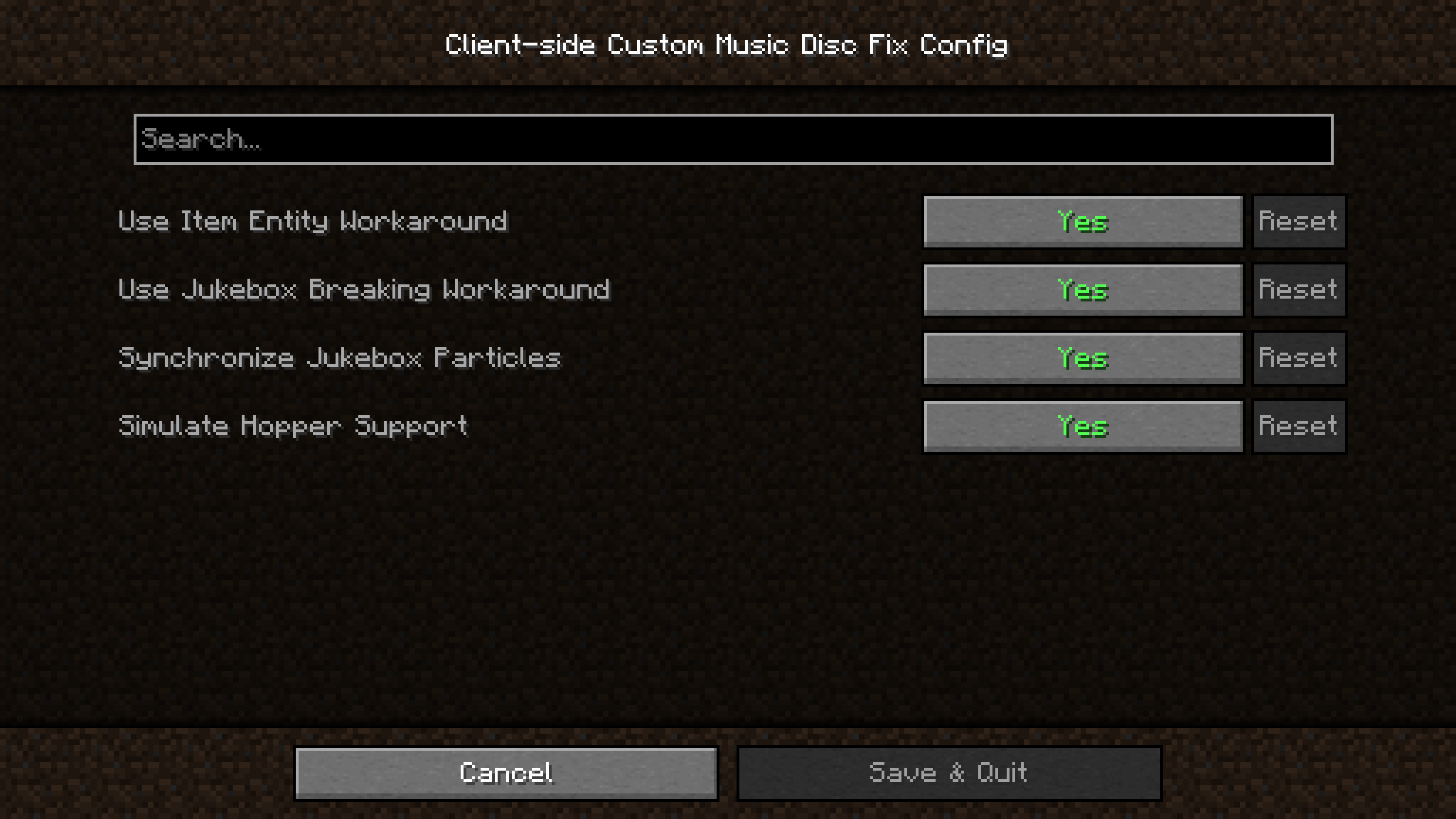
- Play a custom music disc at its full length
- Stop a custom music disc while it is playing
- Simulate hopper support for the jukebox on the client
- Synchronize jukebox particles with the client
- Toggle music disc attenuation to listen to music globally
Dependencies
Fabric Loader and Fabric API are required. If you want to access configurations in-game, you can also install Cloth Config and Mod Menu.
Resource Pack Format
The file name of your music file must be the same as the vanilla disc you are replacing. You can follow this YouTube video or other online sources.
Technical Information, Configuration Options and Known Issues
Check out the wiki and issues pages for more info.
External Links
If you have any questions or issues, please send an email to [email protected] or send a friend request on Discord to alphads with a message mentioning the mod.
Available Versions
How to Install Client-side Custom Music Disc Fix on Your Client
Install the Mod Loader Locally
Install fabric for your local Minecraft version.
Download the Matching File
Choose the Client-side Custom Music Disc Fix file for fabric and Minecraft 26.3.
Install Mod
Place the .jar file in your local .minecraft/mods folder and restart Minecraft. No server-side installation is required.
Compatibility
Mod Loaders
Minecraft Versions
26.3, 26.2, 26.1.1 (+7 more)
Server-side
✗ UnsupportedRecommended RAM
4 GB(min. 3 GB)Frequently Asked Questions
Does Client-side Custom Music Disc Fix need to be installed on the Minecraft server?
No. Modrinth marks Client-side Custom Music Disc Fix as unsupported on the server side. Install it only in your local Minecraft mods folder. Your server can remain unchanged unless the mod page lists an additional dependency.
Which version and loader does Client-side Custom Music Disc Fix require?
Use a file for fabric and your exact Minecraft version. Supported versions include 26.3, 26.2, 26.1.1. Files for different loaders are not interchangeable.
Client-side Custom Music Disc Fix is not working – what should I check?
First check the Minecraft version, loader version and required dependencies. Put the .jar file in your local .minecraft/mods folder and remove older duplicates. Because this mod is client-side, adding server RAM will not fix it.
Similar Mods






Minecraft Server for Your Group
Client-side Custom Music Disc Fix stays on your client. Host a compatible world for your group.