
Climate Rivers
Make your rivers stop looking like mistakes – and start flowing with style.
Screenshots

About this Mod









Say goodbye to ugly, out-of-place rivers! 🌊 Climate Rivers replaces Minecraft’s default river biome with beautiful, biome-specific rivers that actually make sense. Explore three new river types — warm 🏜️, lukewarm 🌴, and cold ❄️ — each bringing unique visuals that fit right into their surrounding climates.
No more grass blocks 🌱 ruining the look of your desert rivers, or taigas stuck with bland, grassy banks 🪨. Rivers now feel natural, immersive, and perfectly blended into the terrain around them. Ideal for builders 🧱, explorers 🧭, and anyone who wants a better-looking Minecraft world. It’s time to make your world generation smarter and more beautiful — one river at a time. 💧
Note: This mod may be overridden by other biome or world generation mods that feature their own terrain implementation.

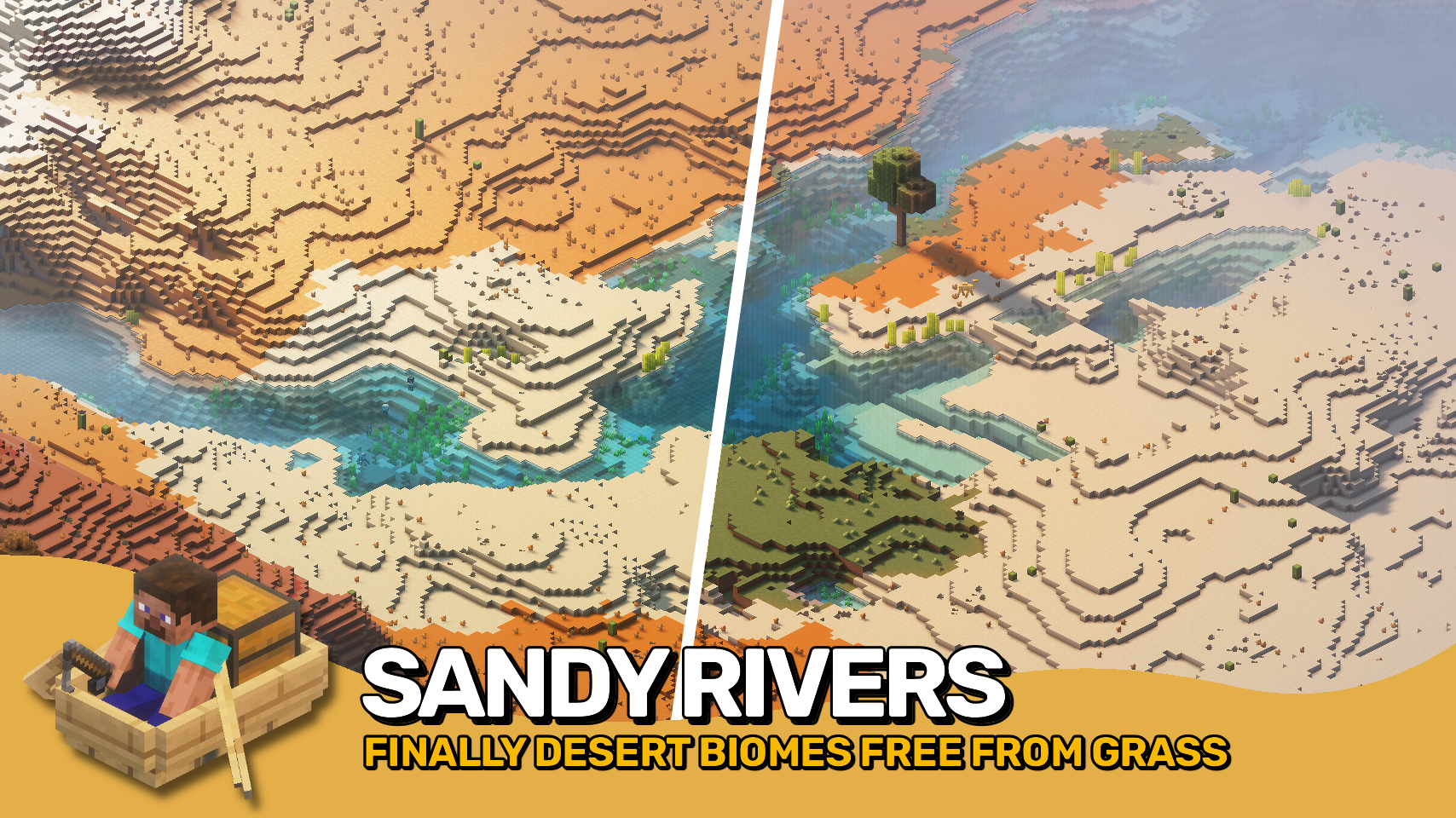
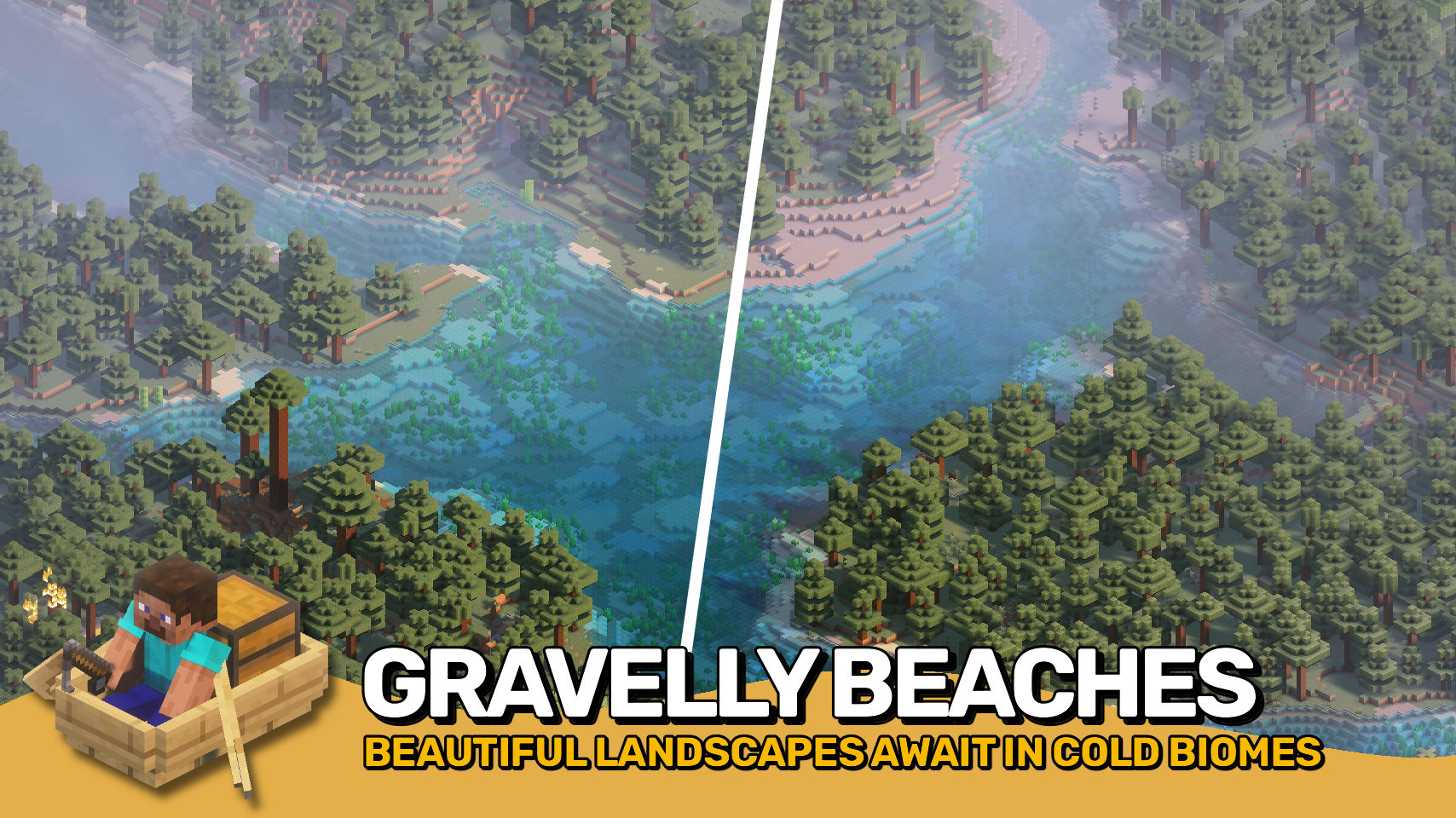

⏩ INSTALLATION REQUIRED ON SERVER
⏩ REQUIRES PUZZLES LIB TO BE INSTALLED (FABRIC & NEOFORGE)
⏩ REQUIRES FABRIC API TO BE INSTALLED (FABRIC)
⏩ REQUIRES FORGE CONFIG API PORT TO BE INSTALLED (FABRIC)
⏩ REQUIRES BIOLITH TO BE INSTALLED (FABRIC & NEOFORGE)

If available for a mod, configuration is possible directly from in-game using the mod menu (requires Mod Menu by Prospector to be installed on Fabric).
For manual configuration using an external text editor all files are found at .minecraft/config, named as MOD_ID-client.toml, MOD_ID-common.toml, or MOD_ID-server.toml, depending on the type of config. Not all types might exist for a mod, if any at all.

🌟 Thanks to SuperCoder79 for inspiring parts of the implementation for this project with their River Redux mod.
 |
 |
|
 |
 |
|
 |
 |
|
 |
 |
|
 |
 |

© 2026 @heyitsfuzs. All rights reserved. This page was last edited on 11 September 2026, at 06:44 (UTC).
Available Versions
How to Install Climate Rivers on Your Server
Order Server
Order a Minecraft Java server with at least 4 GB RAM (6 GB recommended).
Set fabric Loader
In the panel under "Egg", select the fabric loader and matching Minecraft version (26.3).
Install Mod
Open the mod browser in the dashboard and search for "Climate Rivers". Click "Install" – done! Alternatively, upload the .jar via SFTP to the /mods folder.
Compatibility
Mod Loaders
Minecraft Versions
26.3, 26.2, 26.1.2 (+11 more)
Server-side
✓ RequiredRecommended RAM
6 GB(min. 4 GB)Frequently Asked Questions
Climate Rivers server crashes on startup – what to do?
Most common cause: wrong fabric version or insufficient RAM. Check the server log (latest.log) for "OutOfMemoryError" or "Mixin" errors. With Mado Hosting: ensure at least 4 GB RAM is allocated and the loader matches the mod version (26.3). You can switch loaders with one click in the panel.
Is Climate Rivers compatible with fabric and forge and neoforge?
Climate Rivers officially supports fabric, forge, neoforge for Minecraft 26.3, 26.2, 26.1.2. Note: Forge and Fabric mods are NOT cross-compatible – pick one loader and stick with it. The Mado dashboard automatically detects incompatible loader combinations.
Server lagging with Climate Rivers – how to optimize performance?
Recommended RAM: 6 GB (per 5 players). Use /spark profiler to check if Climate Rivers consumes the most tick time. Common fixes: reduce server view-distance to 8-10, install "performant" or "starlight" as supplementary mods on Forge. With Mado Hosting, your server runs on NVMe SSDs with dedicated CPU cores for minimal latency.
Similar Mods


Rent Modded Server
Install Climate Rivers with just one click on your server.