Cobblemon Armors
Cobblemon side mod that adds new set of armors
Screenshots



About this Mod
README
!!! IMPORTANT !!!
The armor set features are added again. Cobblemon Armors Feature mod is no longer required. enableArmorSetFeature game rule is added.
Game Rules
enableArmorSetFeature
If set to true (false by default), armor set features are enabled.
Armors
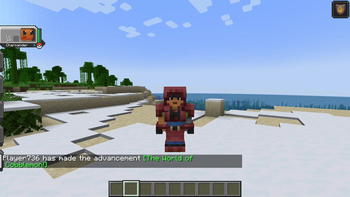
Team Rocket
- requires POISON
- forbids PSYCHIC
- gives RESISTANCE
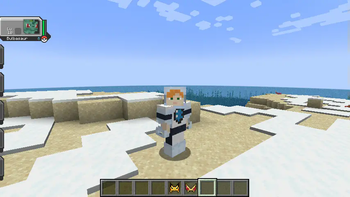
Team Aqua
- requires WATER
- forbids FIRE
- gives DOLPHINS GRACE
Team Magma
- requires FIRE
- forbids WATER
- gives FIRE RESISTANCE
Team Galactic
- requires WATER and STEEL
- gives JUMP BOOST
White Team Plasma
- requires FIRE
- forbids ELECTRIC
- gives HASTE
Black Team Plasma
- requires ELECTRIC
- forbids FIRE
- gives HASTE
Team Flare
- requires FIRE
- forbids FAIRY and DARK
- gives ABSORPTION
Team Skull
- requires WATER and BUG
- gives SPEED
Team Rainbow Rocket
- requires FIRE and GRASS and WATER
- gives NIGHT VISION
Team Yell
- requires DARK
- gives SATURATION
Team Star
- requires FIGHTING and ELECTRIC
- gives LUCK
Recipes
Please refer to GitHub. Mods like EMI is highly recommended.
Credit
-
- Team Magma Armor
- Pikachu Helmet
- Magikarp Helmet
-
- White Team Plasma Armor
- Black Team Plasma Armor
- Team Rainbow Rocket Armor
LICENSE
GPL 3.0
- Source Code
CC BY-NC-SA 4.0
- Translations
- Item Textures
Available Versions
How to Install Cobblemon Armors on Your Server
Order Server
Order a Minecraft Java server with at least 3 GB RAM (4 GB recommended).
Set fabric Loader
In the panel under "Egg", select the fabric loader and matching Minecraft version (1.21.1).
Install Mod
Open the mod browser in the dashboard and search for "Cobblemon Armors". Click "Install" – done! Alternatively, upload the .jar via SFTP to the /mods folder.
Compatibility
Mod Loaders
Minecraft Versions
1.21.1, 1.20.6, 1.20.5 (+4 more)
Server-side
✓ RequiredRecommended RAM
4 GB(min. 3 GB)Frequently Asked Questions
Cobblemon Armors server crashes on startup – what to do?
Most common cause: wrong fabric version or insufficient RAM. Check the server log (latest.log) for "OutOfMemoryError" or "Mixin" errors. With Mado Hosting: ensure at least 3 GB RAM is allocated and the loader matches the mod version (1.21.1). You can switch loaders with one click in the panel.
Is Cobblemon Armors compatible with fabric?
Cobblemon Armors officially supports fabric for Minecraft 1.21.1, 1.20.6, 1.20.5. The Mado dashboard automatically detects incompatible loader combinations.
Server lagging with Cobblemon Armors – how to optimize performance?
Recommended RAM: 4 GB (per 8 players). Use /spark profiler to check if Cobblemon Armors consumes the most tick time. Common fixes: reduce server view-distance to 8-10, install "performant" or "starlight" as supplementary mods on Forge. With Mado Hosting, your server runs on NVMe SSDs with dedicated CPU cores for minimal latency.
Similar Mods



![[TaCZ] Timeless and Classics Zero](https://cdn.modrinth.com/data/SzzJttH8/fd27766d2bb8390d284696b1dbd358f87e081439_96.webp)


Rent Modded Server
Install Cobblemon Armors with just one click on your server.