

Modrinth · Fabric, Forge, NeoForge · Client mod
Completionist's Index
Completionist's Index is a client-side mod. Install it on your computer; the server does not need it.
An index for collecting every single block and item in the game. Adventurers behold!
- Downloads
- 929.6K
- Author
- Fuzs
- Loader
- Fabric, Forge, NeoForge
- Minecraft
- 1.18.2 – 26.3
- Updated
- –
Screenshots
What Completionist's Index looks like

Images: Completionist's Index on Modrinth, published by the project team.
Setup
Install Completionist's Index on your client
Client-side mods only run on your computer. More server RAM does not change their performance.
- 01
Install the loader locally
Install Fabric or Forge or NeoForge for your Minecraft version in your launcher.
- 02
Download the file
Download the Completionist's Index file for your loader and your exact Minecraft version, for example 26.3.
- 03
Add it to the mods folder
Put the .jar file in your local .minecraft/mods folder and remove older duplicates.
- 04
Launch
Launch Minecraft with the loader profile. Nothing needs to change on the server.
- On the server
- Not needed
- On the client
- Required
- Loader
- Fabric, Forge, NeoForge
- Minecraft
- 26.3, 26.2, 26.1.2 +19 more
- License
- Mozilla Public License 2.0
Releases
Published releases
Pick the file that matches your server’s loader and Minecraft version. The server and players need the same release.
Completionist's Index · Modrinth- v26.3.0-mc26.3.x+neoforgeSeptember 24, 2026Minecraft 26.3 · NeoForge
- v26.3.0-mc26.3.x+fabricSeptember 24, 2026Minecraft 26.3 · Fabric
- [NEOFORGE] [26.2.x] v26.2.0June 19, 2026Minecraft 26.2 · NeoForge
- [FABRIC] [26.2.x] v26.2.0June 19, 2026Minecraft 26.2 · Fabric
- [NEOFORGE] [26.1.x] v26.1.0April 27, 2026Minecraft 26.1, 26.1.1, 26.1.2 · NeoForge
Original description by the project author









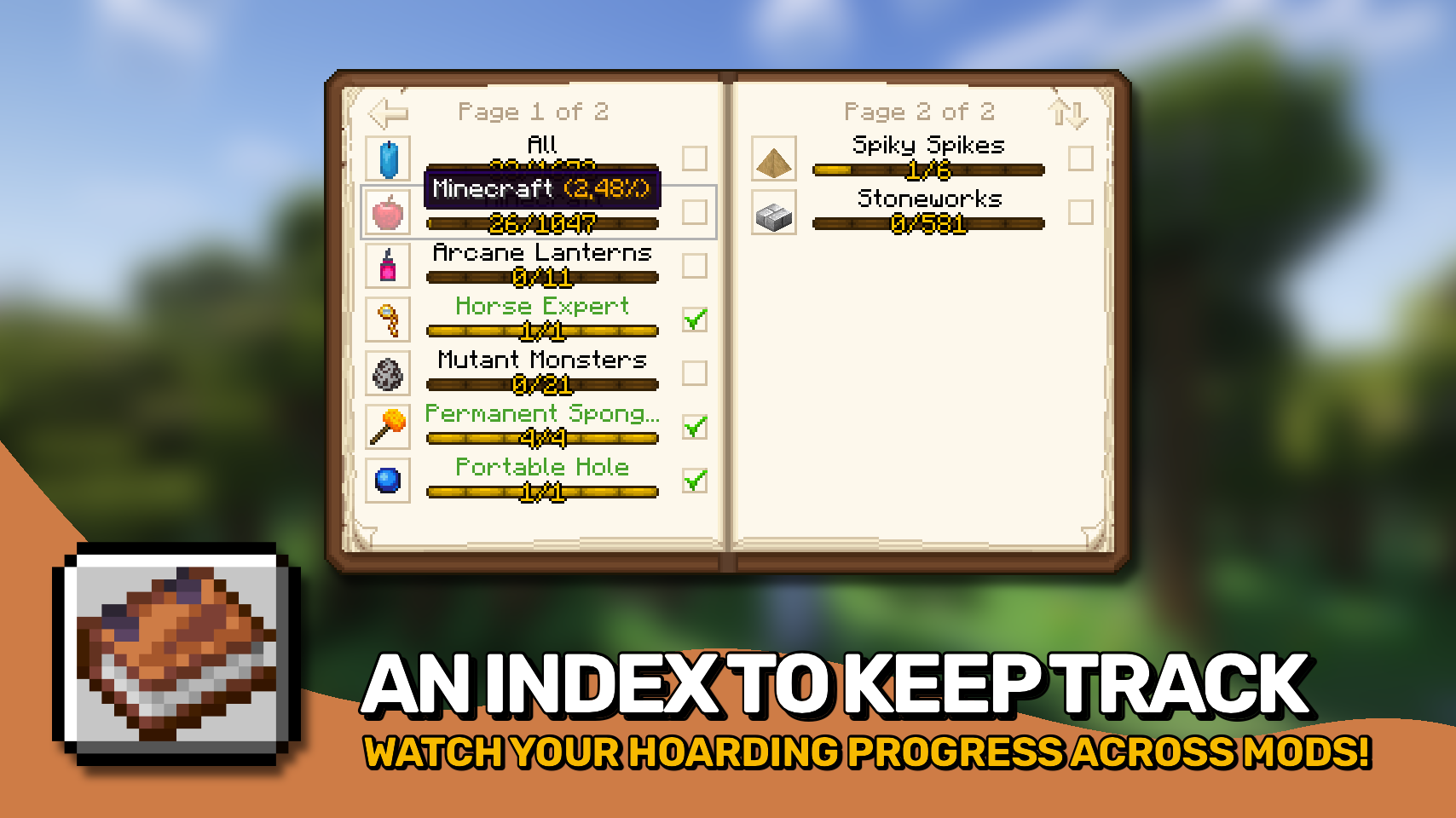
Completionists Index adds a handy client side checklist for every item you have collected in your world. 📚 It offers a fresh and convenient way to track your progress toward collecting everything the game has to offer.
Items are sorted by mod and grouped by creative mode tab, with progress bars for each category showing how much you have already discovered. 🔍 A built in search function helps you quickly find exactly what you are looking for.
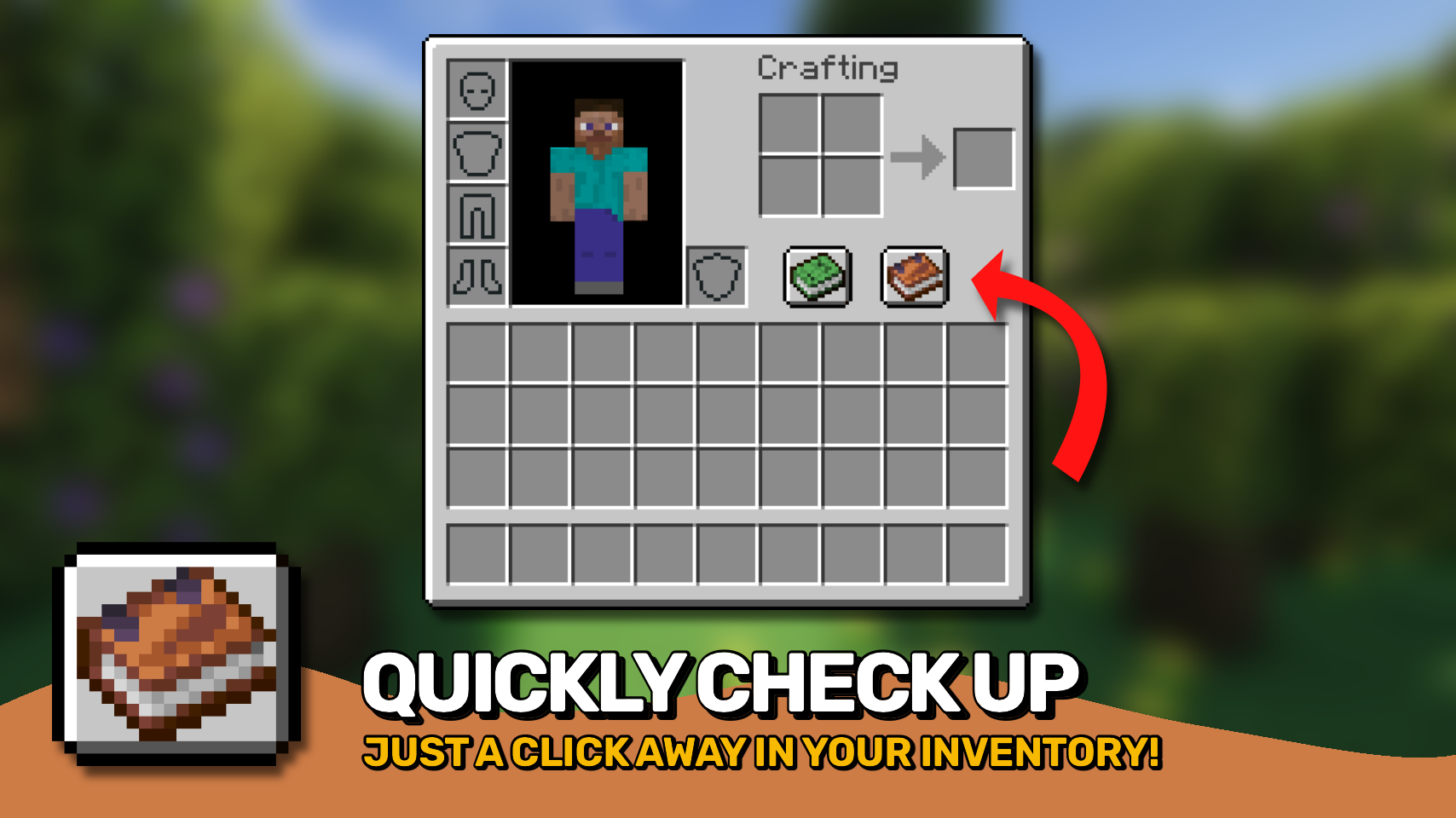
Access the menu anytime through a dedicated button in your inventory or the pause menu. ✨ Tracked items are fully customizable, making Completionists Index perfect for collectors, completionists, and proud hoarders alike. 🏆



⏩ INSTALLATION REQUIRED ON CLIENT
⏩ REQUIRES PUZZLES LIB TO BE INSTALLED (FABRIC & NEOFORGE)
⏩ REQUIRES FABRIC API TO BE INSTALLED (FABRIC)
⏩ REQUIRES FORGE CONFIG API PORT TO BE INSTALLED (FABRIC)

If available for a mod, configuration is possible directly from in-game using the mod menu (requires Mod Menu by Prospector to be installed on Fabric).
For manual configuration using an external text editor all files are found at .minecraft/config, named as MOD_ID-client.toml, MOD_ID-common.toml, or MOD_ID-server.toml, depending on the type of config. Not all types might exist for a mod, if any at all.

🌟 Thanks to GentlemanCheesy for continuous help with testing the mod and for letting me use their button icon.
🌟 Big thanks to idrae_ for inspiring this project from their Traveler's Index mod. A few simple assets are reused from the old mod.
 |
 |
|
 |
 |
|
 |
 |
|
 |
 |
|
 |
 |

© 2026 @heyitsfuzs. All rights reserved. This page was last edited on 11 September 2026, at 06:44 (UTC).
Does Completionist's Index need to be installed on the Minecraft server?
No. Modrinth marks Completionist's Index as unsupported on the server side. Install it only in your local mods folder. Your server can stay unchanged unless the project page lists an additional dependency.
Which version and loader does Completionist's Index require?
Use a file for Fabric, Forge, NeoForge and your exact Minecraft version. Supported versions include 26.3, 26.2, 26.1.2. Files for different loaders are not interchangeable.
Completionist's Index is not working – what should I check?
First check the Minecraft version, loader version and required dependencies. Because the mod is client-side, more server RAM will not fix it.
Similar mods
Popular mods in the same category
 Server-ready

Xaero's Minimap
by thexaero
Displays a map of the nearby world terrain, players, mobs, entities in the corner of your screen. Lets you create waypoints which help you find the locations you've marked.
 Server-ready

Xaero's World Map
by thexaero
Adds a full screen world map which shows you what you have explored in the world. Works great together with Xaero's Minimap.
 Client only

Not Enough Animations
by tr7zw
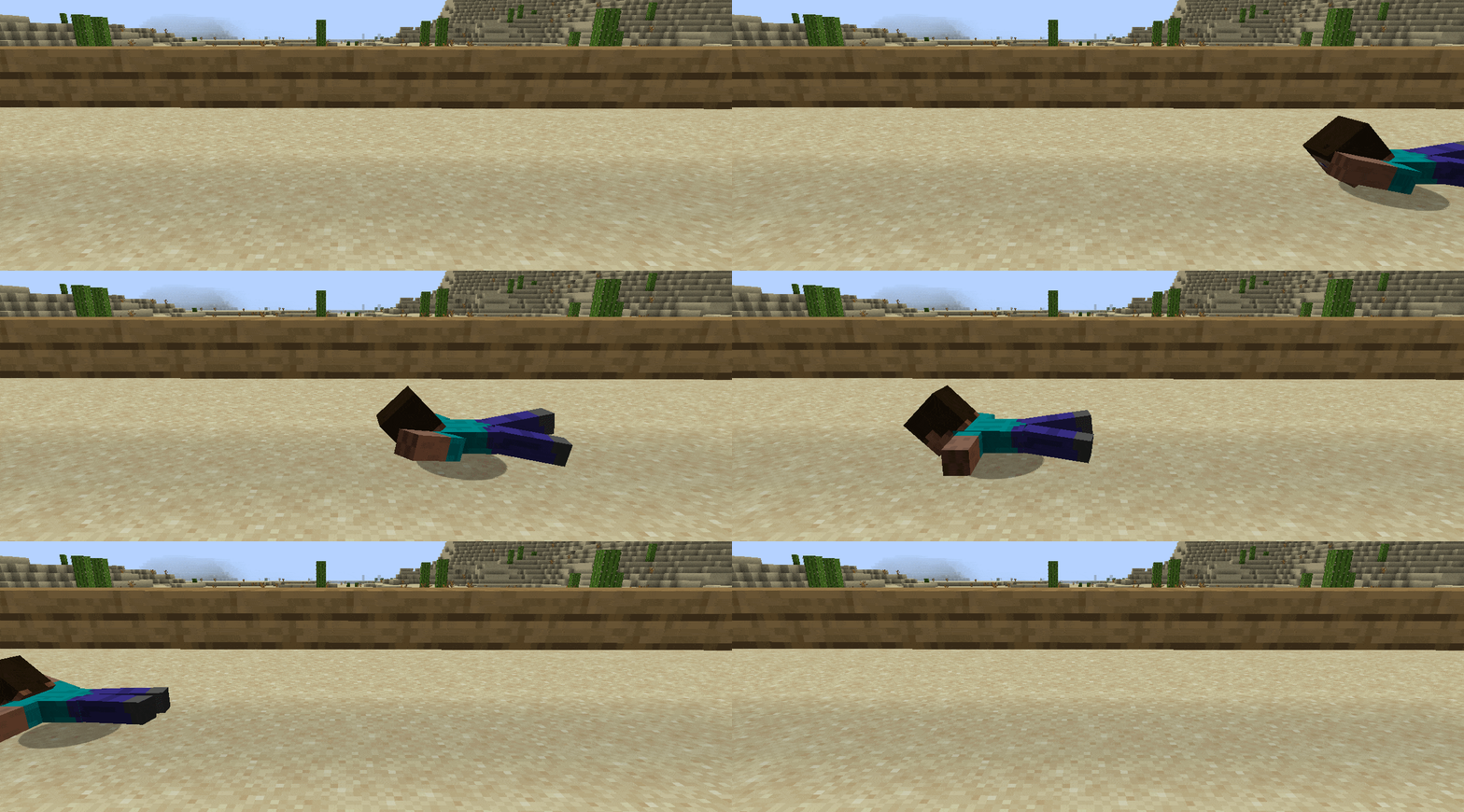
Bringing first-person animations to the third-person
 Client only

3D Skin Layers
by tr7zw
Render the player skin layer in 3d!
Looking for mods for your own server?
The catalog lists mods that run on Minecraft servers.