
Alloyed
A mod adding Bronze and Steel, crafted in a Forge and used for compatibility and decoration!
Screenshots
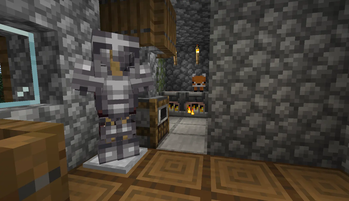
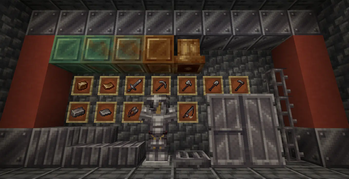
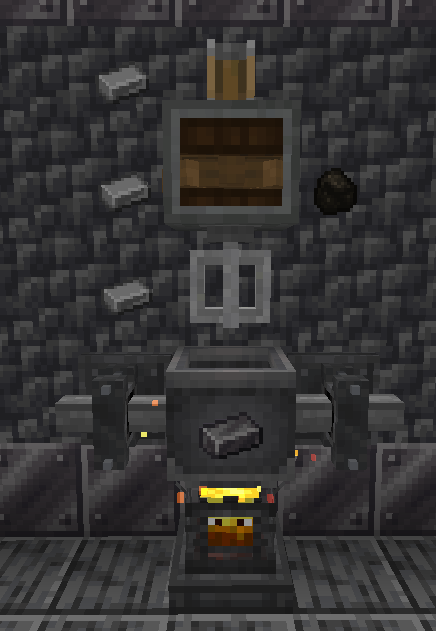
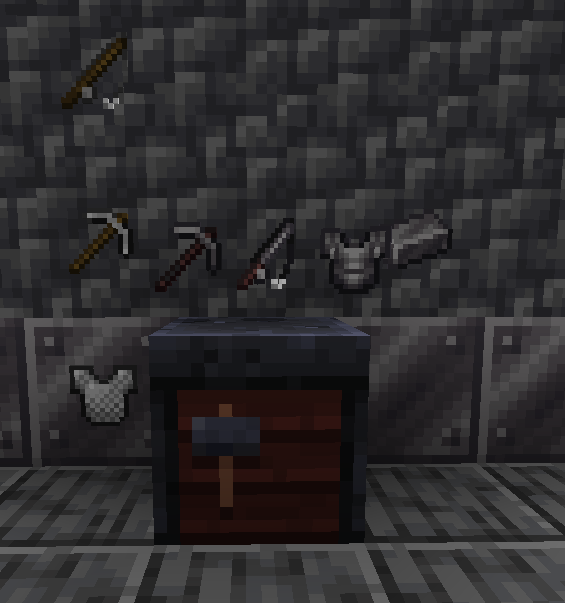
About this Mod


"Alloys are metallic substances consisting of two or more other elements."
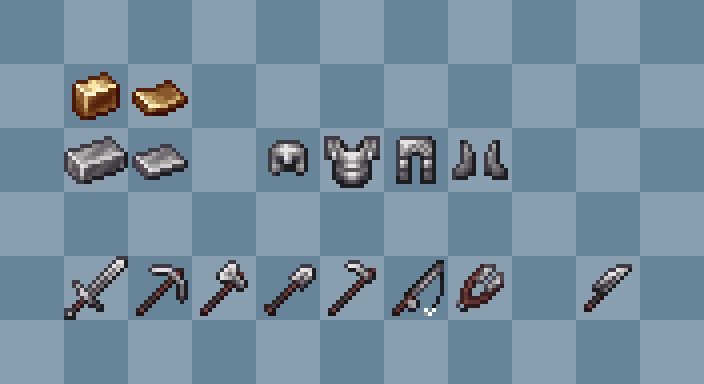
Alloyed is a mod that expands on the idea of alloys by adding two new alloys, Bronze and Steel, along with several blocks and items related to these metals.
Bronze is a Copper alloy and is most commonly used for decorations and instruments.
Steel is an Iron alloy and is commonly known for its durability and strength in structures and tools.
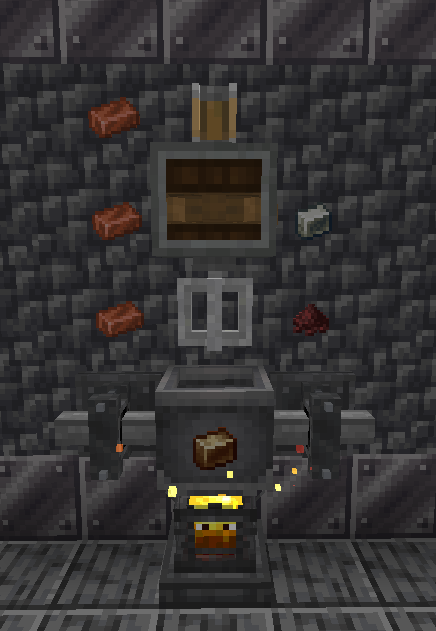
Both Bronze and Steel are created in the mod's Alloy Forge, a new workstation block used to craft various alloys. Foxes are quite fond of them!
Please always get the most recent version of the mod! The mod is heavily in development and every update will bring important changes!
Mod Support
Alloyed is designed to integrate with many popular mods, in order to fit well into modpacks.
| Icon | Link | Feature Added |
|---|---|---|
 |
Create | Casing Blocks — Steel and Bronze both have casing blocks, makes use of Create recipes, and will use Create's connected textures system. |
 |
Create: Deco | Catwalk Blocks — Steel variants of this mod's blocks have been added. |
 |
Farmer's Delight (Refabricated) | Steel Knife — A steel knife is now present. |
 |
Backported Spears | Steel Spear — A steel spear is now present. Also available on vanilla 26.1. |
 |
Reliable Recipe Viewer | Alloy Forge Support — Alloy forge recipes will be visible. |
 |
EMI | Alloy Forge Support — Alloy forge recipes will be visible. |
Note: If you are using Kilt to play with Create on Fabric 1.21.1, you should use the NeoForge version of Alloyed, not the Fabric version.
FAQ
- What versions does this mod actively support? Are ports planned?
- New updates will only support 1.21.1 and 26.1. Both Fabric and NeoForge are supported. There is no plan to backport to older versions or any other loaders.
- Wasn't this mod called Create Alloyed?
- It was! Version 3.0 dropped the dependency on Create, so the name was adjusted as well. If you are playing older versions (e.g. 1.20.1 or 1.19.2), you will need to install Create.
Original mod made by Team Molybdenum:
- MythrilBagels - Founder, Artist
- SpottyTheTurtle - Developer
- FortressNebula - Developer
Currently developed for 1.21.1 and 26.1 by cassiancc. Textures since 2.0 by asof and MythrilBagels.
Available Versions
How to Install Alloyed on Your Server
Order Server
Order a Minecraft Java server with at least 3 GB RAM (4 GB recommended).
Set fabric Loader
In the panel under "Egg", select the fabric loader and matching Minecraft version (26.3).
Install Mod
Open the mod browser in the dashboard and search for "Alloyed". Click "Install" – done! Alternatively, upload the .jar via SFTP to the /mods folder.
Compatibility
Mod Loaders
Minecraft Versions
26.3, 26.2, 26.1.2 (+5 more)
Server-side
✓ RequiredRecommended RAM
4 GB(min. 3 GB)Frequently Asked Questions
Alloyed server crashes on startup – what to do?
Most common cause: wrong fabric version or insufficient RAM. Check the server log (latest.log) for "OutOfMemoryError" or "Mixin" errors. With Mado Hosting: ensure at least 3 GB RAM is allocated and the loader matches the mod version (26.3). You can switch loaders with one click in the panel.
Is Alloyed compatible with fabric and forge and neoforge?
Alloyed officially supports fabric, forge, neoforge for Minecraft 26.3, 26.2, 26.1.2. Note: Forge and Fabric mods are NOT cross-compatible – pick one loader and stick with it. The Mado dashboard automatically detects incompatible loader combinations.
Server lagging with Alloyed – how to optimize performance?
Recommended RAM: 4 GB (per 8 players). Use /spark profiler to check if Alloyed consumes the most tick time. Common fixes: reduce server view-distance to 8-10, install "performant" or "starlight" as supplementary mods on Forge. With Mado Hosting, your server runs on NVMe SSDs with dedicated CPU cores for minimal latency.
Similar Mods



![[TaCZ] Timeless and Classics Zero](https://cdn.modrinth.com/data/SzzJttH8/fd27766d2bb8390d284696b1dbd358f87e081439_96.webp)

Rent Modded Server
Install Alloyed with just one click on your server.