
Create Cosmonautics
Fulfill your childhood dream by exploring space!
Screenshots

About this Mod

About
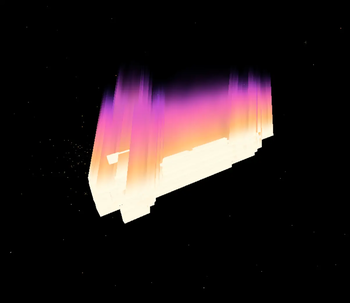
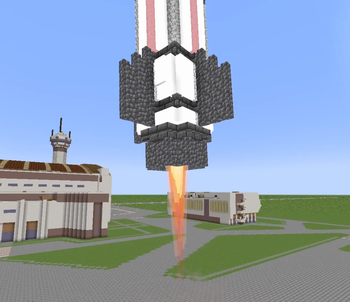
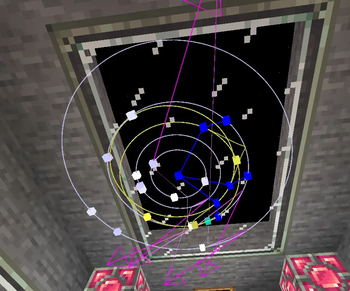
The mod introduces various rocket engines designed for different flight requirements, resource-rich asteroids, orbital mechanics for celestial bodies, a dedicated space dimension, and the Moon. It also features the "Sputnik" probe, which enables both visual and functional programming (of course in Lua) for precise rocket control, as well as persistent loading for physics contraptions from Sable.
Dependencies
❗For the mod to work properly, Create Aeronautics is required (who would have thought)!
Credits
- Maintainer: webyep-art
- Lead developers: webyep-art, M-W-K
- Artist: larry_fishing1999
- Contributors from our GitHub!
Issues and suggestions
If you encounter a bug, you can open an issue on our GitHub page! Before opening a new issue, please check to make sure someone else hasn't already reported the same problem!
If you have an incredibly cool suggestion for the mod, you can let us know on our Discord server in the dedicated channel!
Available Versions
How to Install Create Cosmonautics on Your Server
Order Server
Order a Minecraft Java server with at least 4 GB RAM (6 GB recommended).
Set neoforge Loader
In the panel under "Egg", select the neoforge loader and matching Minecraft version (1.21.1).
Install Mod
Open the mod browser in the dashboard and search for "Create Cosmonautics". Click "Install" – done! Alternatively, upload the .jar via SFTP to the /mods folder.
Compatibility
Mod Loaders
Minecraft Versions
1.21.1
Server-side
✓ RequiredRecommended RAM
6 GB(min. 4 GB)Frequently Asked Questions
Create Cosmonautics server crashes on startup – what to do?
Most common cause: wrong neoforge version or insufficient RAM. Check the server log (latest.log) for "OutOfMemoryError" or "Mixin" errors. With Mado Hosting: ensure at least 4 GB RAM is allocated and the loader matches the mod version (1.21.1). You can switch loaders with one click in the panel.
Is Create Cosmonautics compatible with neoforge?
Create Cosmonautics officially supports neoforge for Minecraft 1.21.1. The Mado dashboard automatically detects incompatible loader combinations.
Server lagging with Create Cosmonautics – how to optimize performance?
Recommended RAM: 6 GB (per 5 players). Use /spark profiler to check if Create Cosmonautics consumes the most tick time. Common fixes: reduce server view-distance to 8-10, install "performant" or "starlight" as supplementary mods on Forge. With Mado Hosting, your server runs on NVMe SSDs with dedicated CPU cores for minimal latency.
Similar Mods




Rent Modded Server
Install Create Cosmonautics with just one click on your server.