
Create: Droneworks Simulated
Create your own custom FPV drones with aeronautics
Screenshots
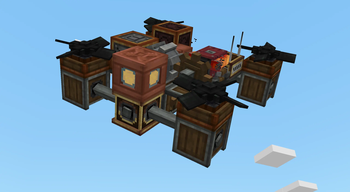
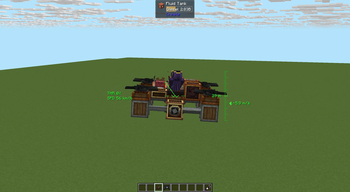
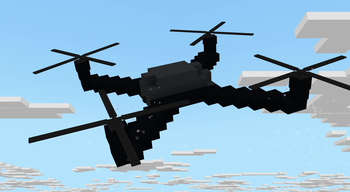
About this Mod
Create: Droneworks Simulated
Build and fly your own drones in Create.
Droneworks is an add-on for Aeronautics that lets you build aircraft from redstone-controlled parts and control it remotely
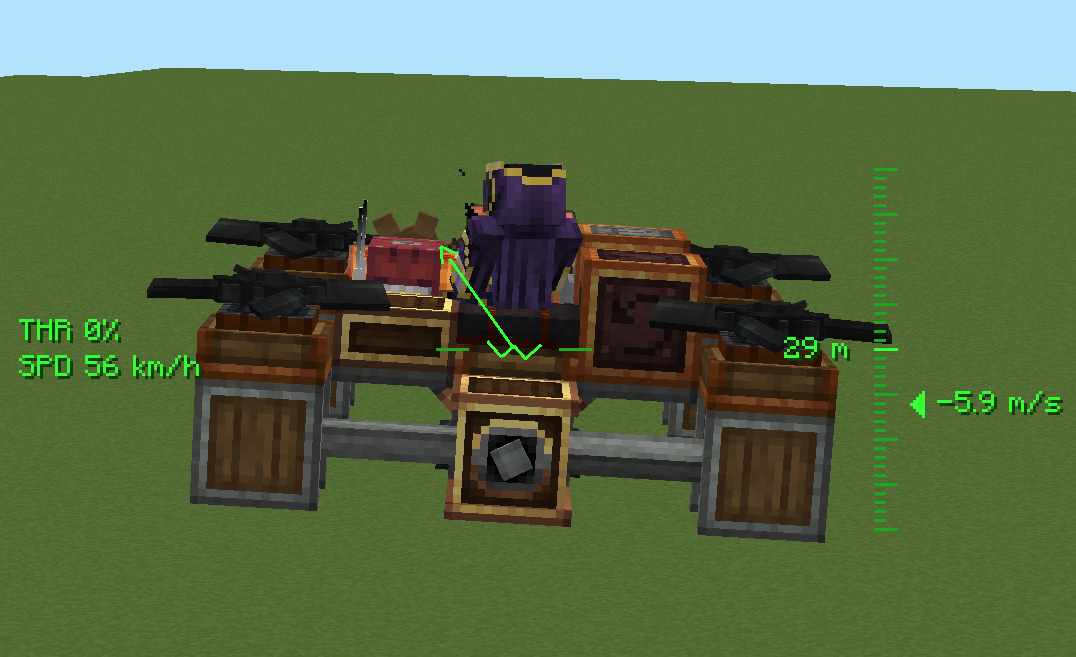
Realism
Propellers actually push, torque has to be balanced
Pilot it your way
- Commander Seat — hop in for a locked third-person view with a full flight HUD.
- Drone Camera — mount a tiny FPV camera and get a first-person feed that banks and tumbles with the craft, complete with analog glitch visuals.
- Drone Remote Controller — link to a seat or camera and watch your drone from anywhere in range(1500 blocks is a default), wirelessly.
The parts
- Drone Core — the brain: set your heading, feed it thrust with an analog redstone signal, and switch between stabilised and high-sensitivity modes.
- Drone Controls — maps each side to an axis (yaw, pitch, roll) for full steering.
- Drone Propeller & Tilting Propeller Bearing — your lift and thrust, with per-blade torque direction so you can tune yaw and keep the craft balanced.
- Drone Blade & Drone Hub — decorative rotor pieces to make your build look the part.
- Flap Bearing — combines clutch gearshift torsion spring and mechanical bearing to control flaps with analog redstone with setting max angle. What before was achieved by 4 blocks now compacted in one. Neat feature is analog redstone, if max degree is 30, then at 5 redstone signal angle would be 10, at 10 redstone signal it would be 20 and at 15 it would be max angle - 30.
Available Versions
How to Install Create: Droneworks Simulated on Your Server
Order Server
Order a Minecraft Java server with at least 4 GB RAM (6 GB recommended).
Set neoforge Loader
In the panel under "Egg", select the neoforge loader and matching Minecraft version (1.21.1).
Install Mod
Open the mod browser in the dashboard and search for "Create: Droneworks Simulated". Click "Install" – done! Alternatively, upload the .jar via SFTP to the /mods folder.
Compatibility
Mod Loaders
Minecraft Versions
1.21.1
Server-side
✓ RequiredRecommended RAM
6 GB(min. 4 GB)Frequently Asked Questions
Create: Droneworks Simulated server crashes on startup – what to do?
Most common cause: wrong neoforge version or insufficient RAM. Check the server log (latest.log) for "OutOfMemoryError" or "Mixin" errors. With Mado Hosting: ensure at least 4 GB RAM is allocated and the loader matches the mod version (1.21.1). You can switch loaders with one click in the panel.
Is Create: Droneworks Simulated compatible with neoforge?
Create: Droneworks Simulated officially supports neoforge for Minecraft 1.21.1. The Mado dashboard automatically detects incompatible loader combinations.
Server lagging with Create: Droneworks Simulated – how to optimize performance?
Recommended RAM: 6 GB (per 5 players). Use /spark profiler to check if Create: Droneworks Simulated consumes the most tick time. Common fixes: reduce server view-distance to 8-10, install "performant" or "starlight" as supplementary mods on Forge. With Mado Hosting, your server runs on NVMe SSDs with dedicated CPU cores for minimal latency.
Similar Mods




Rent Modded Server
Install Create: Droneworks Simulated with just one click on your server.