
Create: Fully Automated
More Create Recipes For Even More Automation!
Screenshots

About this Mod
Adds even more recipes so you can automate even more stuff using create!
New Update!!
Automated Items Now Include:
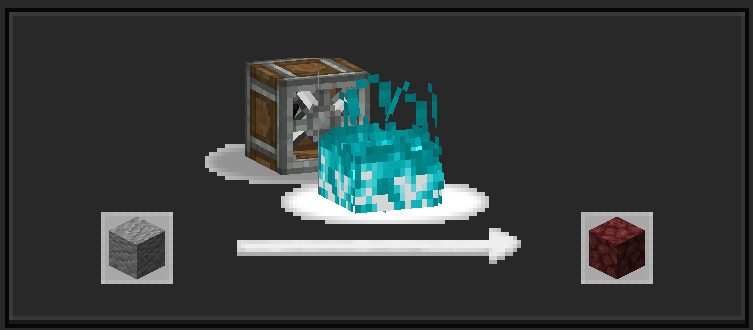
-Netherrack (Haunt andesite)
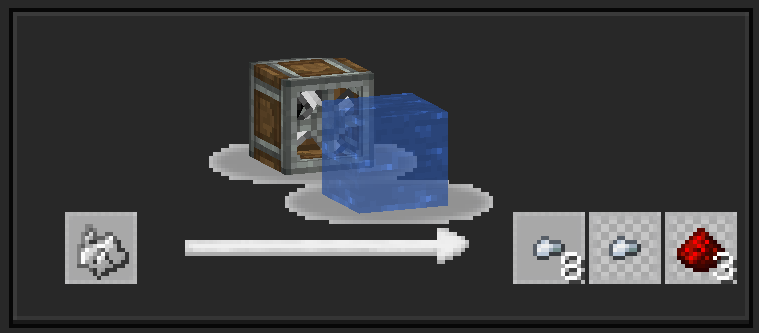
-Asurine (Mix water with stone while it's heated to make asurine)
-Zinc (Zinc is now fully automated using asurine, simply cook it using a blast furnace)
-Redstone (Wash crushed iron ingot)
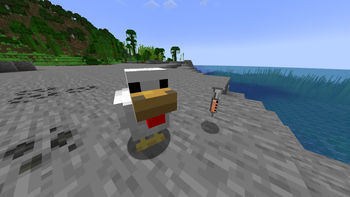
-Eggs (Use filled syringe on chicken)
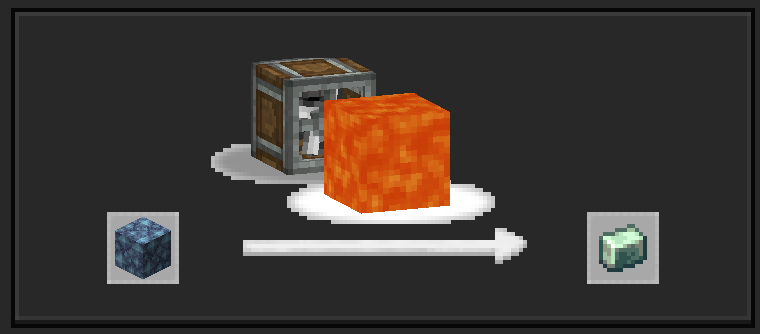
-Obsidian (Mix water and lava with powdered obsidian)
-Bones/Bone meal (Crush bones into crushed bones and wash them to get bonemeal and atleast 1 bone back)
New Items:
-Crushed Iron Ingot
-Crushed Bones
New items from the Neoforge update include:
-Nutritious Jelly (Made from wheat seeds, bone meal, and water.)
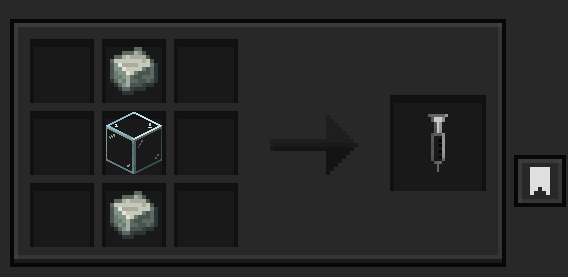
-Syringe (Crafted from one glass and two andesite alloys.)
-Filled Syringe (Use spout filled with nutritious jelly on syringe, can be given to chickens to make them drop 1 egg.)
Available Versions
How to Install Create: Fully Automated on Your Server
Order Server
Order a Minecraft Java server with at least 4 GB RAM (6 GB recommended).
Set forge Loader
In the panel under "Egg", select the forge loader and matching Minecraft version (1.21.1).
Install Mod
Open the mod browser in the dashboard and search for "Create: Fully Automated". Click "Install" – done! Alternatively, upload the .jar via SFTP to the /mods folder.
Compatibility
Mod Loaders
Minecraft Versions
1.21.1, 1.20.1
Server-side
✗ UnsupportedRecommended RAM
6 GB(min. 4 GB)Frequently Asked Questions
Create: Fully Automated server crashes on startup – what to do?
Most common cause: wrong forge version or insufficient RAM. Check the server log (latest.log) for "OutOfMemoryError" or "Mixin" errors. With Mado Hosting: ensure at least 4 GB RAM is allocated and the loader matches the mod version (1.21.1). You can switch loaders with one click in the panel.
Is Create: Fully Automated compatible with forge and neoforge?
Create: Fully Automated officially supports forge, neoforge for Minecraft 1.21.1, 1.20.1. The Mado dashboard automatically detects incompatible loader combinations.
Server lagging with Create: Fully Automated – how to optimize performance?
Recommended RAM: 6 GB (per 5 players). Use /spark profiler to check if Create: Fully Automated consumes the most tick time. Common fixes: reduce server view-distance to 8-10, install "performant" or "starlight" as supplementary mods on Forge. With Mado Hosting, your server runs on NVMe SSDs with dedicated CPU cores for minimal latency.
Similar Mods




Rent Modded Server
Install Create: Fully Automated with just one click on your server.