
Create: Mobile Packages
Make your Create Packages Mobile
Screenshots
About this Mod
Create: Mobile Packages


A Minecraft mod that adds support for delivering Create Mod Packages directly to the player.
Requirements
1.21.1 NeoForge
- NeoForge 21.1.206 or newer
- Create 6.0.9 or newer
1.20.1 Forge (no longer supported)
- Forge 47.3.33 or newer
- Create 6.0.8 or newer
Download?
- Modrinth: https://modrinth.com/mod/create-mobile-packages
- Curseforge: https://www.curseforge.com/minecraft/mc-mods/create-mobile-packages
Overview
Logistics Network
The core of the mod is the Logistics Network.
- Linking: Bee Ports must be linked to a network. Place a new one to create a network, or link to an existing one.
- Security: Robo Bees only fly to ports and players within the same network.
- Membership: Players can join a network via the Bee Port GUI. View your networks with the
Hhotkey.
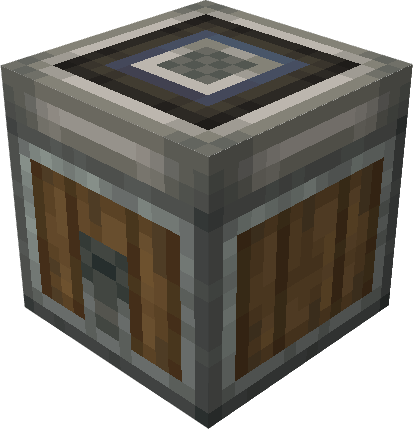
Bee Port
The hub for your logistics network.
- Send & Receive: Automates package delivery to addresses (players or other ports).
- Requirement: Requires a Robo Bee item in its internal inventory to send packages.
- Return Mode: Toggle to have Robo Bees return to this port after delivering to a player.
- Automation: By default, it pulls packages from adjacent inventories. When powered by Redstone, it pushes items
to adjacent inventories.
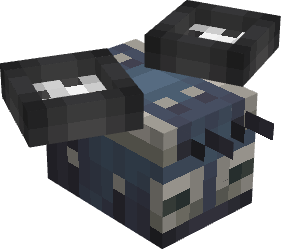
Robo Bee
The courier entity.
- Delivery: Carries packages to their destination address.
- Spawning: Right-click with a Robo Bee item to spawn.
- Network: The bee binds to the network the item is linked to. If the item is unlinked, the bee will target any
available port.
Portable Stock Ticker
A handheld device for remote item management.
- Request Items: Access your stock remotely by linking to Create Logistics Network.
- Send Items: Use the Trash Slots to send items from your inventory to a specific address via Robo Bee. (The Bee Port needs to be in the same network as the Portable Stock Ticker)
- Crafting support within the request interface
- JEI Support: Synchronized item search.
Mobile Packager
A utility for managing packages on the go.
- Create: Pack up to 9 item stacks into an addressed package.
- Edit: View and modify existing package contents (Sneak + Use).
Commands
Admin commands for managing logistics networks.
/cmp network list- Display all networks, player counts, and owners./cmp network add <player> <networkId>- Force add a player to a network./cmp network remove <player> <networkId>- Force remove a player from a network./cmp robos clear- Remove all Robo Bees from the world.
Translations
Help translate the mod on Crowdin.
Gallery
Simple Setup
Link the Port and the Stock Link, by clicking with one item on the other block. You can link your Portable Stock Ticker by Shift-Clicking with it on the Stock Link, Port or other Linked Blocks
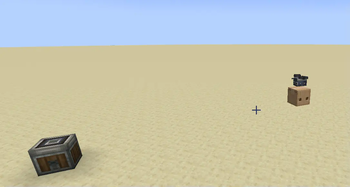
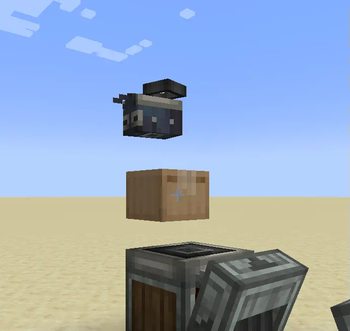
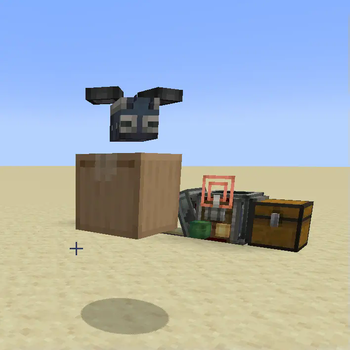
Robo Bee on its way delivering to you
Robo Bee on its way picking up your Trash Slot items to deliver them to "Port1"
Portable Stock Ticker selecting items to be send to you
Admin Console Command to manage Networks (can also be done via UI)
Available Versions
How to Install Create: Mobile Packages on Your Server
Order Server
Order a Minecraft Java server with at least 4 GB RAM (6 GB recommended).
Set forge Loader
In the panel under "Egg", select the forge loader and matching Minecraft version (1.21.1).
Install Mod
Open the mod browser in the dashboard and search for "Create: Mobile Packages". Click "Install" – done! Alternatively, upload the .jar via SFTP to the /mods folder.
Compatibility
Mod Loaders
Minecraft Versions
1.21.1, 1.20.1
Server-side
✓ RequiredRecommended RAM
6 GB(min. 4 GB)Frequently Asked Questions
Create: Mobile Packages server crashes on startup – what to do?
Most common cause: wrong forge version or insufficient RAM. Check the server log (latest.log) for "OutOfMemoryError" or "Mixin" errors. With Mado Hosting: ensure at least 4 GB RAM is allocated and the loader matches the mod version (1.21.1). You can switch loaders with one click in the panel.
Is Create: Mobile Packages compatible with forge and neoforge?
Create: Mobile Packages officially supports forge, neoforge for Minecraft 1.21.1, 1.20.1. The Mado dashboard automatically detects incompatible loader combinations.
Server lagging with Create: Mobile Packages – how to optimize performance?
Recommended RAM: 6 GB (per 5 players). Use /spark profiler to check if Create: Mobile Packages consumes the most tick time. Common fixes: reduce server view-distance to 8-10, install "performant" or "starlight" as supplementary mods on Forge. With Mado Hosting, your server runs on NVMe SSDs with dedicated CPU cores for minimal latency.
Similar Mods


Rent Modded Server
Install Create: Mobile Packages with just one click on your server.