
Create Ratatouille
Adds machine and items about agricultural and food processing
Screenshots
About this Mod

Create: Ratatouille
An addon for Create that brings agriculture & food-processing to life—more machines, smarter farming, tastier outputs.
Dedicated server support since v1.1 ✅
Discord: https://discord.gg/fGUhb7Mwv2
✨ Current Content
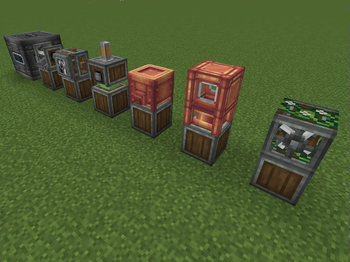
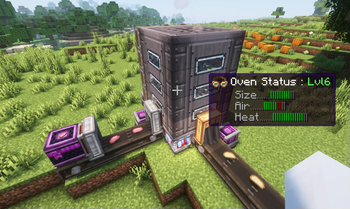
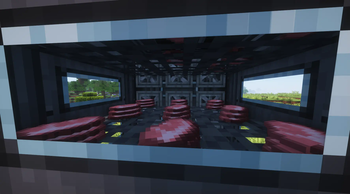
Oven (Multiblock) — High-throughput, even-heat cooking for big batches.
Thresher — Gentle grain processing for wheat, with support for rice, corn, and more.
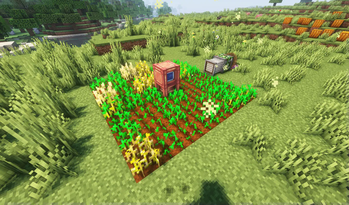
Irrigation Tower — Keeps wide farmland areas hydrated—no more bucket runs.
Spreader — Rapid crop ripening in an area; can also make nearby animals fall in love.
🆕 v1.3 “Compost!”
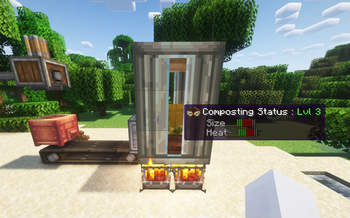
New: Compost Tower (Multiblock)
Turn organic leftovers into farming power—automate composting with Create.
Automated Intake/Output — Belt in plant matter; pipe products out.
Outputs
Compost Residue — Base for soil boosts & processing chains; also usable as furnace fuel (burn time configurable).
Compost Tea — Bottled liquid fertilizer for precise boosts (multi-use by default).
Biogas — Fermentation by-product; currently used primarily for burning/heat.
What can you do with compost outputs?
Close the loop — Convert farm waste into Compost Residue.
Boost your fields — Process residue into mulch/soil enhancers for steadier growth.
Power advanced farming — Feed machines like the Spreader for more efficient area growth.
🌐 Localization
ru_ru: ovonsame
Contributors: SSWTLZZ69
📌 Roadmap
More machines, farming QoL, kitchen chains, and deeper Create integration. All values are data-driven—tune recipes, speeds, and effects as you like.
Available Versions
How to Install Create Ratatouille on Your Server
Order Server
Order a Minecraft Java server with at least 4 GB RAM (6 GB recommended).
Set forge Loader
In the panel under "Egg", select the forge loader and matching Minecraft version (1.21.1).
Install Mod
Open the mod browser in the dashboard and search for "Create Ratatouille". Click "Install" – done! Alternatively, upload the .jar via SFTP to the /mods folder.
Compatibility
Mod Loaders
Minecraft Versions
1.21.1, 1.20.1, 1.19.2
Server-side
✓ RequiredRecommended RAM
6 GB(min. 4 GB)Frequently Asked Questions
Create Ratatouille server crashes on startup – what to do?
Most common cause: wrong forge version or insufficient RAM. Check the server log (latest.log) for "OutOfMemoryError" or "Mixin" errors. With Mado Hosting: ensure at least 4 GB RAM is allocated and the loader matches the mod version (1.21.1). You can switch loaders with one click in the panel.
Is Create Ratatouille compatible with forge and neoforge?
Create Ratatouille officially supports forge, neoforge for Minecraft 1.21.1, 1.20.1, 1.19.2. The Mado dashboard automatically detects incompatible loader combinations.
Server lagging with Create Ratatouille – how to optimize performance?
Recommended RAM: 6 GB (per 5 players). Use /spark profiler to check if Create Ratatouille consumes the most tick time. Common fixes: reduce server view-distance to 8-10, install "performant" or "starlight" as supplementary mods on Forge. With Mado Hosting, your server runs on NVMe SSDs with dedicated CPU cores for minimal latency.
Similar Mods



Rent Modded Server
Install Create Ratatouille with just one click on your server.