DisplayFPS
DisplayFPS shows your in-game FPS with customizable colors, positions, and background options. Perfect for monitoring performance in style!
Screenshots
About this Mod
[EN]
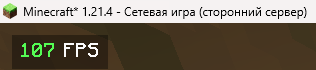
DisplayFPS is a lightweight and highly customizable mod that displays your in-game FPS (frames per second) directly on your screen. Whether you're optimizing your game or just want to keep an eye on performance, DisplayFPS has you covered with a variety of features:
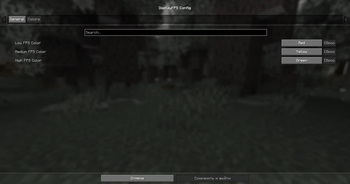
- Customizable Colors: Set different colors for low, medium, and high FPS values to quickly see your performance at a glance.
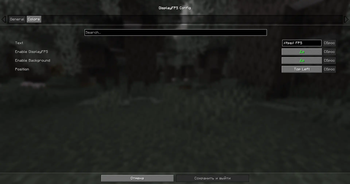
- Flexible Positioning: Choose from four predefined positions (top-left, top-right, bottom-left, bottom-right) to place the FPS counter wherever you like.
- Background Options: Enable or disable a background for better readability, with adjustable padding.
- Custom Text: Personalize the display text using placeholders like
$fps$to show the FPS value in your preferred format (e.g., "FPS: $fps$"). - Cloth Config Integration: Easily tweak all settings through an intuitive in-game configuration menu (requires Cloth Config).
- ModMenu Support: Access the config screen directly from ModMenu for a seamless experience.
Compatibility:
- Supports Minecraft 1.20.x, and 1.21.x.
- Requires Fabric API and Fabric Language Kotlin.
- Optional: Cloth Config for in-game settings, ModMenu for easy config access.
Note: Java 21 or higher is required!
Enhance your Minecraft experience with DisplayFPS and keep track of your performance in style!
================================================================================
[RU]
DisplayFPS — это лёгкий и гибкий мод, который отображает ваш FPS (кадры в секунду) прямо на экране в Minecraft. Хотите оптимизировать игру или просто следить за производительностью? DisplayFPS предлагает множество функций для удобного мониторинга:
- Настраиваемые цвета: Установите разные цвета для низкого, среднего и высокого FPS, чтобы сразу видеть, как работает игра.
- Гибкое расположение: Выберите одну из четырёх позиций (верхний левый, верхний правый, нижний левый, нижний правый угол) для отображения счётчика FPS.
- Настройка фона: Включите или отключите фон для лучшей читаемости, с регулируемыми отступами.
- Персонализированный текст: Настройте отображаемый текст с помощью плейсхолдеров, таких как
$fps$, чтобы показывать FPS в нужном формате (например, "FPS: $fps$"). - Интеграция с Cloth Config: Удобно изменяйте все настройки через интуитивное меню в игре (требуется Cloth Config).
- Поддержка ModMenu: Открывайте экран настроек прямо из ModMenu для простоты использования.
Совместимость:
- Поддерживает Minecraft 1.20.x и 1.21.x.
- Требует Fabric API и Fabric Language Kotlin.
- Опционально: Cloth Config для настроек в игре, ModMenu для удобного доступа к настройкам.
Примечание: Для мода требуется Java 21 или выше!
Улучшайте свой игровой опыт в Minecraft с DisplayFPS и следите за производительностью стильно!
Available Versions
How to Install DisplayFPS on Your Client
Install the Mod Loader Locally
Install fabric for your local Minecraft version.
Download the Matching File
Choose the DisplayFPS file for fabric and Minecraft 1.21.5.
Install Mod
Place the .jar file in your local .minecraft/mods folder and restart Minecraft. No server-side installation is required.
Compatibility
Mod Loaders
Minecraft Versions
1.21.5, 1.21.4, 1.21.3 (+10 more)
Server-side
✗ UnsupportedRecommended RAM
4 GB(min. 3 GB)Frequently Asked Questions
Does DisplayFPS need to be installed on the Minecraft server?
No. Modrinth marks DisplayFPS as unsupported on the server side. Install it only in your local Minecraft mods folder. Your server can remain unchanged unless the mod page lists an additional dependency.
Which version and loader does DisplayFPS require?
Use a file for fabric and your exact Minecraft version. Supported versions include 1.21.5, 1.21.4, 1.21.3. Files for different loaders are not interchangeable.
DisplayFPS is not working – what should I check?
First check the Minecraft version, loader version and required dependencies. Put the .jar file in your local .minecraft/mods folder and remove older duplicates. Because this mod is client-side, adding server RAM will not fix it.
Similar Mods






Minecraft Server for Your Group
DisplayFPS stays on your client. Host a compatible world for your group.