
Distinct Potions
Trouble telling your potions apart? Time to give you a helping hand with that.
Screenshots

About this Mod








Distinct Potions makes potions easier to recognize at a glance. 🧪 With clearer visuals, unique bottle styles, and improved naming, you can finally tell your potions apart without hovering over every single one.
Built for both vanilla and modded content, it helps brewing, storage, and inventory management feel cleaner and more intuitive. ✨

- 🏷️ Clear Potion Names: Potion names directly highlight whether they are greater, extended, or lesser.
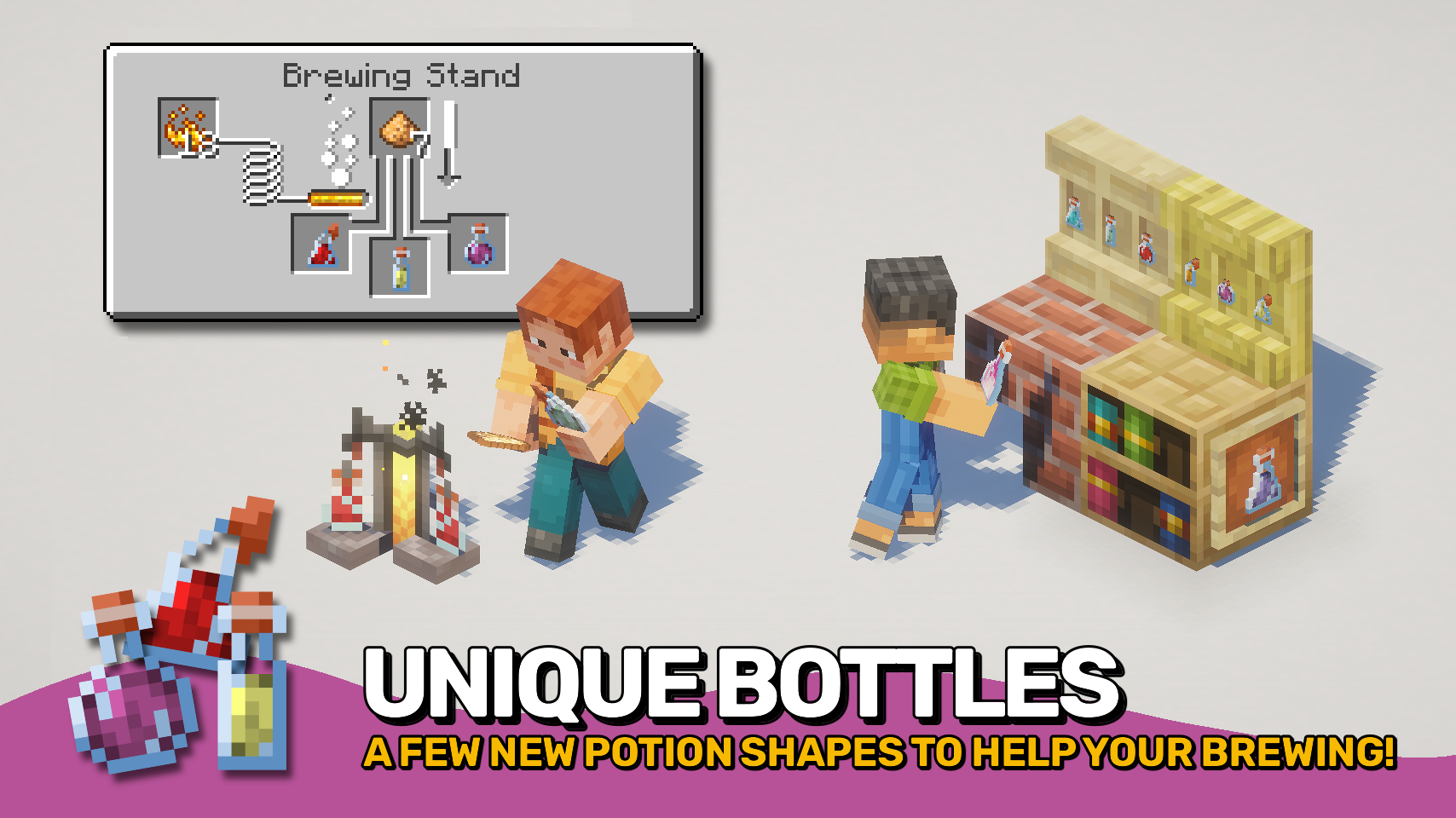
- 🍾 Unique Potion Bottles: Greater and extended potions use distinct bottle appearances for easier visual recognition.
- 🧪 Distinct Base Potions: Awkward, mundane, and thick potions gain their own unique colors to stand apart from water bottles.
- ⚙️ Highly Configurable: Potion categories are fully customizable and support both vanilla and modded potions through flexible matching rules and tags.


⏩ INSTALLATION REQUIRED ON CLIENT
⏩ REQUIRES PUZZLES LIB TO BE INSTALLED (FABRIC & NEOFORGE)
⏩ REQUIRES FABRIC API TO BE INSTALLED (FABRIC)
⏩ REQUIRES FORGE CONFIG API PORT TO BE INSTALLED (FABRIC)

If available for a mod, configuration is possible directly from in-game using the mod menu (requires Mod Menu by Prospector to be installed on Fabric).
For manual configuration using an external text editor all files are found at .minecraft/config, named as MOD_ID-client.toml, MOD_ID-common.toml, or MOD_ID-server.toml, depending on the type of config. Not all types might exist for a mod, if any at all.

🌟 Big thanks to AaronBlader12 and their Potion Visual Revamp suggestion on the Minecraft Forum, which some parts of this mod are based on.
 |
 |
|
 |
 |
|
 |
 |
|
 |
 |
|
 |
 |

© 2026 @heyitsfuzs. All rights reserved. This page was last edited on 11 September 2026, at 06:44 (UTC).
Available Versions
How to Install Distinct Potions on Your Client
Install the Mod Loader Locally
Install fabric for your local Minecraft version.
Download the Matching File
Choose the Distinct Potions file for fabric and Minecraft 26.3.
Install Mod
Place the .jar file in your local .minecraft/mods folder and restart Minecraft. No server-side installation is required.
Compatibility
Mod Loaders
Minecraft Versions
26.3, 26.2, 26.1.2 (+13 more)
Server-side
✗ UnsupportedRecommended RAM
4 GB(min. 3 GB)Frequently Asked Questions
Does Distinct Potions need to be installed on the Minecraft server?
No. Modrinth marks Distinct Potions as unsupported on the server side. Install it only in your local Minecraft mods folder. Your server can remain unchanged unless the mod page lists an additional dependency.
Which version and loader does Distinct Potions require?
Use a file for fabric, forge, neoforge and your exact Minecraft version. Supported versions include 26.3, 26.2, 26.1.2. Files for different loaders are not interchangeable.
Distinct Potions is not working – what should I check?
First check the Minecraft version, loader version and required dependencies. Put the .jar file in your local .minecraft/mods folder and remove older duplicates. Because this mod is client-side, adding server RAM will not fix it.
Similar Mods




![[ETF] Entity Texture Features](https://cdn.modrinth.com/data/BVzZfTc1/af683d206d50b05258d865b0d6e4aa2f2cee12f2_96.webp)

Minecraft Server for Your Group
Distinct Potions stays on your client. Host a compatible world for your group.