
Drink Beer Refill
Brewing, bartending and bartering!
Screenshots
About this Mod
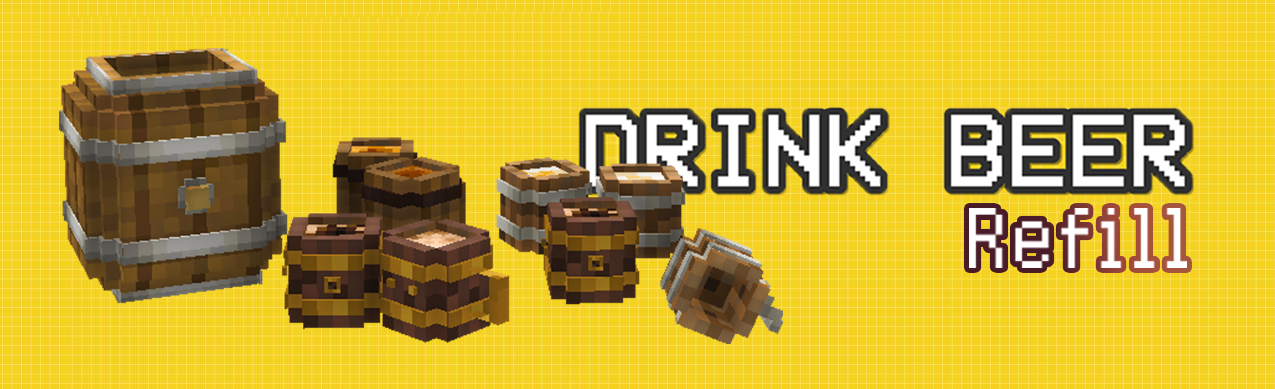
🍺 Drink Beer Refill
Drink Beer Refill is the actively maintained NeoForge revival of Drink Beer.
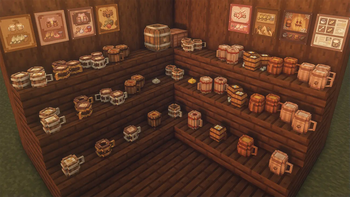
Brew and display your own beer, mix drinks with magical spices, discover hidden flavor combinations, barter for rare ingredients, and decorate your tavern with restored content from the upstream 4.0 release.
This revival is maintained with permission from original creator Lekavar.
✨ Features
- Nine distinct beers!
- Brew!
- Mix beer with different spices.
- Discover special flavor combinations whose results depend on the spices and their order.
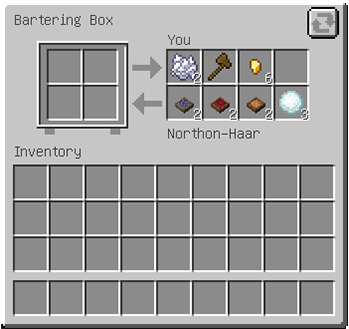
- Barter for rare spices through the Trade Box.
🎄 Upstream 4.0 Holiday Content
The authorized upstream holiday content has returned:
- Four colors of presents, each with four possible appearances.
- Presents containing beer, spices, or decorative wooden horses.
- Center-mounted and wall-mounted colored lights with eight appearances.
- The Star of Bethlehem and Great Star of Bethlehem.
- Three decorative two-block wooden horses.
- Horse neighs, bells, gift-opening sounds, light emission, particles, recipes, and localized names.
🍺 Brewing
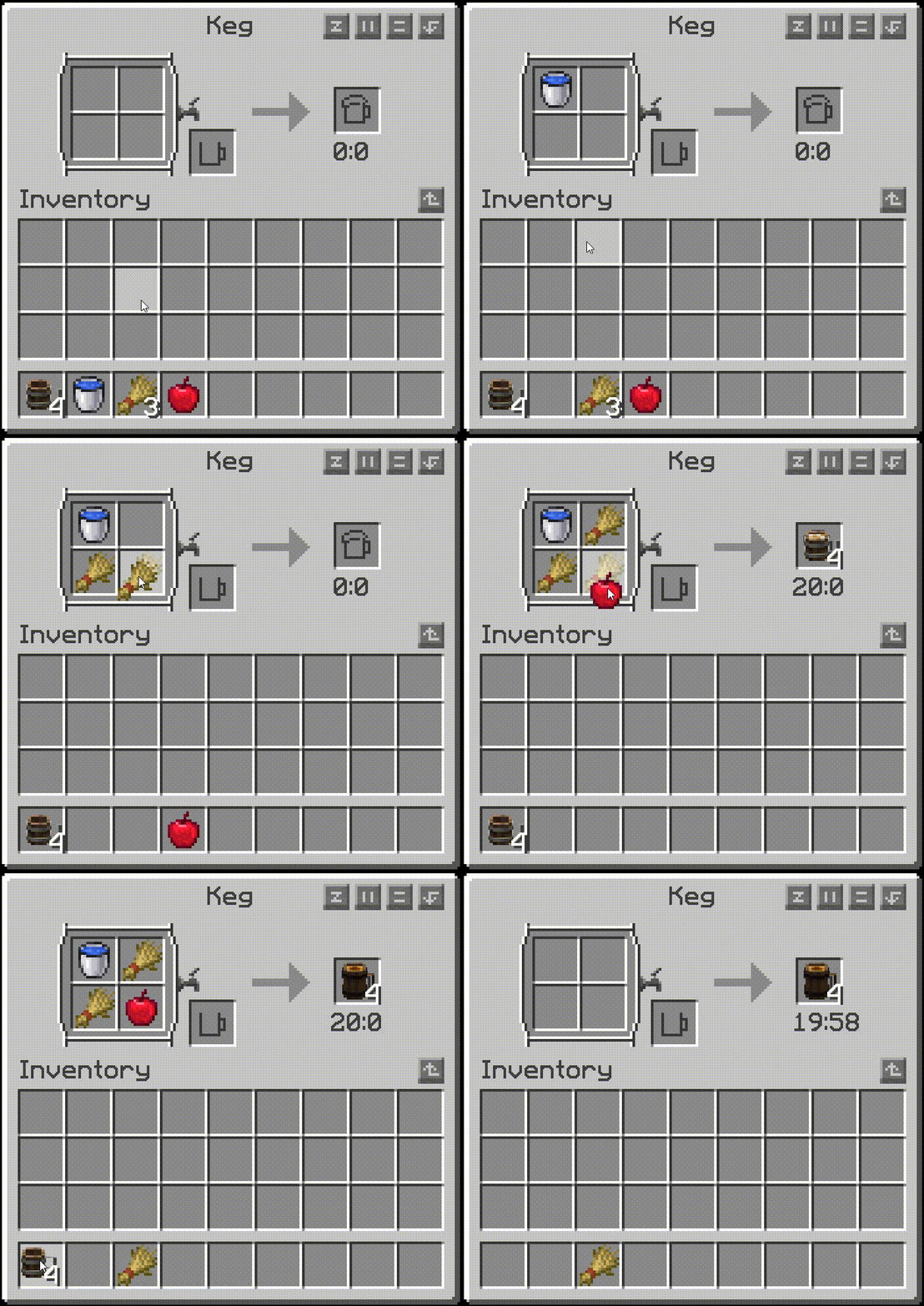
- Craft and place a keg.
- Open it and insert the four ingredients required by a brewing recipe.
- Add the required empty beer mugs.
- Wait for brewing to finish.
- Take out the completed beer and enjoy!
The order of the four ingredients does not matter.
Keg automation
- Top: brewing ingredients
- Horizontal sides: empty beer mugs
- Bottom: completed beer and returned buckets
Inputs remain safely stored while brewing and are consumed only when brewing completes.
🤝 Bartering
Use the Trade Box to barter with visitors from different places and obtain unique spices for bartending.
🍸 Bartending
- Use a beer on the bartending table to place it on the surface.
- Open the drawer.
- Add up to three spices.
- Experiment with different spices and insertion orders to discover hidden combinations.
- Use an empty hand to take the finished drink.
The placed beer and spices are visibly rendered on the table, and mixed-beer data is preserved when the drink is removed or placed in the world.
Bartending automation
- Top: beer input
- Horizontal sides: spice input
- Bottom: mixed-beer output
Invalid hopper inputs are rejected safely.
❤️ Authors and Credits
- Lekavar — original creator of Drink Beer and author of the upstream 4.0 content.
- MarbleGateKeeper — current maintainer and author of the NeoForge revival.
Historical contributors:
- Naetheline — created the 1.18.1 version and ported bartending and bartering.
- yanang007 — created the 1.18.2 version and Jade integration.
- Thanks to everyone who contributed to earlier Drink Beer releases and translations.
📜 License
All Rights Reserved.
Copyright © Lekavar and MarbleGateKeeper.
Redistribution, modification, relicensing, publication, or distribution of derivative versions requires express written permission from the rights holders. Third-party dependencies and tools remain subject to their respective licenses.
Available Versions
How to Install Drink Beer Refill on Your Server
Order Server
Order a Minecraft Java server with at least 3 GB RAM (4 GB recommended).
Set fabric Loader
In the panel under "Egg", select the fabric loader and matching Minecraft version (26.2).
Install Mod
Open the mod browser in the dashboard and search for "Drink Beer Refill". Click "Install" – done! Alternatively, upload the .jar via SFTP to the /mods folder.
Compatibility
Mod Loaders
Minecraft Versions
26.2, 26.1.2, 1.21.11 (+6 more)
Server-side
✓ RequiredRecommended RAM
4 GB(min. 3 GB)Frequently Asked Questions
Drink Beer Refill server crashes on startup – what to do?
Most common cause: wrong fabric version or insufficient RAM. Check the server log (latest.log) for "OutOfMemoryError" or "Mixin" errors. With Mado Hosting: ensure at least 3 GB RAM is allocated and the loader matches the mod version (26.2). You can switch loaders with one click in the panel.
Is Drink Beer Refill compatible with fabric and forge and neoforge?
Drink Beer Refill officially supports fabric, forge, neoforge for Minecraft 26.2, 26.1.2, 1.21.11. Note: Forge and Fabric mods are NOT cross-compatible – pick one loader and stick with it. The Mado dashboard automatically detects incompatible loader combinations.
Server lagging with Drink Beer Refill – how to optimize performance?
Recommended RAM: 4 GB (per 8 players). Use /spark profiler to check if Drink Beer Refill consumes the most tick time. Common fixes: reduce server view-distance to 8-10, install "performant" or "starlight" as supplementary mods on Forge. With Mado Hosting, your server runs on NVMe SSDs with dedicated CPU cores for minimal latency.
Similar Mods



Rent Modded Server
Install Drink Beer Refill with just one click on your server.