
Dynamic light
Mobs on fire and some items emit light! Like the OptiFine's dynamic light.
Screenshots
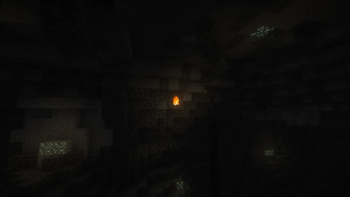
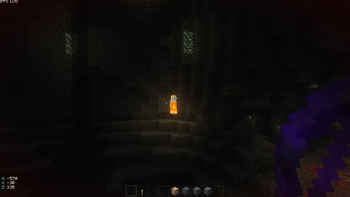
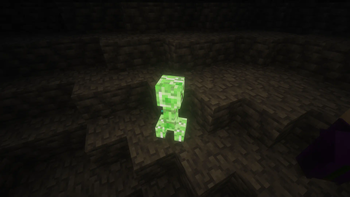
![Player emits light [Torch in the hand]](https://cdn.modrinth.com/data/DJ1ZClf3/images/a07e9325356629de7fc8ade8e62ef69a52e66163_350.webp)
About this Mod


Proper lighting is something that helps add an element of realism into the game. While mods like OptiFine and Sodium help introduce better lighting effects into the game, they also add a lot of additions that might not be useful to the player.
If you are looking for a mod that tweaks around only with the lighting effects in the game, the Dynamic Light mod is for you. This mod makes some adjustments to how lighting works so that your game looks much better and more realistic.
Dynamic lighting is a feature that is found within the popular performance mod OptiFine. This mod acts a standalone version that outputs visuals very much similar to OptiFine. With this mod installed, light emitting blocks and entities interact with their surrounding in a much more realistic manner.
A player holding a torch in his hand will light up surrounding surfaces just like in real life. This make cave exploration much more easier as you no longer have to manually place down stacks upon stacks of torches while navigating through caves. This helps save time, effort and resources.

We all know that fire emits light. This mod ensures that anything and everything on fire does emit light. This includes mobs and other entities that are lit on fire. A zombie caught on fire will now light up surrounding blocks. The same happens with a flaming arrow.

Arrows shot from a flaming arrow tend to appear with fire particles on them. As this mod makes light emitting entities more responsive, flaming arrows now light up their surrounds as they move through their projectile path. In the above image, it can be noticed that the arrow initially lights up the player after it has just been shot. And as it moves through the cave, it lights up the cave walls and nearby dripstone.

Similar observations can be made in the case of item variants of light emitting blocks dropped on the floor. In the image above, a torch item lying on the floor lights up the surrounding area. These lighting improvements can be noticed in almost all of the light emitting blocks and items in the game. More items will be added as the mod receives further updates.
Youtube video
Website
If you have any questions, need assistance, or simply want to share your thoughts or feedback, feel free to reach out. We're always here to help and would love to hear from you – whether you're looking for answers, suggestions, or just want to let us know how we're doing.

Other links


Available Versions
How to Install Dynamic light on Your Server
Order Server
Order a Minecraft Java server with at least 3 GB RAM (4 GB recommended).
Set datapack Loader
In the panel under "Egg", select the datapack loader and matching Minecraft version (26.2).
Install Mod
Open the mod browser in the dashboard and search for "Dynamic light". Click "Install" – done! Alternatively, upload the .jar via SFTP to the /mods folder.
Compatibility
Mod Loaders
Minecraft Versions
26.2, 26.1.2, 26.1.1 (+30 more)
Server-side
✓ RequiredRecommended RAM
4 GB(min. 3 GB)Frequently Asked Questions
Dynamic light server crashes on startup – what to do?
Most common cause: wrong datapack version or insufficient RAM. Check the server log (latest.log) for "OutOfMemoryError" or "Mixin" errors. With Mado Hosting: ensure at least 3 GB RAM is allocated and the loader matches the mod version (26.2). You can switch loaders with one click in the panel.
Is Dynamic light compatible with datapack and fabric and forge and neoforge and quilt?
Dynamic light officially supports datapack, fabric, forge, neoforge, quilt for Minecraft 26.2, 26.1.2, 26.1.1. Note: Forge and Fabric mods are NOT cross-compatible – pick one loader and stick with it. The Mado dashboard automatically detects incompatible loader combinations.
Server lagging with Dynamic light – how to optimize performance?
Recommended RAM: 4 GB (per 8 players). Use /spark profiler to check if Dynamic light consumes the most tick time. Common fixes: reduce server view-distance to 8-10, install "performant" or "starlight" as supplementary mods on Forge. With Mado Hosting, your server runs on NVMe SSDs with dedicated CPU cores for minimal latency.
Similar Mods



![[TaCZ] Timeless and Classics Zero](https://cdn.modrinth.com/data/SzzJttH8/fd27766d2bb8390d284696b1dbd358f87e081439_96.webp)


Rent Modded Server
Install Dynamic light with just one click on your server.