
Modrinth · Fabric, NeoForge · Client mod
EclipseUI
EclipseUI is a client-side mod. Install it on your computer; the server does not need it.
A modern config and config UI lib.
- Downloads
- 1.1M
- Author
- Coredex
- Loader
- Fabric, NeoForge
- Minecraft
- 1.21.1 – 26.3
- Updated
- –
Setup
Install EclipseUI on your client
Client-side mods only run on your computer. More server RAM does not change their performance.
- 01
Install the loader locally
Install Fabric or NeoForge for your Minecraft version in your launcher.
- 02
Download the file
Download the EclipseUI file for your loader and your exact Minecraft version, for example 26.4-snapshot-6.
- 03
Add it to the mods folder
Put the .jar file in your local .minecraft/mods folder and remove older duplicates.
- 04
Launch
Launch Minecraft with the loader profile. Nothing needs to change on the server.
- On the server
- Not needed
- On the client
- Required
- Loader
- Fabric, NeoForge
- Minecraft
- 26.4-snapshot-6, 26.4-snapshot-3, 26.4-snapshot-2 +18 more
- License
- MIT License
Releases
Published releases
Pick the file that matches your server’s loader and Minecraft version. The server and players need the same release.
EclipseUI · Modrinth- EclipseUI 1.0.5+mc1.21.1-neoforgebetaOctober 30, 2026Minecraft 1.21.1 · NeoForge
- EclipseUI 1.0.5+mc1.21.1-fabricbetaOctober 30, 2026Minecraft 1.21.1 · Fabric
- EclipseUI 1.0.5+mc26.3-neoforgebetaSeptember 16, 2026Minecraft 26.3 · NeoForge
- EclipseUI 1.0.5+mc26.3-fabricbetaSeptember 16, 2026Minecraft 26.3 · Fabric
- EclipseUI 1.0.5+mc26.2-rc-2betaJune 14, 2026Minecraft 26.2, 26.2-rc-2 · NeoForge
Original description by the project author
EclipseUI
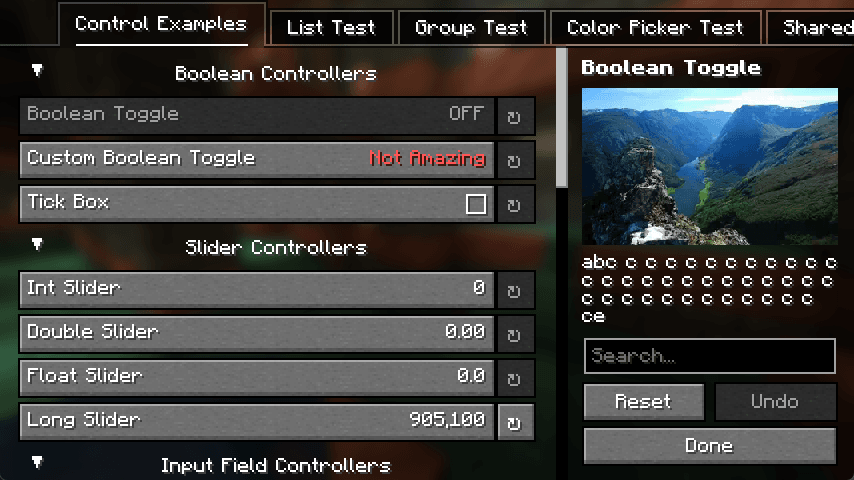
A lightweight, themeable config screen library for Minecraft mods.
Features
- Fabric & NeoForge support.
- Two themes: Faithful (vanilla style) & Modern (flat design)
- Rich widgets: toggles, sliders, dropdowns, color pickers, text fields
- ModMenu integration out of the box
Installation
For Mod Developers
Add EclipseUI to your mod by following the Usage Guide.
Quick dependency setup:
repositories {
    maven("https://jitpack.io")
}

dependencies {
    // Fabric
    modImplementation("com.github.coredex-source.EclipseUI:EclipseUI-fabric:v1.0.2")

    // NeoForge
    implementation("com.github.coredex-source.EclipseUI:EclipseUI-neoforge:v1.0.2")
}
See the full Usage Guide for complete setup instructions and examples.
Quick Start
EclipseUI.configScreen()
    .title(Component.literal("My Mod Config"))
    .parent(parent)
    .theme(Theme.MODERN)
    .category(cat -> cat
        .name(Component.literal("General"))
        .toggle(t -> t
            .name(Component.literal("Enable Feature"))
            .binding(() -> config.enabled, v -> config.enabled = v)
            .defaultValue(true)
        )
        .slider(s -> s
            .name(Component.literal("Range"))
            .range(0, 100, 1)
            .bindingInt(() -> config.range, v -> config.range = v)
            .defaultValue(50)
        )
    )
    .build();
Documentation
- Usage Guide - Complete guide on integrating EclipseUI into your mod
- GitHub Issues - Report bugs or request features
License
MIT License
Does EclipseUI need to be installed on the Minecraft server?
No. Modrinth marks EclipseUI as unsupported on the server side. Install it only in your local mods folder. Your server can stay unchanged unless the project page lists an additional dependency.
Which version and loader does EclipseUI require?
Use a file for Fabric, NeoForge and your exact Minecraft version. Supported versions include 26.4-snapshot-6, 26.4-snapshot-3, 26.4-snapshot-2. Files for different loaders are not interchangeable.
EclipseUI is not working – what should I check?
First check the Minecraft version, loader version and required dependencies. Because the mod is client-side, more server RAM will not fix it.
Similar mods
Popular mods in the same category
 Server-ready
Fabric API
by modmuss50
Lightweight and modular API providing common hooks and intercompatibility measures utilized by mods using the Fabric toolchain.
 Server-ready

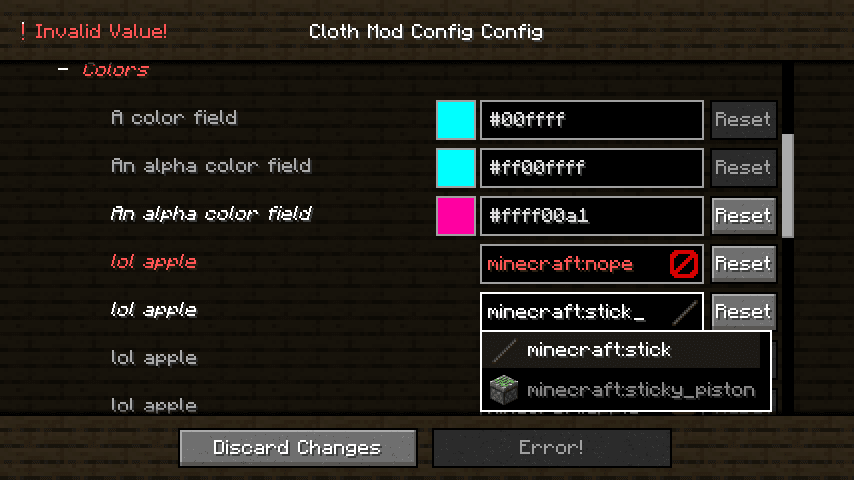
Cloth Config API
by shedaniel
Configuration Library for Minecraft Mods
 Server-ready

YetAnotherConfigLib (YACL)
by isxander
A builder-based configuration library for Minecraft!
 Server-ready

Fabric Language Kotlin
by modmuss50
This is a mod that enables usage of the Kotlin programming language for Fabric mods.
Looking for mods for your own server?
The catalog lists mods that run on Minecraft servers.