
Modrinth · Fabric, NeoForge
Envelope on your Minecraft server
Envelope runs on Minecraft servers with Fabric or NeoForge. Order your server, set the loader in the panel and install the mod with one click in the mod browser.
Letters. Packages. And Pigeons to deliver them across the world.
- Downloads
- 127.6K
- Author
- mortuusars
- Loader
- Fabric, NeoForge
- Minecraft
- 1.21.1
- Updated
- –
Screenshots
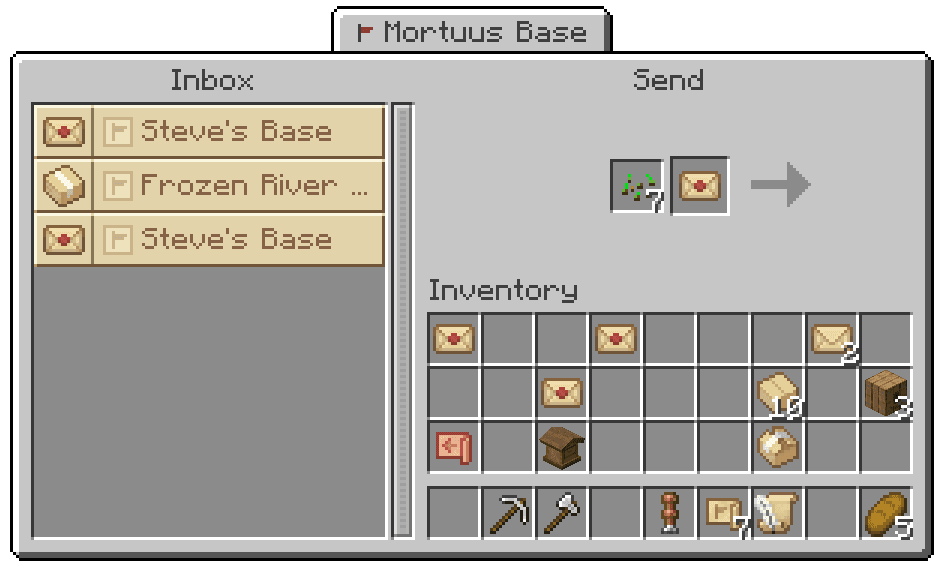
What Envelope looks like


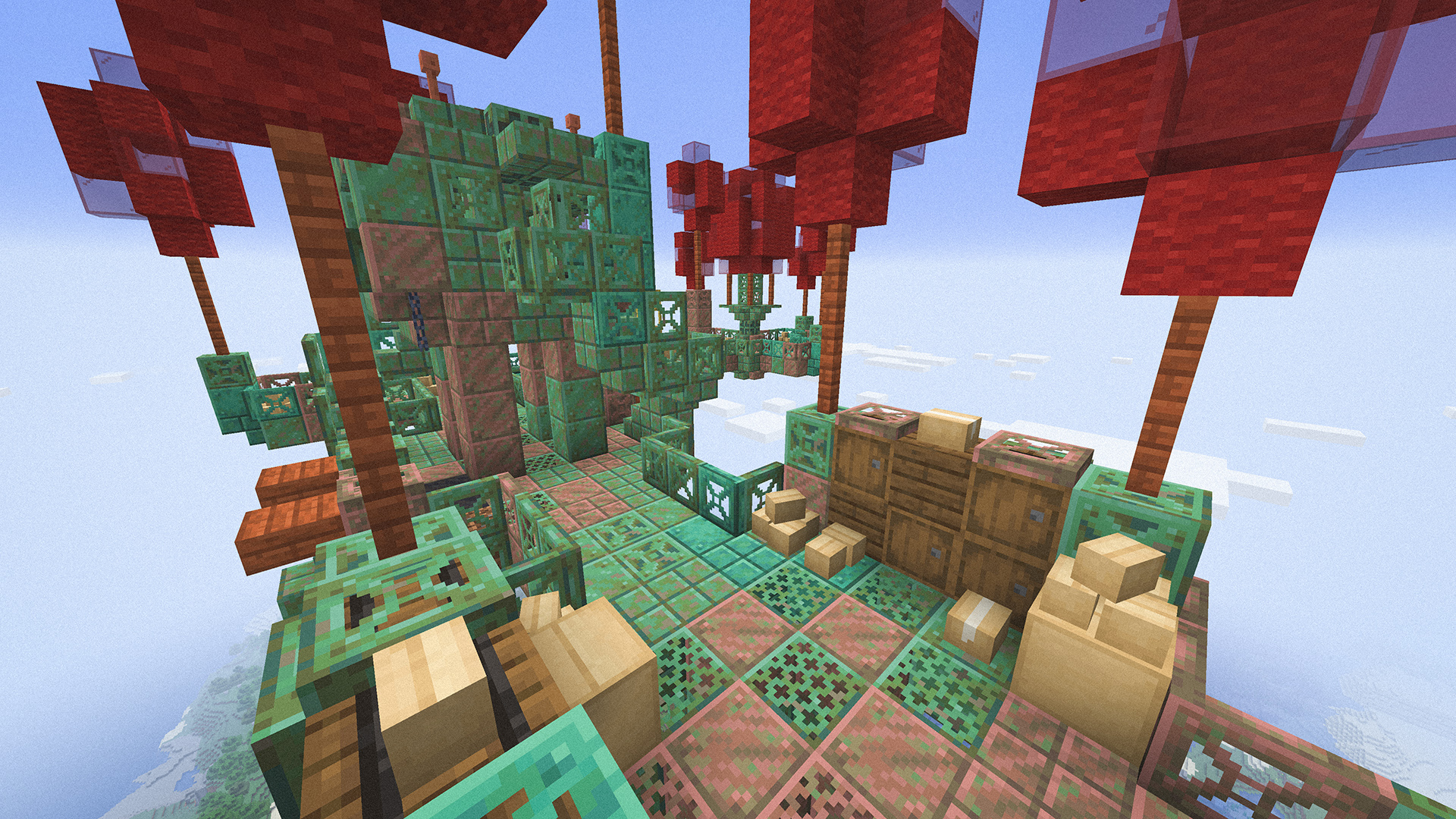
Images: Envelope on Modrinth, published by the project team.
Setup
Install Envelope on your server
The server and players need the same loader and Minecraft version. Back up the world before adding or updating mods.
- 01
Configure
4 GB of RAM is preselected. You choose the term and add-ons and pay by credit card or PayPal.
- 02
Set the loader
In the panel, set the server software to Fabric or NeoForge and choose the matching Minecraft version, for example 1.21.1.
- 03
Install the mod
Search the mod browser for “Envelope” and install the release for your loader. Alternatively, upload the .jar to the mods folder via SFTP. Required dependencies are listed on the project page.
- 04
Connect
Every player installs the same Envelope release locally and connects using the server address from the panel.
- On the server
- Required
- On the client
- Required
- Loader
- Fabric, NeoForge
- Minecraft
- 1.21.1
- License
- GNU General Public License v3.0 only
The panel
Install mods, find errors.
Real screenshots from the Mado panel. Both come with every Minecraft server.
Mod browser
Modrinth and CurseForge, right in the panel.
The browser filters by your Minecraft version. Install mods with one click, without uploading .jar files.

AI crash analysis
When a mod crashes, the analyzer reads the log.
Mods often fail on a wrong loader version, Java version or missing dependency. The analyzer names a likely cause and suggests a fix.

Releases
Published releases
Pick the file that matches your server’s loader and Minecraft version. The server and players need the same release.
Envelope · Modrinth- Envelope - 0.8.2November 9, 2026Minecraft 1.21.1 · Fabric
- Envelope - 0.8.2November 9, 2026Minecraft 1.21.1 · NeoForge
Original description by the project author
Pigeon Mail
Letters, Packages, Deliveries and more...





Description in text form
Pigeon
Friendly creature, that can be found in mountain areas or near a village
- Likes seeds of various kind, and will happily follow someone if they have some
- Hunted by Wild Cats, Ocelots and Foxes
Pigeonhole
A cozy house for pigeons to rest inside of, and leave their, ehm... “byproducts”Letter
Good alternative to a book, if you don’t have much to sayJust keep it away from foxes...
Package
Slightly inconvenient (but pretty cheap) way to reduce inventory clutterConvenient for deliveries, though
Sealing
A way to ensure an author and integrity of a Letter or PackageMailbox
Entrypoint into the fascinating world of mail delivery- Every Mailbox in the overworld must have an address
- Connecting a Mailbox to the mail network costs 3 experience levels
- Stores received mail
- Allows sending mail
Address Tag
- Use the item to open Address Selection GUI
- All available addresses are shown
- Use on a mailable item in GUI to set the recipient
- Can be used on a Mailbox to change its address
Delivery
When mail and seeds are inserted into a Mailbox, its front hatch will open, allowing nearby Pigeons to pick mail up and start a delivery- Pigeons can deliver mail (and return to) unloaded chunks without issues
- Delivering Pigeons ascend high above the clouds to make traveling long distances more efficient, thus they can only be seen while nearby a Mailbox
Courier Bat
Express deliveries at night- Delivers mail two times faster than Pigeons
- Will find Mailboxes with Spider Eyes anywhere in the world
Payback Tag
- Used on a mailable item to set the requested payback
- Anything that fits in the Package can be requested
Allows for a safe trade of items:
- Transaction will be handled by Mail Service
- Buyer receives Payback Box for the payment
- Mail will be kept in storage untill the buyer pays for it
- If buyer does not pay in time - mail will be returned back to sender
Services
Virtual addresses that can receive mail and perform various actions- Includes mail crafting system and recipes
- Extendable by datapacks, addons or KubeJS scripts
Charred Pigeon
Hostile mob found in the Nether - Has 1 in 5 chance to spawn carrying a Package - Will transform back into a regular Pigeon when brought into the overworldCollapsed Mail Hub
Structure floating above cloudsDovecote
Small structure built to house pigeons - Plains, Taiga, Savanna and Desert variantsEnjoying the mod?
Your support would allow me to continue working on it and on other mods!




Envelope server crashes on startup – what to do?
Common causes: the loader or Minecraft version does not match the mod file, a dependency is missing, or RAM is too low. Check the log (latest.log) for “OutOfMemoryError”, “Mixin” or missing mods. At Mado, the AI crash analysis reads the log and suggests a cause. You can change the loader and version in the panel.
Which loader does Envelope run on?
According to Modrinth, Envelope supports Fabric, NeoForge for Minecraft 1.21.1.
How much RAM does a server with Envelope need?
As guidance, 3–4 GB for a server with this mod. This is an estimate, not a measured minimum. More mods, many players and long view distances need more. The spark profiler shows whether a mod is costing tick time.
Similar mods
Popular mods in the same category
 Server-ready

Xaero's Minimap
by thexaero
Displays a map of the nearby world terrain, players, mobs, entities in the corner of your screen. Lets you create waypoints which help you find the locations you've marked.
 Server-ready

Xaero's World Map
by thexaero
Adds a full screen world map which shows you what you have explored in the world. Works great together with Xaero's Minimap.
 Client only

Not Enough Animations
by tr7zw
Bringing first-person animations to the third-person
 Client only

3D Skin Layers
by tr7zw
Render the player skin layer in 3d!
Ready for your server with Envelope?
4 GB of RAM from €8.00 per month. 35% off your first month with MADO35.