

Modrinth · Fabric, Forge, NeoForge, Quilt
Everlasting Abilities on your Minecraft server
Everlasting Abilities runs on Minecraft servers with Fabric or Forge or NeoForge or Quilt. Order your server, set the loader in the panel and install the mod with one click in the mod browser.
Discover, share and conquer abilities that stick
- Downloads
- 202.3K
- Author
- rubensworks
- Loader
- Fabric, Forge, NeoForge, Quilt
- Minecraft
- 1.18.2 – 26.3
- Updated
- –
Setup
Install Everlasting Abilities on your server
The server and players need the same loader and Minecraft version. Back up the world before adding or updating mods.
- 01
Configure
4 GB of RAM is preselected. You choose the term and add-ons and pay by credit card or PayPal.
- 02
Set the loader
In the panel, set the server software to Fabric or Forge or NeoForge or Quilt and choose the matching Minecraft version, for example 26.3.
- 03
Install the mod
Search the mod browser for “Everlasting Abilities” and install the release for your loader. Alternatively, upload the .jar to the mods folder via SFTP. Required dependencies are listed on the project page.
- 04
Connect
Every player installs the same Everlasting Abilities release locally and connects using the server address from the panel.
- On the server
- Required
- On the client
- Required
- Loader
- Fabric, Forge, NeoForge, Quilt
- Minecraft
- 26.3, 26.2, 26.1.2 +16 more
- License
- MIT License
The panel
Install mods, find errors.
Real screenshots from the Mado panel. Both come with every Minecraft server.
Mod browser
Modrinth and CurseForge, right in the panel.
The browser filters by your Minecraft version. Install mods with one click, without uploading .jar files.

AI crash analysis
When a mod crashes, the analyzer reads the log.
Mods often fail on a wrong loader version, Java version or missing dependency. The analyzer names a likely cause and suggests a fix.

Releases
Published releases
Pick the file that matches your server’s loader and Minecraft version. The server and players need the same release.
Everlasting Abilities · Modrinth- 2.5.11 for NeoForge 26.1.2October 31, 2026Minecraft 26.1.2 · NeoForge
- 2.5.11 for Forge 26.1.2October 31, 2026Minecraft 26.1.2 · Forge
- 2.5.11 for Fabric 26.1.2October 31, 2026Minecraft 26.1.2 · Fabric, Quilt
- 2.5.7 for Fabric 1.21.1October 31, 2026Minecraft 1.21.1 · Fabric, Quilt
- 2.5.7 for NeoForge 1.21.1October 31, 2026Minecraft 1.21.1 · NeoForge
Original description by the project author
Try out the Everlasting Abilities Compat addon for this mod! (1.19+ only)
Try out the Potion Core addon for this mod! (1.12 only)
Sometimes, you may want to have certain abilities, without having to carry around different potion bottles, wearing specific armor or using specific tools.
This mod allows you to have persistent abilities, that stay on you after you die, and you don't have to carry around specific items.
If you first spawn in a world, you will receive an Ability Bottle with a random ability.
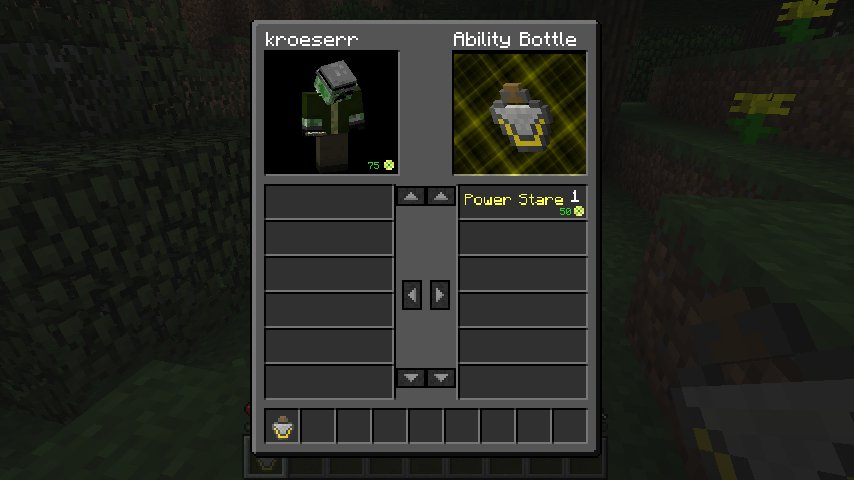
Right-clicking this bottle, will open a window in which you can move the ability to your player.
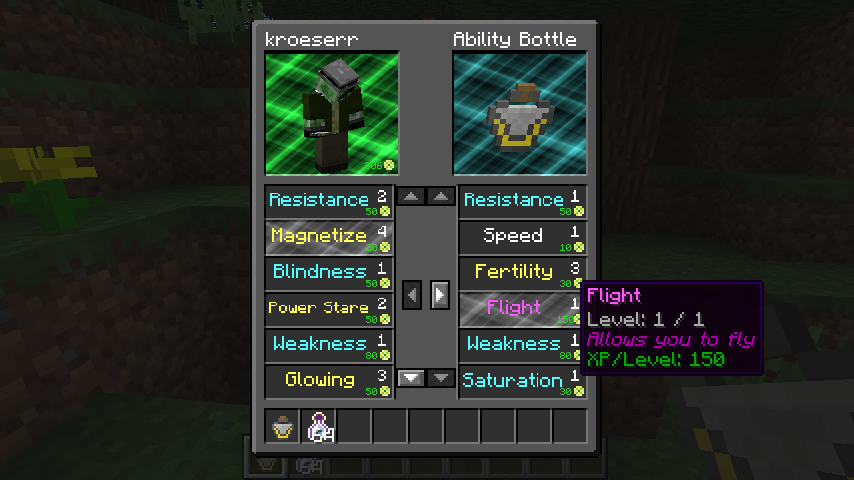
Moving abilities to your player requires a certain amount of experience, moving them back to the bottle will give you back that experience.
Abilities have a maximum level, so don't try to get yourself 20 levels of the speed ability...
The following (44) abilities are available:
- Flight: Allows you to fly
- Step Assist: Automatically step up a certain number of blocks depending on the level
- Fertility: Animals in the area become fertile
- Bonemealer: Bonemeal the area
- Power Stare: Push away entities you're looking at
- Magnetize: Attract nearby items
- Speed: Walk faster
- Haste: Mine faster
- Strength: Inflict more damage when attacking
- Jump Boost: Jump Higher
- Regeneration: Regenerate health faster
- Resistance: Take less damage from attacks
- Fire Resistance: Take less damage from fire
- Water Breathing: Breathe underwater
- Invisibility: Become invisible
- Night Vision: See in the dark
- Absorption: Adds absorption hearts
- Saturation: Reduce hunger
- Luck: Have a higher chance on better loot
- Slowness: Entities in the area move slower
- Mining Fatigue: Entities in the area mine slower
- Nausea: Entities in the area get nauseous
- Blindness: Entities in the area become blind
- Hunger: Entities in the area become hungry
- Weakness: Entities in the area become weaker
- Poison: Entities in the area become poisoned
- Wither: Entities in the area become withered
- Glowing: Entities in the area start glowing
- Levitation: Entities in the area start levitating
- Unluck: Entities in the area have a lower chance on good loot
- Slow Falling: Fall down slowly and take no fall damage
- Conduit Power: Gain underwater bonuses
- Dolphins Grace: Gain a higher swimming speed when a dolphin is nearby
- Bad Omen: Entities in the area can trigger raids to appear in villages
- Darkness: Entities in the area have deteriorated vision
- Hero of the Village: Receive gifts and discounts from villagers
- Wind Charged: Spawn wind charges upon death
- Weaving: Spawn cobwebs upon death
- Oozing: Spawn slimes upon death
- Infested: Spawn silverfish upon death
- Heart Gainer: Increase max health
- Hidden Chestplate: Increase armor points
- Knockback: Hit entities are knocked back further
- Attack Steroids: Reduce the cooldown rate when attacking
- Block Range: Increase your range for interacting with blocks
- Entity Range: Increase your range for interacting with entities
- Impacting Legs: Increase your safe fall distance
- Swift Sneak: Move faster while sneaking
Abilities that target entities in an area won't be applied to players that are in the same team as you.
Every ability can be disabled and modified via a custom datapack.
Information on how to make Ability Totems craftable can be found on the wiki.
If you die, at the hand of a player, you will lose one random ability. This ability will drop in an Ability Totem, which the other player can pickup and use for themself. (This behaviour can be changed in the config file)
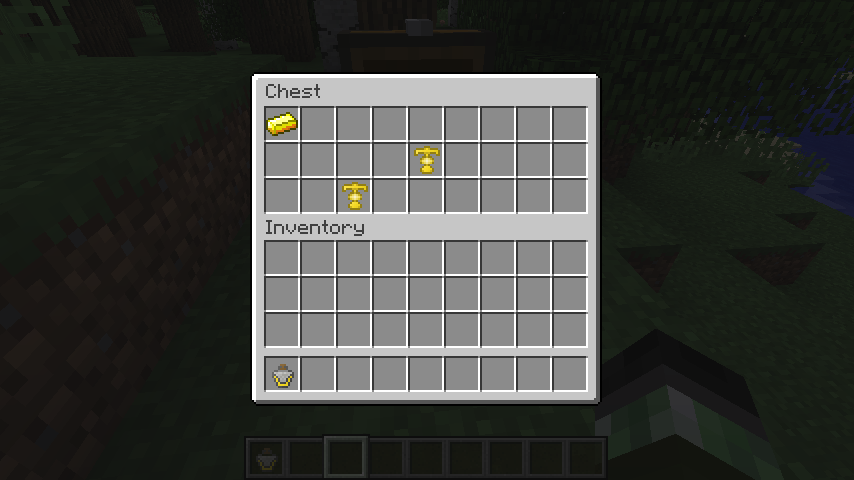
Ability totems with random abilities can be found in loot chests.
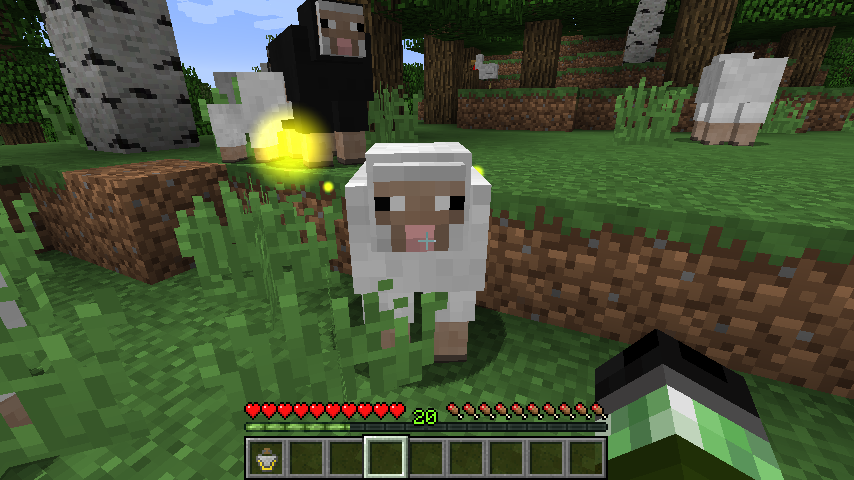
Certain mobs will also drop abilities. These mobs can be identified by looking at their particle effects, the color of the effects shows the rarity of their ability.

As of version 1.3.0, leftover totems can be recycled by combining 3 of them in a crafting grid to produce a new random totem. The rarity of the input totems will have an impact on the rarity of the output totem.
For modpack makers: learn how to create custom recipes for totems and bottles in our wiki.
This mod collects anonymized startup data, this can be disabled in the config file and adheres to Minecraft's snooper settings.

If you like this mod, consider supporting me on Patreon!
Everlasting Abilities server crashes on startup – what to do?
Common causes: the loader or Minecraft version does not match the mod file, a dependency is missing, or RAM is too low. Check the log (latest.log) for “OutOfMemoryError”, “Mixin” or missing mods. At Mado, the AI crash analysis reads the log and suggests a cause. You can change the loader and version in the panel.
Which loader does Everlasting Abilities run on?
According to Modrinth, Everlasting Abilities supports Fabric, Forge, NeoForge, Quilt for Minecraft 26.3, 26.2, 26.1.2. Forge and Fabric files are not interchangeable: pick one loader for the server and clients.
How much RAM does a server with Everlasting Abilities need?
As guidance, 3–4 GB for a server with this mod. This is an estimate, not a measured minimum. More mods, many players and long view distances need more. The spark profiler shows whether a mod is costing tick time.
Similar mods
Popular mods in the same category
 Server-ready

Xaero's Minimap
by thexaero
Displays a map of the nearby world terrain, players, mobs, entities in the corner of your screen. Lets you create waypoints which help you find the locations you've marked.
 Server-ready

Xaero's World Map
by thexaero
Adds a full screen world map which shows you what you have explored in the world. Works great together with Xaero's Minimap.
 Client only

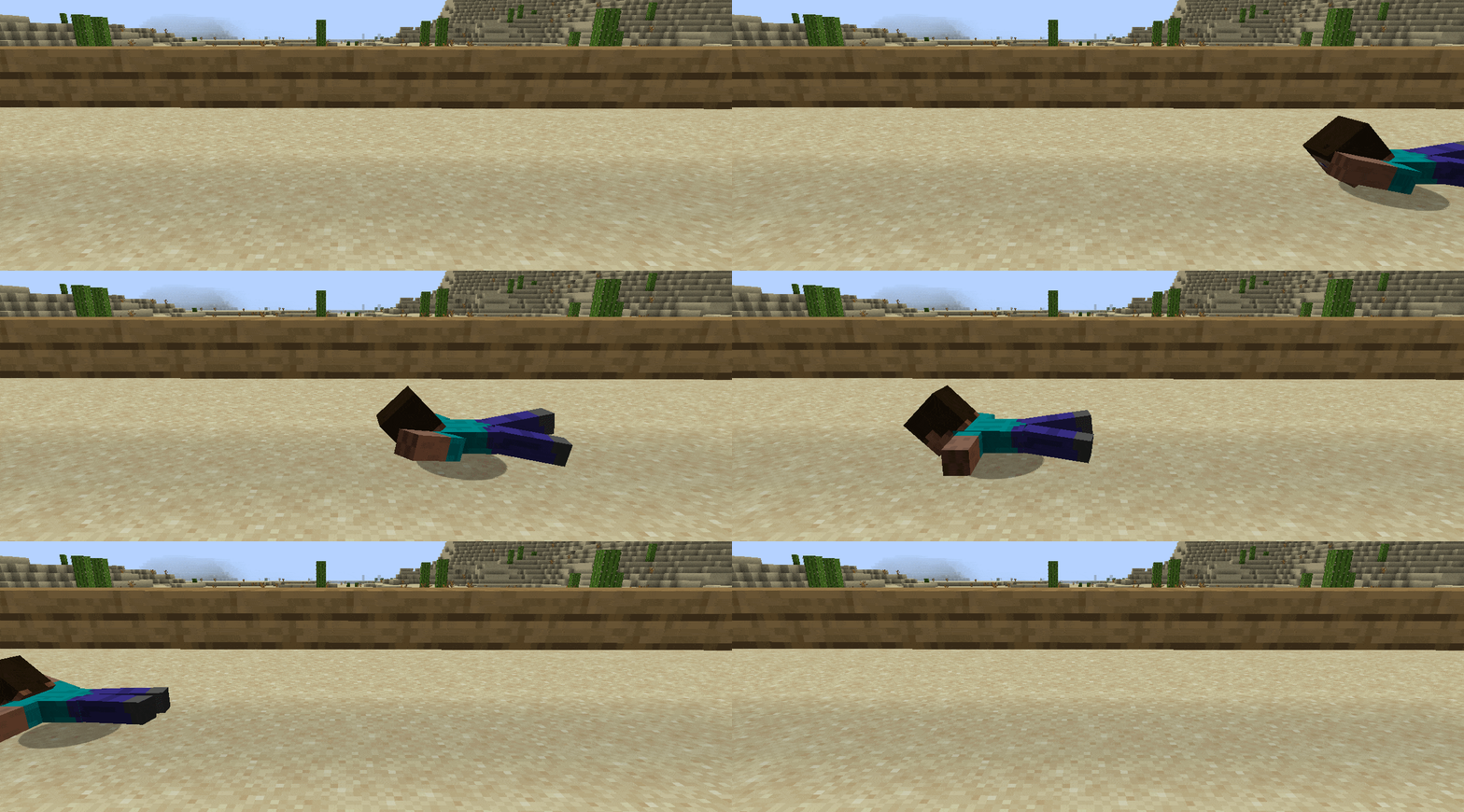
Not Enough Animations
by tr7zw
Bringing first-person animations to the third-person
 Client only

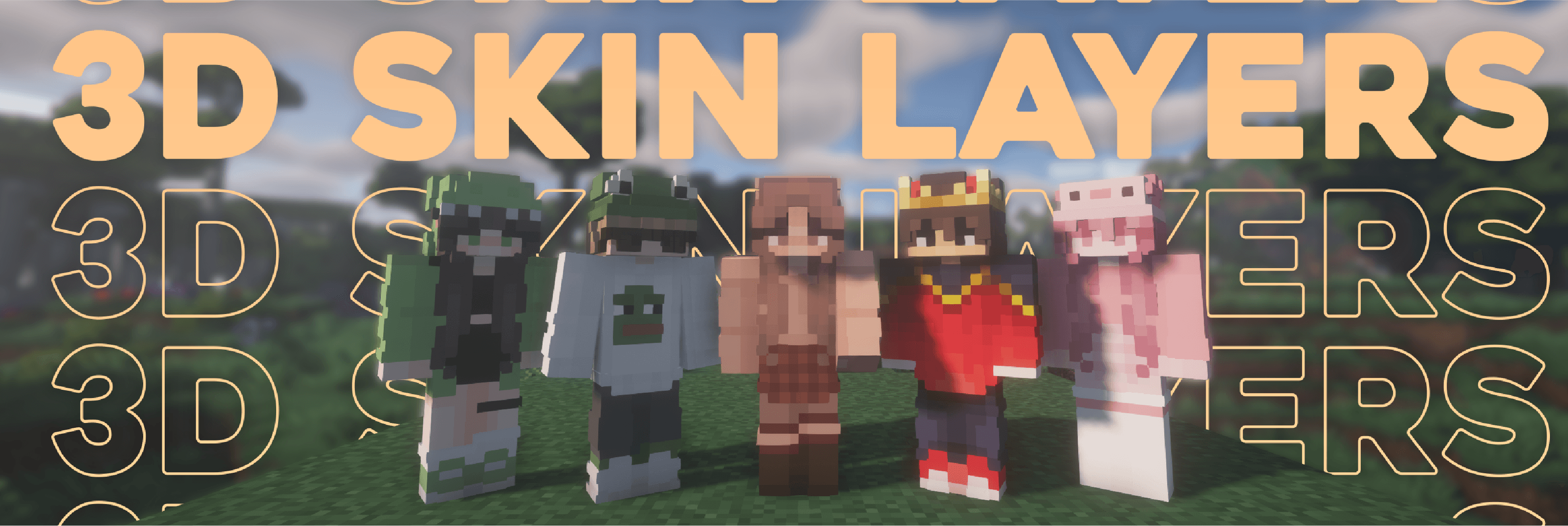
3D Skin Layers
by tr7zw
Render the player skin layer in 3d!
Ready for your server with Everlasting Abilities?
4 GB of RAM from €8.00 per month. 35% off your first month with MADO35.