
Exposure: Space
Astrophotography expansion for Exposure. Discover 200 real cosmic objects and build your own space catalog.
Screenshots
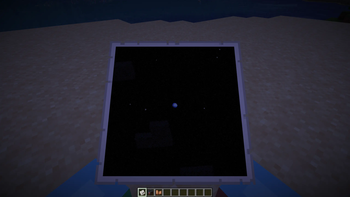
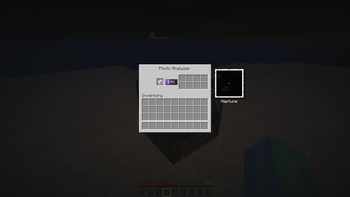
About this Mod
Exposure: Space
Astrophotography progression for Exposure.
Point your camera at the night sky, hunt real cosmic objects, develop the photos and fill your personal star album.
What does it add?
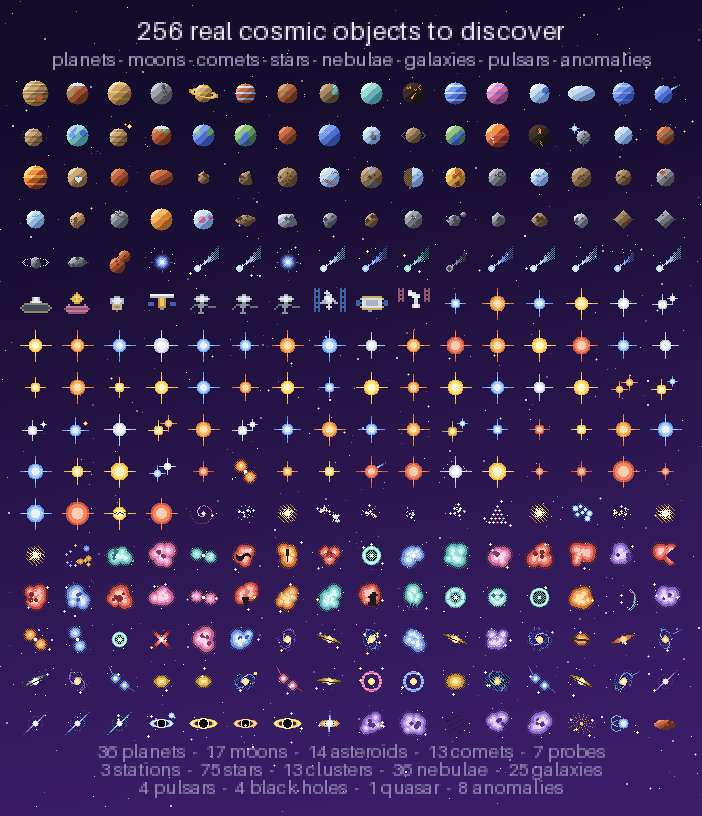
🔭 256+ real cosmic objects — from the Moon's craters to Sagittarius A*. Planets, exoplanets, moons, comets, asteroids, star clusters, nebulae, galaxies, pulsars, quasars and a few anomalies. Every single one has its own pixel-art texture, description and reward.
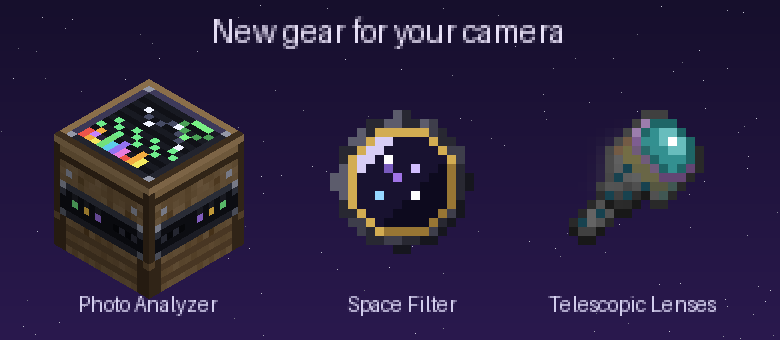
📷 Telescopic lenses (5 tiers) — from the humble Bad lens to the Sculk lens that sees absolutely everything. Higher tiers reveal rarer, fainter objects.
🟣 Space Filter — a camera attachment with deep space trapped in its glass. Required to capture cosmic objects; install it together with a lens.
🪐 Objects live in the actual sky. They appear on real night-sky positions, hide behind terrain, scale with your zoom — and not every object shows up every night. Some, like Halley's Comet, are a once-in-a-lifetime sight. The ISS, Hubble and comets even move across the sky in real time.
🌠 Night sky events — some nights a Meteor Shower, an Aurora Storm or a Deep Sky Night rolls in: appearance chances get boosted, the Analyzer works up to 2× faster, and event-exclusive objects show up — fireballs, auroras, STEVE, the Zodiacal Light and the Gegenschein exist only during their events.
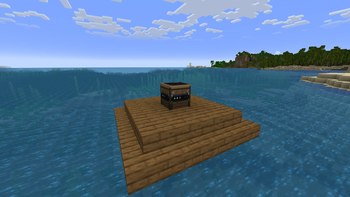
📡 Night Analyzer — a craftable observatory block. Right-click it to learn what's happening in the sky tonight: event name, luck and analysis multipliers, how many exclusive objects are up there. No chat spam — checking the sky is part of the hobby.
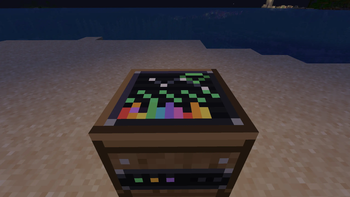
🛠 Photo Analyzer — an astronomer's desk with a spectrum screen (and Wi-Fi, obviously). Feed it a developed photograph: it identifies the object, writes it into your album and pays out rewards into 8 output slots.
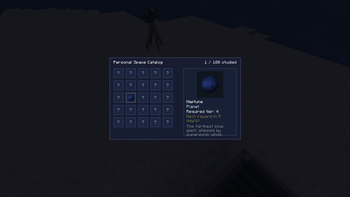
📖 Cosmic Album — a craftable book (amethyst + paper + book + leather) that collects every object you've studied as a glued-in polaroid: photo, story, object type, and a "Visit on Wikipedia" link for the real thing. Fill all 200+ pages if you dare.
🧭 Villager trades — cartographers (levels 4–5) and wandering traders sell archival photographs of cosmic objects, ready for the Analyzer. Event-exclusive ones are never sold — those you earn.
🏆 Advancements — a full tree: first analysis, halfway there, complete album, event photography and a few secrets.
🔁 Repeat rewards — by default, an object's full reward becomes available again every 5 in-game days (configurable, or disable it entirely).
🌑 Dark-room friendly — Exposure's Lightroom normally refuses to print in the dark. Cosmic photos are exempt: astrophotography should be developed at night.
📐 Camera Stand support — aim and capture through a mounted camera.
🍪 Cosmic Leftover — a creative-only snack that fills your hunger and unlocks the entire album in one bite.
⚙️ Fully data-driven — objects and events are JSON in a datapack (data/<ns>/cosmic_object/, data/<ns>/cosmic_event/), plus live-editable external folders (config/exposure_space/objects/, config/exposure_space/events/) for adding your own without rebuilding anything. Admins get /cosmicevent. ModMenu config screen included.
Requirements
| Mod | Why |
|---|---|
| Exposure | the camera itself |
| Exposure: Expanded | tier-1 telescopic lens |
| Architectury API, Prism, Cloth Config | libraries |
Minecraft 1.21.1, Fabric & NeoForge. On Fabric you also need Fabric API; ModMenu optional but recommended.
Quick start
- Craft a Space Filter and a Telescopic Lens, install both on your camera.
- Wait for night, raise the viewfinder and scan the sky — found objects get a target lock.
- Take the shot, develop the film, print the photo in a Lightroom.
- Put the photograph into the Photo Analyzer and collect your reward.
- Craft the Cosmic Album and admire your growing collection.




Available Versions
How to Install Exposure: Space on Your Server
Order Server
Order a Minecraft Java server with at least 4 GB RAM (6 GB recommended).
Set fabric Loader
In the panel under "Egg", select the fabric loader and matching Minecraft version (1.21.1).
Install Mod
Open the mod browser in the dashboard and search for "Exposure: Space". Click "Install" – done! Alternatively, upload the .jar via SFTP to the /mods folder.
Compatibility
Mod Loaders
Minecraft Versions
1.21.1
Server-side
✓ RequiredRecommended RAM
6 GB(min. 4 GB)Frequently Asked Questions
Exposure: Space server crashes on startup – what to do?
Most common cause: wrong fabric version or insufficient RAM. Check the server log (latest.log) for "OutOfMemoryError" or "Mixin" errors. With Mado Hosting: ensure at least 4 GB RAM is allocated and the loader matches the mod version (1.21.1). You can switch loaders with one click in the panel.
Is Exposure: Space compatible with fabric and neoforge?
Exposure: Space officially supports fabric, neoforge for Minecraft 1.21.1. The Mado dashboard automatically detects incompatible loader combinations.
Server lagging with Exposure: Space – how to optimize performance?
Recommended RAM: 6 GB (per 5 players). Use /spark profiler to check if Exposure: Space consumes the most tick time. Common fixes: reduce server view-distance to 8-10, install "performant" or "starlight" as supplementary mods on Forge. With Mado Hosting, your server runs on NVMe SSDs with dedicated CPU cores for minimal latency.
Similar Mods






Rent Modded Server
Install Exposure: Space with just one click on your server.