
Modrinth · Forge
ExtraPlanets on your Minecraft server
ExtraPlanets runs on Minecraft servers with Forge. Order your server, set the loader in the panel and install the mod with one click in the mod browser.
An advanced Galacticraft Addon
- Downloads
- 38.0K
- Author
- MJRLegends
- Loader
- Forge
- Minecraft
- 1.10.2 – 1.8.9
- Updated
- –
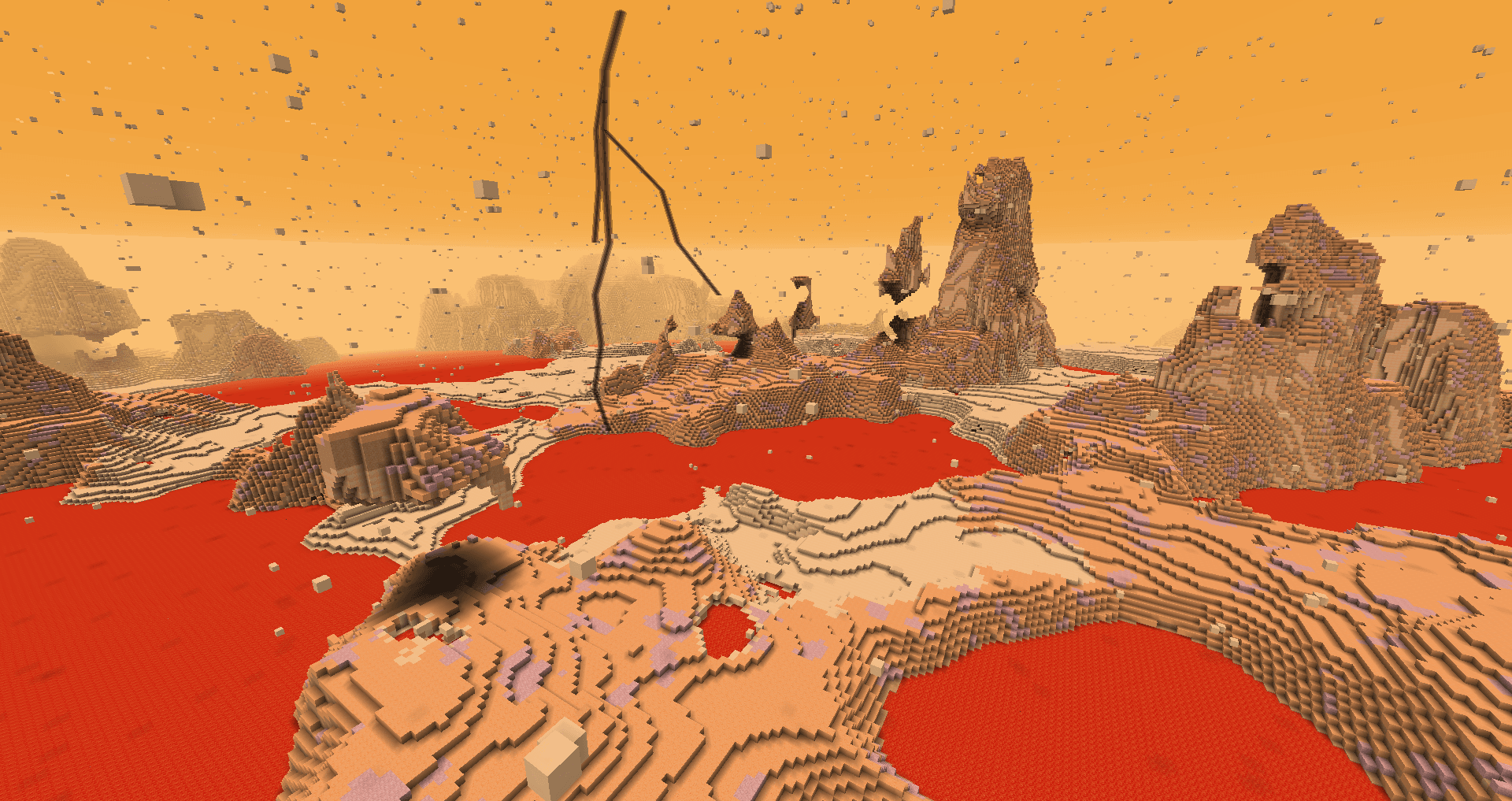
Screenshots
What ExtraPlanets looks like


Images: ExtraPlanets on Modrinth, published by the project team.
Setup
Install ExtraPlanets on your server
The server and players need the same loader and Minecraft version. Back up the world before adding or updating mods.
- 01
Configure
6 GB of RAM is preselected. You choose the term and add-ons and pay by credit card or PayPal.
- 02
Set the loader
In the panel, set the server software to Forge and choose the matching Minecraft version, for example 1.8.9.
- 03
Install the mod
Search the mod browser for “ExtraPlanets” and install the release for your loader. Alternatively, upload the .jar to the mods folder via SFTP. Required dependencies are listed on the project page.
- 04
Connect
Every player installs the same ExtraPlanets release locally and connects using the server address from the panel.
- On the server
- Required
- On the client
- Required
- Loader
- Forge
- Minecraft
- 1.8.9, 1.7.10, 1.12.2 +2 more
- License
- LicenseRef-All-Rights-Reserved
The panel
Install mods, find errors.
Real screenshots from the Mado panel. Both come with every Minecraft server.
Mod browser
Modrinth and CurseForge, right in the panel.
The browser filters by your Minecraft version. Install mods with one click, without uploading .jar files.

AI crash analysis
When a mod crashes, the analyzer reads the log.
Mods often fail on a wrong loader version, Java version or missing dependency. The analyzer names a likely cause and suggests a fix.

Releases
Published releases
Pick the file that matches your server’s loader and Minecraft version. The server and players need the same release.
ExtraPlanets · ModrinthOriginal description by the project author

Create your own Minecraft server with a single click from our partner ServerMiner: Click Here and get 20% off with promo MJRLegends. No technical knowledge required and instant setup!
Public Discord Server for MJRLegends Projects: Here
(NOT FOR REPORTING OR TALKING ABOUT BUGS, PLEASE USE THE DISCORD FOR NON BUG HELP! AND THE ISSUE TRACKER FOR BUGS)
Mod Requirements:
For 1.12.2 Version (Please report them here and use [1.12.2] in the title):
Requires Galacticraft 4 Builds, (255 Build and higher) and Forge 14.23.1.2555 or higher & Requires MJRLegendsLib!
For 1.11.2 Version (Please report them here and use [1.11.2] in the title):
Requires Galacticraft 4 Builds, (184 Build and higher) and Forge 13.20.1.2513 or higher & Requires MJRLegendsLib as of ExtraPlanets v0.5.0!
For 1.10.2 Version (Please report them here and use [1.10.2] in the title):
Requires Galacticraft 4 Builds, (184 Build and higher) and Forge 12.18.3.2239 or higher & Requires MJRLegendsLib as of ExtraPlanets v0.8.6!
For 1.8.9 Version (Please report them here and use [1.8] in the title):
Requires Galacticraft 4 Builds, (184 Build and higher) and Forge 11.15.1.1764 or higher & Requires MJRLegendsLib as of ExtraPlanets v1.1.9!
For 1.7.10 Version (Please report them here and use [1.7] in the title):
Requires Galacticraft 3 Builds, (502 Build and higher) and Forge 10.13.4.1614!
This ExtraPlanets Radiation Calculator will help you work out how long you will last on a planet/moon based on a few variables, from 0% radiation damage to 100% radiation damage on the player https://mjrlegends.com/extraplanetsradiation.php
Features of the addon:
- 4-10 Tier Rockets
- Electric Rocket (1.8.9/1.10.2/1.11.2/1.12.2 only!)
- Custom Launch pads
- Custom Vehicles
- Multi Biome Systems for most Moons and Planets (MC 1.7.10 is currently missing one biome, but will be added very soon)
- Different Gravity/Temperature/Day Length for each Planet and Moon
- Dungeons Tier 4 -10(Pluto & Eris still is a Creeper Bosses, but they will be replaced very soon!)
- Tier 2 - 4 Thermal Armour (Tier 3 - 5 in 1.8.9/1.10.2/1.11.2/1.12.2! Due to GC adding Tier 2)
- Custom Tools for most materials
- Custom Ores on every Planets and Moons
- Custom Config options (Including Compatibility options for other GC Addons)
- Custom Armor for most materials
- Villages on All Planets
- Villages on All Moons (v1.7.10 only!)
- Custom Batteries
- Custom Non Boss Mobs(Entities) (v1.7.10 only!)
- Custom Achievements
- Space Stations for each of the Planets
- Custom Space Suits Tier 1 - 4, Including Gravity Boots (MC 1.8.9/1.10.2/1.11.2/1.12.2 only!)
- Custom Radiation and Pressure System for planets, including onscreen displays (MC 1.8.9/1.10.2/1.11.2/1.12.2 only!)
- Custom Machines to support Radiation and Pressure System
- Upgraded versions of some of the Galacticraft Machines
- Extended Galacticraft Galaxy Map Screen with Extra Information
- Other Galaxies/Galaxies Selector (MC 1.8.9/1.10.2/1.11.2/1.12.2 only!)
Mod Compatibility Features:
- Forge Microblocks support (v1.7.10 only!)
- NEI/JEI Support
- Extreme Reactors Support (1.10.2/1.11.2/1.12.2 only!)
- Craft Tweaker Support (1.12.2 Only!) See Here for Methods
- Dynamic Surroundings Support - via official config files here
- Modular Power Suits Compact, adds pressure and radiation modules to apply to power suit
- More Planets Rocket Crusher Support
- Planet Progressions support with Custom Celestial Map Screen
Another Galacticraft addon Compatibility Support:
- MC 1.7.10 - https://docs.mjrlegends.com/ExtraPlanets/1.7.10compact/
- MC 1.12.2 - https://docs.mjrlegends.com/ExtraPlanets/1.12.2compact/
- MC 1.8.9-1.11.2 - https://docs.mjrlegends.com/ExtraPlanets/1.8-1.11compact/
Planets included in addon:
- Mercury
- Venus (1.7.10 only! Due to GC have added Venus in 1.8.9/1.10.2/1.11.2/1.12.2 versions!)
- Ceres
- Jupiter
- Saturn
- Uranus
- Neptune
- Pluto
- Eris
- Kepler 22b
- Haumea - (Added for visual purposes on Celestial Map Screen)
- Kuiper Belt - (Added for visual purposes on Celestial Map Screen)
- MakeMake - (Added for visual purposes on Celestial Map Screen)
- Kepler 47b - (Added for visual purposes on Celestial Map Screen)
- Kepler 47c - (Added for visual purposes on Celestial Map Screen)
- Kepler 62b - (Added for visual purposes on Celestial Map Screen)
- Kepler 62c - (Added for visual purposes on Celestial Map Screen)
- Kepler 62d - (Added for visual purposes on Celestial Map Screen)
- Kepler 62e - (Added for visual purposes on Celestial Map Screen)
- Kepler 62f - (Added for visual purposes on Celestial Map Screen)
- Kepler 69b - (Added for visual purposes on Celestial Map Screen)
- Kepler 69c - (Added for visual purposes on Celestial Map Screen)
Moons included in addon:
Neptune Moons:
- Triton
Uranus Moons:
- Oberon
- Titania
Mars Moons:
- Phobos
- Deimos
Jupiter Moons:
- IO
- Europa
- Ganymede
- Callisto
Saturn Moons:
- Rhea
- Titan
- Iapetus
Change logs:
1.7.10 - HERE
1.8.9 - HERE
1.10.2 - HERE
1.11.2 - HERE
1.12.2 - HERE
#Credits:
Me(MJRLegends) for creating the addon
micdoodle8, radfast and others for creating the Galacticraft mod
LegendGamer for custom models
BlesseNtumble for the initial idea/concept of Custom Galaxies
#Permissions
https://docs.mjrlegends.com/Other/permissions/
ExtraPlanets server crashes on startup – what to do?
Common causes: the loader or Minecraft version does not match the mod file, a dependency is missing, or RAM is too low. Check the log (latest.log) for “OutOfMemoryError”, “Mixin” or missing mods. At Mado, the AI crash analysis reads the log and suggests a cause. You can change the loader and version in the panel.
Which loader does ExtraPlanets run on?
According to Modrinth, ExtraPlanets supports Forge for Minecraft 1.8.9, 1.7.10, 1.12.2.
How much RAM does a server with ExtraPlanets need?
As guidance, 4–6 GB for a server with this mod. This is an estimate, not a measured minimum. More mods, many players and long view distances need more. The spark profiler shows whether a mod is costing tick time.
Similar mods
Popular mods in the same category
 Server-ready

TerraBlender
by Adubbz
A library mod for adding biomes in a simple and compatible manner!
 Server-ready

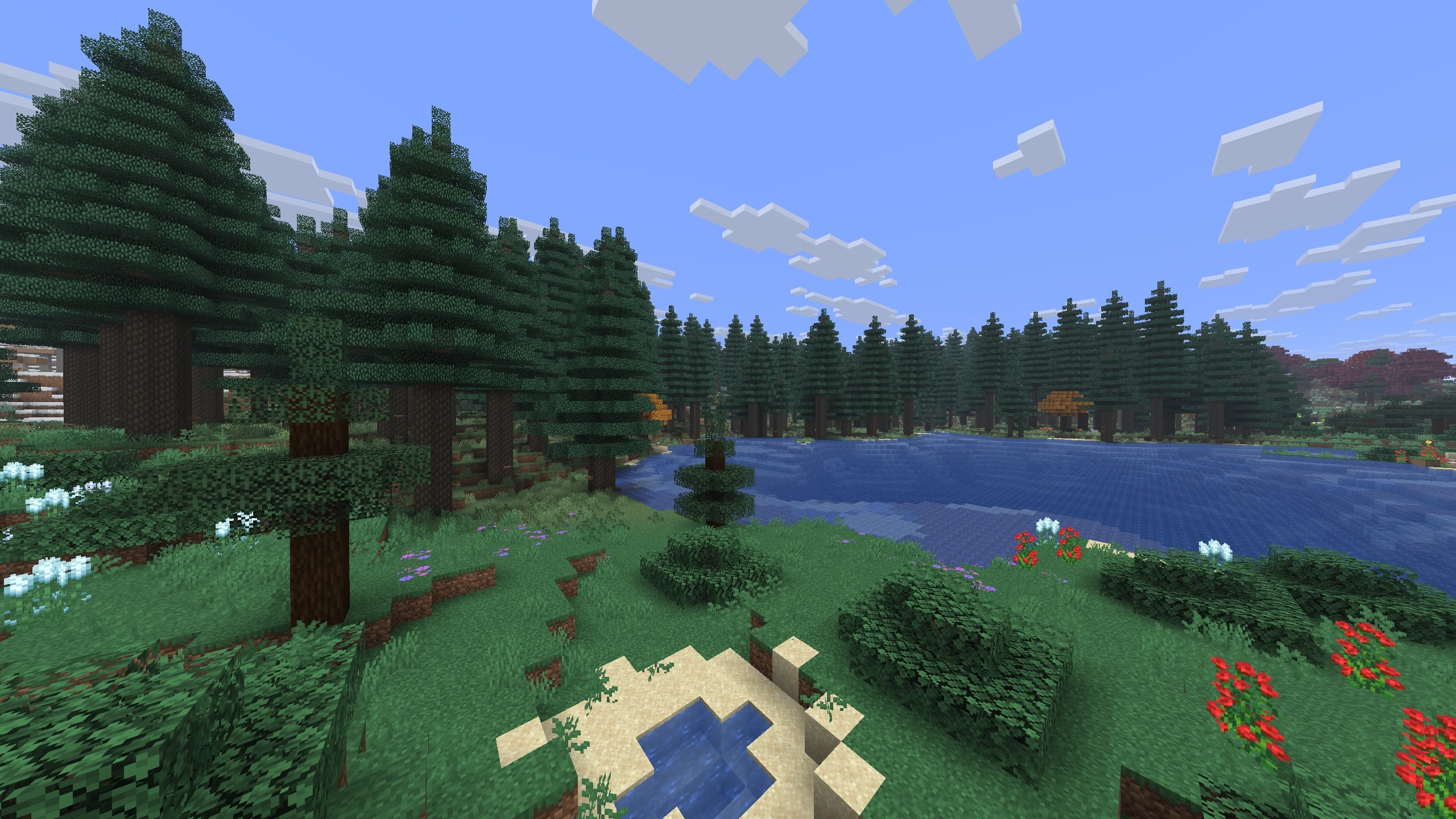
Biomes O' Plenty
by Forstride
Adds 50+ unique biomes to enhance your world, with new trees, flowers, and more!
 Server-ready

Cobblemon
by CobbledStudios
A Pokémon mod for Fabric and NeoForge
 Server-ready

YUNG's API
by YUNGNICKYOUNG
Library mod for YUNG's mods.
Ready for your server with ExtraPlanets?
6 GB of RAM from €12.00 per month. 35% off your first month with MADO35.