
Extreme sound muffler
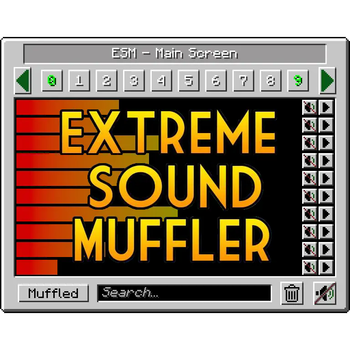
Extreme sound muffler is a client side mod that allows you to muffle sounds selectively.
Screenshots

About this Mod
Extreme sound muffler
Extreme sound muffler is a client side mod that allows you to muffle sounds selectively.
Now with Dark mode!! check the configs to enable it!
This Mod works on FORGE and FABRIC.
HOW IT WORKS:
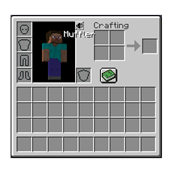
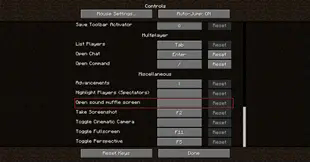
1. Click on the button in your inventory or assign a key to open the gui.

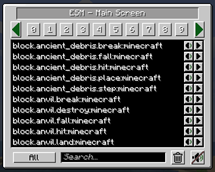
2. Click on the button next to the sound you want to muffle.

3.  Optional: set the volume of the sound dragging the slider around.

4. Optional: press the play button to be sure that's the sound you want to muffle.

5. Enjoy peace.
What about Anchors?
Anchors are ranged mufflers, for when you want to muffle a sound on a small area.
1. Open your ESM Screen

2. Select one of the 10 numbered buttons

3. Press the marker like button on the right panel to set the Anchor position

4. Optional: press the edit Anchor button (next to marker) and set the name and range of the Anchor

5. Muffle the sounds and enjoy ranged peace
You can change the Anchor position whenever you want by pressing the marker button.
Inventory button
if you don't like the ESM muffler in the inventory, you can disable it in the config.
if you don't like the position of the button, you can hold right mouse button over the muffler button and drag it wherever you want.
Most things are configurable! like:
- You can put the muffle and play buttons on the left right of the screen for easier visuals.
- You can disable the anchors.
- You can blacklist sounds to prevent them to appear in the ESM screen.
- You can choose the default muffle volume.
- You can disable the Inventory button
Forge Config file
Fabric Config file
Github:


ESM is ClientSide only, installing it in the server will do nothing.
Available Versions
How to Install Extreme sound muffler on Your Server
Order Server
Order a Minecraft Java server with at least 3 GB RAM (4 GB recommended).
Set fabric Loader
In the panel under "Egg", select the fabric loader and matching Minecraft version (26.3).
Install Mod
Open the mod browser in the dashboard and search for "Extreme sound muffler". Click "Install" – done! Alternatively, upload the .jar via SFTP to the /mods folder.
Compatibility
Mod Loaders
Minecraft Versions
26.3, 26.2, 26.1.2 (+27 more)
Server-side
~ OptionalRecommended RAM
4 GB(min. 3 GB)Frequently Asked Questions
Extreme sound muffler server crashes on startup – what to do?
Most common cause: wrong fabric version or insufficient RAM. Check the server log (latest.log) for "OutOfMemoryError" or "Mixin" errors. With Mado Hosting: ensure at least 3 GB RAM is allocated and the loader matches the mod version (26.3). You can switch loaders with one click in the panel.
Is Extreme sound muffler compatible with fabric and forge and neoforge?
Extreme sound muffler officially supports fabric, forge, neoforge for Minecraft 26.3, 26.2, 26.1.2. Note: Forge and Fabric mods are NOT cross-compatible – pick one loader and stick with it. The Mado dashboard automatically detects incompatible loader combinations.
Server lagging with Extreme sound muffler – how to optimize performance?
Recommended RAM: 4 GB (per 8 players). Use /spark profiler to check if Extreme sound muffler consumes the most tick time. Common fixes: reduce server view-distance to 8-10, install "performant" or "starlight" as supplementary mods on Forge. With Mado Hosting, your server runs on NVMe SSDs with dedicated CPU cores for minimal latency.
Similar Mods




![[ETF] Entity Texture Features](https://cdn.modrinth.com/data/BVzZfTc1/af683d206d50b05258d865b0d6e4aa2f2cee12f2_96.webp)

Rent Modded Server
Install Extreme sound muffler with just one click on your server.