
Farla's Hotbar Optimizer
Lightweight continuation of Dokko’s Hotbar Optimizer with improved hotbar synchronization.
Screenshots
About this Mod
Farla's Hotbar Optimizer
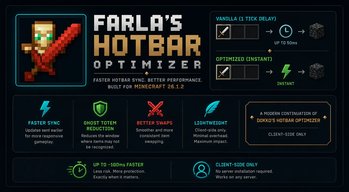
Farla's Hotbar Optimizer is a modern continuation of Dokko's Hotbar Optimizer, rebuilt for Minecraft 26.1.2 with improved runtime handling, adaptive safe mode, and lightweight client-side hotbar synchronization.
⚡ What does the mod do?
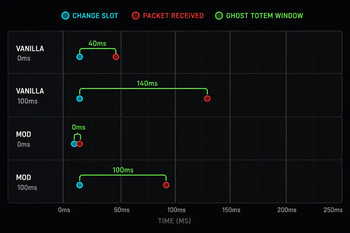
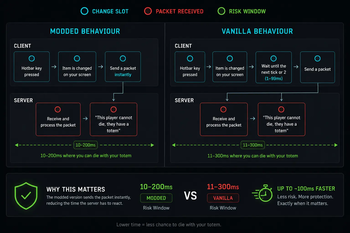
In vanilla Minecraft, when you switch hotbar slots, your client waits up to 50ms (one game tick) before sending the update to the server.
Farla's Hotbar Optimizer reduces that delay by synchronizing slot changes earlier, helping hotbar actions feel faster and more consistent during gameplay.
This can improve:
- ghost totem consistency
- fast item swapping
- crystal PvP responsiveness
- general hotbar reliability
Spoiler
📊 Improvements
| Scenario | Vanilla | Farla's Hotbar Optimizer |
|---|---|---|
| Hotbar synchronization delay | ~50ms | Near-instant |
| Ghost totem consistency | Standard | Improved |
| Fast item swaps | Vanilla timing | More responsive |
| Crystal PvP swapping | Delayed at times | More consistent |
| Inventory responsiveness | Vanilla | Improved |
🛡️ Ghost Totem Reduction
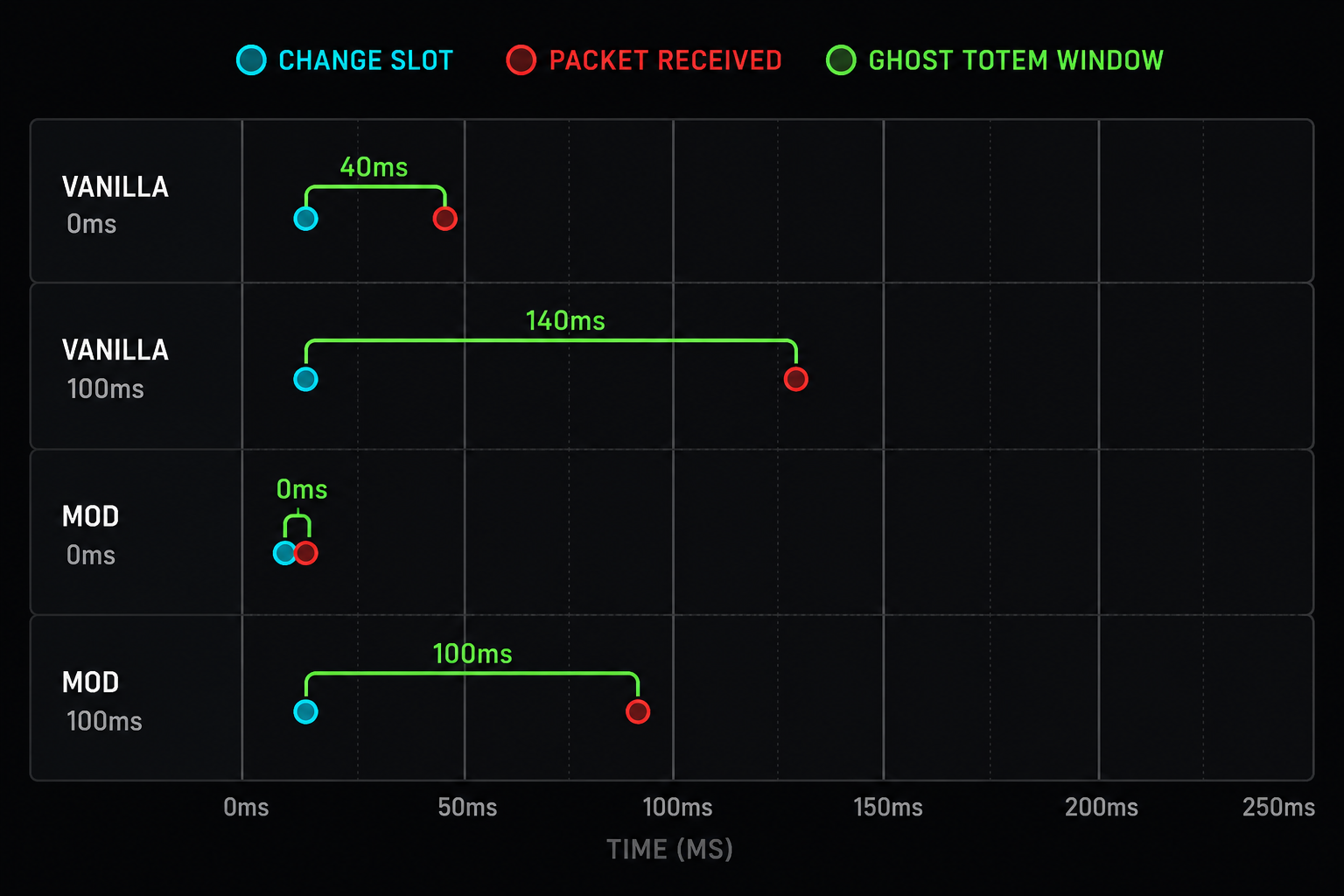
Because the server receives slot updates earlier, the amount of time where the server may not correctly recognize your held item is reduced.
Low ping (~20ms)
- Noticeably improves swap consistency
- Reduces ghost totem situations significantly
Higher ping (~150ms)
- Still improves synchronization timing
- Helps reduce delayed item recognition
⚔️ Better Swapping
Quick swaps for:
- totems
- swords
- crystals
- utility items
feel smoother and more responsive compared to vanilla behavior.
🚀 Lightweight
Farla's Hotbar Optimizer is:
- client-side only
- lightweight
- focused on a single feature
- designed with minimal runtime overhead
No unnecessary UI changes or bundled features.
⚠️ Compatibility Notice
Farla's Hotbar Optimizer modifies how hotbar slot synchronization is handled between the client and server.
While the mod is designed to remain lightweight and minimally invasive, behavior may vary depending on:
- server software
- anti-cheat configuration
- latency conditions
- custom server rules
Some servers may restrict or disallow modifications affecting inventory or hotbar synchronization behavior.
Users are responsible for ensuring the mod is permitted on servers they join.
💜 Credits
Inspired by and based on Dokko's Hotbar Optimizer.
This project is an independent continuation/rebuild for newer Minecraft versions including 26.1.2.
Available Versions
How to Install Farla's Hotbar Optimizer on Your Client
Install the Mod Loader Locally
Install fabric for your local Minecraft version.
Download the Matching File
Choose the Farla's Hotbar Optimizer file for fabric and Minecraft 26.1.2.
Install Mod
Place the .jar file in your local .minecraft/mods folder and restart Minecraft. No server-side installation is required.
Compatibility
Mod Loaders
Minecraft Versions
26.1.2
Server-side
✗ UnsupportedRecommended RAM
4 GB(min. 3 GB)Frequently Asked Questions
Does Farla's Hotbar Optimizer need to be installed on the Minecraft server?
No. Modrinth marks Farla's Hotbar Optimizer as unsupported on the server side. Install it only in your local Minecraft mods folder. Your server can remain unchanged unless the mod page lists an additional dependency.
Which version and loader does Farla's Hotbar Optimizer require?
Use a file for fabric and your exact Minecraft version. Supported versions include 26.1.2. Files for different loaders are not interchangeable.
Farla's Hotbar Optimizer is not working – what should I check?
First check the Minecraft version, loader version and required dependencies. Put the .jar file in your local .minecraft/mods folder and remove older duplicates. Because this mod is client-side, adding server RAM will not fix it.
Similar Mods






Minecraft Server for Your Group
Farla's Hotbar Optimizer stays on your client. Host a compatible world for your group.