
Fast Block Placement
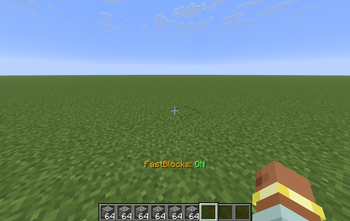
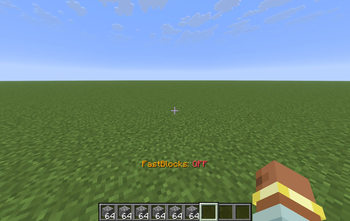
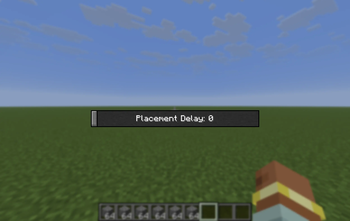
This mod makes you place blocks a lot faster. You can open a menu (O by default), you can configure how fast you want to place blocks. Then by pressing "V" (by default, you can change that) you will place blocks really quickly.
Screenshots
About this Mod
🏗️ FastBlockPlacement: The Ultimate Construction Companion
Are you tired of the painstaking process of placing blocks one by one? Does your massive mega-base project feel like it’s going to take a lifetime to finish? FastBlockPlacement is a high-performance utility mod designed to revolutionize your Minecraft building experience.
By removing the standard delays in block placement, FastBuilder allows you to create massive walls, floors, and structures in a fraction of the time it would take normally. Whether you are a creative mode visionary or a survival mode architect, this mod is the power tool you’ve been waiting for.
⌨️ Keybinds & Controls
The mod is designed to be as unobtrusive as possible. By default, the controls are mapped to the following keys (though you can change these in your standard Minecraft Controls menu):
[V] Key — Toggle Power: Instantly switch the rapid-placement engine On or Off. A handy way to swap between precision detailing and high-speed building.
[O] Key — Settings Menu: Access the configuration overlay to fine-tune your building experience.
🛠️ Customization & Server Safety
FastBlockPlacement is fully configurable to ensure it works exactly how you need it to. Within the settings menu, you can adjust the Placement Delay.
Singleplayer Mode: Feel free to set the delay to 0 or 1 for near-instantaneous block placement. Go as fast as your hardware can handle!
Multiplayer/Server Mode: It is highly recommended to use a 3-4 delay when playing on a server. Most servers have anti-cheat plugins that monitor how fast a player interacts with the world. A delay of 3 or 4 usually mimics fast human clicking and is much safer for online play.
⚠️ Important Disclaimer
While FastBlockPlacement is a productivity tool, please use it responsibly. Many multiplayer servers categorize "FastPlace" mods as an unfair advantage or a "ghost client" feature.
I am not responsible if you get banned or kicked from a server for using this mod. Always check the specific rules of the server you are joining. If "FastPlace" or "Macro" mods are forbidden, do not use this mod on that platform.
📺 Video Demonstration
Want to see FastBlockPlacement in action before you download? Check out this showcase video to see just how much time you can save on your next project:
[COMMING SOON]
Available Versions
How to Install Fast Block Placement on Your Client
Install the Mod Loader Locally
Install fabric for your local Minecraft version.
Download the Matching File
Choose the Fast Block Placement file for fabric and Minecraft 26.1.2.
Install Mod
Place the .jar file in your local .minecraft/mods folder and restart Minecraft. No server-side installation is required.
Compatibility
Mod Loaders
Minecraft Versions
26.1.2, 1.21.11, 1.8.9
Server-side
✗ UnsupportedRecommended RAM
4 GB(min. 3 GB)Frequently Asked Questions
Does Fast Block Placement need to be installed on the Minecraft server?
No. Modrinth marks Fast Block Placement as unsupported on the server side. Install it only in your local Minecraft mods folder. Your server can remain unchanged unless the mod page lists an additional dependency.
Which version and loader does Fast Block Placement require?
Use a file for fabric, forge and your exact Minecraft version. Supported versions include 26.1.2, 1.21.11, 1.8.9. Files for different loaders are not interchangeable.
Fast Block Placement is not working – what should I check?
First check the Minecraft version, loader version and required dependencies. Put the .jar file in your local .minecraft/mods folder and remove older duplicates. Because this mod is client-side, adding server RAM will not fix it.
Similar Mods






Minecraft Server for Your Group
Fast Block Placement stays on your client. Host a compatible world for your group.