
Modrinth · Fabric, Forge, NeoForge, Quilt
Geophilic on your Minecraft server
Geophilic runs on Minecraft servers with Fabric or Forge or NeoForge or Quilt. Order your server, set the loader in the panel and install the mod with one click in the mod browser.
A subtle-ish overhaul of vanilla Overworld biomes! Reworked!
- Downloads
- 11.4M
- Author
- bebebea_loste
- Loader
- Fabric, Forge, NeoForge, Quilt
- Minecraft
- 1.19 – 26.3
- Updated
- –
Screenshots
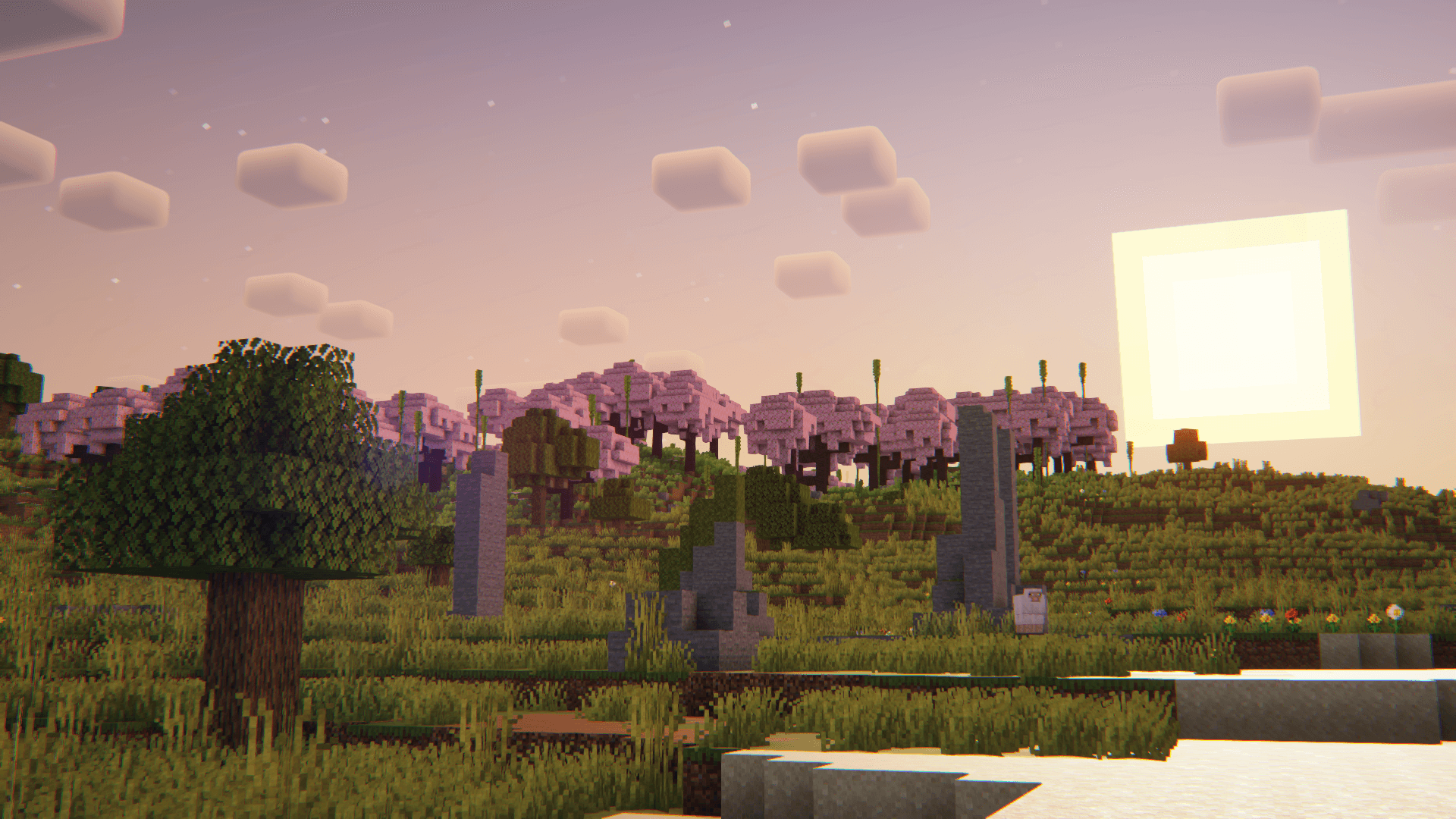
What Geophilic looks like


Images: Geophilic on Modrinth, published by the project team.
Setup
Install Geophilic on your server
The server and players need the same loader and Minecraft version. Back up the world before adding or updating mods.
- 01
Configure
6 GB of RAM is preselected. You choose the term and add-ons and pay by credit card or PayPal.
- 02
Set the loader
In the panel, set the server software to Fabric or Forge or NeoForge or Quilt and choose the matching Minecraft version, for example 26.3.
- 03
Install the mod
Search the mod browser for “Geophilic” and install the release for your loader. Alternatively, upload the .jar to the mods folder via SFTP. Required dependencies are listed on the project page.
- 04
Connect
Geophilic is optional on the client. Players connect using the server address from the panel.
- On the server
- Required
- On the client
- Optional
- Loader
- Fabric, Forge, NeoForge, Quilt
- Minecraft
- 26.3, 26.2, 26.1.2 +89 more
- License
- LicenseRef-All-Rights-Reserved
The panel
Install mods, find errors.
Real screenshots from the Mado panel. Both come with every Minecraft server.
Mod browser
Modrinth and CurseForge, right in the panel.
The browser filters by your Minecraft version. Install mods with one click, without uploading .jar files.

AI crash analysis
When a mod crashes, the analyzer reads the log.
Mods often fail on a wrong loader version, Java version or missing dependency. The analyzer names a likely cause and suggests a fix.

Releases
Published releases
Pick the file that matches your server’s loader and Minecraft version. The server and players need the same release.
Geophilic · Modrinth- v3.7September 24, 2026Minecraft 1.20, 1.20.1, 1.20.2, 1.20.3, 1.20.4, 1.20.5, 1.20.6, 1.21, 1.21.1, 1.21.10, 1.21.11, 1.21.2, 1.21.3, 1.21.4, 1.21.5, 1.21.6, 1.21.7, 1.21.8, 1.21.9, 26.1, 26.1.1, 26.1.2, 26.2, 26.3 · Fabric, Forge, NeoForge, Quilt
- v3.7September 24, 2026Minecraft 1.20, 1.20.1, 1.20.2, 1.20.2-pre1, 1.20.3, 1.20.3-pre1, 1.20.3-pre2, 1.20.3-pre3, 1.20.3-pre4, 1.20.4, 1.20.5, 1.20.5-pre1, 1.20.5-pre2, 1.20.5-pre3, 1.20.5-pre4, 1.20.5-rc1, 1.20.5-rc2, 1.20.5-rc3, 1.20.6, 1.21, 1.21-pre1, 1.21-pre2, 1.21-pre3, 1.21-pre4, 1.21-rc1, 1.21.1, 1.21.10, 1.21.11, 1.21.2, 1.21.2-pre1, 1.21.2-pre2, 1.21.3, 1.21.4, 1.21.5, 1.21.6, 1.21.7, 1.21.8, 1.21.9, 23w31a, 23w32a, 23w33a, 23w35a, 23w40a, 23w41a, 23w42a, 23w43a, 23w43b, 23w44a, 23w45a, 23w46a, 23w51a, 23w51b, 24w03a, 24w03b, 24w04a, 24w05a, 24w05b, 24w06a, 24w07a, 24w09a, 24w10a, 24w11a, 24w12a, 24w13a, 24w14a, 24w18a, 24w19a, 24w19b, 24w20a, 24w21a, 24w21b, 24w33a, 24w34a, 24w35a, 24w36a, 24w37a, 24w38a, 24w39a, 24w40a, 24w44a, 24w45a, 24w46a, 26.1, 26.1.1, 26.1.2, 26.2, 26.3 · datapack
- Geophilic Mod v1.19.4-2.0.0March 26, 2023Minecraft 1.19.4 · Fabric, Forge
- Geophilic Data Pack v1.19.4-2.0.0March 25, 2023Minecraft 1.19.4 · datapack
Original description by the project author


🌲 About
Geophilic is a data pack/mod that improves vanilla Overworld biomes in a subtle and simple way! Inspiration comes from scrapped illustrations for what was supposed to be the Wild Update — this is essentially a collection of relatively light improvements to vanilla biomes without any new blocks, items, or even biomes.
Geophilic adds variety to a host of biomes. You can find a plethora of new features, from simple fallen trees to forest clearings. There are boulders, tree stumps, bushes, moss, and more. Trees remain true to vanilla, with the one major change being how tall trees generate, so you don't bump your head so often!
Care was taken to keep vanilla gameplay progression and feel. Geophilic does not make use of block palettes that would not be found in vanilla, nor does it add wood types to biomes they wouldn't be found in otherwise.
In short, this isn't meant to be an epic worldgen overhaul, but rather a simplistic and nice update to the feel of vanilla biomes.
Geophilic can be configured using Datapack Toolkit!
📦 Content
v3.0.0 and above, almost every non-ocean biome gets an overhaul.
v2.4.0: Badlands, Birch Forest, Cherry Grove, Dark Forest, Deep Ocean, Desert, Eroded Badlands, Flower Forest, Forest, Jungle, Meadow, Old Growth Birch Forest, Old Growth Pine Taiga, Old Growth Spruce Taiga, Plains, Savanna, Savanna Plateau, Snowy Plains, Snowy Slopes, Stony Shore, Sunflower Plains, Swamp, Taiga, Windswept Forest, Windswept Savanna, Wooded Badlands
See the gallery for pictures!
📝 Notes
Fabric/Quilt mod version requires either Fabric API or Quilted Fabric API!
New versions of the pack may differ slightly. I may make any changes, including the removal of features. While Minecraft can handle this and updating the mod won't corrupt your world, it's still good practice to make regular backups.
🖥 Compatibility
This pack modifies only vanilla biome files, which means it's fully compatible with mods and data packs that do terrain, such as Tectonic or Lithosphere!
Geophilic can be made compatible with Terralith. If that's something you're looking for, use Terraphilic.
If a data pack's description says it reworks vanilla biomes, it is most likely partially or fully incompatible.
(Description last updated 24 Oct 2024)
Geophilic server crashes on startup – what to do?
Common causes: the loader or Minecraft version does not match the mod file, a dependency is missing, or RAM is too low. Check the log (latest.log) for “OutOfMemoryError”, “Mixin” or missing mods. At Mado, the AI crash analysis reads the log and suggests a cause. You can change the loader and version in the panel.
Which loader does Geophilic run on?
According to Modrinth, Geophilic supports Fabric, Forge, NeoForge, Quilt for Minecraft 26.3, 26.2, 26.1.2. Forge and Fabric files are not interchangeable: pick one loader for the server and clients.
How much RAM does a server with Geophilic need?
As guidance, 4–6 GB for a server with this mod. This is an estimate, not a measured minimum. More mods, many players and long view distances need more. The spark profiler shows whether a mod is costing tick time.
Similar mods
Popular mods in the same category
 Server-ready

Xaero's Minimap
by thexaero
Displays a map of the nearby world terrain, players, mobs, entities in the corner of your screen. Lets you create waypoints which help you find the locations you've marked.
 Server-ready

Xaero's World Map
by thexaero
Adds a full screen world map which shows you what you have explored in the world. Works great together with Xaero's Minimap.
 Client only

Not Enough Animations
by tr7zw
Bringing first-person animations to the third-person
 Client only

3D Skin Layers
by tr7zw
Render the player skin layer in 3d!
Ready for your server with Geophilic?
6 GB of RAM from €12.00 per month. 35% off your first month with MADO35.