
GGTU
Global Graphic Temporal Upscaler makes shaders accessible to everyone, even on low-end PCs.
Screenshots
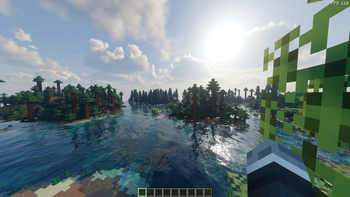
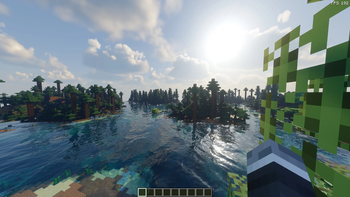
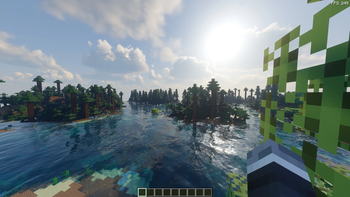
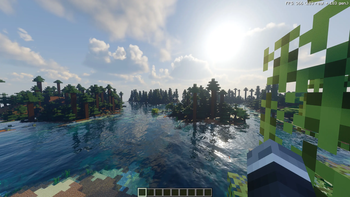
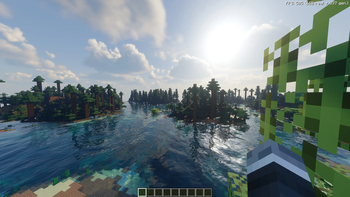
About this Mod
Note: Performance gains are most noticeable when you're GPU-bound and using heavy shaders.
Requires: Sodium and Iris.
Recommended shaders: Bliss, Solas, Complementary, BSL, Photon.
What is GGTU?
GGTU renders Minecraft at a lower internal resolution and reconstructs a sharp, high-res frame. It uses the MEASU algorithm combined with temporal upscaling and frame accumulation to keep things looking crisp while saving a ton of GPU resources.
Features
- Temporal Upscaling: Image quality is comparable to FSR 4. Thanks to temporal accumulation, running the "Quality" preset at 1440p (2K) can actually look sharper than native rendering.
- Smart Reconstruction: Rebuilds full-res frames from a lower render scale, leaving you way more headroom for heavy shaderpacks and high-res textures.
- Frame Generation: Supports both x2, x3 abd x4 frame gen modes. Huge FPS boost if you're trying to max out a high refresh rate monitor.
Compatibility
- Minecraft:
1.21.11/26.1.2/26.2/26.3 - Loader: Fabric (requires Fabric API)
- Dependencies:
Sodium,Iris Shaders - Bonus: Integrates nicely with
Distant Horizonsto keep performance stable.
Available Versions
How to Install GGTU on Your Client
Install the Mod Loader Locally
Install fabric for your local Minecraft version.
Download the Matching File
Choose the GGTU file for fabric and Minecraft 26.3.
Install Mod
Place the .jar file in your local .minecraft/mods folder and restart Minecraft. No server-side installation is required.
Compatibility
Mod Loaders
Minecraft Versions
26.3, 26.2, 26.1.2 (+2 more)
Server-side
✗ UnsupportedRecommended RAM
4 GB(min. 3 GB)Frequently Asked Questions
Does GGTU need to be installed on the Minecraft server?
No. Modrinth marks GGTU as unsupported on the server side. Install it only in your local Minecraft mods folder. Your server can remain unchanged unless the mod page lists an additional dependency.
Which version and loader does GGTU require?
Use a file for fabric, forge and your exact Minecraft version. Supported versions include 26.3, 26.2, 26.1.2. Files for different loaders are not interchangeable.
GGTU is not working – what should I check?
First check the Minecraft version, loader version and required dependencies. Put the .jar file in your local .minecraft/mods folder and remove older duplicates. Because this mod is client-side, adding server RAM will not fix it.
Similar Mods






Minecraft Server for Your Group
GGTU stays on your client. Host a compatible world for your group.