
Hardcore Revival
Help your friends back up after they die (if you can make it in time)
Screenshots
About this Mod
Have you ever played Hardcore multiplayer with friends and suddenly your teammate died to a dumb mistake while you were just being comfy at home? You usually would be forced to restart, even though you didn't really do anything wrong. Maybe your friend didn't do anything wrong either. Overall I believe that death in hardcore is only fun if it feels like you really deserved it, for example while fighting a strong boss monster.
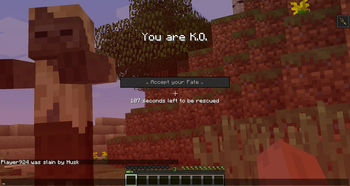
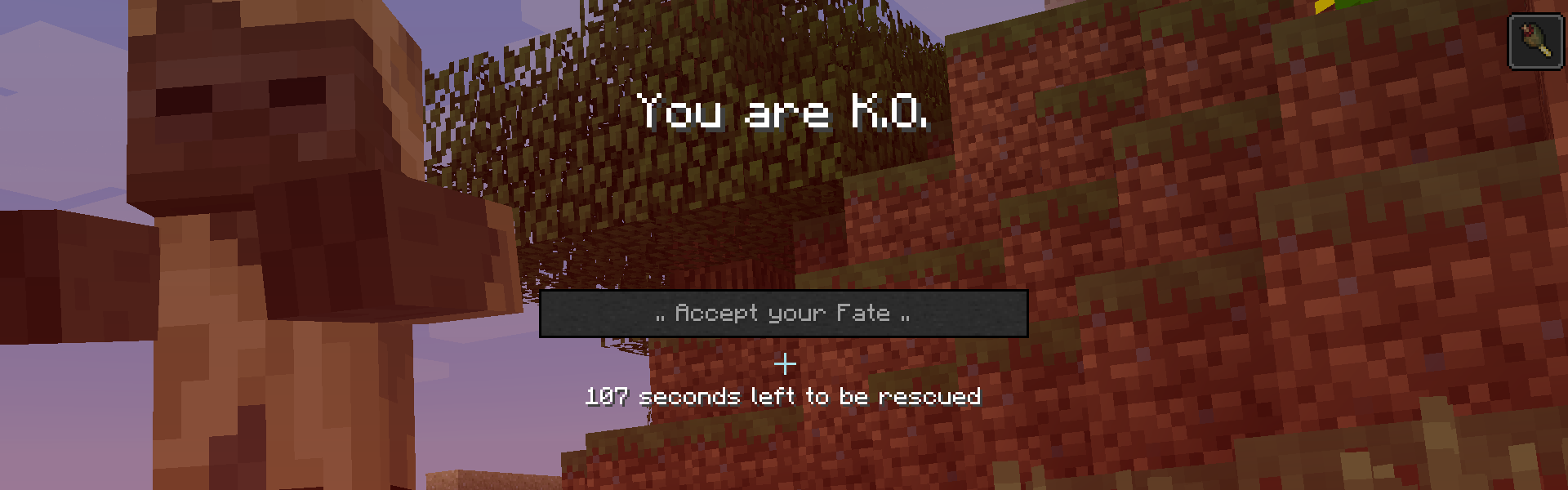
Therefore, this mod aims to solve this problem! When a player dies, instead of being gone for good, they enter a K.O. state, at which point a timer will start running. Being the good friend you are, you can attempt to save them in time. If you do, everything is fine - they get a small debuff and a strong appetite and you two can be on your way again. If you don't, for example because you died while trying to save them, or you just didn't care about your friend get there in time, then that's your own fault and you can now decide to restart while in peace with yourself!
This mod requires Balm, which must be installed alongside the mod.

- Grace K.O. period before final death where your friends can save you
- However, friends are not included :(
- Locate the player and hold-right click to help them get back up
- K.O. players can look around and chat, but can't move, attack nor use items
- Works in both Hardcore and Normal mode
Available Versions
How to Install Hardcore Revival on Your Server
Order Server
Order a Minecraft Java server with at least 3 GB RAM (4 GB recommended).
Set fabric Loader
In the panel under "Egg", select the fabric loader and matching Minecraft version (26.3).
Install Mod
Open the mod browser in the dashboard and search for "Hardcore Revival". Click "Install" – done! Alternatively, upload the .jar via SFTP to the /mods folder.
Compatibility
Mod Loaders
Minecraft Versions
26.3, 26.2, 26.1.2 (+27 more)
Server-side
✓ RequiredRecommended RAM
4 GB(min. 3 GB)Frequently Asked Questions
Hardcore Revival server crashes on startup – what to do?
Most common cause: wrong fabric version or insufficient RAM. Check the server log (latest.log) for "OutOfMemoryError" or "Mixin" errors. With Mado Hosting: ensure at least 3 GB RAM is allocated and the loader matches the mod version (26.3). You can switch loaders with one click in the panel.
Is Hardcore Revival compatible with fabric and forge and neoforge?
Hardcore Revival officially supports fabric, forge, neoforge for Minecraft 26.3, 26.2, 26.1.2. Note: Forge and Fabric mods are NOT cross-compatible – pick one loader and stick with it. The Mado dashboard automatically detects incompatible loader combinations.
Server lagging with Hardcore Revival – how to optimize performance?
Recommended RAM: 4 GB (per 8 players). Use /spark profiler to check if Hardcore Revival consumes the most tick time. Common fixes: reduce server view-distance to 8-10, install "performant" or "starlight" as supplementary mods on Forge. With Mado Hosting, your server runs on NVMe SSDs with dedicated CPU cores for minimal latency.
Similar Mods




Rent Modded Server
Install Hardcore Revival with just one click on your server.