

Modrinth · Fabric, NeoForge · Client mod
Here 'n' There
Here 'n' There is a client-side mod. Install it on your computer; the server does not need it.
Quickly insert coordinates in chat messages or commands using keywords.
- Downloads
- 277.0K
- Author
- NotRyken
- Loader
- Fabric, NeoForge
- Minecraft
- 1.21 – 26.3
- Updated
- –
Setup
Install Here 'n' There on your client
Client-side mods only run on your computer. More server RAM does not change their performance.
- 01
Install the loader locally
Install Fabric or NeoForge for your Minecraft version in your launcher.
- 02
Download the file
Download the Here 'n' There file for your loader and your exact Minecraft version, for example 26.3-rc-3.
- 03
Add it to the mods folder
Put the .jar file in your local .minecraft/mods folder and remove older duplicates.
- 04
Launch
Launch Minecraft with the loader profile. Nothing needs to change on the server.
- On the server
- Not needed
- On the client
- Required
- Loader
- Fabric, NeoForge
- Minecraft
- 26.3-rc-3, 26.3-rc-2, 26.3 +22 more
- License
- Apache License 2.0
Releases
Published releases
Pick the file that matches your server’s loader and Minecraft version. The server and players need the same release.
Here 'n' There · Modrinth- v3.104.0+26.3-NeoForgeSeptember 15, 2026Minecraft 26.3 · NeoForge
- v3.104.0+26.3-FabricSeptember 15, 2026Minecraft 26.3 · Fabric
- v1.103.0+26.2-NeoForgeJune 20, 2026Minecraft 26.2 · NeoForge
- v1.103.0+26.2-FabricJune 20, 2026Minecraft 26.2 · Fabric
- v1.102.1+26.1.2-NeoForgeJune 20, 2026Minecraft 26.1, 26.1.1, 26.1.2 · NeoForge
Original description by the project author

Here 'n' There
Quickly insert coordinates in chat messages or commands using keywords.







About
To insert coordinates, simply type the keyword (also known as an 'alias'), then press the Tab key.
By default, the following aliases are available:
here- the player's coordinates, formatted asx y zhere,- as above, formatted asx,y,zthere- the coordinates of the block that the player is looking at, formatted asx y zthere,- as above, formatted asx,y,z
Configuration
The mod can be configured via a Cloth Config options UI, accessible via ModMenu or the mod list.
HereNThere uses a placeholder system, so in addition to the basic aliases enabled by default, you
can add aliases for a range of other values. Currently, the following placeholders are available:
%pos%- The player's position, e.g.
35 -14 183. - The full pattern allows for variations, all of which can be combined:
%lpos%- gets the position of the block that the player is looking at.%posd%- gets the player's precise position as a 3D decimal vector.%pos,%- alters the delimiter between values to,.%pos^1.3^^-2%- alters the position according to the caret modifiers (distance left, up and
forwards relative to the player's facing angle).
- The player's position, e.g.
%x%- A single X, Y, or Z component of the player's position, e.g.
35. - The full pattern allows for modifications, all of which can be combined:
%ly%- gets the Y coordinate of the block that the player is looking at.%zd%- gets the precise coordinate as a decimal.%x+5,%x*7.4- performs a single operation ([+-*/]) on the value.
- A single X, Y, or Z component of the player's position, e.g.
%facing%- The angle that the player is facing, as a 3D decimal vector of magnitude
1e.g.-0.092361,-0.489725,-0.866971. - The full pattern allows for variations, all of which can be combined:
%facing,%- modifies the delimiter between values to,.%facing+14%- performs a single scalar operation ([+-*/]) on the vector.
- The angle that the player is facing, as a 3D decimal vector of magnitude
%target-id%- The UUID of the entity that the player is looking at.
%name%- The player's name.
%dimension%- The name of the dimension that the player is currently in, e.g.
minecraft:overworld.
- The name of the dimension that the player is currently in, e.g.
%dimension-path%- As per
%dimension%but only the path - that is, only the value after the:.
- As per
This list may be expanded in future development.
Contact



Does Here 'n' There need to be installed on the Minecraft server?
No. Modrinth marks Here 'n' There as unsupported on the server side. Install it only in your local mods folder. Your server can stay unchanged unless the project page lists an additional dependency.
Which version and loader does Here 'n' There require?
Use a file for Fabric, NeoForge and your exact Minecraft version. Supported versions include 26.3-rc-3, 26.3-rc-2, 26.3. Files for different loaders are not interchangeable.
Here 'n' There is not working – what should I check?
First check the Minecraft version, loader version and required dependencies. Because the mod is client-side, more server RAM will not fix it.
Similar mods
Popular mods in the same category
 Server-ready

FerriteCore
by malte0811
Memory usage optimizations
 Client only

Mod Menu
by Prospector
Adds a mod menu to view the list of mods you have installed.
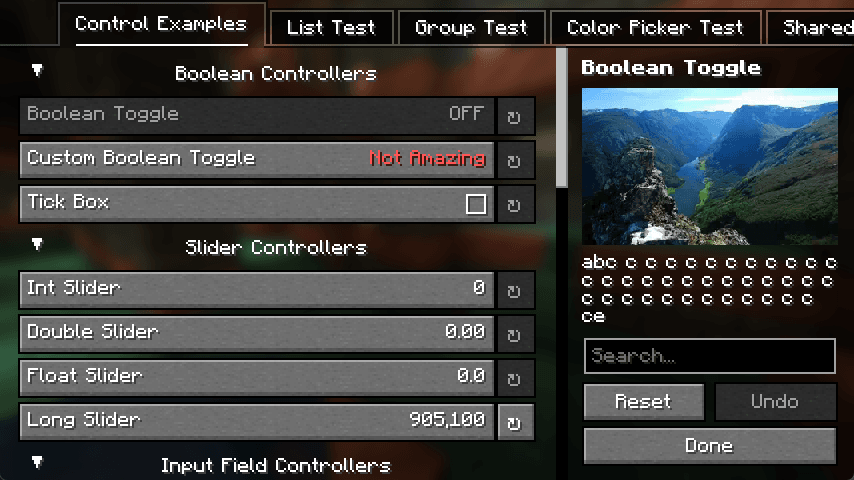 Server-ready

YetAnotherConfigLib (YACL)
by isxander
A builder-based configuration library for Minecraft!
 Server-ready

Xaero's Minimap
by thexaero
Displays a map of the nearby world terrain, players, mobs, entities in the corner of your screen. Lets you create waypoints which help you find the locations you've marked.
Looking for mods for your own server?
The catalog lists mods that run on Minecraft servers.