
Modrinth · Fabric, Forge, NeoForge · Client mod
Immersive Tips
Immersive Tips is a client-side mod. Install it on your computer; the server does not need it.
Adds rich-text tips to the loading screen and items, crowdsourced and updated automatically.
- Downloads
- 2.3M
- Author
- Txni
- Loader
- Fabric, Forge, NeoForge
- Minecraft
- 1.20 – 1.21.1
- Updated
- –
Screenshots
What Immersive Tips looks like
Images: Immersive Tips on Modrinth, published by the project team.
Setup
Install Immersive Tips on your client
Client-side mods only run on your computer. More server RAM does not change their performance.
- 01
Install the loader locally
Install Fabric or Forge or NeoForge for your Minecraft version in your launcher.
- 02
Download the file
Download the Immersive Tips file for your loader and your exact Minecraft version, for example 1.21.1.
- 03
Add it to the mods folder
Put the .jar file in your local .minecraft/mods folder and remove older duplicates.
- 04
Launch
Launch Minecraft with the loader profile. Nothing needs to change on the server.
- On the server
- Not needed
- On the client
- Required
- Loader
- Fabric, Forge, NeoForge
- Minecraft
- 1.21.1, 1.20.1, 1.20
- License
- GNU Lesser General Public License v2.1 only
Releases
Published releases
Pick the file that matches your server’s loader and Minecraft version. The server and players need the same release.
Immersive Tips · Modrinth- ImmersiveTips Fabric 1.0.2 for 1.21.1June 2, 2025Minecraft 1.21.1 · Fabric
- ImmersiveTips Fabric 1.0.2 for 1.20.1June 2, 2025Minecraft 1.20, 1.20.1 · Fabric
- ImmersiveTips Neoforge 1.0.2 for 1.21.1June 2, 2025Minecraft 1.21.1 · NeoForge
- ImmersiveTips Forge 1.0.2 for 1.20.1June 2, 2025Minecraft 1.20, 1.20.1 · Forge
Original description by the project author

Immersive Tips is an accessibility mod for Minecraft that seeks to make the game easier for new players through a crowdsourced tips system. When your game starts up, the latest advice is pulled from GitHub from knowledgeable modded players making suggestions with the accompanying Discord bot--all without needing to update the mod!
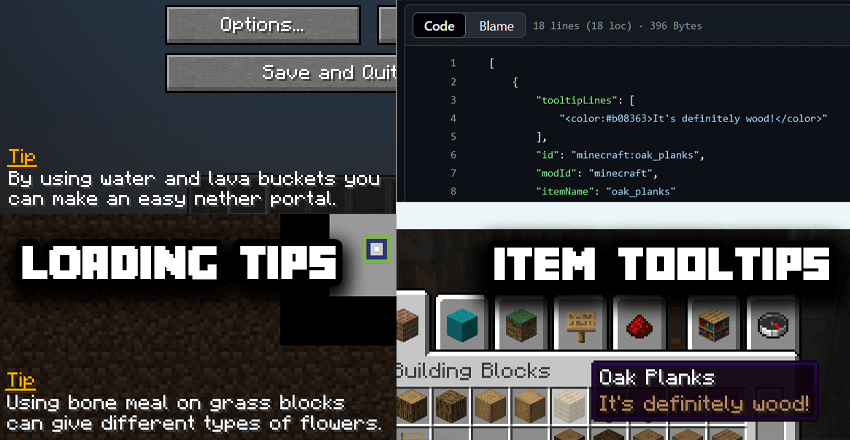
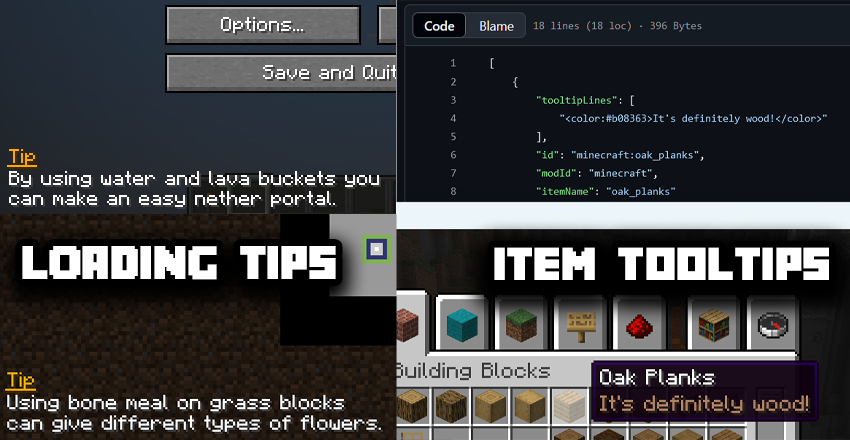
Sometimes, all that's needed to make modpacks more accessible is a little reminder at startup, or a little blurb of text explaining an item. This mod adds two kinds of tips, both with their own systems: loading tips, shown on world creation and pause menu screens, and item tooltips, shown when you hover over that item.
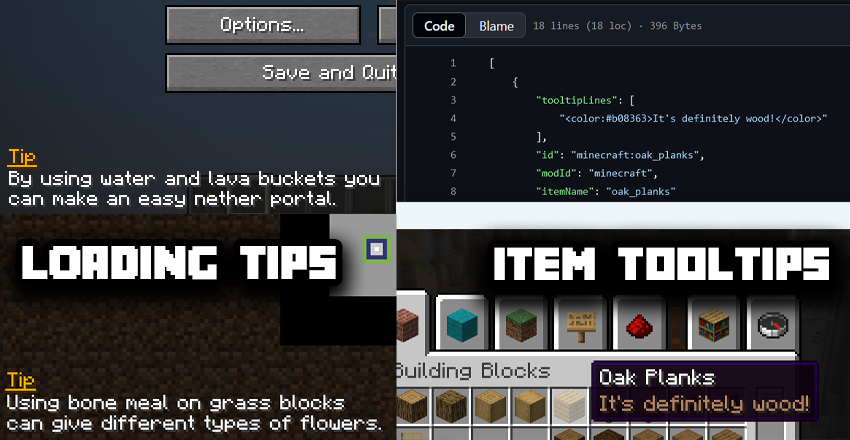
Both of these types of tips are pulled in from GitHub and are updated periodically by reviewers.
Users can suggest new messages using the Immersive Tips Discord Bot. These suggestions are sent to a queue, and either approved, edited, or denied by reviewers to filter for quality.
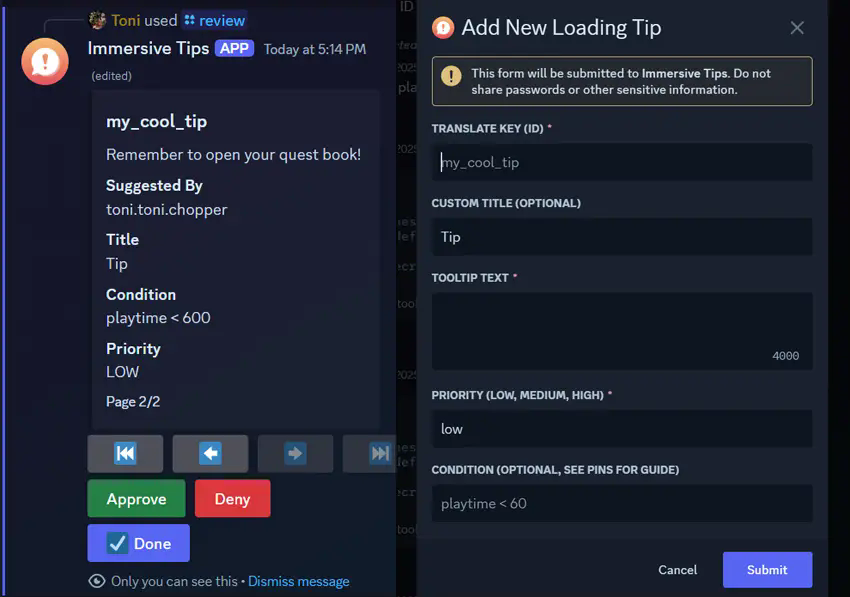
If you'd like to suggest tips to help guide players through your mods, or through other mods, you can join the Discord to help out.
This mod replaces Tips by DarkhaxDev and includes full support for this legacy tip format, as well as including the default pool of tips from the old mod (though this can be disabled)
Does Immersive Tips need to be installed on the Minecraft server?
No. Modrinth marks Immersive Tips as unsupported on the server side. Install it only in your local mods folder. Your server can stay unchanged unless the project page lists an additional dependency.
Which version and loader does Immersive Tips require?
Use a file for Fabric, Forge, NeoForge and your exact Minecraft version. Supported versions include 1.21.1, 1.20.1, 1.20. Files for different loaders are not interchangeable.
Immersive Tips is not working – what should I check?
First check the Minecraft version, loader version and required dependencies. Because the mod is client-side, more server RAM will not fix it.
Similar mods
Popular mods in the same category
 Server-ready

FerriteCore
by malte0811
Memory usage optimizations
 Client only

Mod Menu
by Prospector
Adds a mod menu to view the list of mods you have installed.
 Server-ready

YetAnotherConfigLib (YACL)
by isxander
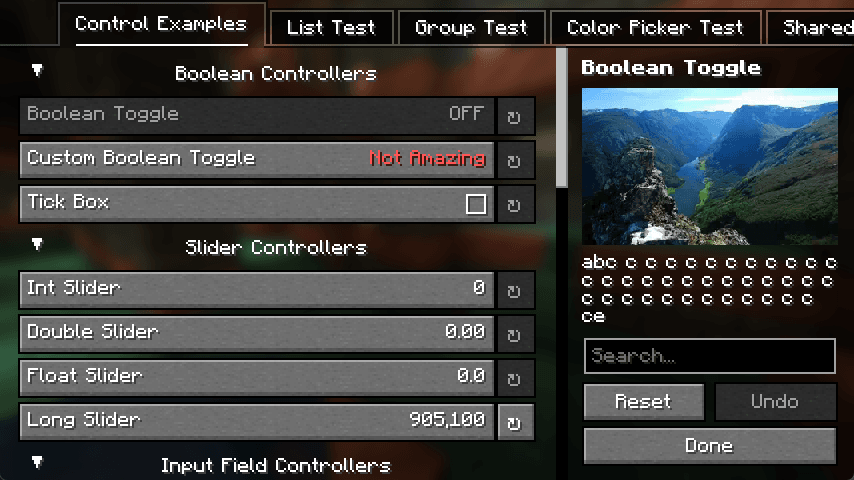
A builder-based configuration library for Minecraft!
 Server-ready

Xaero's Minimap
by thexaero
Displays a map of the nearby world terrain, players, mobs, entities in the corner of your screen. Lets you create waypoints which help you find the locations you've marked.
Looking for mods for your own server?
The catalog lists mods that run on Minecraft servers.