
Music Delay Remover (Infinite Music)
Customisable delay between music tracks, updated to 1.21.3!
Screenshots
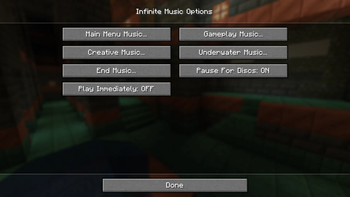
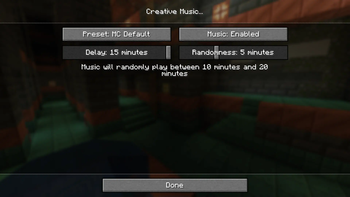
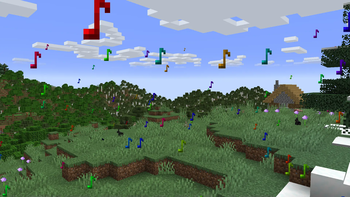
About this Mod
Infinite Music (fabric 1.20.x, 1.21.x)
Experience uninterrupted auditory bliss with the Infinite Music mod, removing the delay between music tracks, allowing for a seamless and immersive musical journey throughout your in-game adventures.
Features
- removes the delay between music tracks by default
- configure the delay for different types of music
- disable/enable types of music
- the following music types can be configured:
- main menu
- gameplay (survival)
- creative
- underwater
- end
- pauses in-game music while a music disc music is playing
Configuration
Mod Menu is required to access the configuration; however, is optional for the mod to function. View the gallery for a preview of the configuration.
Compatibility
If you would like control of the music track playing, this mod is compatible with Music Notification from verison 0.4.6.
Available Versions
How to Install Music Delay Remover (Infinite Music) on Your Client
Install the Mod Loader Locally
Install fabric for your local Minecraft version.
Download the Matching File
Choose the Music Delay Remover (Infinite Music) file for fabric and Minecraft 1.21.3.
Install Mod
Place the .jar file in your local .minecraft/mods folder and restart Minecraft. No server-side installation is required.
Compatibility
Mod Loaders
Minecraft Versions
1.21.3, 1.21.2, 1.21.1 (+8 more)
Server-side
✗ UnsupportedRecommended RAM
4 GB(min. 3 GB)Frequently Asked Questions
Does Music Delay Remover (Infinite Music) need to be installed on the Minecraft server?
No. Modrinth marks Music Delay Remover (Infinite Music) as unsupported on the server side. Install it only in your local Minecraft mods folder. Your server can remain unchanged unless the mod page lists an additional dependency.
Which version and loader does Music Delay Remover (Infinite Music) require?
Use a file for fabric and your exact Minecraft version. Supported versions include 1.21.3, 1.21.2, 1.21.1. Files for different loaders are not interchangeable.
Music Delay Remover (Infinite Music) is not working – what should I check?
First check the Minecraft version, loader version and required dependencies. Put the .jar file in your local .minecraft/mods folder and remove older duplicates. Because this mod is client-side, adding server RAM will not fix it.
Similar Mods




![[ETF] Entity Texture Features](https://cdn.modrinth.com/data/BVzZfTc1/af683d206d50b05258d865b0d6e4aa2f2cee12f2_96.webp)

Minecraft Server for Your Group
Music Delay Remover (Infinite Music) stays on your client. Host a compatible world for your group.