
ItemSwapper
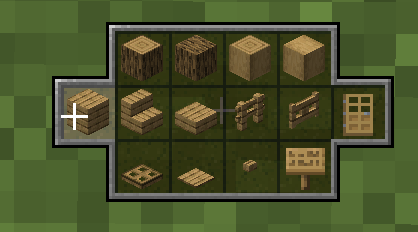
Inventory update concept for hotswapping items.
Screenshots
About this Mod
ItemSwapper
This mod is still in development and may change over time. Feel free to open an issue/discussion on Github with any suggestions or bugs you find.
Tweaks to the inventory system based on Xisumavoid's video.
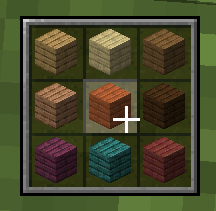
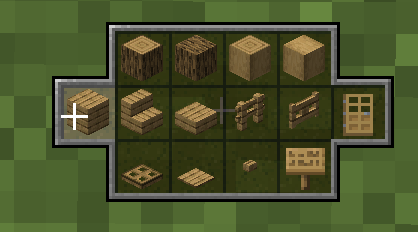
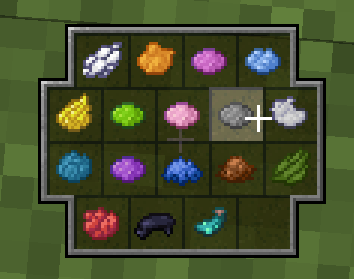
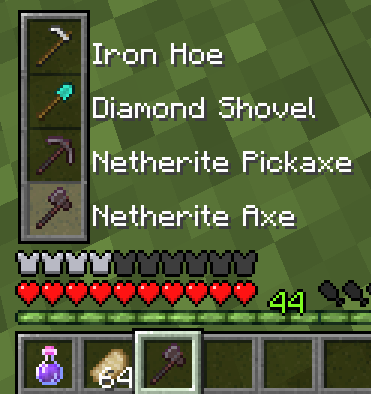
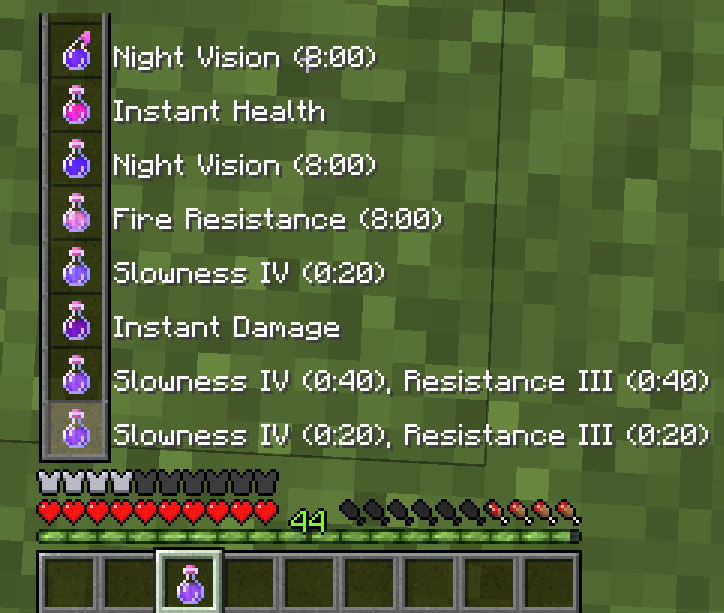
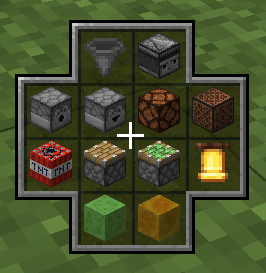
Adds an item switch interface triggered by pressing a hotkey(Default: R). Depending on the item in the main hand, the interface will show different options(or not show up at all for unmapped items). Switch between the options by moving the mouse(or using the scroll wheel for the list). Releasing the hotkey will swap the item in the main hand with the selected item. In the item wheel, pressing the middle mouse button while having an item selected switches to related items(if available).
Features
- Switch between items from the inventory
- Show the inventory from an empty hand
- Switch between items from shulker boxes in the inventory(requires the mod/plugin on the server)
- Item wheel for block pallets
- Item list for dynamic items like tools, food, potions, etc.
- Fully customizable via resource packs
Dependencies
- FabricAPI
Credits
- Xisumavoid for the idea/video of the concept
- LizardOfOz Designer
- Stridey Textures
- DnatorGames Logo
- Ratty for the help with the resource pack
Images
Available Versions
How to Install ItemSwapper on Your Server
Order Server
Order a Minecraft Java server with at least 3 GB RAM (4 GB recommended).
Set bukkit Loader
In the panel under "Egg", select the bukkit loader and matching Minecraft version (26.3).
Install Mod
Open the mod browser in the dashboard and search for "ItemSwapper". Click "Install" – done! Alternatively, upload the .jar via SFTP to the /mods folder.
Compatibility
Mod Loaders
Minecraft Versions
26.3, 26.2, 26.1.2 (+32 more)
Server-side
~ OptionalRecommended RAM
4 GB(min. 3 GB)Frequently Asked Questions
ItemSwapper server crashes on startup – what to do?
Most common cause: wrong bukkit version or insufficient RAM. Check the server log (latest.log) for "OutOfMemoryError" or "Mixin" errors. With Mado Hosting: ensure at least 3 GB RAM is allocated and the loader matches the mod version (26.3). You can switch loaders with one click in the panel.
Is ItemSwapper compatible with bukkit and fabric and paper and purpur and spigot?
ItemSwapper officially supports bukkit, fabric, paper, purpur, spigot for Minecraft 26.3, 26.2, 26.1.2. The Mado dashboard automatically detects incompatible loader combinations.
Server lagging with ItemSwapper – how to optimize performance?
Recommended RAM: 4 GB (per 8 players). Use /spark profiler to check if ItemSwapper consumes the most tick time. Common fixes: reduce server view-distance to 8-10, install "performant" or "starlight" as supplementary mods on Forge. With Mado Hosting, your server runs on NVMe SSDs with dedicated CPU cores for minimal latency.
Similar Mods






Rent Modded Server
Install ItemSwapper with just one click on your server.