
Laser Eyes
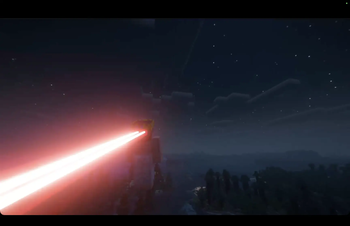
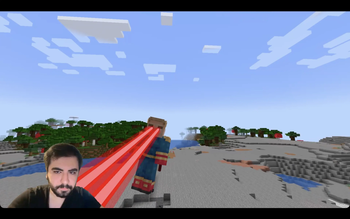
A "laser eyes" addon for the Viltrumite mod.
Screenshots
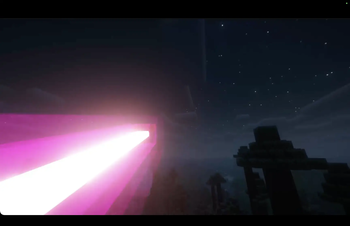
About this Mod
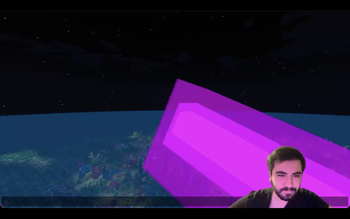
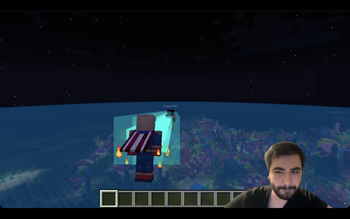
This addon adds laser eyes to the Viltrumite mod. Players can fully configure the visual properties and strength of their lasers through commands. You can adjust the hex color, beam width, the distance between the two beams, vertical offset and the overall strength of the ability.
Other mods that add laser eyes lack visual consistency due to complex movements the Viltrumite mod adds (actually any mod that affects the player model some way). This mod knows where your eyes are regardless of how your character is rendered on the screen :)
This mod requires Viltrumite 1.9.0+.


| Command | Description |
|---|---|
/viltrumite laser color <hex> |
Changes the color of the lasers using a hex code (e.g., 00FF00). DV = FF0000 |
/viltrumite laser width <val> |
Adjusts the thickness of the laser beams. DV = 0.02 |
/viltrumite laser offset <val> |
Changes the vertical starting position (Y-offset) of the lasers. DV = -3.5 |
/viltrumite laser gap <val> |
Adjusts the distance between the left and right laser beams. DV = 1.5 |
/viltrumite laser damage <val> |
Adjusts how much damage the laser deals to entities. DV = 1.0 |
/viltrumite laser breakspeed <val> |
Adjusts how fast the laser breaks blocks. DV = 1.0 |
/viltrumite laser burnblocks <val> |
Toggles whether the laser sets blocks on fire (true/false). DV = true |
/viltrumite laser delay <val> |
Adjusts the delay time (in seconds) before the laser fires. DV = 0.5 |
/viltrumite laser range <val> |
Adjusts the maximum range the laser beams can reach. DV = 50 |
(DV: Default Value)
Available Versions
How to Install Laser Eyes on Your Server
Order Server
Order a Minecraft Java server with at least 3 GB RAM (4 GB recommended).
Set fabric Loader
In the panel under "Egg", select the fabric loader and matching Minecraft version (1.20.1).
Install Mod
Open the mod browser in the dashboard and search for "Laser Eyes". Click "Install" – done! Alternatively, upload the .jar via SFTP to the /mods folder.
Compatibility
Mod Loaders
Minecraft Versions
1.20.1
Server-side
✓ RequiredRecommended RAM
4 GB(min. 3 GB)Frequently Asked Questions
Laser Eyes server crashes on startup – what to do?
Most common cause: wrong fabric version or insufficient RAM. Check the server log (latest.log) for "OutOfMemoryError" or "Mixin" errors. With Mado Hosting: ensure at least 3 GB RAM is allocated and the loader matches the mod version (1.20.1). You can switch loaders with one click in the panel.
Is Laser Eyes compatible with fabric and forge?
Laser Eyes officially supports fabric, forge for Minecraft 1.20.1. Note: Forge and Fabric mods are NOT cross-compatible – pick one loader and stick with it. The Mado dashboard automatically detects incompatible loader combinations.
Server lagging with Laser Eyes – how to optimize performance?
Recommended RAM: 4 GB (per 8 players). Use /spark profiler to check if Laser Eyes consumes the most tick time. Common fixes: reduce server view-distance to 8-10, install "performant" or "starlight" as supplementary mods on Forge. With Mado Hosting, your server runs on NVMe SSDs with dedicated CPU cores for minimal latency.
Similar Mods




Rent Modded Server
Install Laser Eyes with just one click on your server.