
Modrinth · Fabric, Forge, NeoForge, Quilt
[Let's Do] Camping on your Minecraft server
[Let's Do] Camping runs on Minecraft servers with Fabric or Forge or NeoForge or Quilt. Order your server, set the loader in the panel and install the mod with one click in the mod browser.
How about we sleep outside today? Grab your backpack, pack the tent, grill, and sleeping bag, and let's go!
- Downloads
- 2.2M
- Author
- satisfyu
- Loader
- Fabric, Forge, NeoForge, Quilt
- Minecraft
- 1.20.1 – 1.21.1
- Updated
- –
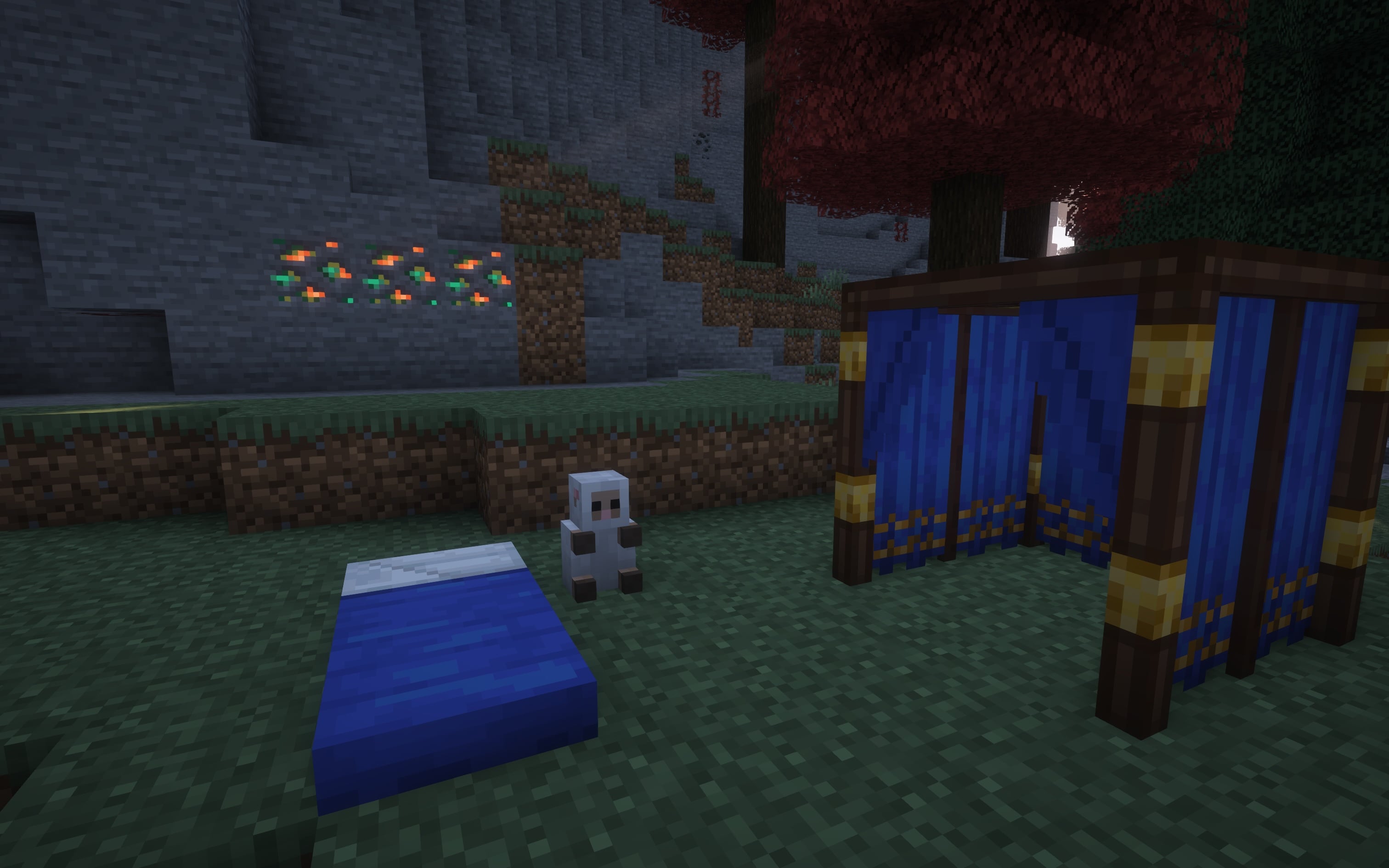
Screenshots
What [Let's Do] Camping looks like


Images: [Let's Do] Camping on Modrinth, published by the project team.
Setup
Install [Let's Do] Camping on your server
The server and players need the same loader and Minecraft version. Back up the world before adding or updating mods.
- 01
Configure
4 GB of RAM is preselected. You choose the term and add-ons and pay by credit card or PayPal.
- 02
Set the loader
In the panel, set the server software to Fabric or Forge or NeoForge or Quilt and choose the matching Minecraft version, for example 1.21.1.
- 03
Install the mod
Search the mod browser for “[Let's Do] Camping” and install the release for your loader. Alternatively, upload the .jar to the mods folder via SFTP. Required dependencies are listed on the project page.
- 04
Connect
Every player installs the same [Let's Do] Camping release locally and connects using the server address from the panel.
- On the server
- Required
- On the client
- Required
- Loader
- Fabric, Forge, NeoForge, Quilt
- Minecraft
- 1.21.1, 1.20.1
- License
- LicenseRef-All-Rights-Reserved
The panel
Install mods, find errors.
Real screenshots from the Mado panel. Both come with every Minecraft server.
Mod browser
Modrinth and CurseForge, right in the panel.
The browser filters by your Minecraft version. Install mods with one click, without uploading .jar files.

AI crash analysis
When a mod crashes, the analyzer reads the log.
Mods often fail on a wrong loader version, Java version or missing dependency. The analyzer names a likely cause and suggests a fix.

Releases
Published releases
Pick the file that matches your server’s loader and Minecraft version. The server and players need the same release.
[Let's Do] Camping · Modrinth- Camping 2.1.7 [1.21.1-fabric]November 22, 2026Minecraft 1.21.1 · Fabric
- Camping 2.1.7 [1.21.1-neoforge]November 22, 2026Minecraft 1.21.1 · NeoForge
- [Let's Do] Camping 2.0.0September 26, 2025Minecraft 1.20.1 · Fabric
- [Let's Do] Camping 2.0.0September 26, 2025Minecraft 1.20.1 · Forge
- [Let's Do] Camping 1.0.4October 19, 2024Minecraft 1.20.1 · Forge, NeoForge
Original description by the project author

Open Skies & Quiet Campfires
The adventurous outdoor chapter of the Let's Do collection
"Pack light. Stay longer."
How about we sleep outside today? Grab your backpack, pack the tent, the grill and a sleeping bag. The trail is waiting.
Camping brings a simple, honest outdoor experience to your world. No unnecessary systems. Just fresh air, firelight and practical gear.
Step away from the village. Listen to the forest.
Travel Prepared
- 7 new Backpacks providing 3 additional rows of storage
- Pure utility. No extra gimmicks
- Craftable bundles for compact organization
Carry what matters.
Camp Anywhere
- Tents in all colors
- Matching sleeping bags for every style
- Perfect for expeditions, roleplay or scenic builds
Pitch your tent. Watch the stars.
Fire & Food
- A functional grill for cooking meat
- Grilled meals provide improved nutrition and saturation
- Gather around the fire and share the moment
Simple food tastes better outdoors.
Follow the trail.
Light the fire.
Sleep under the stars.
Have fun outdoors.
Dedicated to MissLilitu
The Let’s Do Collection

Support & Community
Let’s Do grows through its community.
[Let's Do] Camping server crashes on startup – what to do?
Common causes: the loader or Minecraft version does not match the mod file, a dependency is missing, or RAM is too low. Check the log (latest.log) for “OutOfMemoryError”, “Mixin” or missing mods. At Mado, the AI crash analysis reads the log and suggests a cause. You can change the loader and version in the panel.
Which loader does [Let's Do] Camping run on?
According to Modrinth, [Let's Do] Camping supports Fabric, Forge, NeoForge, Quilt for Minecraft 1.21.1, 1.20.1. Forge and Fabric files are not interchangeable: pick one loader for the server and clients.
How much RAM does a server with [Let's Do] Camping need?
As guidance, 3–4 GB for a server with this mod. This is an estimate, not a measured minimum. More mods, many players and long view distances need more. The spark profiler shows whether a mod is costing tick time.
Similar mods
Popular mods in the same category
 Client only

Mouse Tweaks
by YaLTeR
Enhances inventory management by adding various functions to the mouse buttons.
 Server-ready

Clumps
by jaredlll08
Clumps XP orbs together to reduce lag
 Client only

Inventory Profiles Next
by blackd
Take control over your inventory. Sort. Move matching Items. Throw all. Locked slots. Gear sets! And much more.
 Server-ready

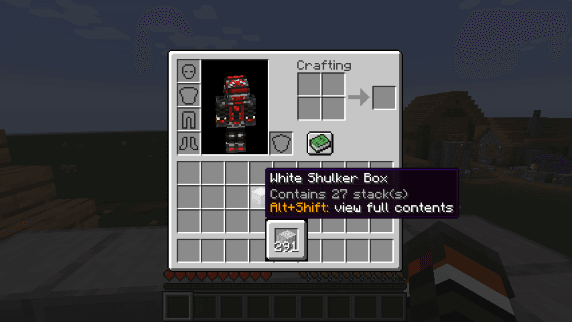
Shulker Box Tooltip
by MisterPeModder
View the contents of shulker boxes from your inventory
Ready for your server with [Let's Do] Camping?
4 GB of RAM from €8.00 per month. 35% off your first month with MADO35.