
LightAura
A mod that makes the player holding any light source, such as a torch , glowstone, etc, automatically illuminate the surrounding area.
Screenshots
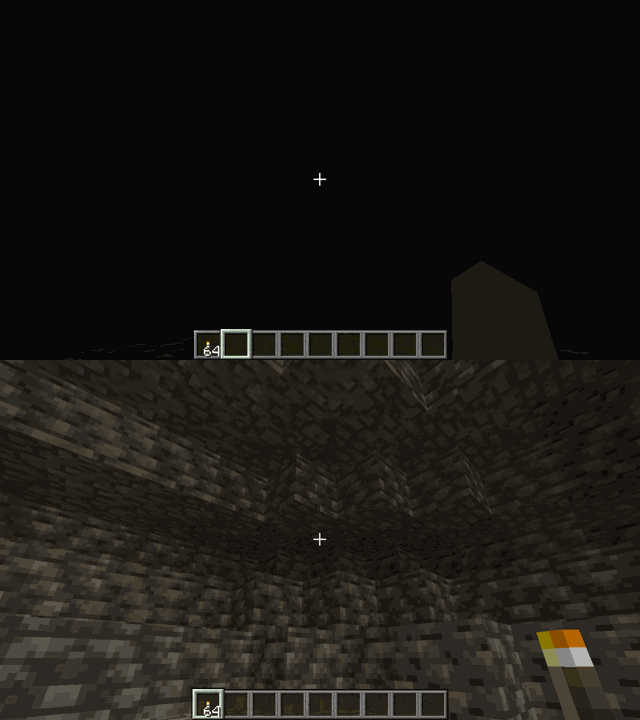
About this Mod


LightAura
LightAura adds dynamic lighting to Minecraft, making exploration easier and more immersive without changing the vanilla feel of the game.
Instead of placing torches every few blocks just to see where you're going, LightAura lets nearby areas light up automatically while holding a supported light source.
Features
Dynamic Lighting While Holding Light Sources
Hold a light-emitting item such as a Torch, Lantern, Soul Lantern, Glowstone, Sea Lantern, or similar block, and LightAura will illuminate the area around you automatically.
No placement needed — just hold the item and move.
Dropped Light Sources Emit Light
Light sources continue glowing even after being dropped on the ground.
Throw a torch or lantern nearby and the surrounding area will stay lit, which can be useful while mining, exploring caves, or navigating dark areas.
Better Visibility During Exploration
LightAura helps you see clearly in caves, underground tunnels, during nighttime, or anywhere with low light without constantly stopping to place blocks.
Vanilla-Friendly Experience
Designed to feel natural in survival gameplay while keeping the Minecraft experience immersive and balanced.
Supported Light Sources
LightAura works with many common light-emitting blocks and items, including:
- Torch
- Lantern
- Soul Lantern
- Glowstone
- Sea Lantern
- etc
Support may vary depending on version, and more light sources can be added over time.
Support & Collaboration
If you enjoy testing Minecraft mods, have programming experience, or would like to contribute to the project, feel free to join the Discord server.
Discord: https://discord.gg/mDGTpQFmXy
Modpack Policy
This mod is free to include in modpacks. You are welcome to use LightAura in public or private modpacks without asking for permission.
Available Versions
How to Install LightAura on Your Client
Install the Mod Loader Locally
Install fabric for your local Minecraft version.
Download the Matching File
Choose the LightAura file for fabric and Minecraft 26.3.
Install Mod
Place the .jar file in your local .minecraft/mods folder and restart Minecraft. No server-side installation is required.
Compatibility
Mod Loaders
Minecraft Versions
26.3, 26.2, 26.1.2 (+28 more)
Server-side
✗ UnsupportedRecommended RAM
4 GB(min. 3 GB)Frequently Asked Questions
Does LightAura need to be installed on the Minecraft server?
No. Modrinth marks LightAura as unsupported on the server side. Install it only in your local Minecraft mods folder. Your server can remain unchanged unless the mod page lists an additional dependency.
Which version and loader does LightAura require?
Use a file for fabric, forge, neoforge, quilt and your exact Minecraft version. Supported versions include 26.3, 26.2, 26.1.2. Files for different loaders are not interchangeable.
LightAura is not working – what should I check?
First check the Minecraft version, loader version and required dependencies. Put the .jar file in your local .minecraft/mods folder and remove older duplicates. Because this mod is client-side, adding server RAM will not fix it.
Similar Mods






Minecraft Server for Your Group
LightAura stays on your client. Host a compatible world for your group.