
Modrinth · Fabric, Forge, NeoForge
Lost Cities Modern Tweaks on your Minecraft server
Lost Cities Modern Tweaks runs on Minecraft servers with Fabric or Forge or NeoForge. Order your server, set the loader in the panel and install the mod with one click in the mod browser.
A datapack that applies various tweaks to the default Lost Cities generation using modern Minecraft blocks, adding additional buildings and interior details while keeping the original style.
- Downloads
- 3.7M
- Author
- morriswmz
- Loader
- Fabric, Forge, NeoForge
- Minecraft
- 1.20.1 – 26.3
- Updated
- –
Screenshots
What Lost Cities Modern Tweaks looks like
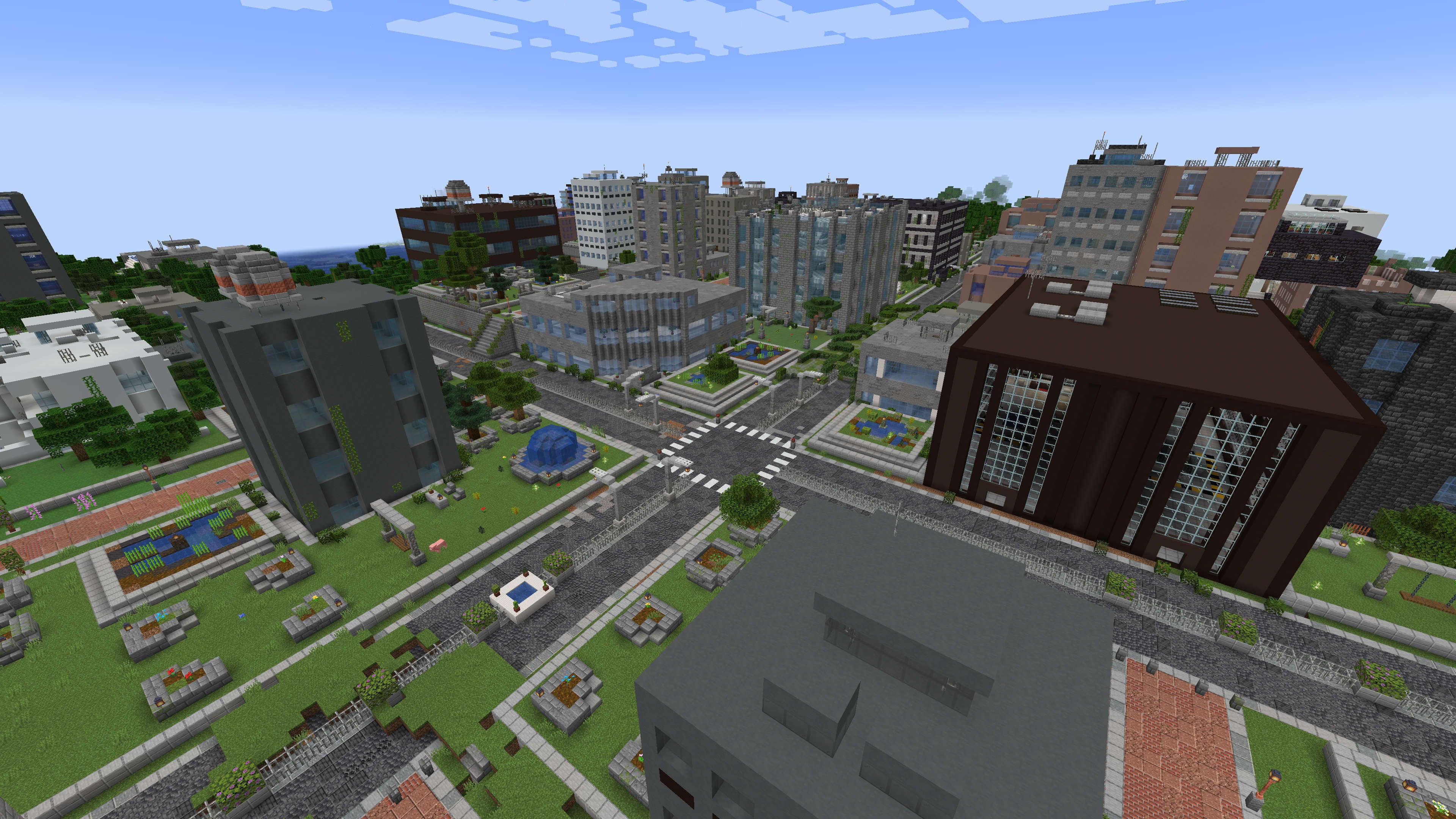
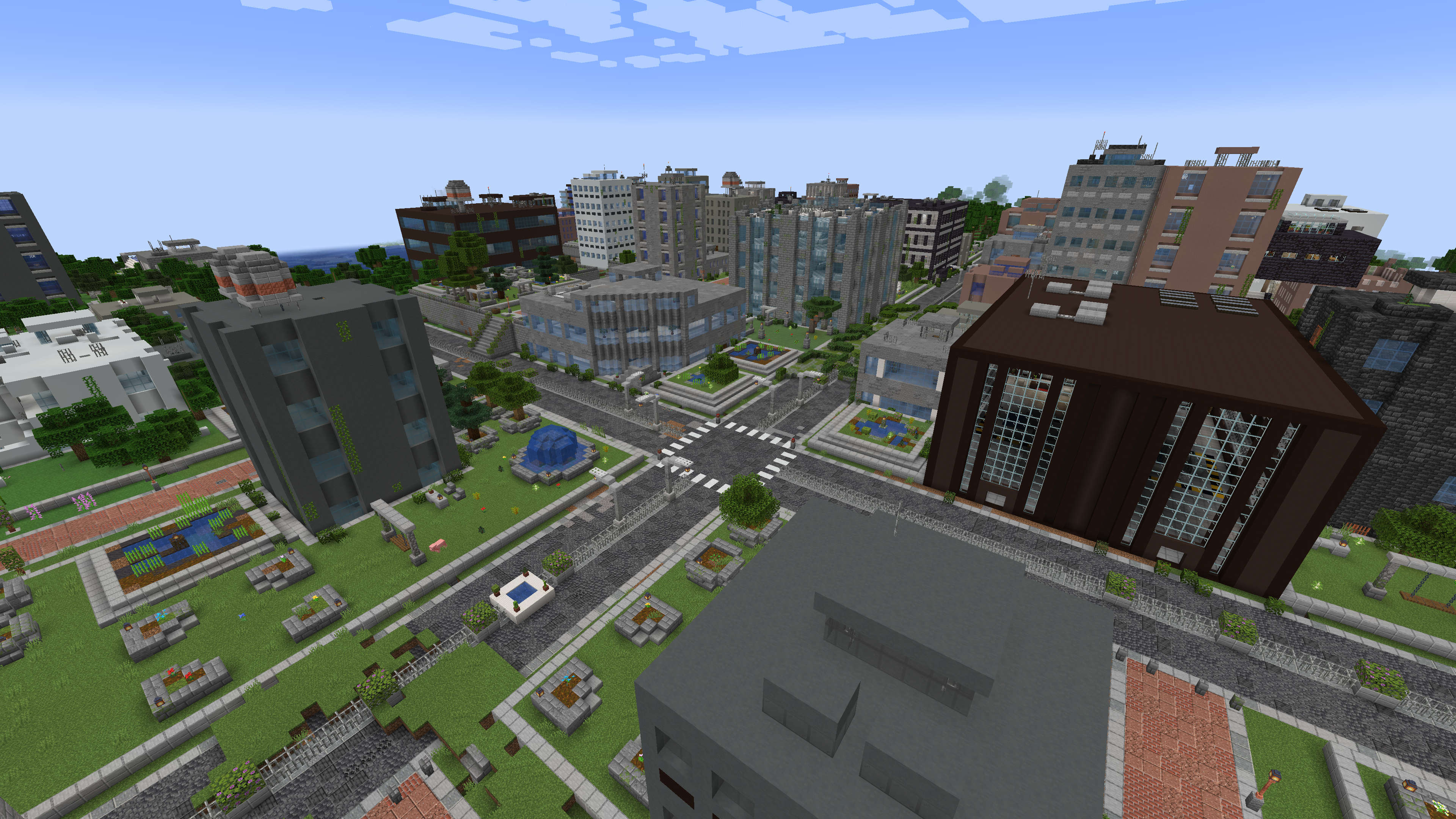 Tweaked City Generation
 Dappled Forest City
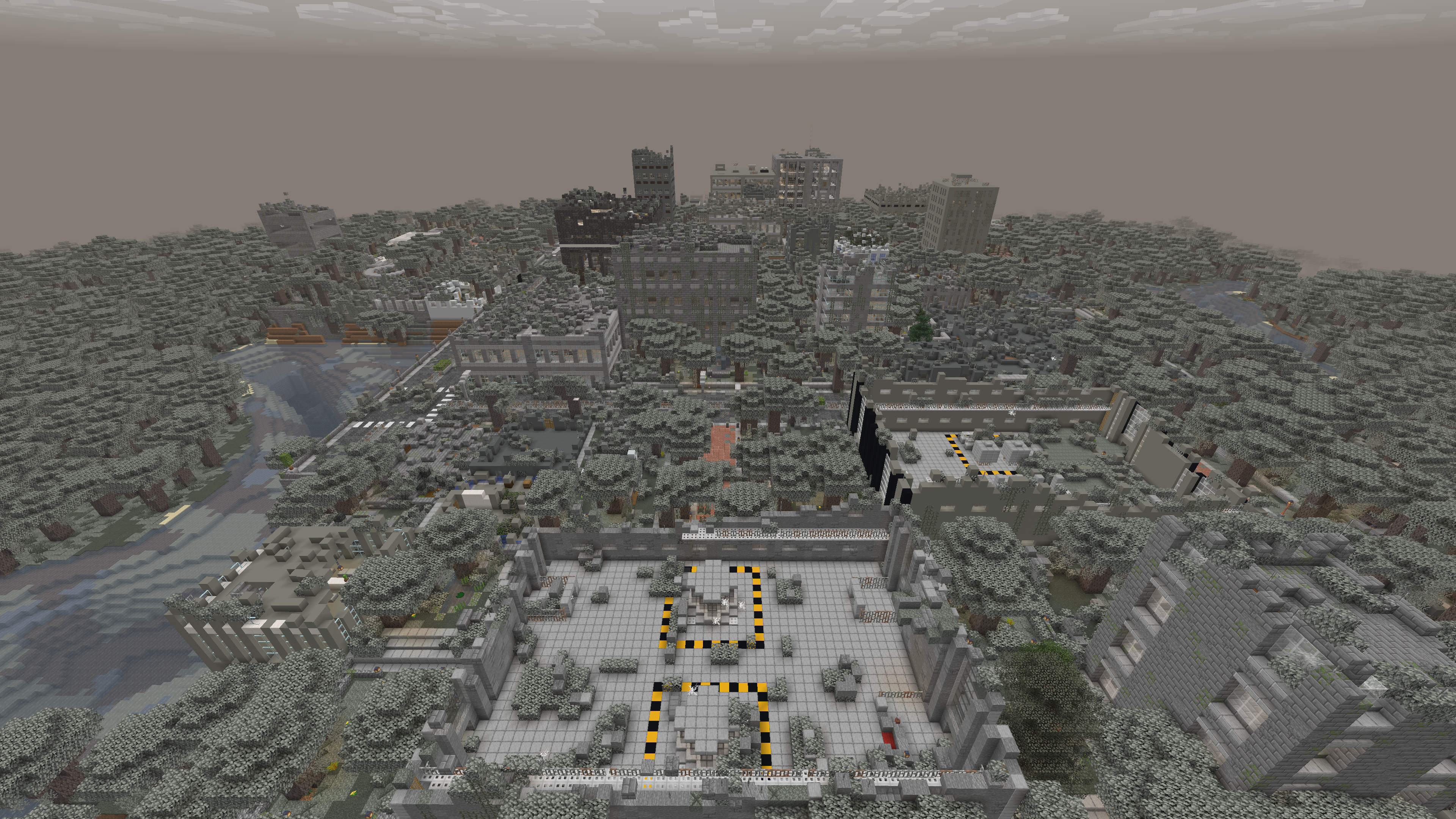 City Ruins in the Pale Garden
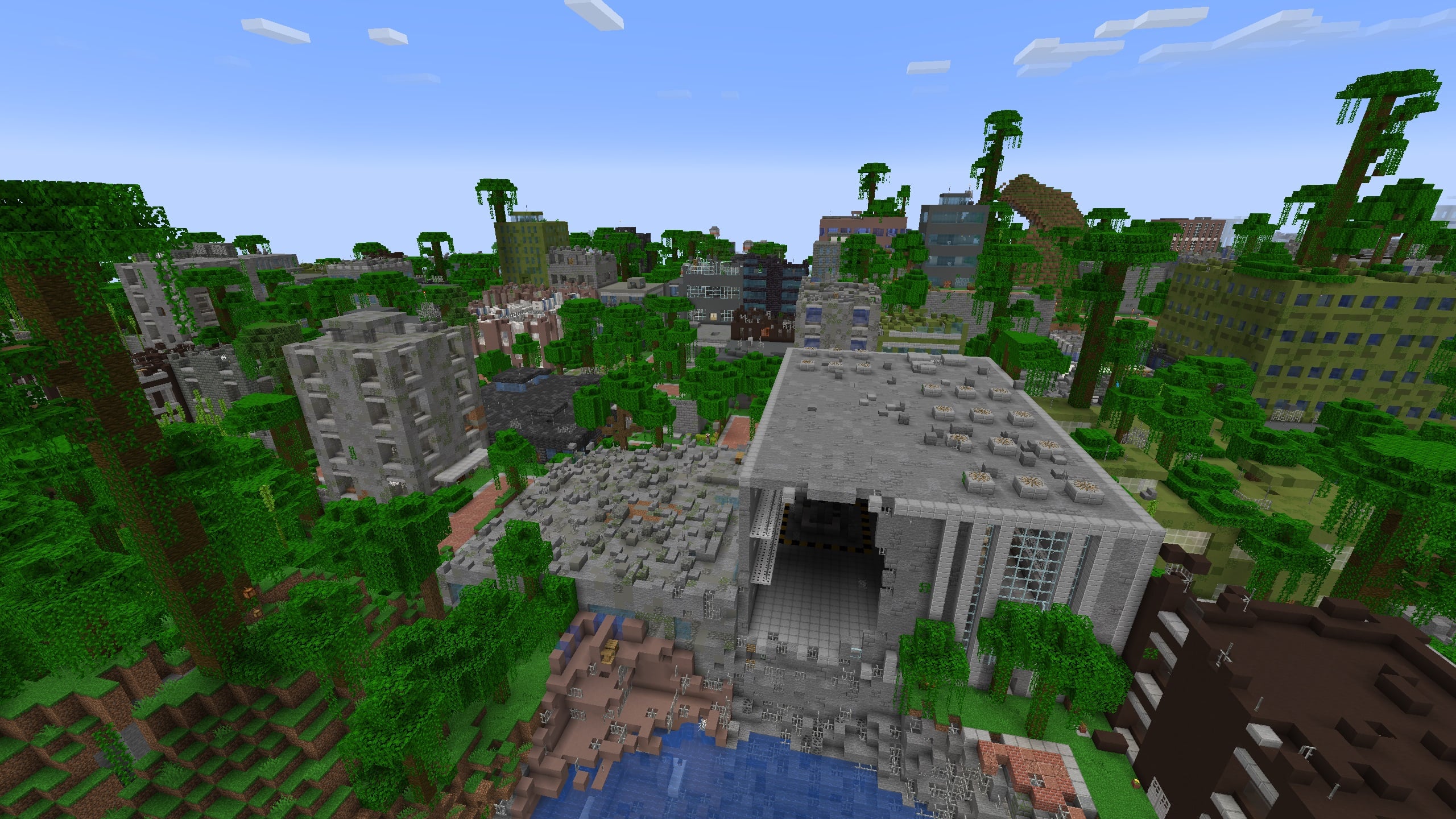 Jungle City in Ruins
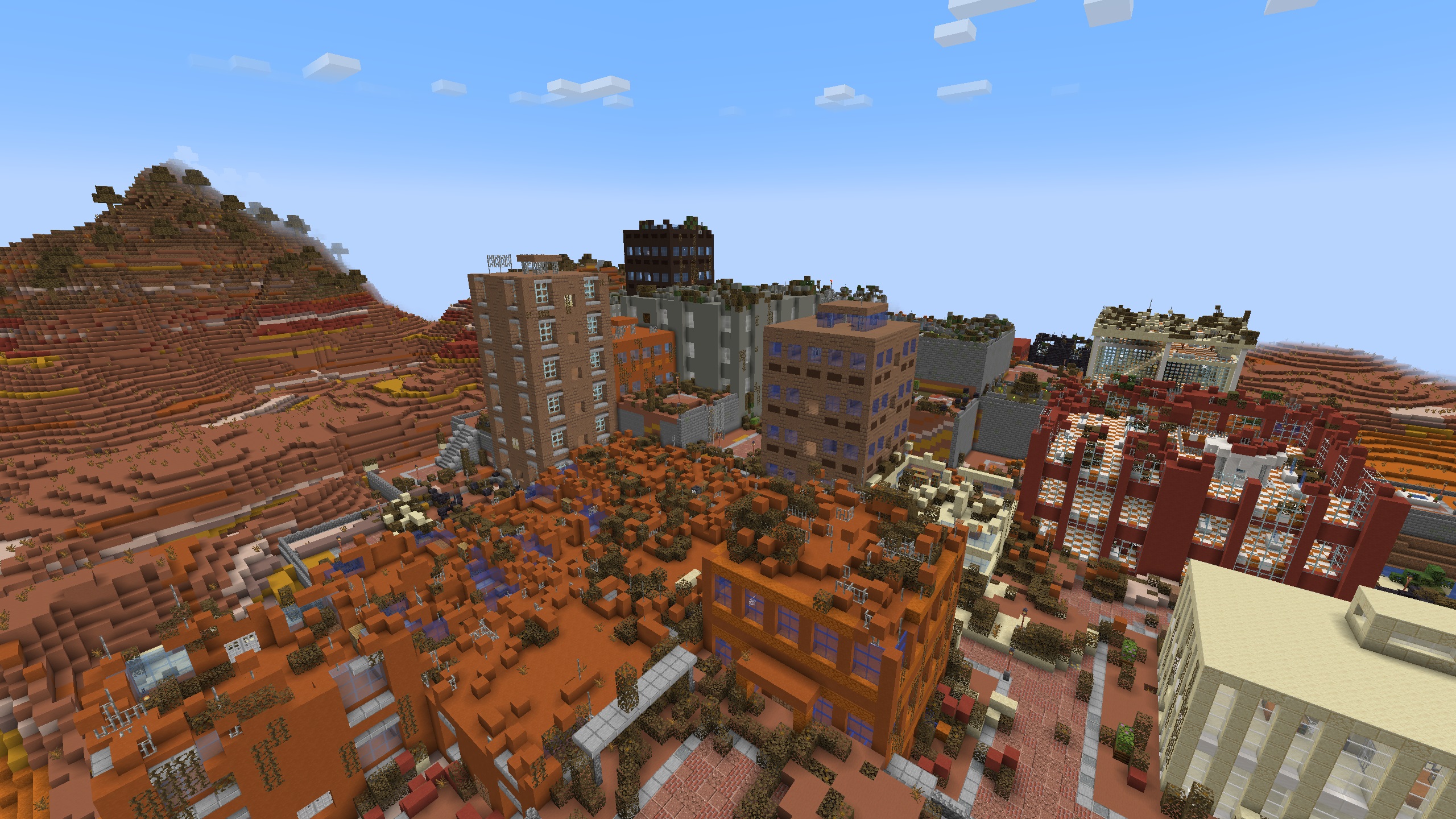 Desert City in Ruins
Images: Lost Cities Modern Tweaks on Modrinth, published by the project team.
Setup
Install Lost Cities Modern Tweaks on your server
The server and players need the same loader and Minecraft version. Back up the world before adding or updating mods.
- 01
Configure
6 GB of RAM is preselected. You choose the term and add-ons and pay by credit card or PayPal.
- 02
Set the loader
In the panel, set the server software to Fabric or Forge or NeoForge and choose the matching Minecraft version, for example 26.3.
- 03
Install the mod
Search the mod browser for “Lost Cities Modern Tweaks” and install the release for your loader. Alternatively, upload the .jar to the mods folder via SFTP. Required dependencies are listed on the project page.
- 04
Connect
Lost Cities Modern Tweaks is optional on the client. Players connect using the server address from the panel.
- On the server
- Required
- On the client
- Optional
- Loader
- Fabric, Forge, NeoForge
- Minecraft
- 26.3, 26.2, 26.1.2 +3 more
- License
- MIT License
The panel
Install mods, find errors.
Real screenshots from the Mado panel. Both come with every Minecraft server.
Mod browser
Modrinth and CurseForge, right in the panel.
The browser filters by your Minecraft version. Install mods with one click, without uploading .jar files.

AI crash analysis
When a mod crashes, the analyzer reads the log.
Mods often fail on a wrong loader version, Java version or missing dependency. The analyzer names a likely cause and suggests a fix.

Releases
Published releases
Pick the file that matches your server’s loader and Minecraft version. The server and players need the same release.
Lost Cities Modern Tweaks · Modrinth- Lost Cities Modern Tweaks 6.0.0 (Datapack)October 25, 2026Minecraft 26.3 · datapack
- Lost Cities Modern Tweaks 6.0.0 (Mod)October 25, 2026Minecraft 26.3 · Fabric, NeoForge
- Lost Cities Modern Tweaks 5.0.1 (Datapack)September 13, 2026Minecraft 26.2 · datapack
- Lost Cities Modern Tweaks 5.0.1 (Mod)September 13, 2026Minecraft 26.2 · Fabric, NeoForge
- Lost Cities Modern Tweaks 4.0.1 (Datapack)September 13, 2026Minecraft 26.1.2 · datapack
Original description by the project author
This datapack (packaged as a mod for easier installation) applies many tweaks to the default Lost Cities geneartion on 1.20.1, making generated cities more interesting while trying to keep the original style.
⚠ You need to have The Lost Cities installed to use this datapack ⚠
Example tweaks:
- Replaced all torches with lanterns. Unfortunately lanterns still generate when city lighting is disabled because torches are hard-coded light sources. You can use Lost Cities Modern Tweaks (Lights Off Edition) if you don't want those lanterns to generate.
- New street and highway designs. Streets now have lamp posts.
- Added more details to the railway network.
- Added more details to some existing buildings.
- More roof variations.
- More park designs. Some existing park designs are also tweaked.
- Redesigned fountains to better fit the new streets.
- More building palettes.
- A new factory multibuilding with a spacious interior, which can be a convenient place to kick off your factory in tech packs.
- New building designs.
- New biome specific city styles.
- Touch up interiors of multi-buildings like shopping center, town center, etc., and added unique loot tables for each of them.
- And more ...
In general, most of the tweaks are aesthetic, and won't break the balance from the original mod. All tweaks use vanilla blocks only, also making it vanilla friendly (and you don't need to install extra mods!). Overall there are hundreds of modified building parts. You can visit the gallery for some examples.
I started these tweaks in my own playthroughs, when I found it strange that a modern city still uses torches everywhere. As I added more and more tweaks, I figured that it is also a good idea to share these tweaks with you.
Permissions
Feel free to use this datapack in any modpacks. The MIT license also gives you a lot of freedom to do additional tweaks yourselves (as the source files are just json files included in the pack).
Compatibility
This datapack has been tested with various vanilla Lost Cities profiles. However, it is impossible to test every heavily modded environment that heavily modifies worldgen. So if the datapack works flawlessly, that's great and enjoy it! If not, you may have to remove it, or manually resolve the issue if you are experienced. Do not report issues caused by this datapack to the Lost Cities mod!
Compatibility with Other Lost Cities Datapacks
Before 1.0.10 for Minecraft 1.20.1 and 2.0.7 for Minecraft 1.12.1, the answer is highly unlikely for the following reasons:
- This datapack modifies lots of parts from the base mod (e.g., it touches all parts with torches).
- Currently the Lost Cities mod does not support merging city styles or building definitions (e.g., allowing multitple datapacks to add/alter different buildings to the same city style). Therefore one pack's content will usually override another's.
Starting from 1.0.10 for Minecraft 1.20.1 and 2.0.7 for Minecraft 1.12.1, general compatibility has been improved because the datapack moved the majority of the tweaks under its own pack namespace lcmt. The datapack only overrides the following datapack files from the base Lost Cities mod:
lostcities/lostcities/worldstyles/standard.jsonlostcities/lostcities/worldstyles/standard_everywhere.jsonlostcities/lostcities/citystyles/citystyle_border.json
These overrides help enable all the tweaks by default so you need to manually create new lost cities profiles to enjoy them.
Compatibility with Other Mods
It should be compatible with mods that are compatible with The Lost Cities mod. The lootable chested/barrels added by this datapack are also compatible with mods like Lootr.
Dependencies
If you are using the mod version, dependency check should be automatically performed by the mod loader. However, if you are using the datapack version, you must manually verify it is compatible with version of the Lost Cities mod you installed:
| Minecraft Version | Lost Cities Modern Tweaks Version | Required The Lost Cities Version |
|---|---|---|
| 26.3 | >=6.0.0 | >=26.3-12.0.0 |
| 26.2 | >=5.0.0 | >=26.2-11.0.0 |
| 26.1.2 | >=4.0.0 | >=26.1.2-10.0.0 |
| 1.21.11 | >=3.1.0 | 1.21.11-9.5.0 |
| 1.21.11 | 3.0.0 | 1.21.11-9.4.0 - 1.21.11-9.4.2 |
| 1.21.1 | >=2.1.0 | >=1.21-8.4.0 |
| 1.21.1 | 2.0.4 - 2.0.7 | 1.21-8.2.6 - 1.21-8.3.10 |
| 1.21.1 | 2.0.0 - 2.0.3 | 1.21-8.2.3 - 1.21-8.2.5 |
| 1.20.1 | >=1.1.0 | >=1.20-7.5.0 |
| 1.20.1 | 1.0.7 - 1.0.10 | 1.20-7.3.6 - 1.20-7.4.13 |
| 1.20.1 | 1.0.3 - 1.0.6 | 1.20-7.3.3 - 1.20-7.3.5 |
| 1.20.1 | 1.0.0 - 1.0.2 | 1.20-7.3.2 |
FAQs
I see both the mod version and the datapack version. Are there any differences?
They share the same content. In general the mod version should be easier to use as you can simply install it as a mod, which will enable the tweaks for all worlds. If you only want to enable these tweaks for a specific world, you can download the datapack version and add it to that world only.
I don't see any city generated?
Follow the instructions from The Lost Cities mod and make sure city generation is turned on for your world. This datapack should work with all default lost cities profiles.
I turned off generateLighting, but lanterns and other light sources still generate in cities?
Unfortunately, that option currently only works for torches. I created a separate pack with most light sources removed here.
If you are familiar with configuring datapacks for lost cities, you can also make a datapack changing the light source definitions in the following palette files:
lcmt/lostcities/palettes/lanterns.jsonlcmt/lostcities/palettes/soul_lanterns.jsonlostcities/lostcities/palettes/rails.json
Is it possible to support older versions than 1.20.1?
This datapack uses blocks from Minecraft 1.20.1+ and some features only available in 1.20.1+ versions of the Lost Cities mod. So older Minecraft versions are not supported.
Does it impact world generation performance?
No based on my testing. This datapack does not do anything special (e.g., no command executions) so it should have similar performance impact as the base Lost Cities mod. When using Chunky to pre-generate a square region with 1024 block radius in Minecraft 1.20.1, I don't see a significant difference in chunk generation speed compared with the base Lost Cities mod.
Why are some loot chests empty?
If you only have the Lost Cities mod and this datapack installed, then this behavior is expected. With the built-in profiles comes with the Lost Cities mod, there is a chance loot will not be generated. If you want to customize this behavior, you need to create a new Lost Cities profile (under config/lostcities/profiles) and tweak the following options: generateLoot, chestWithoutLootChance, buildingWithoutLootChance.
If you have other mods/datapacks install that will affect loot generation, then you will need to consult owners of those mods/datapacks.
Can I tweak the loot in multi-building like the factory buildings?
Yes. All loot tables are defined under lcmt/loot_tables/chests (or lcmt/loot_table/chests for 1.21.1 and above) in the datapack. The selection conditions are defined under lcmt/lostcities/conditions.
For example, with the default condition defined at lcmt/lostcities/conditions/factory_loot.json, lootable chests or barrels in factory buildings will pick one of the loot tables from lcmt/loot_tables/chests/factory_*.json (or lcmt/loot_table/chest/factory_*.json for 1.21.1 and above) to generate loot items. The loot tables are balanced against vanilla. If you are a pack maker, you can use mods like KubeJS to edit them to make them better fit your pack.
Some multi-building's loot conditions are configured to allow different loot tables to be used in different building parts. For example, if you want to customize the loot in shopping center's vending machines, you can override lcmt/loot_table/chests/shopping_vending_machine.json.
Can I tweak the biomes for specific city styles (e.g., snowy cities)?
Yes. By default this datapack uses biome tags to determine desert, jungle, and snowy biomes. So it should be compatible with biome mods that correctly set biome tags for their new biomes. You can also manually override the corresponding biome tags under lcmt/tags/worldgen/biome in this datapack if you need more fine grained tweaks.
I saw errors like Failed to create block entity minecraft:banner in logs. Should I be worried?
You should be fine. The Lost Cities mod seems to have a bug when generating banners under certain situations. As a result, the banners won't be generated correctly in some building parts, but it should not affect gameplay. The same issue can also happen to sign blocks, spawner blocks, or other blocks with block entity data.
Lost Cities Modern Tweaks server crashes on startup – what to do?
Common causes: the loader or Minecraft version does not match the mod file, a dependency is missing, or RAM is too low. Check the log (latest.log) for “OutOfMemoryError”, “Mixin” or missing mods. At Mado, the AI crash analysis reads the log and suggests a cause. You can change the loader and version in the panel.
Which loader does Lost Cities Modern Tweaks run on?
According to Modrinth, Lost Cities Modern Tweaks supports Fabric, Forge, NeoForge for Minecraft 26.3, 26.2, 26.1.2. Forge and Fabric files are not interchangeable: pick one loader for the server and clients.
How much RAM does a server with Lost Cities Modern Tweaks need?
As guidance, 4–6 GB for a server with this mod. This is an estimate, not a measured minimum. More mods, many players and long view distances need more. The spark profiler shows whether a mod is costing tick time.
Similar mods
Popular mods in the same category
 Server-ready

Xaero's Minimap
by thexaero
Displays a map of the nearby world terrain, players, mobs, entities in the corner of your screen. Lets you create waypoints which help you find the locations you've marked.
 Server-ready

Xaero's World Map
by thexaero
Adds a full screen world map which shows you what you have explored in the world. Works great together with Xaero's Minimap.
 Client only

Not Enough Animations
by tr7zw
Bringing first-person animations to the third-person
 Client only

3D Skin Layers
by tr7zw
Render the player skin layer in 3d!
Ready for your server with Lost Cities Modern Tweaks?
6 GB of RAM from €12.00 per month. 35% off your first month with MADO35.