

Modrinth · Fabric, Forge, NeoForge
Magnum Torch on your Minecraft server
Magnum Torch runs on Minecraft servers with Fabric or Forge or NeoForge. Order your server, set the loader in the panel and install the mod with one click in the mod browser.
Powerful torches to prevent mob spawns around your home in a large area.
- Downloads
- 8.7M
- Author
- Fuzs
- Loader
- Fabric, Forge, NeoForge
- Minecraft
- 1.18.2 – 26.3
- Updated
- –
Screenshots
What Magnum Torch looks like

Images: Magnum Torch on Modrinth, published by the project team.
Setup
Install Magnum Torch on your server
The server and players need the same loader and Minecraft version. Back up the world before adding or updating mods.
- 01
Configure
4 GB of RAM is preselected. You choose the term and add-ons and pay by credit card or PayPal.
- 02
Set the loader
In the panel, set the server software to Fabric or Forge or NeoForge and choose the matching Minecraft version, for example 26.3.
- 03
Install the mod
Search the mod browser for “Magnum Torch” and install the release for your loader. Alternatively, upload the .jar to the mods folder via SFTP. Required dependencies are listed on the project page.
- 04
Connect
Every player installs the same Magnum Torch release locally and connects using the server address from the panel.
- On the server
- Required
- On the client
- Required
- Loader
- Fabric, Forge, NeoForge
- Minecraft
- 26.3, 26.2, 26.1.2 +22 more
- License
- Mozilla Public License 2.0
The panel
Install mods, find errors.
Real screenshots from the Mado panel. Both come with every Minecraft server.
Mod browser
Modrinth and CurseForge, right in the panel.
The browser filters by your Minecraft version. Install mods with one click, without uploading .jar files.

AI crash analysis
When a mod crashes, the analyzer reads the log.
Mods often fail on a wrong loader version, Java version or missing dependency. The analyzer names a likely cause and suggests a fix.

Releases
Published releases
Pick the file that matches your server’s loader and Minecraft version. The server and players need the same release.
Magnum Torch · Modrinth- v26.3.0-mc26.3.x+neoforgeSeptember 26, 2026Minecraft 26.3 · NeoForge
- v26.3.0-mc26.3.x+fabricSeptember 26, 2026Minecraft 26.3 · Fabric
- [NEOFORGE] [26.2.x] v26.2.0June 18, 2026Minecraft 26.2 · NeoForge
- [FABRIC] [26.2.x] v26.2.0June 18, 2026Minecraft 26.2 · Fabric
- [NEOFORGE] [26.1.x] v26.1.0April 28, 2026Minecraft 26.1, 26.1.1, 26.1.2 · NeoForge
Original description by the project author




📖 About:
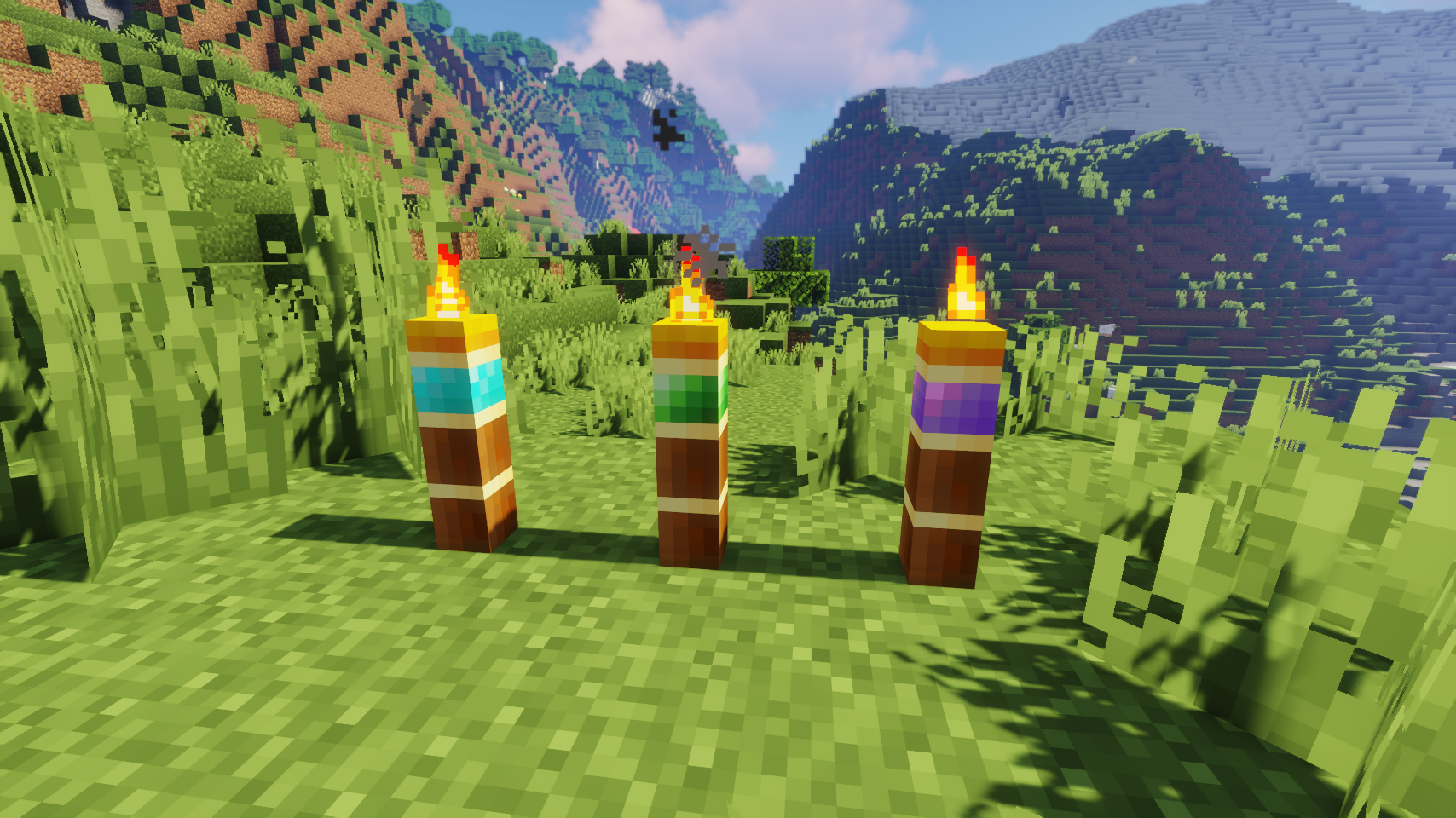
Magnum Torch adds three kinds of very powerful torches that prevent mobs from spawning in a huge area. Only natural spawns will be prevented, so e.g. spawners and raids still work as they should.
📚 Contents:
The type of magnum torch you craft defines what kind of mobs will be prevented from spawning. Only new mobs are prevented from spawning, mobs already in the world will not instantly vanish upon placing a magnum torch!
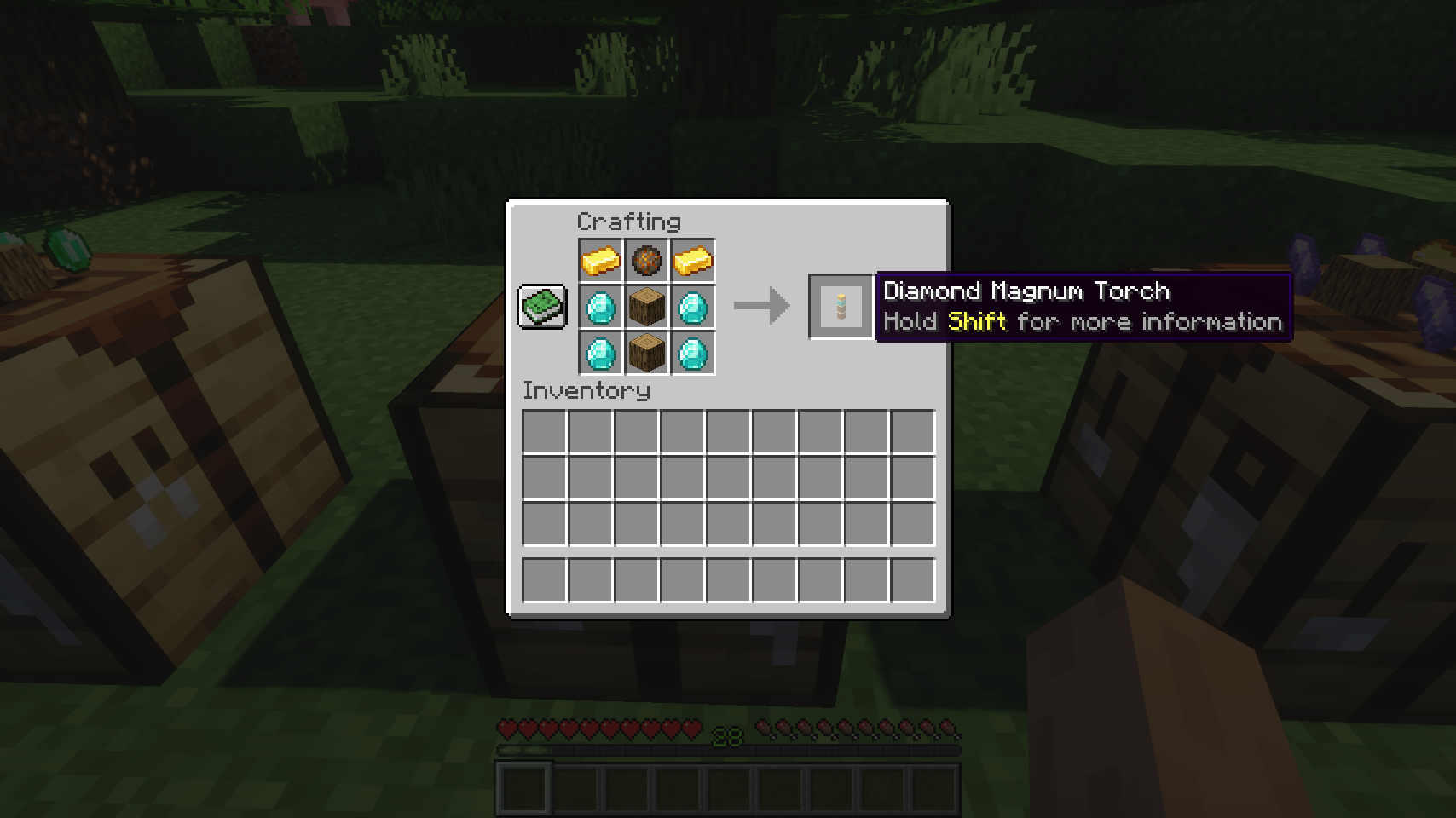
- Diamond: All monsters, such as zombies, skeletons, creepers, spiders, phantoms and so on.
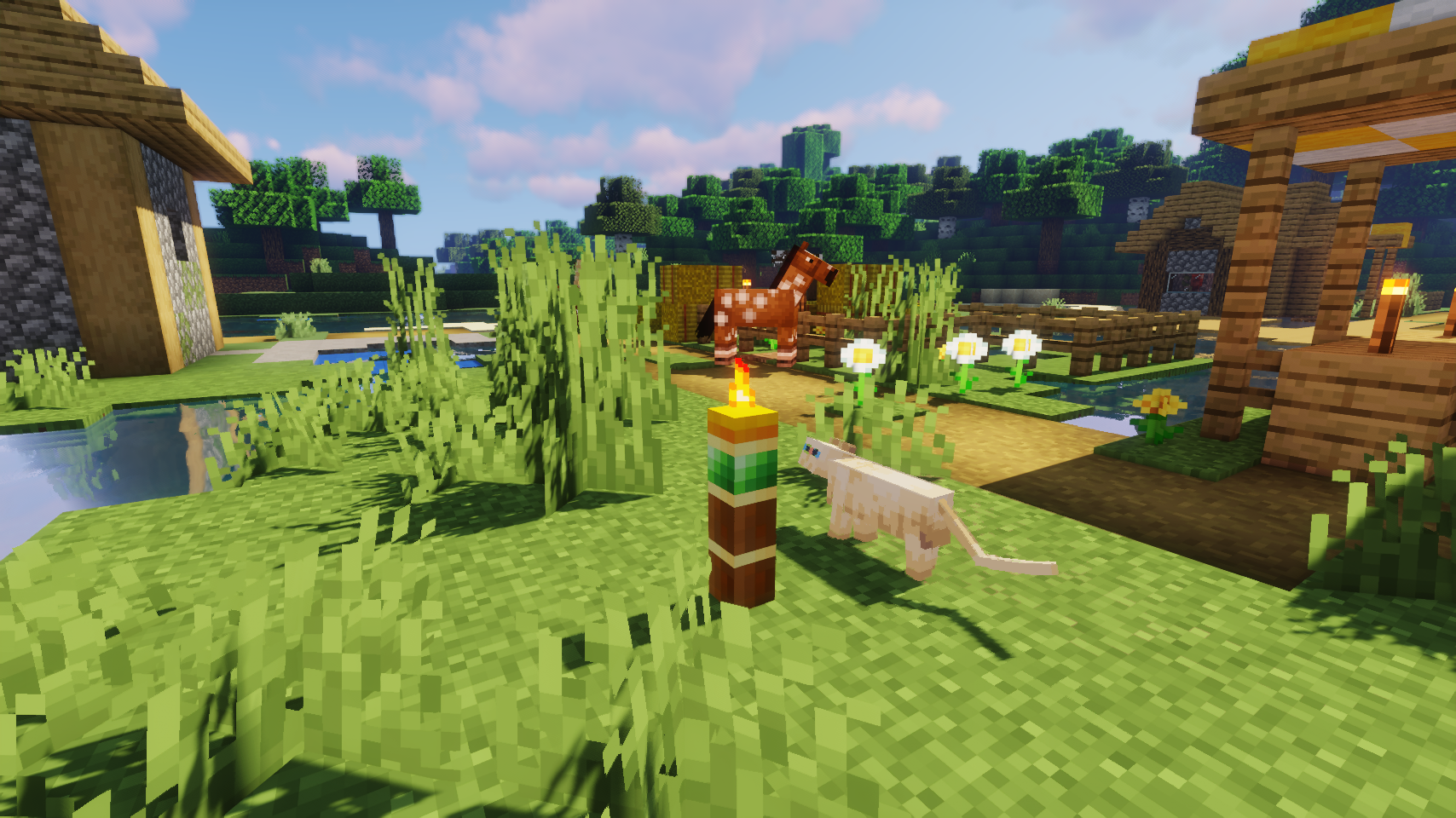
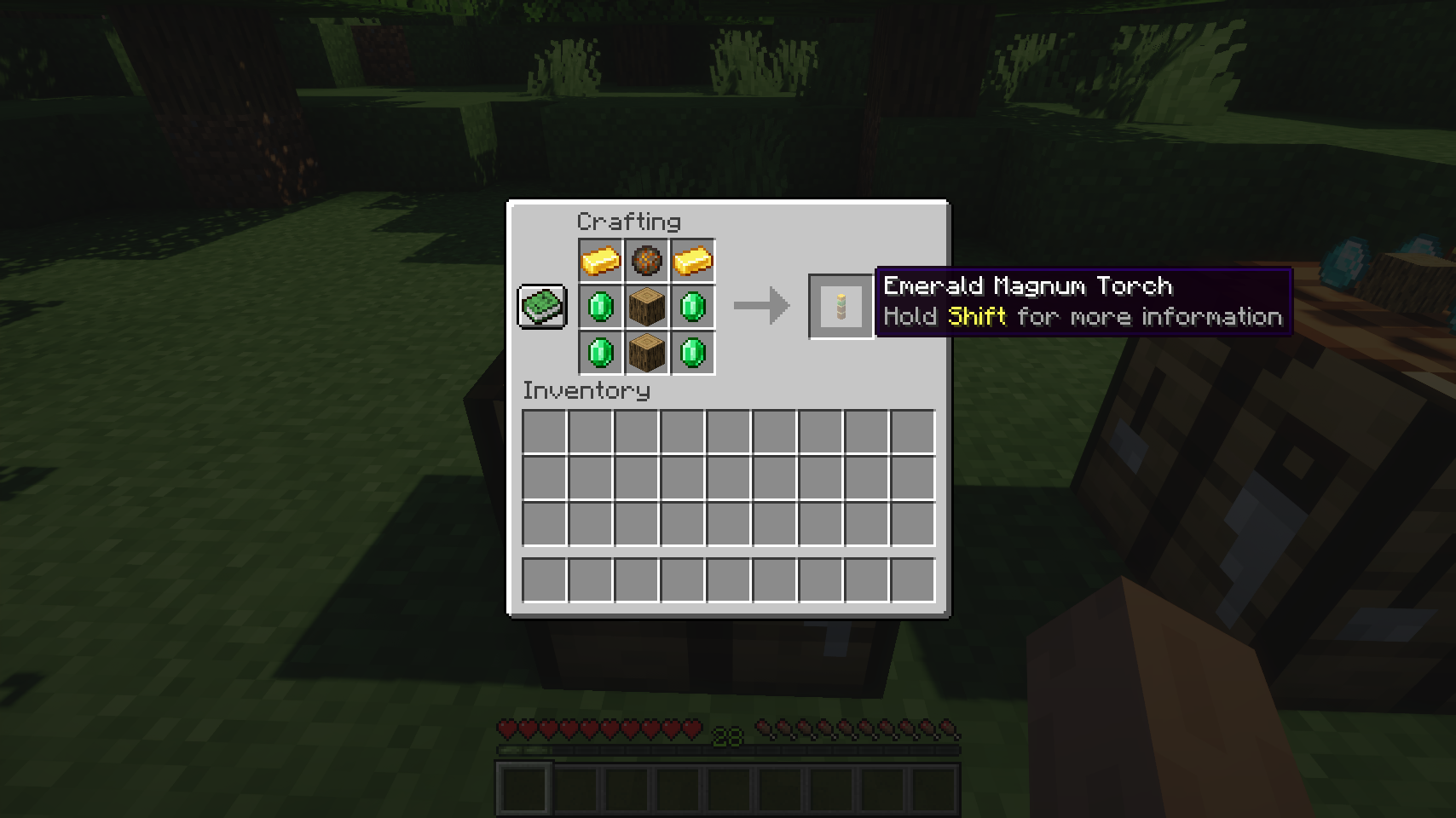
- Emerald: Passive mobs such as wandering traders and trader llamas (animals are technically affected, but not really, since they only spawn during world gen or from breeding, which are both unaffected by magnum torches)
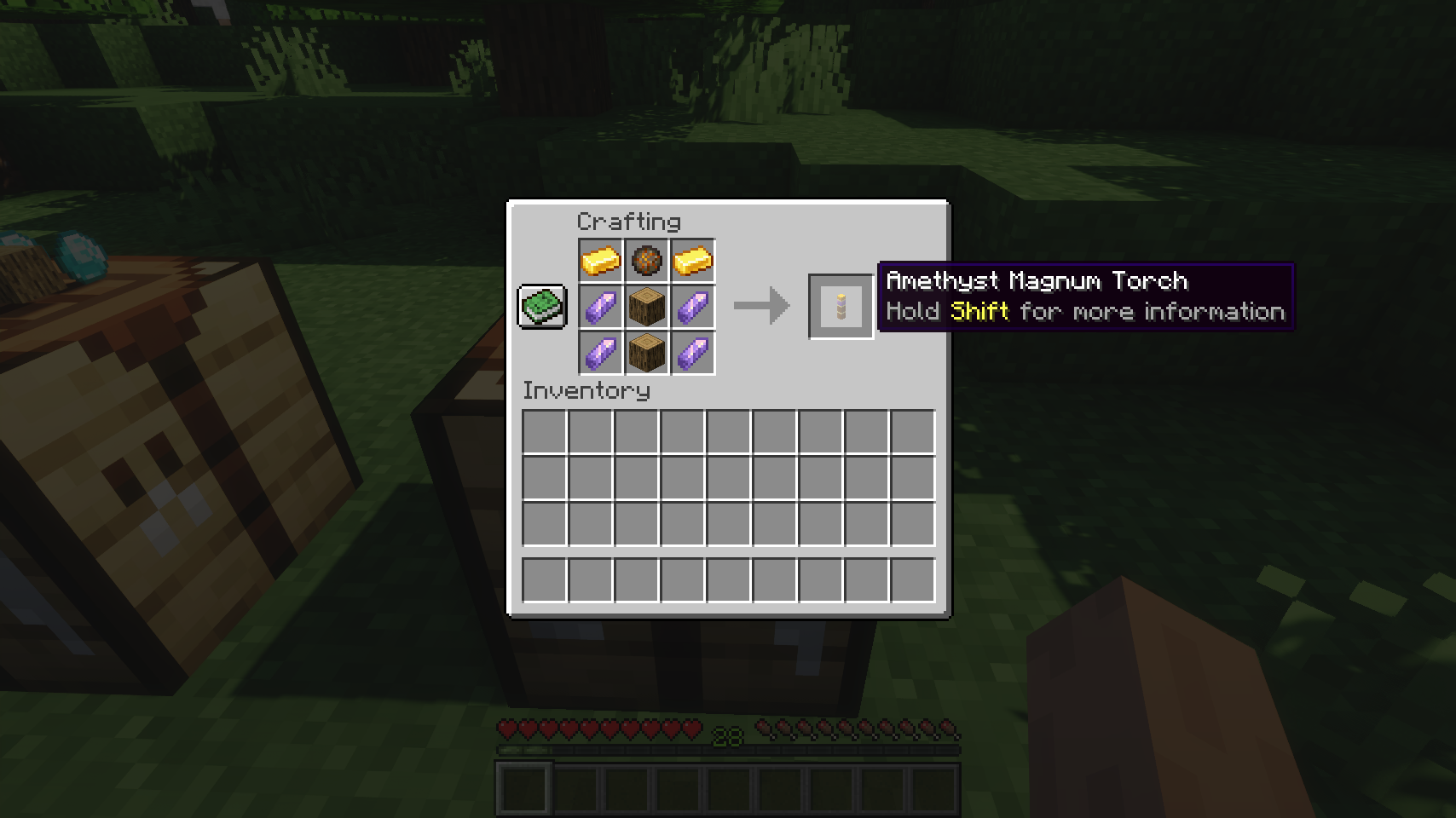
- Amethyst: Cave and water mobs, such as bats, all squids, axolotls, and all fish
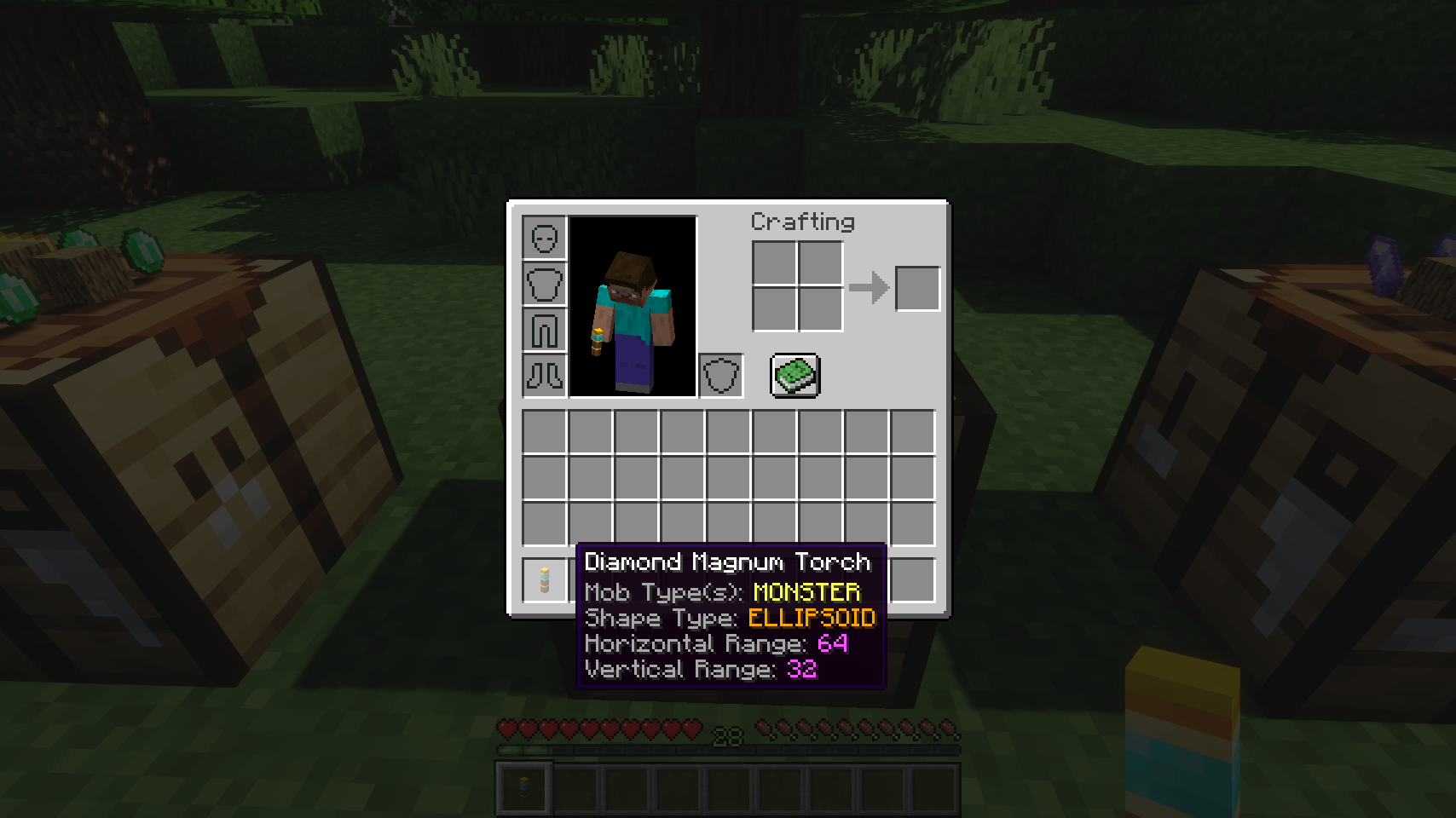
Even better: Every kind of magnum torch is fully customizable, including effective range, shape to prevent mob spawns in (cuboid, cylinder, ellipsoid), white-/blacklist for individual mobs, type of blocked mobs (monster/water/cave/passive). So if you want you can completely change what the different types do, e.g. have one type only prevent phantom spawns and another solely deal with wandering traders, while the third one disables all kinds of fish. Its completely up to you!
📷 Media:
 |
 |
|
| Three kinds of magnum torches, all prevent different mob spawns | Emerald magnum torch in a village | |
 |
 |
|
| The item tooltip tells you all important variables you need to know | Crafting a diamond magnum torch | |
 |
 |
|
| Crafting an emerald magnum torch | Crafting an amethyst magnum torch | |
💡 FAQ:
Q: How do I configure this mod on Forge?
A: Install my Config Menus for Forge mod and do it directly in-game!
Q: How do I configure this mod on Fabric?
A: Editing configs directly in-game has not yet been implemented. Instead when in a world run the /config showfile <modid> command by choosing either CLIENT or SERVER (depending on the mod), then click the file name (ending with .toml) that appears in chat to be able to manually edit the config file in a separate editor. After saving the file, the config will automatically reload in-game after a couple of seconds, so no game restart required.
Q: Where can I download this mod for Fabric on versions of Minecraft before 1.19?
A: Older downloads are found on the old project page.
🏆 Credits:
Developing Magnum Torch was helped and inspired by:
- RWTema for inspiring this mod from the magnum torch block found in old versions of their Extra Utilities mod
- Nyffuuuh23 for creating those dandy textures


 |
 |
|
 |
 |
|
 |
 |
|
 |
 |
|
 |
 |
|
Magnum Torch server crashes on startup – what to do?
Common causes: the loader or Minecraft version does not match the mod file, a dependency is missing, or RAM is too low. Check the log (latest.log) for “OutOfMemoryError”, “Mixin” or missing mods. At Mado, the AI crash analysis reads the log and suggests a cause. You can change the loader and version in the panel.
Which loader does Magnum Torch run on?
According to Modrinth, Magnum Torch supports Fabric, Forge, NeoForge for Minecraft 26.3, 26.2, 26.1.2. Forge and Fabric files are not interchangeable: pick one loader for the server and clients.
How much RAM does a server with Magnum Torch need?
As guidance, 3–4 GB for a server with this mod. This is an estimate, not a measured minimum. More mods, many players and long view distances need more. The spark profiler shows whether a mod is costing tick time.
Similar mods
Popular mods in the same category
 Server-ready

FerriteCore
by malte0811
Memory usage optimizations
 Client only

Mod Menu
by Prospector
Adds a mod menu to view the list of mods you have installed.
 Server-ready

YetAnotherConfigLib (YACL)
by isxander
A builder-based configuration library for Minecraft!
 Server-ready

Xaero's Minimap
by thexaero
Displays a map of the nearby world terrain, players, mobs, entities in the corner of your screen. Lets you create waypoints which help you find the locations you've marked.
Ready for your server with Magnum Torch?
4 GB of RAM from €8.00 per month. 35% off your first month with MADO35.