
Map Link (formerly Remote Player Waypoints for Xaero's Map)
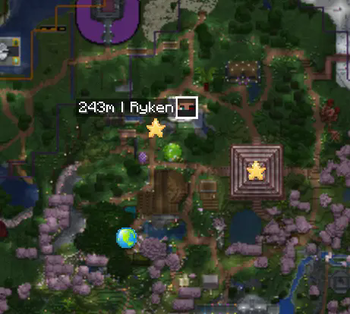
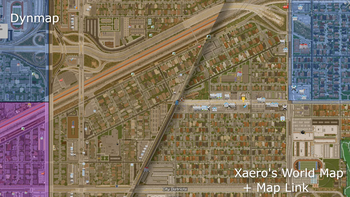
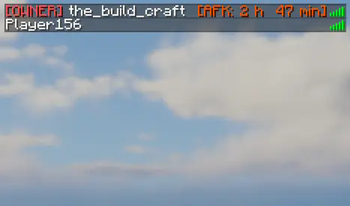
Downloads and converts tiles and synchronizes players, markers and area overlays from Bluemap, Dynmap, Pl3xMap or Squaremap with Xaero's Minimap and Worldmap. Also displays AFK time in the tab list.
Screenshots

About this Mod








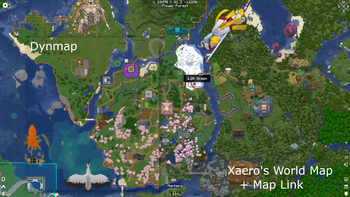
Map Link is a client mod that can download and convert tiles and synchronizes player positions, marker positions and area overlays from Web-Maps like Bluemap, Dynmap, LiveAtlas, Pl3xMap or Squaremap with Xaero's Minimap and Worldmap.
It can also show how long a player has been AFK based on movement data.
Formerly known as "Remote Player Waypoints for Xaero's Map"
Features
- Synchronizes player positions in real-time as player-head-icons (Xaero's "Tracked Players") or waypoints
- Download and convert map-tiles (Bluemap only; other maps in future updates)
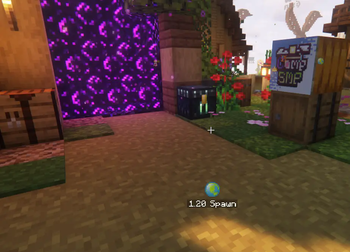
- Displays web-map-markers with custom icons
- Displays web-map-area-overlays aka claims
- AFK-time display in tab list
- Friend-list to override some settings for friends
- Very customizable with lots of config settings
Supported Web Maps
- Bluemap
- Dynmap
- LiveAtlas
- Pl3xMap
- Squaremap
How to use
- Open the mod config menu (requires Mod Menu on Fabric/Quilt)
- Add a new server-entry in the config: [General -> Server Entries]
- Select the correct [Web Map Type]
- Put in the exact server-ip you use to connect to the server
- Put in the link to the web map (just copy it from the browser)
How to download and convert map tiles
Bluemap only for now
- Right-Click-Drag on the Worldmap to select the chunks
- Select "Download Map Tiles"
- Select the correct world
...and then just wait until it's finished :)
Compatibility
- Xaero's Minimap and Xaero's Better PvP + Fair Play Versions
- Xaero's Worldmap
Massive thanks to
- ewpratten for making RemotePlayers which this mod was originally based on
- MeerBiene for having the idea and helping with the AFK-time formatting
- eatmyvenom for having the idea and helping with implementing the marker support
- James Seibel for making Distance Horizons: I used a lot of the multi-version build scripts from there.
- TheMrEngMan for letting me use the features from his own fork of the original RemotePlayers mod
- NotRyken for helping with the 26.1 and 26.2 port
- Deltaforce8472 for making the new Icon
This mod is not officially affiliated with Bluemap, Dynmap, LiveAtlas, Pl3xMap, Squaremap or Xaero in any way.
Available Versions
How to Install Map Link (formerly Remote Player Waypoints for Xaero's Map) on Your Client
Install the Mod Loader Locally
Install fabric for your local Minecraft version.
Download the Matching File
Choose the Map Link (formerly Remote Player Waypoints for Xaero's Map) file for fabric and Minecraft 26.3.
Install Mod
Place the .jar file in your local .minecraft/mods folder and restart Minecraft. No server-side installation is required.
Compatibility
Mod Loaders
Minecraft Versions
26.3, 26.2, 26.1.2 (+28 more)
Server-side
✗ UnsupportedRecommended RAM
4 GB(min. 3 GB)Frequently Asked Questions
Does Map Link (formerly Remote Player Waypoints for Xaero's Map) need to be installed on the Minecraft server?
No. Modrinth marks Map Link (formerly Remote Player Waypoints for Xaero's Map) as unsupported on the server side. Install it only in your local Minecraft mods folder. Your server can remain unchanged unless the mod page lists an additional dependency.
Which version and loader does Map Link (formerly Remote Player Waypoints for Xaero's Map) require?
Use a file for fabric, forge, neoforge, quilt and your exact Minecraft version. Supported versions include 26.3, 26.2, 26.1.2. Files for different loaders are not interchangeable.
Map Link (formerly Remote Player Waypoints for Xaero's Map) is not working – what should I check?
First check the Minecraft version, loader version and required dependencies. Put the .jar file in your local .minecraft/mods folder and remove older duplicates. Because this mod is client-side, adding server RAM will not fix it.
Similar Mods




Minecraft Server for Your Group
Map Link (formerly Remote Player Waypoints for Xaero's Map) stays on your client. Host a compatible world for your group.