Modrinth · Fabric, Forge, NeoForge
MEGA Cells on your Minecraft server
MEGA Cells runs on Minecraft servers with Fabric or Forge or NeoForge. Order your server, set the loader in the panel and install the mod with one click in the mod browser.
ME Greater Accumulation: For when kilobytes just won't do.
- Downloads
- 2.0M
- Author
- 90
- Loader
- Fabric, Forge, NeoForge
- Minecraft
- 1.18.2 – 1.21.1
- Updated
- –
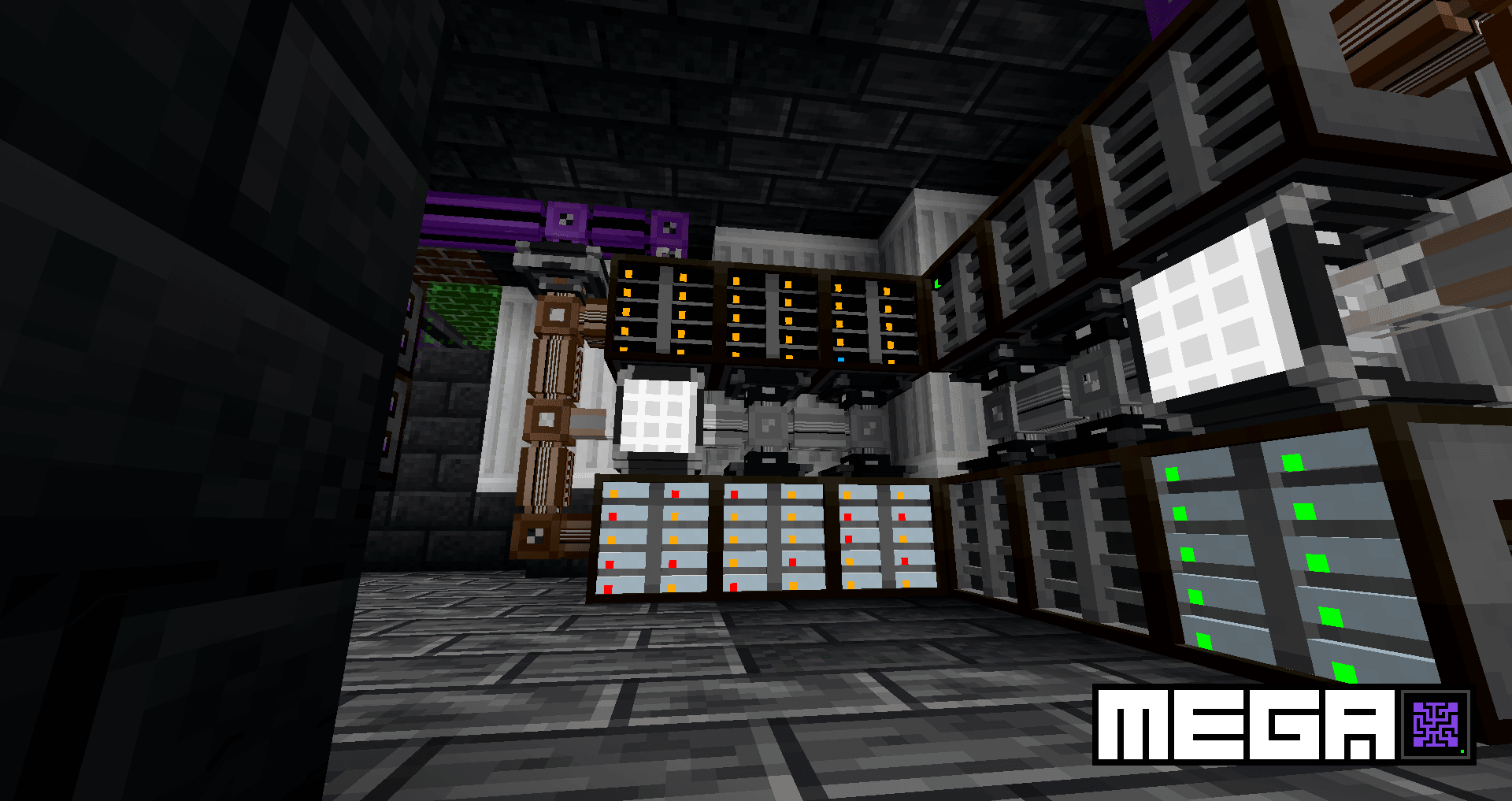
Screenshots
What MEGA Cells looks like


Images: MEGA Cells on Modrinth, published by the project team.
Setup
Install MEGA Cells on your server
The server and players need the same loader and Minecraft version. Back up the world before adding or updating mods.
- 01
Configure
4 GB of RAM is preselected. You choose the term and add-ons and pay by credit card or PayPal.
- 02
Set the loader
In the panel, set the server software to Fabric or Forge or NeoForge and choose the matching Minecraft version, for example 1.21.1.
- 03
Install the mod
Search the mod browser for “MEGA Cells” and install the release for your loader. Alternatively, upload the .jar to the mods folder via SFTP. Required dependencies are listed on the project page.
- 04
Connect
Every player installs the same MEGA Cells release locally and connects using the server address from the panel.
- On the server
- Required
- On the client
- Required
- Loader
- Fabric, Forge, NeoForge
- Minecraft
- 1.21.1, 1.21, 1.20.4 +3 more
- License
- GNU Lesser General Public License v3.0 only
The panel
Install mods, find errors.
Real screenshots from the Mado panel. Both come with every Minecraft server.
Mod browser
Modrinth and CurseForge, right in the panel.
The browser filters by your Minecraft version. Install mods with one click, without uploading .jar files.

AI crash analysis
When a mod crashes, the analyzer reads the log.
Mods often fail on a wrong loader version, Java version or missing dependency. The analyzer names a likely cause and suggests a fix.

Releases
Published releases
Pick the file that matches your server’s loader and Minecraft version. The server and players need the same release.
MEGA Cells · Modrinth- 4.11.0 (NeoForge 1.21.1)April 19, 2026Minecraft 1.21.1 · NeoForge
- 2.4.6 (Forge 1.20.1)February 9, 2025Minecraft 1.20.1 · Forge, NeoForge
- 2.4.6 (Fabric 1.20.1)February 9, 2025Minecraft 1.20.1 · Fabric
- 2.0.4 (Forge 1.19.2)October 3, 2023Minecraft 1.19.2 · Forge
- 2.0.4 (Fabric 1.19.2)October 3, 2023Minecraft 1.19.2 · Fabric
Original description by the project author

ME Greater Accumulation: For when kilobytes just won't do.


MEGA Cells is an add-on for Applied Energistics 2 providing higher tiers of storage, ranging in capacity from 1M to as high as 256M, similarly to add-ons of old such as Extra Cells 2 and its successors.
Unlike conventional add-ons in the same vein, MEGA does things quite differently, featuring its own dedicated progression line and components to further augment and challenge existing AE2 players' set-ups, while emphasising a distinct visual style with jet-black colour schemes.

- 1M - 256M item and fluid cells (standard + portable)
- MEGA Crafting CPUs with bespoke all-black crafting units: 1M - 256M storage, 4-threaded co-processing unit and matching monitor
- Integration with multiple other AE2 add-ons such as Applied Mekanistics (1-256M chemical cells) and Applied Botanics (1-256M mana cells)
- MEGA Bulk Item Storage Cell: Designed for infinite storage of a single item type
- Bulk Compression: Automatic conversion between ingots, nuggets and blocks for bulk item cell storage, with full support for auto-crafting via the Decompression Module
- MEGA Pattern Provider: Double-capacity storage for processing patterns
- Superdense Energy Cell and Greater Energy Card: Increased energy storage for AE networks and portable devices
...and more still to come.

All code is licensed under LGPLv3, in adherence to the same license used by Applied Energistics 2 and with some code borrowed from AE2 itself. All assets are licensed under CC BY-NC-SA 3.0, in adherence to the same license used by AE2 and with most deriving from AE2's own assets. Some assets have been provided externally as courtesy of Sea_Kerman.
MEGA Cells server crashes on startup – what to do?
Common causes: the loader or Minecraft version does not match the mod file, a dependency is missing, or RAM is too low. Check the log (latest.log) for “OutOfMemoryError”, “Mixin” or missing mods. At Mado, the AI crash analysis reads the log and suggests a cause. You can change the loader and version in the panel.
Which loader does MEGA Cells run on?
According to Modrinth, MEGA Cells supports Fabric, Forge, NeoForge for Minecraft 1.21.1, 1.21, 1.20.4. Forge and Fabric files are not interchangeable: pick one loader for the server and clients.
How much RAM does a server with MEGA Cells need?
As guidance, 3–4 GB for a server with this mod. This is an estimate, not a measured minimum. More mods, many players and long view distances need more. The spark profiler shows whether a mod is costing tick time.
Similar mods
Popular mods in the same category
 Client only

Mouse Tweaks
by YaLTeR
Enhances inventory management by adding various functions to the mouse buttons.
 Server-ready

Clumps
by jaredlll08
Clumps XP orbs together to reduce lag
 Client only

Inventory Profiles Next
by blackd
Take control over your inventory. Sort. Move matching Items. Throw all. Locked slots. Gear sets! And much more.
 Server-ready

Shulker Box Tooltip
by MisterPeModder
View the contents of shulker boxes from your inventory
Ready for your server with MEGA Cells?
4 GB of RAM from €8.00 per month. 35% off your first month with MADO35.