
Modrinth · Fabric, Forge, NeoForge
Mielon's The Sift 2.0 on your Minecraft server
Mielon's The Sift 2.0 runs on Minecraft servers with Fabric or Forge or NeoForge. Order your server, set the loader in the panel and install the mod with one click in the mod browser.
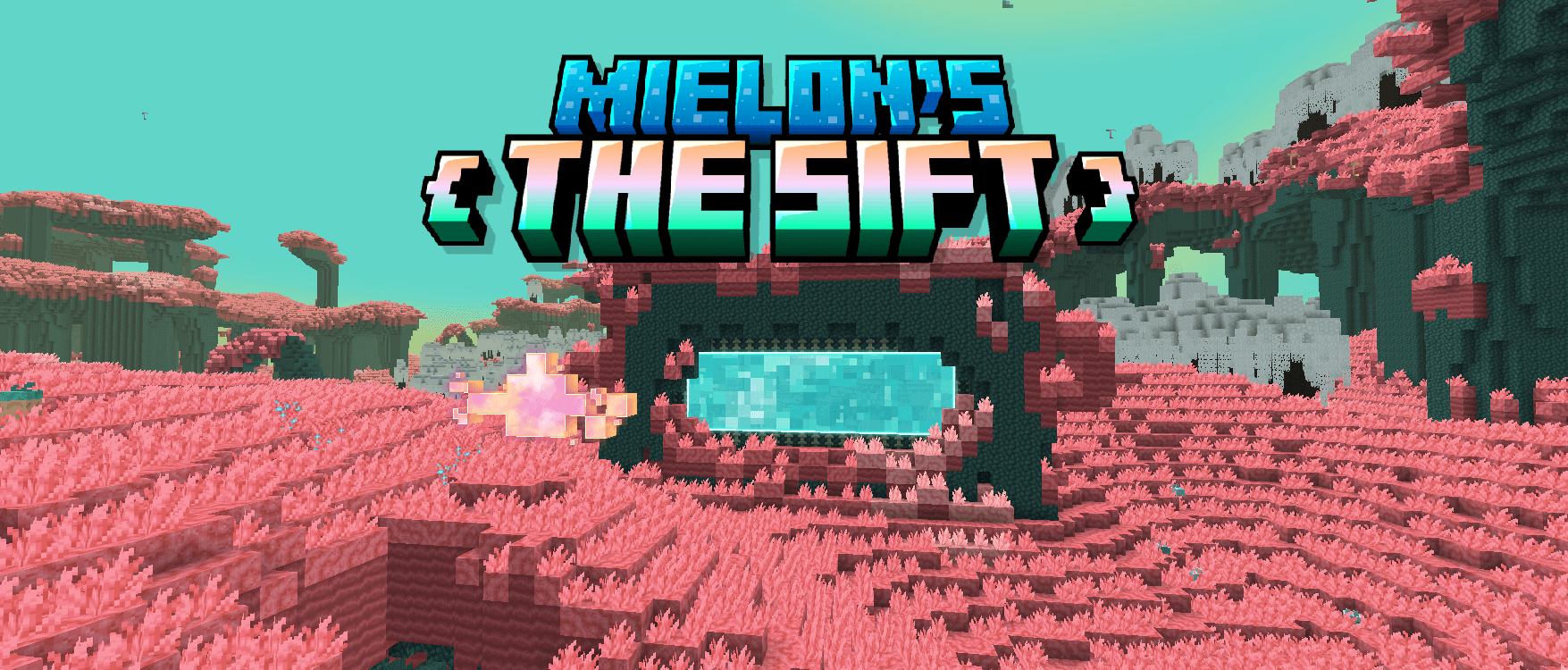
Explore The Sift: a strange dimension of Ichor, sculk, ancient life and resonant souls.
- Downloads
- 452.9K
- Author
- Mielon
- Loader
- Fabric, Forge, NeoForge
- Minecraft
- 1.20.1 – 26.3
- Updated
- –
Screenshots
What Mielon's The Sift 2.0 looks like


Images: Mielon's The Sift 2.0 on Modrinth, published by the project team.
Setup
Install Mielon's The Sift 2.0 on your server
The server and players need the same loader and Minecraft version. Back up the world before adding or updating mods.
- 01
Configure
6 GB of RAM is preselected. You choose the term and add-ons and pay by credit card or PayPal.
- 02
Set the loader
In the panel, set the server software to Fabric or Forge or NeoForge and choose the matching Minecraft version, for example 26.3.
- 03
Install the mod
Search the mod browser for “Mielon's The Sift 2.0” and install the release for your loader. Alternatively, upload the .jar to the mods folder via SFTP. Required dependencies are listed on the project page.
- 04
Connect
Every player installs the same Mielon's The Sift 2.0 release locally and connects using the server address from the panel.
- On the server
- Required
- On the client
- Required
- Loader
- Fabric, Forge, NeoForge
- Minecraft
- 26.3, 26.2, 26.1.2 +2 more
- License
- MIT License
The panel
Install mods, find errors.
Real screenshots from the Mado panel. Both come with every Minecraft server.
Mod browser
Modrinth and CurseForge, right in the panel.
The browser filters by your Minecraft version. Install mods with one click, without uploading .jar files.

AI crash analysis
When a mod crashes, the analyzer reads the log.
Mods often fail on a wrong loader version, Java version or missing dependency. The analyzer names a likely cause and suggests a fix.

Releases
Published releases
Pick the file that matches your server’s loader and Minecraft version. The server and players need the same release.
Mielon's The Sift 2.0 · Modrinth- Mielon's The Sift 2.0.6November 21, 2026Minecraft 1.20.1 · Forge
- Mielon's The Sift 2.0.6November 21, 2026Minecraft 1.21.1 · Fabric
- Mielon's The Sift 2.0.6November 21, 2026Minecraft 1.21.1 · Forge
- Mielon's The Sift 2.0.6November 21, 2026Minecraft 1.21.1 · NeoForge
- Mielon's The Sift 2.0.6November 21, 2026Minecraft 26.1.2 · Fabric
Original description by the project author
Mielon's The Sift
Don't know what some item, block or mob does?
Check the advancements! They'll tell you all the mechanics in the mod!
How to open the Ancient City portal
- Play a Goat Horn at the center of an Ancient City. A Singer will appear and awaken the eight Sonorous Deepslate blocks in front of the portal frame.
- Place a Note Block on each awakened block. Right-click the Note Blocks to tune them. Each cycles through eight notes.
- Left-click the Note Blocks to play 0 → 2 → 6 → 5 → 4 → 1 → 3 → 7. The order you play them in is what matters. Once you play the correct melody, the blocks replay it and the portal opens.
Explore The Sift 2.0
Explore 11 biomes across the surface and underground, from Coral Forests and the Organic Desert to Ichor-Snowy Peaks and Soulshale Caves. The dimension has its own animated sky, weather, and three-part tide cycle. Beds work during Endure Tide or thunderstorms.
Search Abandoned Camps, Ruined Portals, Ichor Domes, and Soulshale Shelters for loot. Follow explorer maps to remote camps and the Sculkers’ Lair, a buried dungeon patrolled by Stalkers and Scavengers.
Creatures and the Monarch
- Singers and Echo Golems. Befriend an Echo Golem with an Echo Shard and it can bring you Soul Blocks. Trade those blocks with a Singer for loot, including a chance at the Wellspring music disc. You can also build an Echo Golem using Polished Soulshale and a Carved Pumpkin.
- Sifters. Seedlings, Nesters, and Pollinators each fight differently. Craft a Sifter Cap from their hides to pass among them peacefully unless you attack first.
- Blubs and other wildlife. Tame a Blub with Blubby Berries and it will defend you. Wild Blubs feed on ripe Blubby Berries, and can stack into towers. You’ll also encounter Slabbers and Nuzzles, they can be farmed for meat and bred using overgrown vegetation.
- Sulkers. You can find Stalkers, Scavengers and Dark Sniffers in the corrupted regions of the Sift. They also guard their lair.
- The Monarch. Explore the Sculkers’ Lair, then place the Sculkflower on top of Royal Sculk to summon the boss. Defeat it for the Monarch Membrane and combine it with the upgrade template from the lair to make Monarch Elytra, which can gain altitude while gliding.
Ichor, Rifts, and equipment
Ichor drains your health without protection. Enchant your chestplate with Soul Absorption I to prevent the damage, or with Soul Absorption II to turn exposure into Regeneration. The enchantment also changes what happens when you drink bottled Ichor and when you get hit by the Ichor snowball.
Sift Rifts are temporary passages between The Sift and the Overworld. They stay open for five minutes and can carry mobs, vehicles, items, and projectiles as well as players.
Siftite upgrades Netherite tools, weapons, and armor at the Smithing Table. If you die, a Mini Rift returns your lost Siftite gear after you respawn. Charoite can replace Lapis Lazuli at an Enchanting Table to boost eligible enchantments by one level at a higher XP requirement.
The advancement tab offers hints for exploration, bartering, equipment, and boss progression.
The Sift also has ambient music by Lealeanz and two music discs, Rift by Fuzja Jądrowa and Wellspring by Echo_Dev.
The Dark Sniffer texture is by ImpSteve.
Mob Sounds are taken from Minecraft Dungeons II. Chiseled Soulshale textures and Soulshale sounds are taken from Minecraft 26.4 Snapshot 7.
Localization credits go to StrawberrySushi_ for Korean, Frumptle for Russian, Grelinho for Brazilian Portuguese, kulisaiji for Chinese, Smagard for Ukraininan and Rafacraft for Argentine Spanish.
Mielon's The Sift 2.0 server crashes on startup – what to do?
Common causes: the loader or Minecraft version does not match the mod file, a dependency is missing, or RAM is too low. Check the log (latest.log) for “OutOfMemoryError”, “Mixin” or missing mods. At Mado, the AI crash analysis reads the log and suggests a cause. You can change the loader and version in the panel.
Which loader does Mielon's The Sift 2.0 run on?
According to Modrinth, Mielon's The Sift 2.0 supports Fabric, Forge, NeoForge for Minecraft 26.3, 26.2, 26.1.2. Forge and Fabric files are not interchangeable: pick one loader for the server and clients.
How much RAM does a server with Mielon's The Sift 2.0 need?
As guidance, 4–6 GB for a server with this mod. This is an estimate, not a measured minimum. More mods, many players and long view distances need more. The spark profiler shows whether a mod is costing tick time.
Similar mods
Popular mods in the same category
 Server-ready

Xaero's Minimap
by thexaero
Displays a map of the nearby world terrain, players, mobs, entities in the corner of your screen. Lets you create waypoints which help you find the locations you've marked.
 Server-ready

Xaero's World Map
by thexaero
Adds a full screen world map which shows you what you have explored in the world. Works great together with Xaero's Minimap.
 Client only

Not Enough Animations
by tr7zw
Bringing first-person animations to the third-person
 Client only

3D Skin Layers
by tr7zw
Render the player skin layer in 3d!
Ready for your server with Mielon's The Sift 2.0?
6 GB of RAM from €12.00 per month. 35% off your first month with MADO35.