
morpher
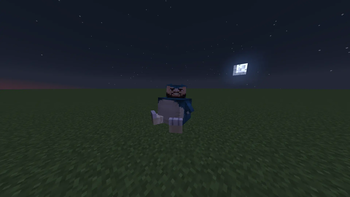
A mod that changes the player's rendering to whatever you want using geckolib
Screenshots


About this Mod
English Version.
Morpher Mod
Morpher is a mod that changes the player's rendering to a custom geckolib one with your own imported animations.
📁 MOD INSTALLATION
Install the dependencies, if you have 1.20.4 / 1.21.1 Fabric Install ARRP, if you only have Forge ONLY install Geckolib.
Import the dependencies and the morpher into the server and client.
🎨 IMPORTING MODELS, TEXTURES, AND ANIMATIONS
The Morpher mod will create a folder named "morpher" which will contain geo, textures, animations, and overlays.
Inside geo, place the file you created with geckolib.
Inside textures, place the texture for the geo model.
Inside animations, place the animation for your geo model.
👤 USE YOUR MODEL WITH THE TEXTURE AND ANIMATION
First of all, use the following command so that the server detects the files correctly and Minecraft does not crash: /morpher reload
To render the models you want to use, enter the following command: /morpher
visible true To use your model, enter the following command: /morpher
set model To use your texture, enter the following command: /morpher
set texture To place your animation, use the following command: /morpher
set anim
If you find any bugs or crashes, contact me on Discord: badendingg_ or azukiss. and tell me what the error is so I can help you fix it!
Mod Discord server
Version en Español.
Morpher Mod
Morpher es un mod que te cambia el renderizado del jugador por uno custom de geckolib y con tus propias animacions importadas.
📁 INSTALACION DEL MOD
Instalar las dependendencias, Si tienes 1.20.4 / 1.21.1 Fabric instala ARRP, si tienes Forge SOLAMENTE Instala Geckolib.
Impotar las dependencias y el morpher en server y cliente
🎨 IMPORTACION DE MODELOS, TEXTURAS Y ANIMACIONES
El morpher creara 1 carpeta, la cual se llamara morpher, dentro de morpher estara, geo, textures, animations y overlays
Dentro de geo pon tu archivo creado con geckolib.
Dentro de textures pon la textura del modelo geo.
Dentro de animations pon la animacion de tu modelo geo.
👤 USAR TU MODELO CON LA TEXTURA Y ANIMACION
Primero que todo haz el siguiente comando para que el servidor detecte los archivos correctamente y no se te crashee minecraft, /morpher reload
Para que se renderize los modelos que desees poner haz el siguiente comando /morpher
visible true Para poner tu modelo haz el siguiente comando, /morpher
set model Para poner tu textura haz el siguiente comando, /morpher
set texture Para poner tu animacion haz el siguiente comando, **/morpher
set anim
Si encuentras algun bug o crasheo contactame por discord: badendingg_ o azukiss. y dime cual es tu error para ayudarte a solucionarlo!.
Servidor de Discord del mod
Available Versions
How to Install morpher on Your Server
Order Server
Order a Minecraft Java server with at least 3 GB RAM (4 GB recommended).
Set fabric Loader
In the panel under "Egg", select the fabric loader and matching Minecraft version (1.21.1).
Install Mod
Open the mod browser in the dashboard and search for "morpher". Click "Install" – done! Alternatively, upload the .jar via SFTP to the /mods folder.
Compatibility
Mod Loaders
Minecraft Versions
1.21.1, 1.20.4, 1.20.1
Server-side
✓ RequiredRecommended RAM
4 GB(min. 3 GB)Frequently Asked Questions
morpher server crashes on startup – what to do?
Most common cause: wrong fabric version or insufficient RAM. Check the server log (latest.log) for "OutOfMemoryError" or "Mixin" errors. With Mado Hosting: ensure at least 3 GB RAM is allocated and the loader matches the mod version (1.21.1). You can switch loaders with one click in the panel.
Is morpher compatible with fabric and forge?
morpher officially supports fabric, forge for Minecraft 1.21.1, 1.20.4, 1.20.1. Note: Forge and Fabric mods are NOT cross-compatible – pick one loader and stick with it. The Mado dashboard automatically detects incompatible loader combinations.
Server lagging with morpher – how to optimize performance?
Recommended RAM: 4 GB (per 8 players). Use /spark profiler to check if morpher consumes the most tick time. Common fixes: reduce server view-distance to 8-10, install "performant" or "starlight" as supplementary mods on Forge. With Mado Hosting, your server runs on NVMe SSDs with dedicated CPU cores for minimal latency.
Similar Mods






Rent Modded Server
Install morpher with just one click on your server.