
Netherracked
a Mod/Datapack that Adds Recipe for Netherrack in Minecraft (+ Create Mod)
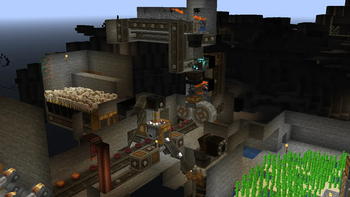
Screenshots
About this Mod
to setup their instances and servers faster and easier.


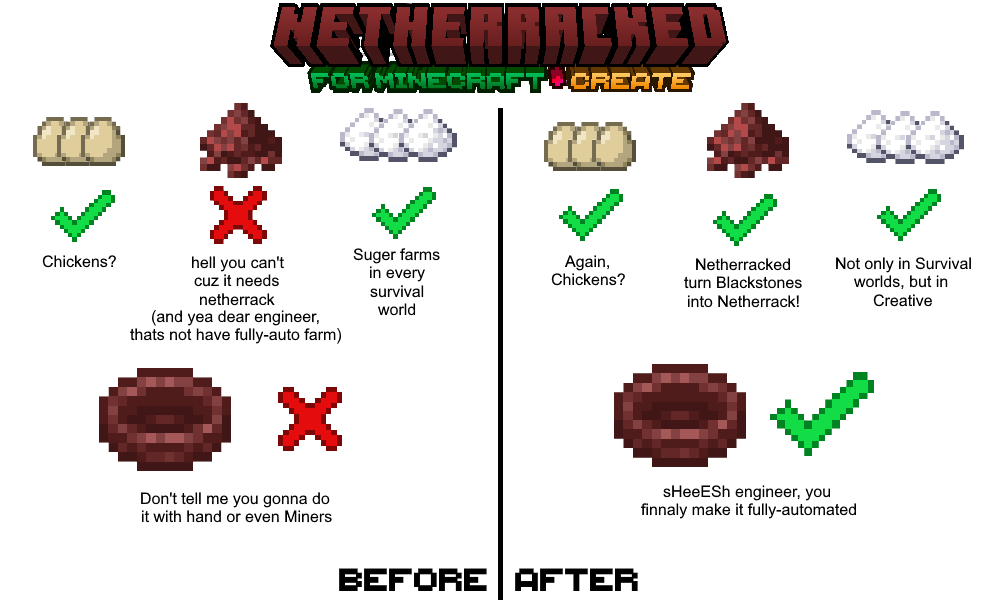
Netherracked: A Datapack that Adds Recipe for Netherrack Which needs
Minecraft Furnace or Fan Blasting from Create Mod.
So, no more you upset because of "Can't Farm Netherrack". especially if you want to make Create Mod Blaze Burners have a fully-automatic source of Blaze Cakes.
Here is how it works:
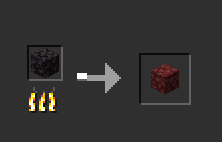
1. Minecraft Furnaces (Vanilla): Simply add Blackstone to input and wait for it smelt and finally you get Netherrack! (Hardly, it's difficult to farm Blackstone, sorry but I didn't find any respective Block for that.)
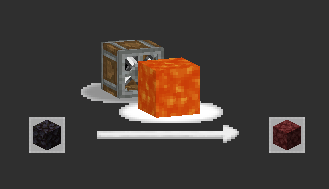
2. Create Mod Fan-Blasting: throw Blackstone in front of fan and lava so after a time it turns into Netherrack!
How to Install? (Datapack)
- put datapack into
.minecraft/saves/(YOUR_WORLD)/datapacks - go to your world and type:
/datapack enable "file/Netherracked.zip" - do
/reloadso datapack gets loaded into the world.
doing this process once for every world is enough. so once you load it, it's done.
but for adding to the other worlds, you should repeat this process.
How to Install? (Mod)
- just put the mod on the
.minecraft/modsfolder and you're done!
"Netherracked" by IranMine123
Please Credit our Modrinth Page
Website: Arman Studios
Available Versions
How to Install Netherracked on Your Server
Order Server
Order a Minecraft Java server with at least 3 GB RAM (4 GB recommended).
Set datapack Loader
In the panel under "Egg", select the datapack loader and matching Minecraft version (1.21.8).
Install Mod
Open the mod browser in the dashboard and search for "Netherracked". Click "Install" – done! Alternatively, upload the .jar via SFTP to the /mods folder.
Compatibility
Mod Loaders
Minecraft Versions
1.21.8, 1.21.7, 1.21.6 (+21 more)
Server-side
✓ RequiredRecommended RAM
4 GB(min. 3 GB)Frequently Asked Questions
Netherracked server crashes on startup – what to do?
Most common cause: wrong datapack version or insufficient RAM. Check the server log (latest.log) for "OutOfMemoryError" or "Mixin" errors. With Mado Hosting: ensure at least 3 GB RAM is allocated and the loader matches the mod version (1.21.8). You can switch loaders with one click in the panel.
Is Netherracked compatible with datapack and fabric and forge and neoforge and quilt?
Netherracked officially supports datapack, fabric, forge, neoforge, quilt for Minecraft 1.21.8, 1.21.7, 1.21.6. Note: Forge and Fabric mods are NOT cross-compatible – pick one loader and stick with it. The Mado dashboard automatically detects incompatible loader combinations.
Server lagging with Netherracked – how to optimize performance?
Recommended RAM: 4 GB (per 8 players). Use /spark profiler to check if Netherracked consumes the most tick time. Common fixes: reduce server view-distance to 8-10, install "performant" or "starlight" as supplementary mods on Forge. With Mado Hosting, your server runs on NVMe SSDs with dedicated CPU cores for minimal latency.
Similar Mods






Rent Modded Server
Install Netherracked with just one click on your server.