
Modrinth · Fabric, Forge · Client mod
PolyNametag (Nametags)
PolyNametag (Nametags) is a client-side mod. Install it on your computer; the server does not need it.
An extremely customizable nametag mod. By Polyfrost, best with OneClient.
- Downloads
- 1.6M
- Author
- Microcontrollers
- Loader
- Fabric, Forge
- Minecraft
- 1.21.1 – 26.3
- Updated
- –
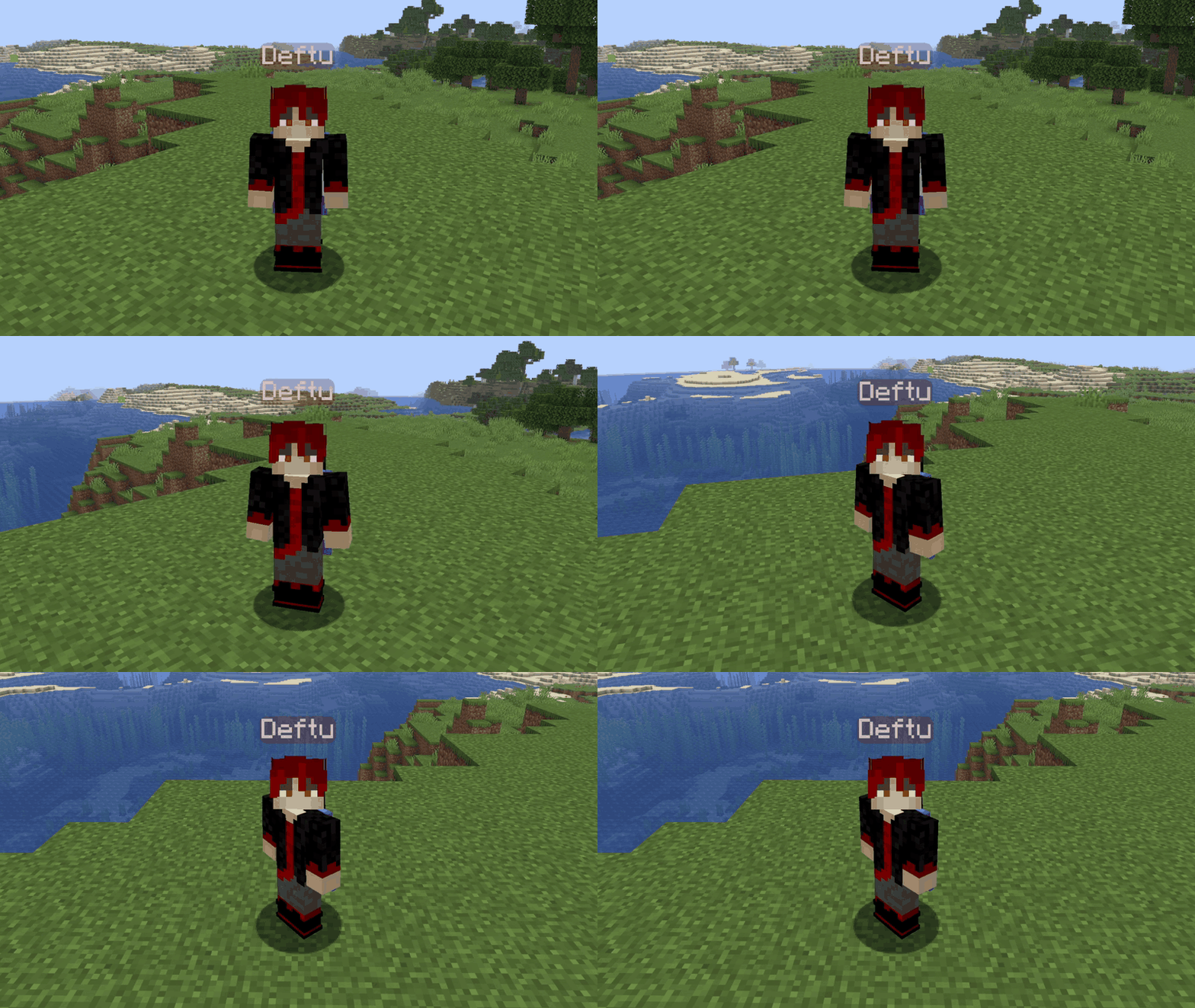
Screenshots
What PolyNametag (Nametags) looks like


Images: PolyNametag (Nametags) on Modrinth, published by the project team.
Setup
Install PolyNametag (Nametags) on your client
Client-side mods only run on your computer. More server RAM does not change their performance.
- 01
Install the loader locally
Install Fabric or Forge for your Minecraft version in your launcher.
- 02
Download the file
Download the PolyNametag (Nametags) file for your loader and your exact Minecraft version, for example 26.3.
- 03
Add it to the mods folder
Put the .jar file in your local .minecraft/mods folder and remove older duplicates.
- 04
Launch
Launch Minecraft with the loader profile. Nothing needs to change on the server.
- On the server
- Not needed
- On the client
- Required
- Loader
- Fabric, Forge
- Minecraft
- 26.3, 26.2, 26.1.2 +9 more
- License
- LicenseRef-GPL-3.0-with-Minecraft-Linking-Exception
Releases
Published releases
Pick the file that matches your server’s loader and Minecraft version. The server and players need the same release.
PolyNametag (Nametags) · Modrinth- 1.2.6November 17, 2026Minecraft 26.3 · Fabric
- 1.2.6November 17, 2026Minecraft 26.2 · Fabric
- 1.2.6November 17, 2026Minecraft 26.1, 26.1.1, 26.1.2 · Fabric
- 1.2.6November 17, 2026Minecraft 1.21.11 · Fabric
- 1.2.6November 17, 2026Minecraft 1.21.10 · Fabric
Original description by the project author
PolyNametag


PolyNametag restyles the nametags above players and other entities, and shows you your own nametag in third person.
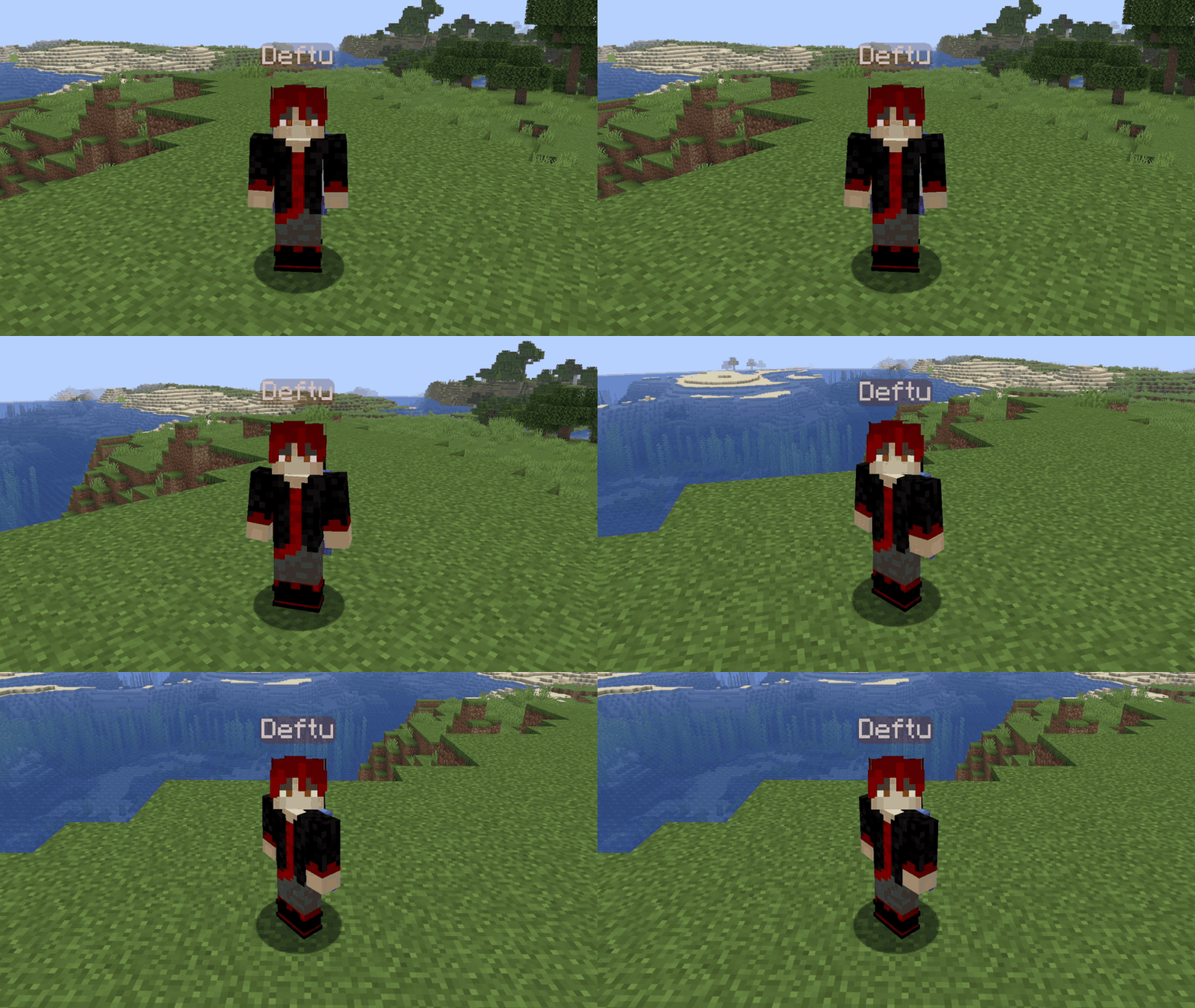
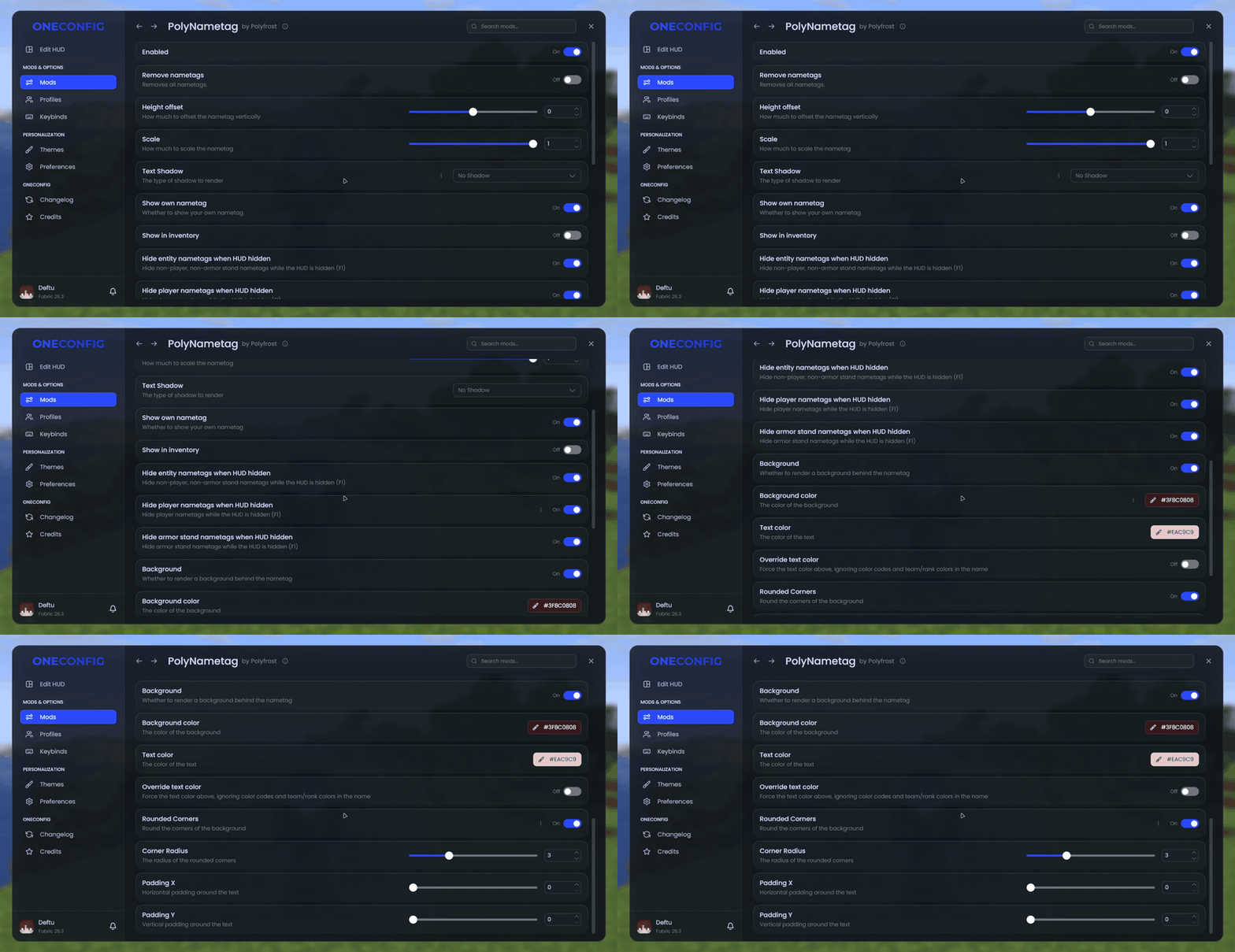
- Move nametags up or down, and scale them down
- Text shadow and custom text color
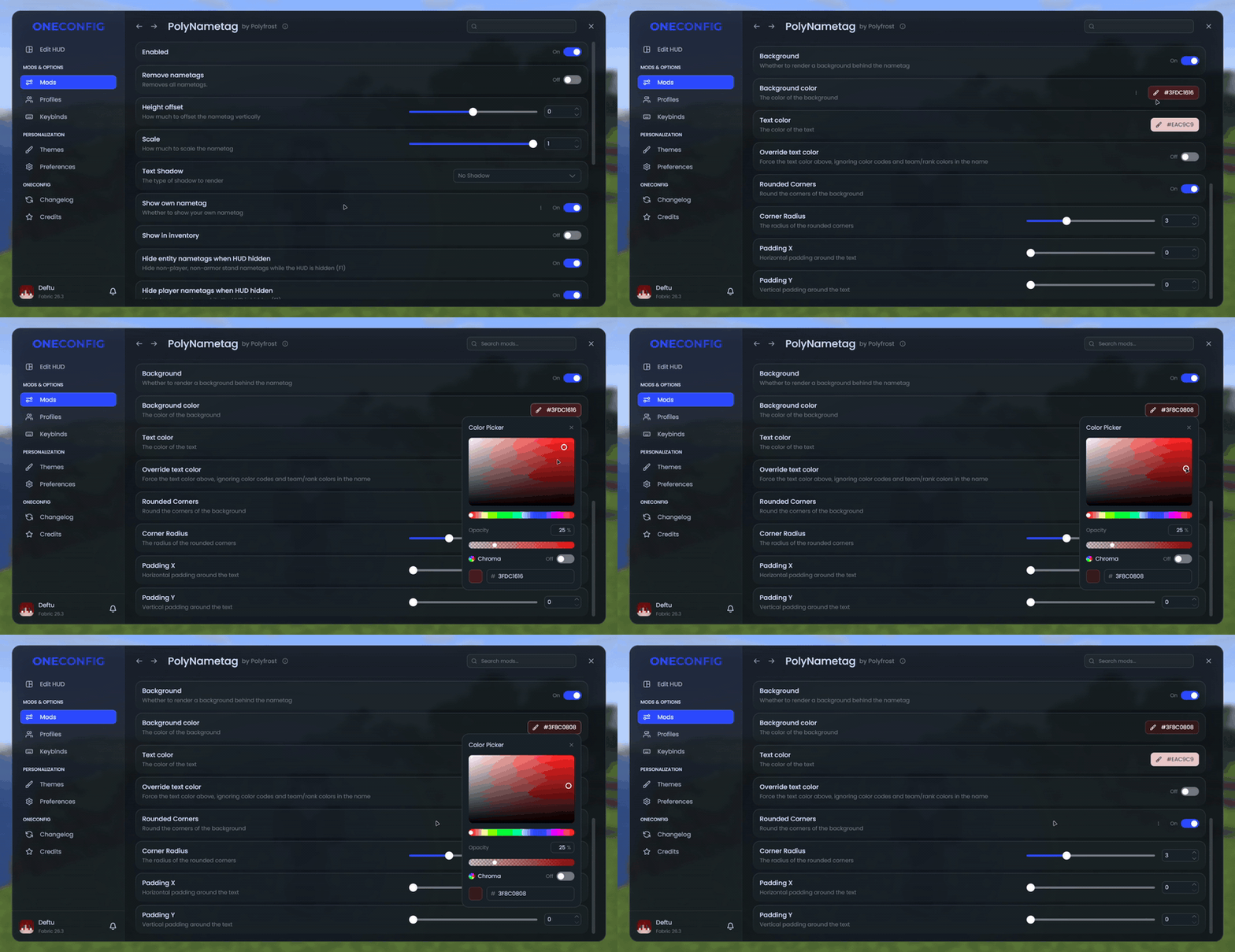
- Custom background color, rounded corners and padding, or no background at all
- See your own nametag in third person (and in your inventory, if you want)
- Keep nametags visible while the HUD is hidden with F1 (separate toggles for players, armor stands and everything else)
- Hide every nametag with one switch
Supported versions
- Minecraft 1.8.9 on Ornithe.
- Minecraft 1.21.1-26.3 on Fabric.
PolyNametag needs OneConfig and Fabric Language Kotlin.
Support
- Report bugs and ask questions on the Polyfrost Discord.
- Check Polyfrost Status if a Polyfrost service is down.
Does PolyNametag (Nametags) need to be installed on the Minecraft server?
No. Modrinth marks PolyNametag (Nametags) as unsupported on the server side. Install it only in your local mods folder. Your server can stay unchanged unless the project page lists an additional dependency.
Which version and loader does PolyNametag (Nametags) require?
Use a file for Fabric, Forge and your exact Minecraft version. Supported versions include 26.3, 26.2, 26.1.2. Files for different loaders are not interchangeable.
PolyNametag (Nametags) is not working – what should I check?
First check the Minecraft version, loader version and required dependencies. Because the mod is client-side, more server RAM will not fix it.
Similar mods
Popular mods in the same category
 Server-ready

FerriteCore
by malte0811
Memory usage optimizations
 Client only

Mod Menu
by Prospector
Adds a mod menu to view the list of mods you have installed.
 Server-ready

YetAnotherConfigLib (YACL)
by isxander
A builder-based configuration library for Minecraft!
 Server-ready

Xaero's Minimap
by thexaero
Displays a map of the nearby world terrain, players, mobs, entities in the corner of your screen. Lets you create waypoints which help you find the locations you've marked.
Looking for mods for your own server?
The catalog lists mods that run on Minecraft servers.