
Project MMO
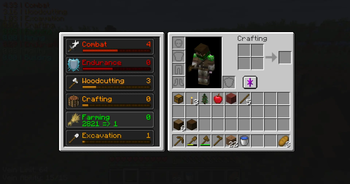
Provides skills / stats / levels, that provide unique benefits!
Screenshots


About this Mod
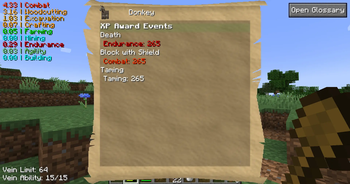
Project MMO is a mod about playing the game and earning experience in skills related to what you do.
The experience you earn levels up specific skills that then unlocks items and gains you special perks. Some perks include:
- faster run speed
- higher jumping
- fasting digging/mining
- longer underwater breath
- more damage
- and more
PMMO also has special features that scale off the items you unlocked or your skill levels, like:
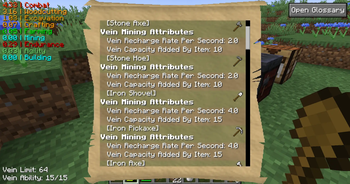
- Vein mining
- extra drops (like a skill based fortune)
- treasure drops (like rare loot)
- mobs that scale based on your strength
- Party with friends for shared xp and a small boost
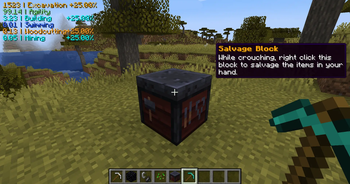
- Salvaging items back into their components
Huge thanks to BoodlyNeck, the maker of the video, for doing such a great job!
(Project MMO starts at 3:14)
Supported mods:
- Craft Tweaker API support
- 100% Curios Items support
- 99.9% of the mods are compatible with PMMO
Feel free to use this mod in a modpack, as long as you link this page,
and the modpack does not require anyone to pay, in order to play it!
Available Versions
How to Install Project MMO on Your Server
Order Server
Order a Minecraft Java server with at least 3 GB RAM (4 GB recommended).
Set forge Loader
In the panel under "Egg", select the forge loader and matching Minecraft version (26.3).
Install Mod
Open the mod browser in the dashboard and search for "Project MMO". Click "Install" – done! Alternatively, upload the .jar via SFTP to the /mods folder.
Compatibility
Mod Loaders
Minecraft Versions
26.3, 26.2, 26.1.2 (+14 more)
Server-side
✓ RequiredRecommended RAM
4 GB(min. 3 GB)Frequently Asked Questions
Project MMO server crashes on startup – what to do?
Most common cause: wrong forge version or insufficient RAM. Check the server log (latest.log) for "OutOfMemoryError" or "Mixin" errors. With Mado Hosting: ensure at least 3 GB RAM is allocated and the loader matches the mod version (26.3). You can switch loaders with one click in the panel.
Is Project MMO compatible with forge and neoforge?
Project MMO officially supports forge, neoforge for Minecraft 26.3, 26.2, 26.1.2. The Mado dashboard automatically detects incompatible loader combinations.
Server lagging with Project MMO – how to optimize performance?
Recommended RAM: 4 GB (per 8 players). Use /spark profiler to check if Project MMO consumes the most tick time. Common fixes: reduce server view-distance to 8-10, install "performant" or "starlight" as supplementary mods on Forge. With Mado Hosting, your server runs on NVMe SSDs with dedicated CPU cores for minimal latency.
Similar Mods




Rent Modded Server
Install Project MMO with just one click on your server.